




We may not have the course you’re looking for. If you enquire or give us a call on 01344203999 and speak to our training experts, we may still be able to help with your training requirements.
PPC Tools to Plan, Manage and Measure Ad Campaigns
ByThe Knowledge AcademyLast updated on: 26 November 2026
PPC tools help you research keywords, manage ad spend and measure what people do after clicking. Explore tools for running campaigns, reviewing competitors, testing landing pages and tracking conversions. See where each one fits and which tools solve the problems you face in your campaigns.
At a Glance
1. Campaign Setup: Run paid search with Google Ads and Microsoft Advertising, and paid social with Meta Ads Manager.2. Campaign Management: Make bulk updates with Google Ads Editor and monitor spending with Optmyzr.3. Competitor Research: Analyse competitor keywords and ads using Semrush, Ahrefs or SpyFu.4. Testing and Measurement: Test landing pages with Unbounce, track conversions with GA4, and monitor calls with CallRail.
Your ads brought in 500 clicks last week. Which search terms led to enquiries? Where did visitors abandon the form? How many picked up the phone?
Each question calls for a different tool. A search terms report shows the available queries that triggered your ads. A landing page test can help you decide whether a shorter form leads to more enquiries. Call tracking can connect phone leads to a campaign. This blog covers the top Pay-per-click (PPC) tools you can use at different points in that process.
Top PPC Tools and Their Features
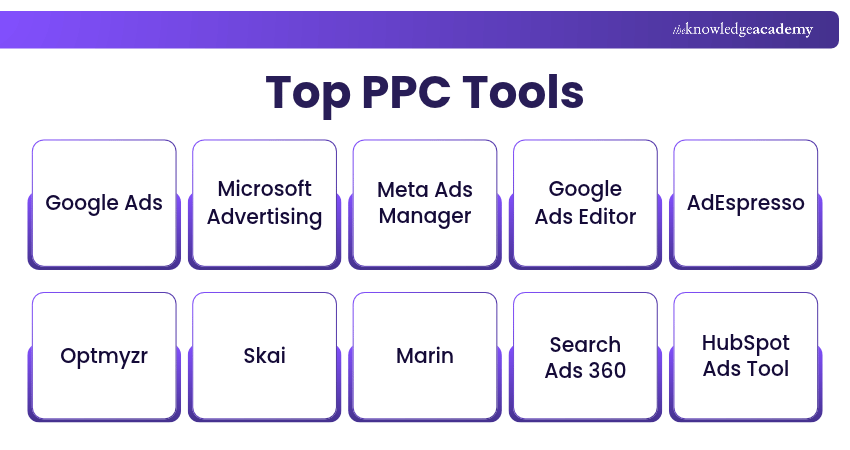
The list includes advertising platforms, campaign management software, and specialist tools for research, landing pages, and measurement. Let's learn about each tool below:
1) Google Ads
Google Ads lets you run search campaigns to reach people looking for your products or services. A local business, for example, can target searches related to the services it offers and the areas it serves.
Key Features:
a) Keyword Planner for keyword ideas and forecasts
b) Search campaign and responsive search ad creation
c) Geographic targeting, campaign budgets and automated bidding

2) Microsoft Advertising
Microsoft Advertising lets you run paid-search campaigns across the Microsoft Advertising Network. If you also use Google Ads, assess the cost and quality of enquiries from each platform before deciding how to allocate your budget.
Key Features:
a) Keyword Planner with search volumes, trends and cost estimates
b) Search ad creation and campaign management
c) Cost-per-click bidding and campaign budget controls
3) Meta Ads Manager
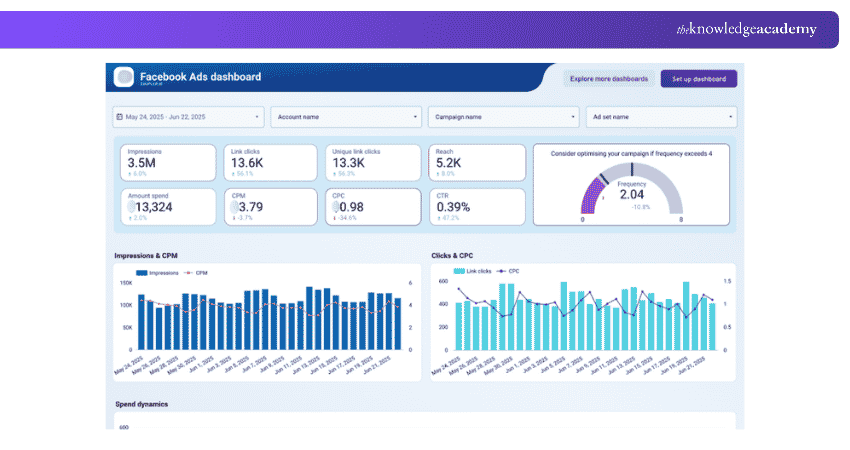
Meta Ads Manager lets you build and manage paid social campaigns across Facebook, Instagram and other eligible Meta placements. For a website traffic campaign, compare ad clicks with what visitors do once they reach your site.
Key Features:
a) Campaign, ad set and ad creation
b) Audience targeting and placement selection
c) Budget controls and campaign performance reporting
4) Google Ads Editor
Google Ads Editor is a free desktop application for updating campaigns in bulk. Use it when you need to replace an expired offer or update landing page URLs across several ad groups.
Key Features:
a) Offline editing for downloaded Google Ads campaigns
b) Bulk changes to campaigns, ad groups, ads and keywords
c) Uploading and publishing changes back to Google Ads
5) AdEspresso
AdEspresso helps teams create and test Facebook and Instagram campaigns. Use it to compare ad variations, such as two headlines promoting the same offer. Features such as campaign approvals and bulk creation depend on the plan.
Key Features:
a) Campaign creation for Facebook and Instagram
b) Split testing and performance reporting
c) Campaign approvals and bulk ad creation on eligible plans
6) Optmyzr
Optmyzr helps paid-search teams automate recurring checks and manage budgets across campaigns. For example, you can flag campaigns spending faster than planned and investigate the change before adjusting the budget.
Key Features:
a) Budget pacing and spend monitoring
b) Rule-based automation for recurring account tasks
c) Budget and bid management tools for supported platforms
Learn to turn Google searches into business success by joining the Google Ads Certification Training today!
7) Skai
Skai’s paid-search platform is designed for teams managing campaigns at scale. It can help advertisers review performance across multiple accounts, brands, or markets.
Key Features:
a) Paid-search campaign management across supported publishers
b) Bid and budget optimisation
c) Performance reporting across campaigns and accounts
8) Marin
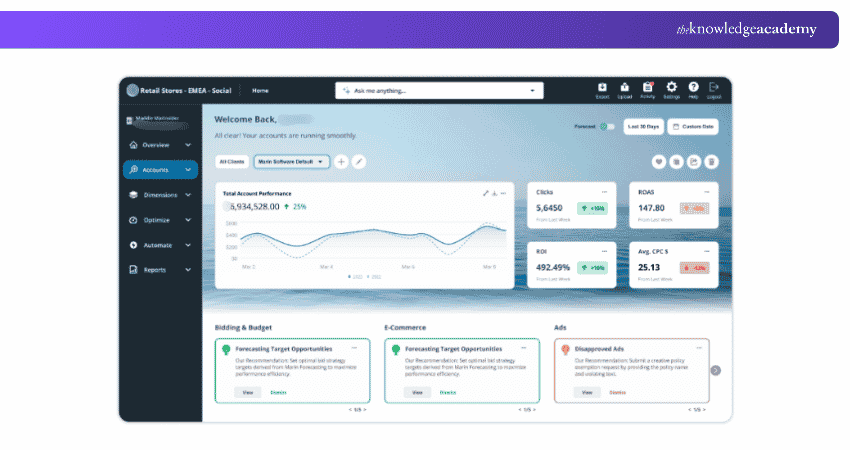
Marin’s MarinOne platform brings supported advertising accounts into one interface. It suits paid-search teams that manage campaigns across several publishers and need a shared view of spending and results.
Key Features:
a) Account connections across supported advertising publishers
b) Campaign and bid management
c) Cross-publisher reporting on spend and performance
9) Search Ads 360
Google’s Search Ads 360 helps teams manage paid-search campaigns across supported platforms, including Google Ads and Microsoft Advertising. Check which campaign types and bidding features are available on each platform before setting up a shared workflow.
Key Features:
a) Search campaign management across supported platforms
b) Automated bid strategies for eligible campaigns
c) Reporting across connected advertising accounts
Trainer Insight
Automation can reduce repetitive PPC tasks, but it still needs regular oversight. Review budget changes, conversion quality and campaign performance to ensure automated decisions support your advertising goals.
10) HubSpot Ads Tool
HubSpot lets you create Google Search campaigns after connecting a Google Ads account. It’s especially useful for lead generation teams that already use HubSpot CRM and want to review advertising activity alongside contact records.
Key Features:
a) Connections to supported advertising accounts, including Google Ads
b) Google Search campaign creation within HubSpot
c) Ad performance reporting alongside CRM contact data
Measure what matters and improve what works by joining the Google Analytics Certification Training today!
11) Semrush Advertising Toolkit
Semrush Advertising Toolkit helps you investigate how competitors position similar products or services in paid search. Use the findings to identify a benefit, offer, or message worth testing in your own ads.
Key Features:
a) Competitor paid keyword and position reports
b) Historical ad copy and landing page research
c) Campaign planning and ad launch tools
12) Ahrefs Site Explorer
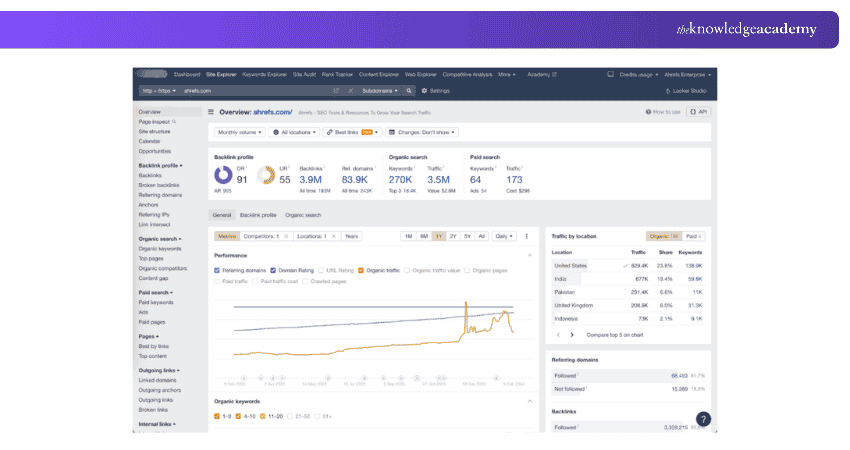
Ahrefs Site Explorer offers paid search reports that show how competitors appear in Google Search ads. Its estimates are useful for spotting patterns, such as which keyword themes a competitor appears to prioritise.
Key Features:
a) Paid Keywords report for competitor keyword research
b) Ads report with examples of search ad copy
c) Paid Pages report and estimated paid-search traffic costs
13) SpyFu
SpyFu helps you investigate how competitors' Google Ads campaigns have changed over time. For instance, you can see whether an advertiser switches from promoting a discount to emphasising delivery during a seasonal campaign.
Key Features:
a) Historical Google Ads campaign data and ad copy
b) Competitor PPC keyword research
c) Advertiser history for individual keywords
Pro Tip
Use competitor advertising data to identify keyword and messaging trends, not to assume exact spending or results. Test promising ideas against your own campaign performance before making major changes.
14) WordStream
WordStream provides tools for auditing a Google Ads account and expanding a keyword shortlist. If the account grader flags an issue, check the underlying campaign data before deciding which settings to change.
Key Features:
a) Google Ads Performance Grader for account audits
b) Free Keyword Tool for generating keyword ideas
c) Search volume, competition and cost-per-click estimates
15) Unbounce
Unbounce helps marketers build and test landing pages for paid campaigns. For example, you can compare two headlines to see which version generates more completed enquiries from similar traffic.
Key Features:
a) No-code landing page builder
b) A/B testing for page variants
c) Dynamic text replacement to align landing page wording with ads
Turn more visitors into valuable customers with the Landing Page Optimisation Training – Join now!
16) ClickCease
ClickCease helps teams investigate potentially invalid paid traffic. With the relevant Google Ads tracking setup, it can automatically add flagged IP addresses to exclusion lists for supported campaigns.
Key Features:
a) Monitoring for potentially invalid clicks
b) Google Ads tracking template integration
c) Automated IP and audience exclusions where supported
17) Google Analytics 4 (GA4)
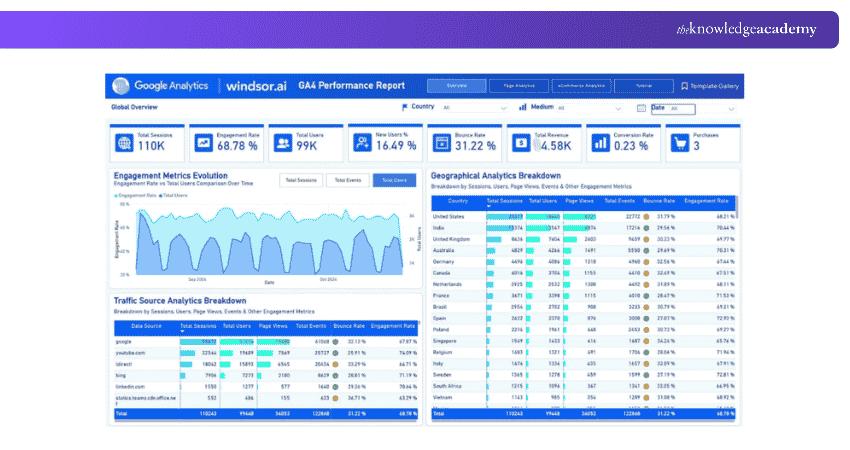
GA4 measures what visitors do after reaching your website or app. Link it to Google Ads to create conversions from relevant GA4 key events, such as a purchase or a completed quotation request.
Key Features:
a) Event-based measurement for websites and apps
b) Key events for actions such as purchases and form submissions
c) Google Ads linking and conversion creation from GA4 key events
18) Google Tag Manager
Google Tag Manager lets you deploy advertising tags and control when they fire. For a lead generation campaign, you can configure the Google Ads conversion tag to fire when a successful form submission is confirmed, using an appropriate event or trigger.
Key Features:
a) Google Ads conversion tracking tag templates
b) Triggers for specifying when tags fire
c) Variables for passing values such as transaction IDs
19) CallRail
CallRail helps businesses trace phone enquiries back to their marketing sources. It’s useful when customers often ring to book appointments or request quotes, making calls an important part of campaign performance.
Key Features:
a) Call tracking and attribution to marketing sources
b) Dynamic number insertion for website call tracking
c) Google Ads integration for sending eligible tracked calls as conversions
Learn to create campaigns that capture real attention with the Social Media Marketing Course – Sign up now!
20) Supermetrics
Supermetrics pulls advertising data into spreadsheets, dashboards, or data warehouses. Use it to produce recurring reports without exporting each platform’s data manually.
Key Features:
a) Google Ads and other advertising data connectors
b) Reporting destinations such as spreadsheets and data warehouses
c) Cross-channel reporting on spend, campaigns and performance
Pro Tip
Before using conversion data to change bids or budgets, complete a test enquiry and check that your tracking records it once. Test the same action on mobile if that is where most of your traffic comes from.
How to Choose the Right PPC Tools?
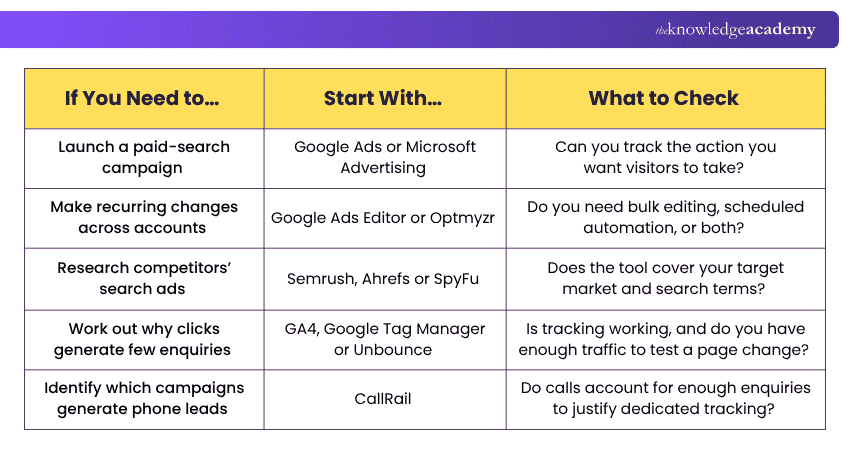
Start with the task that takes the most time or leaves the biggest gap in your campaign data. Check that the tool supports your advertising accounts, the markets you target, and the conversion actions you need to measure. Let's look at the table below:

The Knowledge Academy develops accessible learning content across Project Management, IT, Cybersecurity, Data Science, Business Analysis, HR, Accounting and Finance, Leadership and Health and Safety. Its resources combine subject research with clear explanations to help professionals build practical knowledge across a wide range of disciplines.
View Detail

 If you wish to make any changes to your course, please


