




We may not have the course you’re looking for. If you enquire or give us a call on 01344203999 and speak to our training experts, we may still be able to help with your training requirements.
Google Analytics Tools for Smarter Data and Performance Insights
ByVishnu SankarLast updated on: 17 September 2026
From reliable tracking to deeper analysis and reporting, discover Google Analytics tools that can help you understand your data and gain clearer performance insights.
Your website may be generating thousands of visits, clicks and events, but data alone does not tell you what is working, what is changing, or where users are dropping off. The real value comes from knowing how to interpret it.
That is where Google Analytics tools come into play. From setting up reliable tracking to exploring user behaviour and presenting meaningful insights, the right tools can help turn scattered data points into a clearer picture of digital performance. But with different tools serving different purposes, which ones are actually worth using? Let's explore!
What are Google Analytics Tools?
Google Analytics tools are features, platforms and utilities that help users collect, validate, analyse, enrich or present data associated with Google Analytics. These tools aid in tracking user behaviour, measuring or analysing website performance, and generating valuable data-driven reports.
Users can gain insights into website traffic, audience demographics, and on-page interactions, allowing for informed decision-making and improved online presence.

Google Analytics Tools for Setup, Tracking and Debugging
Reliable analysis starts with reliable data collection. These tools are particularly useful when implementing Google Analytics 4 (GA4), checking whether tags work correctly or diagnosing tracking problems.
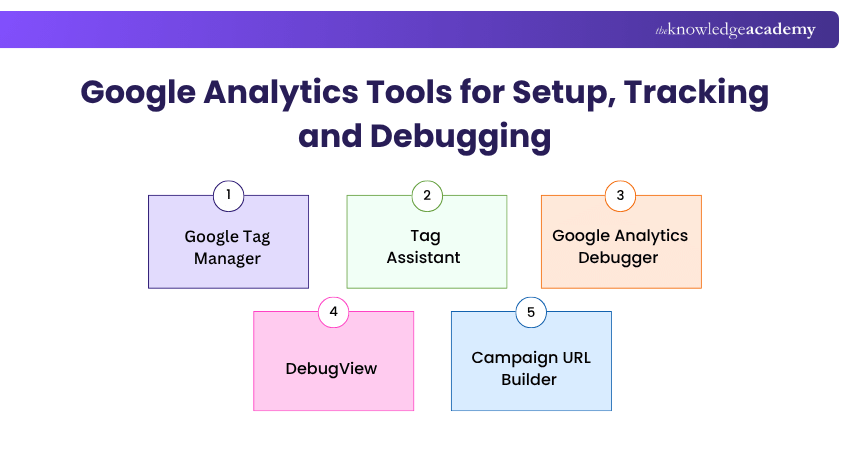
1) Google Tag Manager
Google Tag Manager (GTM) is a tool that helps manage tracking codes used on a website. These tracking codes can collect information about actions such as clicks, form submissions, purchases, or other interactions. Once GTM is set up on a website, many tracking changes can be managed through its interface instead of manually changing the website code each time.
Best for: Websites that need flexible, centrally managed tracking across analytics and other marketing technologies.
2) Tag Assistant
Tag Assistant is a Google Chrome extension that helps users verify and troubleshoot Google tags on a website. It can identify tags present on a page, check whether they are firing correctly, and launch a debugging session to help diagnose implementation issues.
Best for: Quickly verifying whether Google tags are present, firing and behaving as expected.
Tool Selection Rule:
Don't choose a tool because it offers more features. Choose it because it answers a specific question that your current analytics setup cannot answer efficiently.
3) Google Analytics Debugger
Google Analytics Debugger is a Google-developed Chrome extension aimed at users who want more technical information about analytics activity in the browser. The extension outputs diagnostic information to the JavaScript console, including warnings and details about tracking activity sent to Google Analytics.
Best for: Developers and technically confident analysts who want browser-console-level information about analytics requests.
4) DebugView
DebugView is built into Google Analytics and displays events and user properties as analytics collects them from a device running in debug mode. This provides a near real-time view of an implementation while it is being tested.
Best for: Checking GA4 events and parameters inside the analytics environment before relying on them in reports.
5) Campaign URL Builder
Campaign URL Builder creates URLs containing campaign parameters that Google Analytics can use to identify marketing traffic. Google's current tool supports parameters including source, medium, campaign name, campaign ID, term and content.
Best for: Marketers who need structured campaign tracking without manually assembling parameterised URLs.
Simplify website tracking with our Google Tag Manager Certification Training – Join now!
Google Analytics Tools for Reporting and Advanced Analysis
Standard GA4 reports are useful for routine measurement, but some questions require more flexible exploration, custom reporting, raw event access, or additional business data. Let's check the tools for reporting and advanced analysis:
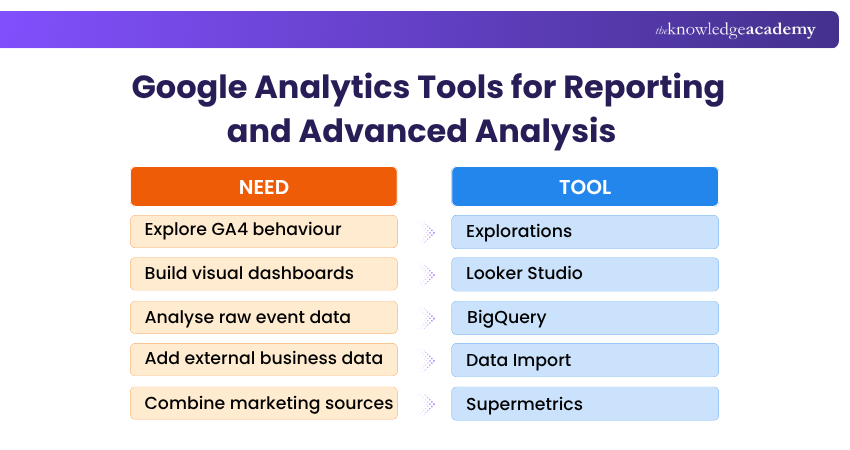
1) Explorations
Explorations is GA4's advanced analysis workspace. It allows users to go beyond standard reports by applying techniques, segments and filters to investigate subsets of users, sessions and events.
Free-form exploration, for example, lets you arrange dimensions and metrics in custom tables or visualisations and compare multiple metrics.
Best for: Analysts who need flexible investigation without moving GA4 data into another platform.
2) Looker Studio
Looker Studio is Google's data visualisation and reporting tool. It allows users to transform data from multiple sources into interactive dashboards and reports using charts, filters, controls, and custom visualisations to communicate useful insights.
Best for: Creating interactive dashboards and presenting analytics data to teams and stakeholders.
3) BigQuery
BigQuery becomes useful when analysis requires more flexibility than GA4's standard reports and interface provide.
Google Analytics can export raw event data to BigQuery. Users can then query that data using SQL-like syntax, combine it with external datasets or process it for more specialised analysis.
Best for: Advanced Analysts, Data Engineers and organisations that need granular access to GA4 event data.
Trainer's Insight:
The most advanced analytics tool is not always the most useful. Start with the question you need to answer, then choose the tool that provides the right level of detail.
4) Data Import
Data Import allows you to bring external data into Google Analytics and combine it with analytics data. For example, information from Customer Relationship Management (CRM) systems, campaign data, or other business sources can provide additional context alongside website and app activity.
Best for: Businesses that need relevant offline or external context inside GA4 rather than analysing website and app activity in isolation.
5) Supermetrics
Supermetrics is a third-party data integration and reporting platform. Its GA4 connector can move analytics information into reporting and analysis destinations and combine GA4 with data from other marketing platforms.
This can save time for teams that would otherwise need to repeatedly export data from several advertising and marketing systems before producing a consolidated report.
Best for: Marketing teams that regularly combine GA4 with multiple advertising, CRM or marketing data sources.
Trainer's Tip
Do not start with the dashboard.If the underlying tracking is incomplete or incorrect, a polished report can simply make unreliable data easier to read. Validate your tags and important events first, then move into analysis and reporting.
Understand website performance with confidence with our Google Website Tools Training – Register now!
Useful Companion Tools for Deeper Website Insights
GA4 can explain a great deal about acquisition and on-site activity, but not every useful website question is best answered inside analytics. These companion tools add search, technical, and behavioural context.
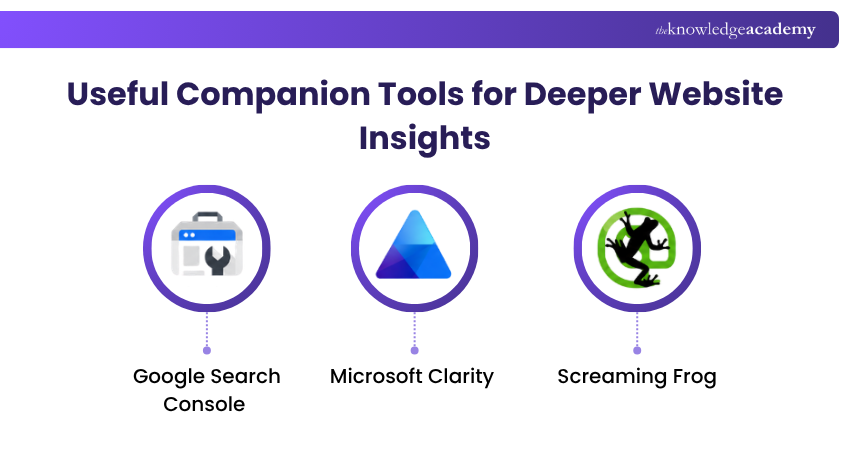
1) Google Search Console
Google Search Console helps website owners understand how their site performs in Google Search, including information about search queries, clicks, impressions, and search performance. When linked with Google Analytics, Search Console data can provide additional context for understanding how organic search traffic leads to activity on the website.
Best for: SEO teams that want to connect search visibility and clicks with post-click website behaviour.
2) Screaming Frog
Screaming Frog is a powerful website crawler that provides technical Search Engine Optimisation (SEO) analysis. It can help identify issues involving broken links, page titles, metadata, redirects, duplicate content, and other on-page or technical elements.
Best for: SEO and content audits where technical website information needs to be evaluated alongside GA4 performance data.
3) Microsoft Clarity
Microsoft Clarity provides behavioural-analysis features such as session recordings and heatmaps. Its Google Analytics integration allows GA information to be viewed within Clarity and used alongside Clarity's behavioural features.
This can help when GA4 tells you what happened, but you need more visual context around how users interacted with a page.
Best for: UX investigation and behavioural context beyond aggregated analytics metrics.
Learn the skills behind successful campaigns with our Digital Marketing Courses – Join now!

Vishnu Sankar is a Senior Content Writer with 5+ years of experience across content development, software development, web development and system administration. His technical background and professional training support his expertise in IT and Tech, while his extensive research and writing experience covers Project Management and Health and Safety.
View Detail

 If you wish to make any changes to your course, please


