




We may not have the course you’re looking for. If you enquire or give us a call on 01344203999 and speak to our training experts, we may still be able to help with your training requirements.
Home
 Resources
Digital Marketing
Best LinkedIn Analytics Tools for 2026: Features, Pricing and Comparison
Resources
Digital Marketing
Best LinkedIn Analytics Tools for 2026: Features, Pricing and Comparison
Resources
Digital Marketing
Best LinkedIn Analytics Tools for 2026: Features, Pricing and Comparison
Best LinkedIn Analytics Tools for 2026: Features, Pricing and Comparison
ByThe Knowledge AcademyLast updated on: 17 September 2026
LinkedIn Analytics tools help marketers measure content, audience and campaign performance. Compare the best LinkedIn analytics platforms for 2026 by features, pricing, reporting capabilities and ideal use case.

A LinkedIn post gets 30,000 impressions.
Good result?
Maybe.
If those impressions came from the audience you wanted, generated meaningful engagement or contributed to leads, they could be valuable. If they simply created a large number on a monthly report, the picture looks very different.
That is where LinkedIn Analytics tools become useful. LinkedIn itself already provides substantial analytics for individual members and Company Pages. Third-party platforms can extend those capabilities through deeper reporting, competitor analysis, social listening, multi-account dashboards and cross-channel comparisons.
LinkedIn members currently have access to creator analytics covering combined post performance and audience analytics, while Page admins can review areas such as content, followers and competitors.
The important question is therefore not simply, "Which tool has the most features?"
It is:
Which LinkedIn analytics tool gives you the information you actually need to make a better decision?
Quick Match: What Do You Actually Need?
Personal LinkedIn content performance? → LinkedIn Native Analytics or TaplioDeep social analytics and benchmarking? → SocialinsiderEnterprise social reporting? → Sprout Social or HootsuiteBrand mentions and conversations? → Brand24Client reporting across marketing channels? → AgencyAnalyticsLinkedIn Ads data in custom dashboards? → Coupler.io
Best LinkedIn Analytics Tools for 2026
The tools below are ordered broadly by their LinkedIn analytics depth, overall market presence and usefulness across common reporting requirements.
That does not mean the first tool is automatically right for everyone. A creator analysing a personal profile has very different needs from an agency managing paid and organic campaigns for multiple clients.
1) Sprout Social
Sprout Social is one of the strongest options for organisations that want LinkedIn analytics as part of a wider social media measurement and management platform.
Its LinkedIn integration supports analysis of Company Page growth, engagement and publishing behaviour. Teams can also examine follower demographics such as seniority and job position, while paid and organic performance can be compared to understand how Sponsored Content contributes alongside organic activity.
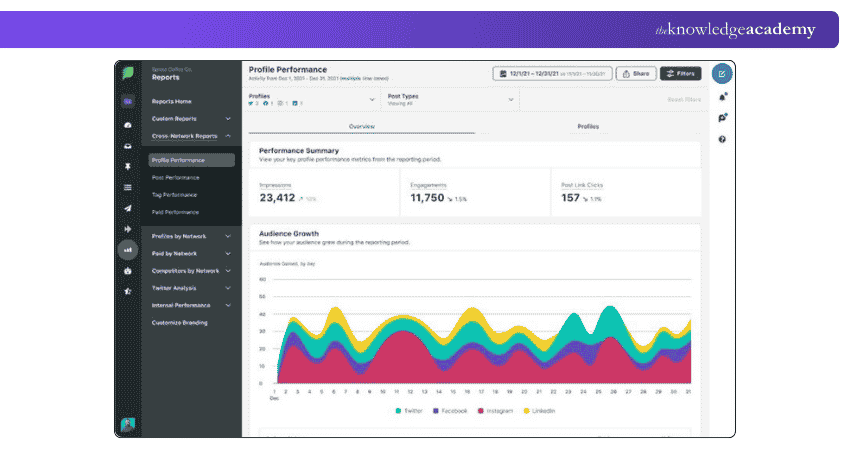
That makes Sprout particularly useful when LinkedIn is important, but not isolated from the rest of the social strategy. Reporting, competitor insights and optional premium analytics can bring several layers of performance analysis into the same environment.
Sprout Social at a Glance
| Best For | Larger teams and organisations needing advanced social reporting |
| Key Features | LinkedIn Page analytics, audience insights, paid vs organic analysis, reporting, competitor insights |
| LinkedIn Coverage | Primarily Company Page and broader social performance workflows |
| Starting Price | Essentials currently starts at £58.45 per seat/month on annual billing |
| Free Trial | 30 days |
Sprout Social offers an Essentials plan at £58.45 per seat/month, Standard at £147.24 per seat/month, Professional at £221.22 per seat/month, and Advanced at £295.21 per seat/month, based on annual billing. The Enterprise plan uses custom pricing. Premium Analytics and Listening are available as separate add-ons for Standard plans and above.
What to Consider: Sprout offers considerable depth, but that depth comes with a higher cost than simpler LinkedIn-only tools. It makes more sense when LinkedIn analytics forms part of a wider professional social media operation.

2) Hootsuite
Hootsuite combines LinkedIn analytics with publishing, scheduling, engagement, advertising and wider social media management.
For LinkedIn specifically, it can track the performance of profile and Page posts, surface top-performing content and provide recommendations around publishing time. Teams can also manage paid and organic activity from the broader platform rather than treating LinkedIn as a separate reporting environment.
Its strongest advantage is therefore breadth. A team managing LinkedIn alongside Instagram, Facebook, TikTok or other channels can bring those workflows together instead of building a separate reporting process for each network.
Hootsuite at a Glance
| Best For | Teams managing LinkedIn alongside multiple social networks |
| Key Features | Profile and Page analytics, custom reports, scheduling, monitoring, paid and organic management |
| LinkedIn Coverage | Profiles, Pages and broader paid/organic workflows |
| Starting Price | Current pricing page states plans start at £73.25 per user/month when billed annually |
| Free Trial | 14 days |
The Standard plan costs £73.25, Professional £147.24, and Advanced £295.21 per user/month, based on annual billing, while Enterprise uses custom pricing.
What to Consider: Hootsuite is a broad social media platform rather than a dedicated LinkedIn analytics product. If your only requirement is analysing one LinkedIn profile, much of that wider functionality may be unnecessary.
3) Socialinsider
Socialinsider deserves a high position because analytics and benchmarking sit at the centre of the platform rather than being secondary features attached to publishing.
It supports LinkedIn alongside other major networks and focuses strongly on social media content analysis, competitor comparisons, historical performance and reporting. Its current plans include cross-network analytics, competitor benchmarking, automated reports and exports.
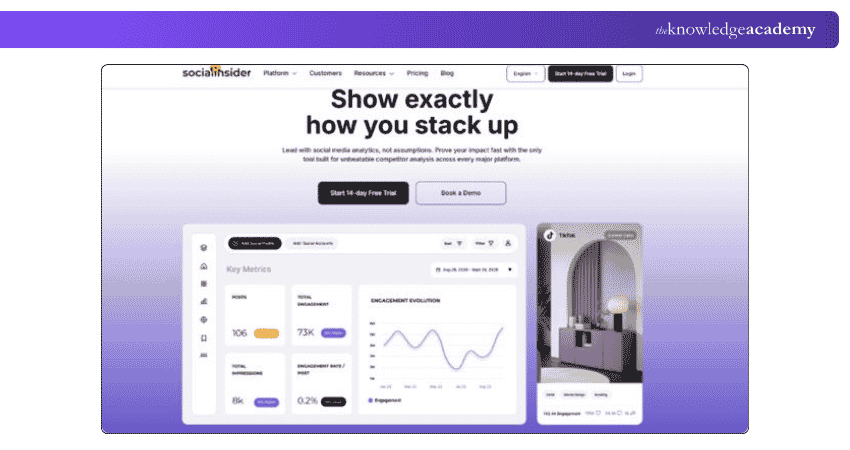
For a marketing team trying to understand not only "How did our LinkedIn Page perform?" but also "How does that performance compare with competitors or previous periods?", this becomes particularly useful.
Socialinsider at a Glance
| Best For | Social media analysts and teams focused on competitive benchmarking |
| Key Features | LinkedIn analytics, competitor benchmarking, historical analysis, automated reports, cross-network analysis |
| LinkedIn Coverage | LinkedIn business Pages within wider social analytics |
| Starting Price | Plans currently start at £60.67 per month with yearly billing. |
| Free Trial | 14 days |
Socialinsider currently offers Adapt at £60.67/month, Optimise at £91.74/month, and Predict at £147.24/month with yearly billing, while Enterprise uses custom pricing based on volume and requirements.
What to Consider: Socialinsider is stronger for analysis and benchmarking than for running an entire social publishing and engagement operation.
4) LinkedIn Native Analytics
Before paying for another platform, check how much LinkedIn already gives you.
Individual members have access to creator analytics covering combined post analytics and audience analytics. This includes performance trends, follower growth and demographic information such as job title, location, industry, seniority and company size. Individual post analytics can also provide discovery, social engagement, link engagement, demographic and other post-specific information.
For Company Pages, LinkedIn also provides several Page analytics views, including competitor analytics that compare Page followership and content engagement with selected competitors.
LinkedIn Native Analytics at a Glance
| Best For | Individuals and teams that need straightforward first-party LinkedIn analytics |
| Key Features | Post analytics, follower trends, audience demographics, Page analytics, competitor analytics |
| LinkedIn Coverage | Profiles, posts and Company Pages |
| Starting Price | No separate third-party analytics subscription required |
| Free Trial | Not applicable |
What to Consider: Native analytics becomes less convenient when you need consolidated reporting across many accounts or networks, automated client reports, extensive data transformation or broader social listening.
That is usually the point where a third-party product starts earning its place.
Turn LinkedIn insights into stronger campaigns with our LinkedIn Marketing Course - Sign up today!
5) Taplio
Taplio takes a different approach from the first four tools.
Instead of focusing primarily on Company Page analytics or large social teams, it is built around growing and managing an individual presence on LinkedIn. Its current product combines content creation, scheduling, engagement and analysis, with benchmarking resources focused specifically on LinkedIn.
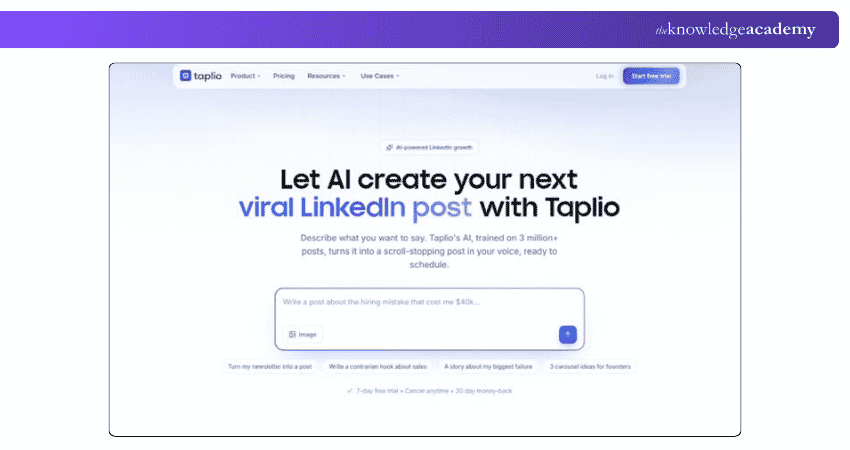
That makes it more relevant to founders, consultants, thought leaders and professionals building personal brands than to a large organisation looking for multi-channel enterprise reporting.
Taplio at a Glance
| Best For | LinkedIn creators, consultants and personal brands |
| Key Features | LinkedIn performance tracking, content analysis, benchmarking, scheduling, creator workflow |
| LinkedIn Coverage | Primarily individual LinkedIn presence |
| Starting Price | Plans currently advertised from £39/month, with a 7-day free trial available |
| Free Trial | 7 days |
Taplio currently offers three plans: Starter at £28.86/month, Growth at £51.05/month, and Pro at £147.24/month. Taplio also offers a free Chrome extension that provides quick statistics, access to top-performing and trending content, and convenient content-saving features directly within LinkedIn.
What to Consider: Taplio's LinkedIn specialisation is an advantage for creators, but it is not a replacement for a broad multi-network analytics suite or enterprise Company Page reporting system.
6) Brand24
Not every LinkedIn analytics question is about your own posts.
Sometimes the important question is:
What are people saying about us?
Brand24 is primarily a social listening and media-monitoring platform. Its current coverage includes LinkedIn alongside social platforms, news, blogs, forums, podcasts, reviews and other online sources.
That gives it a different purpose from Sprout, Socialinsider or LinkedIn's own analytics. Rather than primarily telling you how your Page performed, Brand24 helps teams monitor mentions, conversations and wider brand perception.
Brand24 at a Glance
| Best For | Brand monitoring, reputation analysis and social listening |
| Key Features | Mention monitoring, sentiment analysis, conversation tracking, alerts, multi-source monitoring |
| LinkedIn Coverage | Public LinkedIn-related monitoring alongside wider online sources |
| Pricing | Paid plans; verify the current plan price starts at £147.24/month |
| Free Trial | Available through Brand24's current sign-up flow |
Brand24 currently offers five paid plans: Individual at £147.24/month, Team at £221.22/month, Pro at £295.21/month, and Business at £443.19/month when billed annually. The Enterprise plan starts at US$1,499/month, billed annually. A 14-day free trial is also available.
What to Consider: Brand24 should not be treated as a direct substitute for owned LinkedIn Page analytics. Its strength is listening rather than detailed first-party post and follower reporting.
7) AgencyAnalytics
AgencyAnalytics makes most sense when LinkedIn metrics are only one part of the report a client expects to receive.
The platform connects with more than 85 marketing data sources, including LinkedIn, and is designed around dashboards, automated reporting, client portals and white-label presentation.
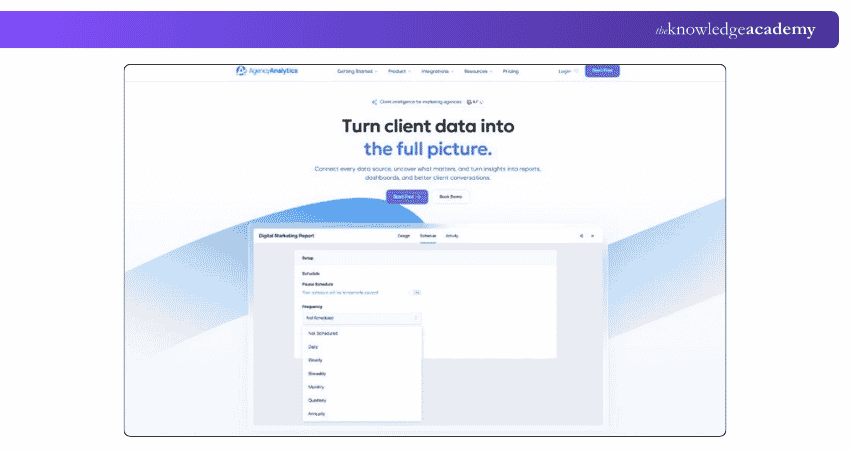
For an agency, that means LinkedIn data can sit alongside SEO, paid search, web analytics and other marketing information rather than being sent as another isolated export.
AgencyAnalytics at a Glance
| Best For | Marketing agencies producing recurring client reports |
| Key Features | LinkedIn integration, automated reports, dashboards, white labelling, client portal, cross-channel reporting |
| LinkedIn Coverage | LinkedIn data within broader client dashboards |
| Starting Price | AgencyAnalytics currently costs £14.80 per client/month when billed annually. |
| Free Trial | 14 days |
Its pricing is based on the number of clients and includes unlimited data sources, reports and dashboards, as well as unlimited staff and client users. Enterprise options with volume discounts are available for agencies managing 25+ clients.
What to Consider: AgencyAnalytics is a reporting platform first. If your requirement is deep LinkedIn content analysis or creator optimisation, a more specialised tool may offer greater depth.
8) Coupler.io
Coupler.io sits closer to data automation than traditional social media management.
It can connect LinkedIn Ads with reporting destinations and wider marketing data sources, making it useful when marketers want to move LinkedIn advertising information into spreadsheets, BI tools or custom dashboards. LinkedIn Ads is included among its current supported data sources.
This makes Coupler.io particularly useful when the problem is not "How do we schedule LinkedIn posts?" but "How do we automatically bring LinkedIn Ads data into our reporting system?"
Coupler.io at a Glance
| Best For | Marketing analysts building automated dashboards and LinkedIn Ads reports |
| Key Features | LinkedIn Ads connector, automated data refresh, dashboard templates, transformations, BI destinations |
| LinkedIn Coverage | Primarily LinkedIn Ads data integration |
| Starting Price | Free plan; Starter from £17.76/month annually |
| Free Trial | 7 days |
Paid plans start at £17.76/month for Starter, £73.25/month for Active, and £147.24/month for Pro when billed annually. Agency & Enterprise plans use custom pricing. Paid plans support 400+ data sources, including LinkedIn Ads, with available features and usage limits varying by plan.
What to Consider: Coupler.io is not a conventional LinkedIn social analytics interface. It is strongest when your team is already comfortable working with data dashboards and reporting systems.
9) SocialPilot
SocialPilot combines LinkedIn analytics with publishing, scheduling and broader social media management.
Its current LinkedIn analytics supports both Profiles and Pages and can track areas such as impressions, reactions, comments, shares, follower growth and video-related performance. Advanced Reports can also be customised, branded and automatically distributed.
This makes it particularly useful for smaller agencies or businesses that want reporting and publishing in one system without moving immediately into a larger enterprise platform.
SocialPilot at a Glance
| Best For | Small agencies and businesses combining analytics with social management |
| Key Features | Profile and Page analytics, post performance, reports, white labelling, scheduling |
| LinkedIn Coverage | Personal profiles and Company Pages |
| Pricing | SocialPilot currently offers Essentials at £18.87/month |
| Free Trial | 14 days |
Standard at £31.44month, Premium at £62.89/month, and Ultimate at £125.78/month when billed annually, while Enterprise uses custom pricing.
What to Consider: SocialPilot offers a broad and practical toolset, but teams looking primarily for deep competitive intelligence may prefer a specialist analytics platform such as Socialinsider.
10) Planable Analytics
Planable is primarily known for collaborative content planning and approval, with analytics available alongside that workflow.
Its current Analytics add-on includes cross-channel statistics, Page-level insights, post-level metrics, audience insights, customised reports and personalised best-time-to-post information. Competitor Analytics is also listed in its current feature comparison.
That makes it particularly suitable for teams where analytics needs to connect directly with planning, review and content approval.
Planable Analytics at a Glance
| Best For | Content teams and agencies combining analytics with approval workflows |
| Key Features | Page insights, post metrics, audience analytics, reporting, best-time-to-post recommendations |
| LinkedIn Coverage | LinkedIn within cross-channel content analytics |
| Starting Price | Planable currently offers Basic at £24.42/workspace/month |
| Analytics Trial | 30 days on a paid plan |
Basic at £24.42/workspace/month and Pro at £36.25/workspace/month, while Enterprise uses custom pricing. Planable Analytics is available as a separate add-on at £10.36/workspace/month.
What to Consider: If analytics is your only requirement, Planable may not be the obvious first choice. Its value becomes stronger when reporting sits alongside collaborative planning and approvals.
LinkedIn Analytics Tools Comparison
There is no single winner because these products solve different problems.
| Tool | Best For | Main LinkedIn Strength |
| Sprout Social | Larger teams | Advanced analytics and reporting |
| Hootsuite | Multi-network teams | Analytics + publishing + management |
| Socialinsider | Analysts | Benchmarking and competitor analysis |
| LinkedIn Native Analytics | Individuals/basic Page reporting | First-party analytics |
| Taplio | Creators | Personal LinkedIn performance |
| Brand24 | Brand/reputation teams | Social listening |
| AgencyAnalytics | Agencies | Client dashboards |
| Coupler.io | Analysts | LinkedIn Ads data automation |
| SocialPilot | SMBs/agencies | Profile + Page analytics |
| Planable | Content teams | Analytics + collaboration |
Trainer's Insight:
Do not compare these tools only by monthly price.A £50 difference matters far less if one platform removes hours of manual client reporting every month. On the other hand, paying for enterprise analytics makes little sense if LinkedIn's own dashboard already answers every question you ask.Compare what decision the tool helps you make, not simply how many features appear on its pricing page.
How to Choose the Right LinkedIn Analytics Tool?
Start with your reporting problem rather than the product.
A tool that looks impressive in a demo can still be unnecessary if its strongest capabilities do not match how you use LinkedIn.
Quick Decision Check
Ask these five questions before subscribing:
1. What LinkedIn account am I measuring?Personal profile, Company Page or advertising account?2. What decision should the analytics support?Content planning, lead generation, competitor analysis or client reporting?3. What can LinkedIn already tell me for free?4. What capability am I specifically paying the third-party tool to add?5. Will my team actually use that capability regularly?
If Question 4 does not have a clear answer, you probably do not need another tool yet.
1) Decide Whether You Need Profile or Company Page Analytics
This is one of the first distinctions to make.
LinkedIn itself provides analytics to individual members, including combined post and audience analytics, while Page admins receive a different set of Page-level information. Third-party support varies as well.
If you are building a personal brand, a creator-oriented product such as Taplio may be more appropriate.
If you manage corporate Pages, Sprout Social, Hootsuite or Socialinsider may be a better fit.
2) Separate Organic Analytics From Advertising Reporting
Not every analytics product handles LinkedIn Ads in the same way.
If paid campaigns are central to your strategy, look specifically for campaign reporting, conversion data or a direct LinkedIn Ads integration.
Coupler.io, for example, is especially relevant when LinkedIn Ads information needs to flow into external dashboards or BI tools.
3) Decide How Important Competitor Benchmarking Is
Your own engagement rate has more meaning when you understand what "good" looks like in context.
LinkedIn itself already gives Page admins some competitor analytics. Socialinsider goes further by making competitor benchmarking one of the core parts of its analytics proposition.
So do not assume you automatically need a paid platform simply to compare yourself with competitors.
Ask how much depth you actually require.
4) Consider Reporting and Client Requirements
A marketing manager may be happy checking a dashboard.
An agency might need:
a) Scheduled reports
b) White-label branding
c) Client access
d) Multiple account connections
e) Cross-channel data
AgencyAnalytics, SocialPilot and higher-level reporting platforms become much more relevant in that situation.
5) Decide Whether You Need Social Listening
Analytics tells you what happened to your content.
Listening answers a different question:
What is happening around your brand?
If mentions, reputation, sentiment or wider conversations matter, a listening-led platform such as Brand24 deserves more attention than a conventional post-performance dashboard. Brand24 currently lists LinkedIn among the public online sources it monitors.
6) Compare the Real Cost
Do not stop at the headline starting price.
Check:
a) Number of users
b) Number of profiles
c) Number of client workspaces
d) Required analytics add-ons
e) Historical data limits
f) Reporting features
g) Monthly vs annual billing
For example, Planable separates its Analytics functionality as an add-on, while Sprout Social offers Premium Analytics as an additional solution on eligible plans.
The right choice comes back to one question:
What do you need to understand that your current analytics cannot already tell you?
Answer that first. The tool becomes much easier to choose.
Build in-demand digital marketing skills with our Digital Marketing Courses – Explore today!

The Knowledge Academy develops accessible learning content across Project Management, IT, Cybersecurity, Data Science, Business Analysis, HR, Accounting and Finance, Leadership and Health and Safety. Its resources combine subject research with clear explanations to help professionals build practical knowledge across a wide range of disciplines.
View Detail

 If you wish to make any changes to your course, please


