


 Top Rated Course

We may not have the course you’re looking for. If you enquire or give us a call on 01344203999 and speak to our training experts, we may still be able to help with your training requirements.
What is a Thin Client, and How They Work?
Pearl Williams 16 February 2026A Thin Client is a lightweight computer that relies on a central server for processing, storage, and management, ideal for secure, cost-effective computing. The Thin Client uses a network connection like Remote Desktop Protocol (RDP) to display the server's virtual desktop and send user input (keyboard/mouse) back to the server.

Training Outcomes Within Your Budget!
We ensure quality, budget-alignment, and timely delivery by our expert instructors.
Table of Contents
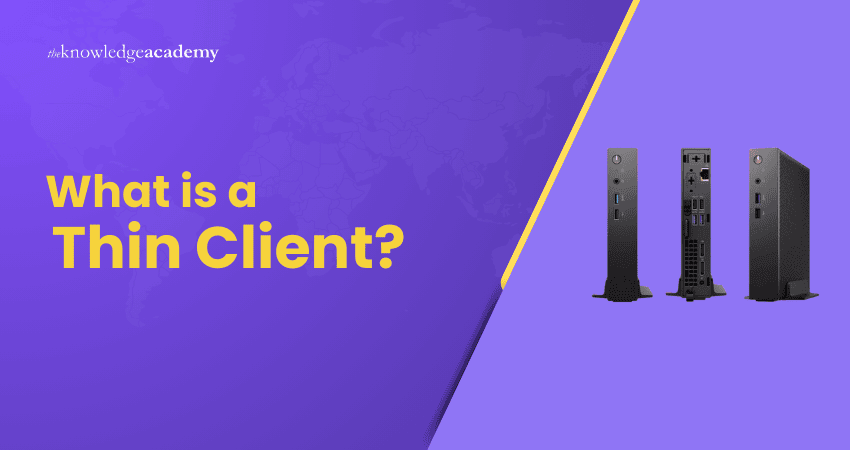
Behind the sleekness and efficiency of modern computing lies the power of Thin Clients. These are like the minimalist heroes of IT infrastructure. Unlike bulky desktops, these streamlined devices rely on powerful servers to do the heavy lifting, offering speed, security, and simplicity in one package.
In this blog, we’ll uncover What is a Thin Client, how it works behind the scenes and why businesses love them for cost savings and flexibility. So read on and learn how Thin Clients redefine how computing power is delivered in modern workplaces!
Table of Contents
1) What is a Thin Client?
2) What is A Thin Client Used For?
3) How Do Thin Clients Work?
4) Key Benefits of Using Thin Clients
5) Hardware-based Thin Clients: How They Operate?
6) Common Challenges of Thin Clients
7) How Do Thin Clients Stack Up Against Other Client Models?
8) Thin Client vs Thick Client: What’s the Difference?
9) Real-world Examples of Thin Clients
10) Conclusion
What is a Thin Client?
A Thin Client is a computer that relies on resources hosted on a central server rather than using its own local hard drive. It connects to a server-based environment where applications, processing power, memory and sensitive data are stored. In some cases, Thin Clients also connect to Cloud-hosted servers.
In many situations, Thin Clients serve as an effective alternative to traditional personal computers and can even offer advantages. They support Virtual Desktop Infrastructure (VDI), thus allowing organisations to deploy workstations for on-site or remote employees at a lower cost.

What is a Thin Client Used for?
A Thin Client is used to access applications and data that are hosted on a central server rather than stored locally on the device. It relies on a network connection to perform most computing tasks, making it lightweight and cost effective. Thin clients are commonly used in offices, schools, and call centres where centralised control is important.
Because processing happens on the server, Thin Clients are easier to maintain and update compared to traditional desktop computers. They improve security by keeping sensitive data stored centrally instead of on individual devices. This setup also reduces hardware costs and simplifies IT management across organisations.
How Do Thin Clients Work?
Here are the key approaches through which Think Clients work:
1) Web-based Access
Web-based Thin Clients operate through a standard web browser on any device. Users connect to web applications hosted on a central server via the browser. This allow access to services without heavy local processing or software installation. The device handles minimal computation while most application logic and data remain on the network.
2) Shared terminal services
Shared terminal services allow multiple users to access specific applications running on a central server rather than full desktop environments. Users log in to perform defined tasks, with the server providing the application processing and resources. The Thin Client simply acts as an access point.
3) Virtual Desktop Infrastructure (VDI)
Thin Clients typically connect to virtual desktops hosted on central servers in a virtual desktop infrastructure setup. Users access their personalised or pooled virtual machines that run the operating system and applications. The client device transmits inputs to the server and displays graphical updates, while the server delivers computing resources.
Take control of enterprise systems with the precision of Korn Shell scripting - Sign up for our AIX Korn Shell Programming Training now!
Hardware-based Thin Clients: How They Operate?
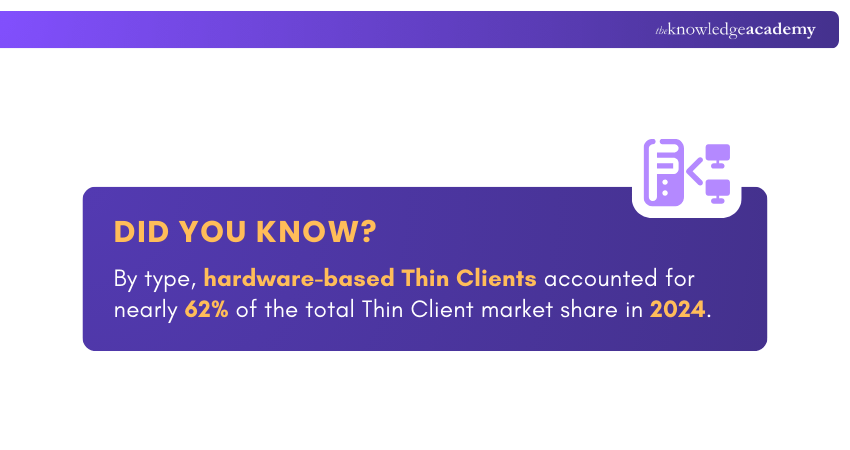
Hardware-based Thin Clients are compact endpoint devices with limited local computing resources designed to connect to a central server. When powered on, they establish a network connection and stream virtual desktop sessions from the server. These devices support peripherals such as monitors, keyboards and mouse.
Key Benefits of Using Thin Clients
Thin Clients offer numerous advantages that can improve an organisation's efficiency and Cyber Security:
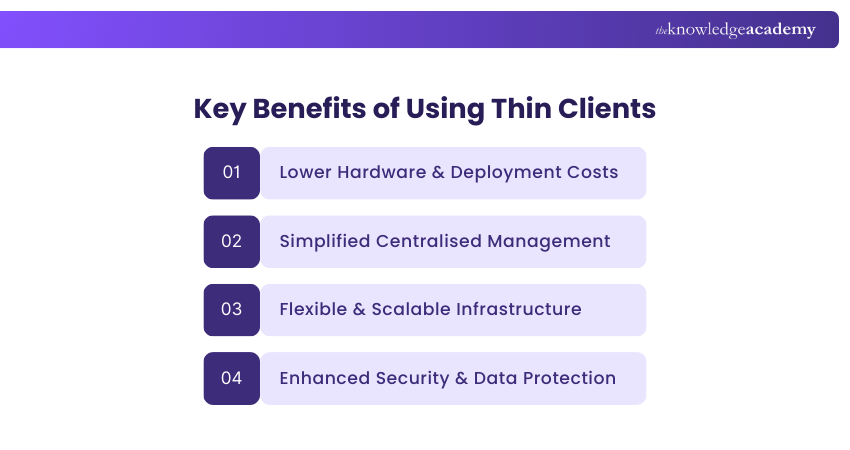
1) Less cost
1) Thin Clients are more cost-effective to deploy than traditional PCs.
2) They perform fewer local processing tasks and require minimal hardware resources.
3) They don't rely on high-end components such as powerful graphics cards or large hard drives.
4) They use lower memory and simplified hardware configurations.
5) The reduced component requirements significantly lower manufacturing costs.
6) The cost savings are passed on to organisations through lower purchase and deployment expenses.
2) More Manageable
1) Thin Clients are easier to manage due to their centralised architecture.
2) All the endpoints connect to a single server, simplifying administration.
3) IT teams can focus their management efforts on one central system.
4) Security updates and software upgrades can be applied centrally.
5) Multiple users can be supported simultaneously through server-level changes.
6) This reduces the need for IT staff to visit individual workstations for maintenance or troubleshooting.
3) Scalability
1) Thin Client architecture supports easy scalability.
2) Virtual desktops allow for quick expansion without additional physical hardware.
3) This enables Bring-Your-Own-Device (BYOD) access for users.
4) A single server can support both in-office Thin Clients and remote users.
5) Seasonal workers and contractors can connect quickly with minimal setup.
6) Simplifies onboarding while maintaining centralised control and security.
4) Increased Security
1) Thin Clients improve security by preventing unauthorised software execution on Thin Client devices.
2) They block malware downloads centrally through a single server-level firewall.
3) They prevent malicious files from being saved locally on Thin Client machines.
4) They require all data storage to pass through a protected central server.
5) They reduce the risk of malware spreading across user devices.
6) It simplifies security monitoring by centralising control and oversight on one server.
Common Challenges of Thin Clients
Although Thin Clients offer numerous benefits, they also present certain challenges that organisations should evaluate carefully:
1) Network Dependency: Thin Clients depend heavily on continuous network connectivity. Any disruption in the network can render devices unusable.
2) Server Performance Limitations: When many users access a central server at the same time, performance bottlenecks may occur. Even with strong infrastructure, peak usage periods can lead to slowdowns.
3) Increased Bandwidth Demand: Large numbers of Thin Clients operating simultaneously can place significant demands on network bandwidth.
4) Restricted Local Processing: Thin Clients are not well-suited for tasks that require high computing power. Activities such as Graphic Design or video editing may not perform efficiently.
5) Initial Infrastructure Investment: Establishing a reliable Thin Client environment requires strong servers, redundancy measures and ongoing maintenance, which can involve high upfront costs.
6) Limited User Flexibility: Centrally managed software environments restrict users from installing or customising applications.
7) Single Point of Failure Risk: A central server outage can affect all connected users.
8) Software Compatibility Challenges: Some applications may not function well in Thin Client setups, especially those that rely on specialised hardware or high local resource usage.
Turn complex tasks into simple commands with our AIX Shell Programming Training - Sign up now!
How Do Thin Clients Stack Up Against Other Client Models?
Thin Clients offer a lightweight and cost-effective way to access centrally hosted systems. However, they are not the only client model available. Other common options include the following:
1) Thick clients
1) Thick clients store applications, operating systems and user data locally.
2) This allows them to perform many tasks without relying on a central server.
3) They provide greater processing power and are better suited for resource-intensive workloads.
4 However, this capability comes with higher initial costs and increased maintenance.
5) Updates and management often need to be handled on each individual machine.
2) Zero clients
1) Zero clients are even more minimal than Thin Clients.
2) They offer very limited local processing and storage.
3) They are primarily used to connect to virtual desktops and rely almost entirely on central servers.
4) Their simple design makes them energy-efficient, easy to deploy and cost-effective for large-scale environments.
5) However, this simplicity limits customisation options and may restrict support for certain multimedia applications.
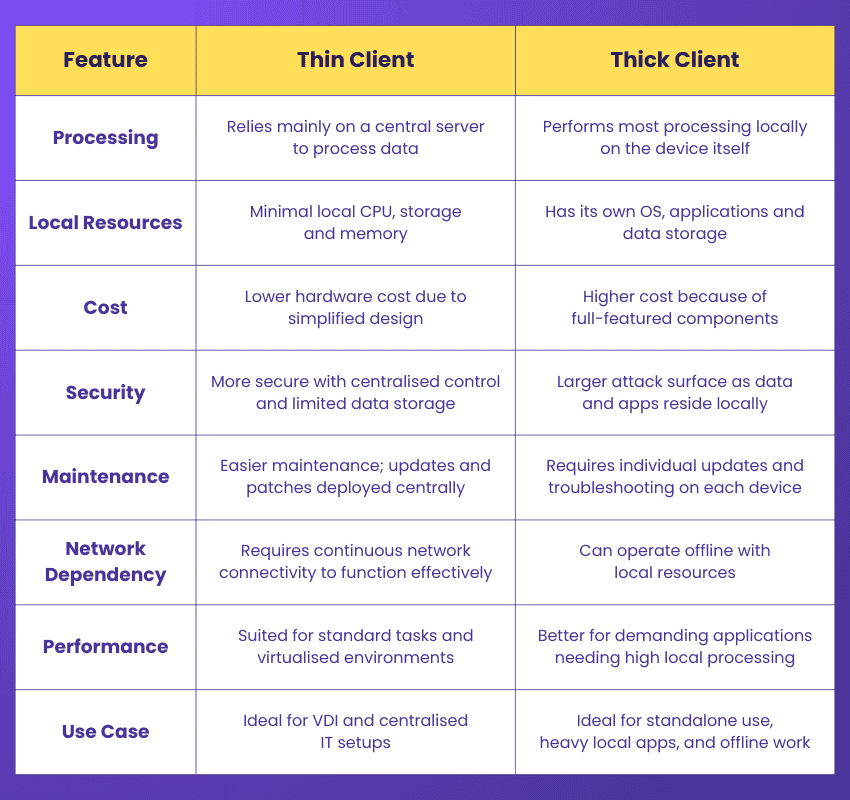
Thin Client vs Thick Client: What’s the Difference?
Here are the key differences between a Thin Client and a thick client:
Real-world Examples of Thin Clients
Here are some widely used examples of Thin Clients:
1) Chromebooks: Although many Chromebooks support local processing, they can also operate primarily through cloud or server-hosted applications. This allows them to function effectively as Thin Clients.
2) Terminal Services Clients: These devices connect to remote desktop or terminal services. This enables users to access a centralised Windows environment and run applications hosted on a server.
3) Wyse Terminals: These well-known Thin Client devices are available in various configurations and perform most computing tasks through server connections.
4) Citrix Receivers: These are devices configured to connect to Citrix environments. Applications, desktops and data are centrally managed and delivered to end users.
5) Mobile Thin Clients: These include lightweight laptops or tablets designed for mobility. They offer limited local storage and processing while connecting securely to centralised servers for most operations.
Conclusion
Thin Clients simplify computing by shifting power away from individual devices and into centralised systems. By understanding What is a Thin Client and how they work, it becomes clear why organisations value their security, scalability and efficiency. As workplaces evolve, Thin Clients continue to support flexible and cost-effective digital environments.
Sign up for our up-to-date AIX Training and elevate your IT expertise - Join today!
Frequently Asked Questions
What is the Difference Between a Laptop and a Thin Client?

A laptop performs most processing and storage tasks locally, while a Thin Client relies on a central server or cloud for these functions. Thin Clients are simpler, more secure and easier to manage, whereas laptops offer greater flexibility and offline capability.
Can You Print From a Thin Client?
Yes, printing from a Thin Client is possible. Printers can be configured through the central server or virtual desktop environment, allowing users to print documents securely, either to local printers or network-connected devices.
What are the Other Resources and Offers Provided by The Knowledge Academy?
The Knowledge Academy takes global learning to new heights, offering over 3,000+ online courses across 490+ locations in 190+ countries. This expansive reach ensures accessibility and convenience for learners worldwide.
Alongside our diverse Online Course Catalogue, encompassing 19 major categories, we go the extra mile by providing a plethora of free educational Online Resources like Blogs, eBooks, Interview Questions and Videos. Tailoring learning experiences further, professionals can unlock greater value through a wide range of special discounts, seasonal deals, and Exclusive Offers.
What is The Knowledge Pass, and How Does it Work?
The Knowledge Academy’s Knowledge Pass, a prepaid voucher, adds another layer of flexibility, allowing course bookings over a 12-month period. Join us on a journey where education knows no bounds.
What are the Related Courses and Blogs Provided by The Knowledge Academy?
The Knowledge Academy offers various AIX Courses, including the AIX Fundamentals Training, AIX Shell Programming Training and the AIX Korn Shell Programming Training. These courses cater to different skill levels, providing comprehensive insights into the difference between AIX vs Solaris.
Our Programming & DevOps Blogs cover a range of topics related to Thin Client, offering valuable resources, best practices, and industry insights. Whether you are a beginner or looking to advance your Server Administration skills, The Knowledge Academy's diverse courses and informative blogs have got you covered.
Upcoming Programming & DevOps Resources Batches & Dates
Date
 AIX Fundamentals Training
AIX Fundamentals Training
Thu 23rd Apr 2026
AIX Fundamentals Training
Thu 20th Aug 2026
AIX Fundamentals Training
Thu 19th Nov 2026

 If you wish to make any changes to your course, please


