


 Top Rated Course

We may not have the course you’re looking for. If you enquire or give us a call on 01344203999 and speak to our training experts, we may still be able to help with your training requirements.
What is Web Analytics: Everything You Need to Know
James Smith 15 July 2026Web Analytics collects and analyses website user data and behaviour to optimise performance, improve UX, and boost conversions using data-driven insights. It reveals traffic sources, user journeys, and engagement patterns across digital channels. Businesses use these insights to polish strategies and achieve better digital results.

Training Outcomes Within Your Budget!
We ensure quality, budget-alignment, and timely delivery by our expert instructors.
Table of Contents

Have you ever wondered why some websites attract thousands of visitors while others struggle to keep users engaged? Every click, scroll, and page visit tells a story about what users like, what they ignore, and where they leave. Behind every successful website lies a smart use of data that helps businesses understand their audience and improve digital experiences.
This blog explains What is Web Analytics, its importance, types, and process, and how businesses use it for data-driven decisions. Let’s explore these areas to understand how Web Analytics improves digital performance.
Table of Contents
1) What is Web Analytics?
2) Who Uses Web Analytics?
3) Importance of Web Analytics
4) Types of Web Analytics
5) The Process of Web Analytics
6) How Can Web Analytics Boost SEO?
7) Metrics to be Monitored With Web Analytics
8) Types of Web Analytics Reports
9) Common Issues With Web Analytics
10) How Web Analytics Helps Businesses?
11) Examples of Web Analytics
12) Web Analytics Tools
13) What Does a Web Analyst Typically Do?
14) Conclusion
What is Web Analytics?
Web Analytics is the process of tracking, analysing, and interpreting data about how visitors interact with a website. It helps organisations understand user behaviour, website usage, and engagement patterns, enabling them to improve user experience, optimise performance, and achieve business goals such as higher sales and more leads.
Web Analytics monitors key metrics such as user actions, traffic sources from search engines or social media, time spent on pages, and conversion journeys. These insights support data-driven decision-making, helping businesses refine digital strategies, enhance website performance, and deliver better online experiences.

Who Uses Web Analytics?
Web Analytics is used by a wide range of professionals and organisations to understand website performance and user behaviour. Businesses rely on it to evaluate online activity, improve digital strategies, and achieve growth objectives.
Key Users of Web Analytics Include:
1) Digital Marketers and Agencies: Track campaigns, traffic sources, and ROI
2) E-commerce Managers: Analyse conversions, sales funnels, and customer journeys
3) UX/UI Designers: Study user behaviour to improve design and navigation
4) Content Managers: Identify high-performing content and engagement trends
5) Product Managers and Developers: Monitor site performance and feature usage
6) Business Owners and Bloggers: Understand audience behaviour and website health
7) Data Analysts: Turn data into actionable insights
Importance of Web Analytics
Web Analytics is essential for understanding how users interact with your website. Here’s why it matters:
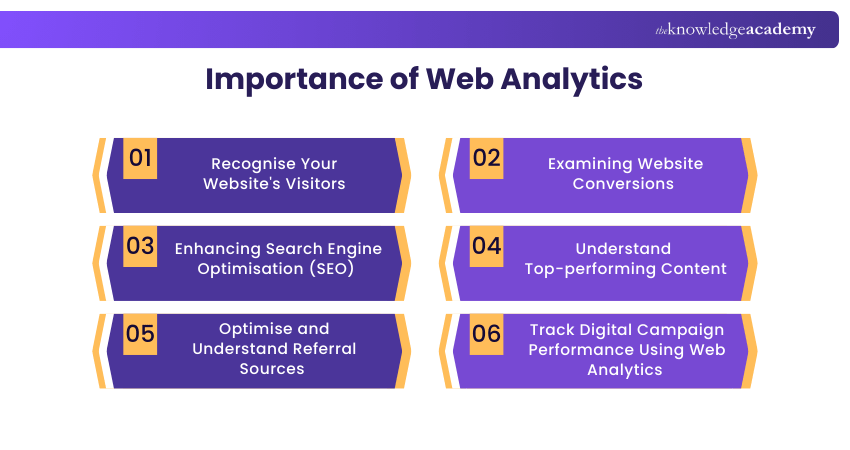
1) Recognise Your Website's Visitors
Web Analytics helps you uncover detailed information about your audience such as their age, gender, location, device type, browser, and even the time they visit. More importantly, it tracks their behaviour on your site: what pages they visit, how long they stay, and where they click.
Why it Matters:
a) Tailor content and design to fit your audience’s preferences
b) Improve user journeys based on device usage and traffic sources
2) Examining Website Conversions
Conversions are the goal of any website, be it a product purchase, contact form submission, or newsletter signup. Web Analytics tracks every step of the customer journey, showing you what’s working and where people drop off.
Why it Matters:
a) Identify high-converting pages and replicate their success
b) Fix underperforming forms, buttons, or navigation issues
c) Run A/B tests to improve calls to action and layouts
d) Gain insight into user intent and journey flow
3) Enhancing Search Engine Optimisation (SEO)
Without data, SEO can feel like guesswork. Web Analytics shows you which keywords drive traffic, which pages attract the most organic views. It also shows how users behave after landing on your site. You’ll also uncover bounce rates, loading speed issues, and page rankings.
Why it Matters:
a) Refine your keyword strategy for better organic reach
b) Improve on-page SEO with real user engagement insights
c) Reduce bounce rates by optimising landing pages
d) Stay ahead of competitors by analysing search trends
Learn how to develop a marketing strategy within an organisation with our Business Marketing Strategies Training - Join now!
4) Understand Top-performing Content
Not all content delivers equal value. Web Analytics highlights your most visited pages, longest average time spent, and most shared posts. This helps you understand what type of content resonates most with your audience.
Why it Matters:
a) Focus on content that drives engagement and leads
b) Identify evergreen content for regular promotion
c) Create better blog topics based on proven interest
d) Enhance your content calendar using data, not intuition
5) Optimise and Understand Referral Sources
Where your traffic comes from Social Media, paid ads, search engines, email campaigns, or backlinks. It can influence how people interact with your website. Web Analytics breaks down each channel’s contribution.
Why it Matters:
a) Identify your highest-converting traffic sources
b) Allocate marketing budget more effectively
c) Strengthen partnerships with high-referral websites
d) Monitor campaign success in real time and adjust as needed
6) Track Digital Campaign Performance Using Web Analytics
Web Analytics helps you understand how audiences respond to digital marketing campaigns. Tracking user actions across channels, shows what attracts users and drives clicks. These insights help optimise campaigns using real audience data rather than assumptions.
Why it Matters:
a) Track key metrics like CTR, conversions, and engagement
b) Understand which campaigns and channels perform best
c) Identify why users click, convert, or leave your site
d) Optimise campaigns using data-driven insights
Types of Web Analytics
The following are the two primary classifications of Web Analytics:

1) Off-site Web Analytics
Off-site Web Analytics involves monitoring visitor activity beyond an organisation's website to gauge potential audience reach. It offers a comprehensive industry analysis, providing insights into a business's performance compared to its competitors. This type of analytics focuses on data collected from different online sources, including Social Media, search engines, and forums.
2) On-site Web Analytics
On-site Web Analytics tracks visitor activity on a specific website to assess performance and understand user engagement, such as content popularity. It uses two main approaches: log file analysis, which examines server log data to monitor and report website performance, and page tagging, which inserts code snippets into a website to track visitor interactions and key metrics like page views, unique visitors, and product views.
The Process of Web Analytics
The Web Analytics process encompasses a series of sequential stages:

1) Defining Objectives
At the outset of the Web Analytics procedure, businesses must define their goals and the desired outcomes. These objectives may involve augmenting sales, enhancing customer satisfaction, and bolstering brand awareness. Business goals can span both quantitative and qualitative dimensions.
2) Gathering Data
The second phase of Web Analytics involves the accumulation and storage of data. Businesses can amass data directly from a website or through Web Analytics Tools like Google Analytics. The data primarily originates from Hypertext Transfer Protocol requests, encompassing network and application information.
This data can be integrated with external sources to interpret web usage. For instance, a user's Internet Protocol address is typically linked to various factors, including geographic location and clickthrough rates.
3) Analysing Data
The subsequent step in the Web Analytics process is for businesses to transform the amassed data into actionable insights. This involves examining user behaviour, traffic sources, and conversion patterns to identify trends and opportunities. By analysing this data effectively, businesses can make informed decisions to improve website performance and overall digital strategy.
4) Recognising Key Performance Indicators (KPIs)
Within Web Analytics, a KPI is a measurable metric for monitoring and analysing user behaviour on a website. Examples of KPIs include bounce rates, unique users, user sessions, and on-site search queries.
This stage involves implementing insights to formulate strategies that align with an organisation's objectives. For instance, on-site search queries can inform content strategy development based on user preferences.
5) Formulating a Strategy
Businesses are required to experiment with diverse strategies to identify the most effective ones. A/B Testing, for example, is a straightforward approach to discern how an audience responds to different content. This method entails creating multiple versions of content and displaying them to distinct audience segments to ascertain which version performs optimally.
6) Exploring and Testing
Your business website is likely the initial destination for users seeking information about your product. In essence, your website functions as a product. This underscores the significance of the data gathered from your website visitors, offering valuable insights into their preferences and expectations concerning your website and product.
Learn how to boost ROI and Conversions with our Pay Per Click Training, Sign Up Now!
How Can Web Analytics Boost SEO?
Web Analytics plays an important role in improving your website’s visibility on search engines. Here are some of the major roles discussed:
1) Identify high-performing pages and optimise them further to improve rankings.
2) Track keyword performance to see which search queries bring in the most traffic.
3) Improve site speed and usability, as analytics tools highlight performance issues affecting SEO.
4) Reduce bounce rates by improving content on pages where users tend to exit quickly.
5) Spot content gaps and opportunities by understanding what users are searching for but not finding.
6) Track backlinks and referral traffic to see which external sites contribute to SEO strength.
Metrics to be Monitored With Web Analytics
Tracking the right metrics ensures you're not following blindly. Each metric tells a story about your website’s performance, visitor behaviour, and areas for growth.

1) Page Visits and Sessions
Here are the key areas of page visits and sessions:
a) Sessions represent each user visit even if they browse multiple pages
b) Page visits show how often individual pages are loaded
Why it Matters: Reveals overall engagement trends and identifies high-traffic areas of your site.
2) Unique Pageviews
Unique Pageviews offer:
a) This measures how many individual users view a page during a session
b) It excludes the concept of repeat views
Why it Matters: Gives a clearer measure of genuine interest in specific content.
3) Traffic Source
Breaks down where your site visitors are coming from:
a) Organic Search like Google, Bing
b) Direct typed URL or bookmark
c) Social Media
d) Paid Advertising
e) Referral from other websites
Why it Matters: Helps you see which channels are working best and where to focus your efforts.
4) Conversion Rate
The percentage of visitors who complete a desired action, such as:
a) Making a purchase
b) Signing up for a newsletter
c) Filling out a form
Why it Matters: Measures the effectiveness of your website in achieving business goals.
5) Bounce Rate
The percentage of users who land on a page and leave without clicking further or interacting with other elements. Key areas are:
a) Indicates User Relevance
b) Affects SEO Rankings
c) Highlights UX Issues
d) Page-Specific Analysis
e) Content Quality Check
Why it Matters: A high bounce rate may mean the content doesn’t match what users were expecting.
6) Repeat Visit Rate (Or Returning Visitors)
The percentage of users who return to your site after their first visit. Why it’s important:
a) Indicates Content Value
b) Builds Brand Loyalty
c) Improves Lifetime Engagement
d) Supports Retargeting Campaigns
e) Insight into User Habits
Why it Matters: Helps grow deeper relationships over time such as through newsletters or content series.
7) Monthly Unique Visitors (Or New Visitors)
The number of distinct individuals visiting your website during a one-month period, measured via cookies or device tracking. Key areas:
a) Measures Reach
b) Tracks Growth
c) Supports SEO Strategy
d) Identifies Acquisition Effectiveness
e) Guides Content Creation
Why it Matters: Month-to-month comparisons show whether your audience base is expanding.
8) Unique E-commerce Metrics
Unique ecommerce metrics go beyond basic traffic data to measure user behaviour, sales performance, and revenue generation on online stores.
a) Cart Abandonment Rate
b) Average Order Value (AOV)
c) Revenue per Visitor (RPV)
d) Product Performance
e) Checkout Funnel Analysis
f) Customer Lifetime Value (CLV)
Why it Matters: A higher CLV justifies more investment in customer acquisition and retention
Acquire the necessary skills for analysing customer behaviour in the marketplace with our Strategic Marketing Course – Join now!
Types of Web Analytics Reports
Web Analytics includes a variety of reports that give deep insights into user behaviour, content effectiveness, and market performance. Below are seven valuable types of Web Analytics reports every business should explore:
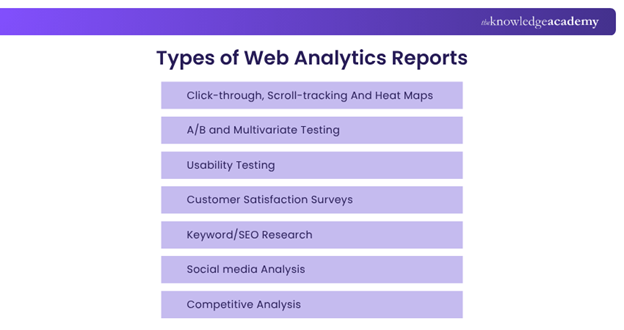
1) Click-through, Scroll-tracking and Heat Maps
These visual reports show exactly how users interact with a webpage, where they click, how far they scroll, and which sections they engage with the most.
Why it Matters:
a) Identify hotspots and ignored areas
b) Improve call-to-action placement
c) Enhance layout, UX, and content engagement
d) See where users drop off on long pages
Tools Used: Hotjar, Crazy Egg, Microsoft Clarity
2) A/B and Multivariate Testing
A/B testing compares two versions of a webpage. Multivariate testing compares multiple variations of content to see which performs best.
Why it Matters:
a) Test headlines, CTAs, page layouts, and images
b) Increase conversion rates through real user data
c) Make informed design and content decisions
d) Reduce guesswork in marketing campaigns
Tools Used: Google Optimise, VWO, Optimisely
3) Usability Testing
Real users are observed while interacting with your website to identify navigation issues, content confusion, or design flaws.
Why it Matters:
a) Discover how intuitive your site is
b) Understand user frustrations
c) Improve user satisfaction and retention
d) Reduce friction in conversion pathways
Tools Used: Recorded sessions, task-based testing, think-aloud protocols
4) Customer Satisfaction Surveys
Feedback collected through surveys embedded on your site or sent via email, measuring user satisfaction and site experience.
Why it Matters:
a) Hear directly from users about what works and what doesn’t
b) Identify pain points, content gaps, or technical issues
c) Support UX improvement with qualitative data
d) Gather testimonials or identify brand advocates
Tools Used: SurveyMonkey, Google Forms, Typeform
5) Keyword/SEO Research
Analysis of keywords that drive traffic to your site and how your content ranks in search engine results.
Why it Matters:
a) Understand which terms users search for
b) Optimise content to boost organic rankings
c) Identify gaps in the current keyword strategy
d) Track keyword trends and seasonal spikes
Tools Used: Google Search Console, SEMrush, Ahrefs
6) Social Media Analysis
Reports that analyse how content performs on social platforms, including engagement, shares, click-throughs, and audience growth.
Why it Matters:
a) Understand which platforms bring traffic
b) Track campaign performance and Return on Investment (ROI)
c) Learn what type of content resonates most
d) Refine posting schedule and audience targeting
Tools Used: Hootsuite, Sprout Social, Buffer Analytics
7) Competitive Analysis
Insights into your competitors’ traffic, ranking keywords, Social Media strategy, and backlink profiles.
Why it Matters:
a) Benchmark your performance against competitors
b) Identify missed opportunities or threats
c) Reverse-engineer successful content strategies
d) Discover keyword and backlink gaps
Tools Used: SimilarWeb, SEMrush, SpyFu, Ubersuggest
Gain insights into consumer behaviour in the mobile landscape today with our Mobile Marketing Course – Register today!
Common Issues With Web Analytics
Many businesses struggle to turn analytics data into meaningful action due to a range of common pitfalls. Let’s explore the key issues:
1) Incorrect Tracking Code Implementation
Problem: If the tracking code such as Google Analytics tags is placed incorrectly or missing from some pages. It can result in inaccurate or incomplete data.
Why it Matters:
a) Skewed traffic numbers
b) Missed events or conversions
c) Broken user journeys
Solution: Use tools like Google Tag Assistant or Tag Manager for validation.
2) Data Overload Without Strategy
Problem: Many users collect tons of data without a clear goal or strategy in place, leading to confusion and a lack of focus.
Why it Matters:
a) Time wasted analysing irrelevant metrics
b) Harder to make clear, data-driven decisions
Solution: Define key business objectives and focus on a few critical KPIs.
3) Lack of Goal or Event Tracking
Problem: Not setting up goals like form submissions or purchases. It means you can’t track conversions or assess user actions effectively.
Why it Matters:
a) You won’t know what’s working
b) Marketing ROI remains unclear
Solution: Set up specific goals and custom events in tools like Google Analytics or GA4.
4) Misunderstanding Key Metrics
Problem: Many users misinterpret core metrics like bounce rate, session duration, or conversion rate.
Why it Matters:
a) Can lead to wrong assumptions about content or UX
b) Might optimise based on incorrect insights
Solution: Train your team or consult experts to ensure accurate interpretation.
5) Cross-domain Tracking Issues
Problem: If your website redirects between domains like yoursite.com to store.yoursite.com. These analytics may treat it as two separate visits.
Why it Matters:
a) Inflated or duplicated traffic numbers
b) Broken customer journey paths
Solution: Enable cross-domain tracking in your analytics tool setup.
6) Ignoring Mobile and Device Behaviour
Problem: Not segmenting data by device can hide UX issues on mobile or tablets.
Why it Matters:
a) Mobile users might face high bounce rates or low conversion rates
b) Important insights are missed when lumped into averages
Solution: Always analyse traffic and engagement by device type.
7) No Integration with Other Platforms
Problem: Analytics tools not integrated with CRM, email, or e-commerce platforms lead to fragmented data.
Why it Matters:
a) Hard to track complete customer journeys
b) Limits your ability to personalise marketing or assess lifetime value
Solution: Integrate analytics tools with platforms like Shopify, Mailchimp, or HubSpot.
8) Lack of Regular Data Audits
Problem: Over time, tracking setups become outdated, broken, or irrelevant due to site changes.
Why it Matters:
a) You rely on outdated or false data
b) Can’t confidently report or make business decisions
Solution: Schedule monthly or quarterly analytics audits.
9) Privacy and Compliance Issues (GDPR/CCPA)
Problem: Not managing user consent or tracking personally identifiable data may violate data protection laws.
Why it Matters:
a) Legal risks and fines
b) Loss of user trust
Solution: Use compliant cookie banners, anonymise IPs, and avoid unnecessary personal data tracking.
10) Not Using Custom Dashboards or Segmentation
Problem: Sticking with default reports doesn’t give you a targeted view of your data.
Why it Matters:
a) Hard to track performance by campaign
b) Inconvenient audience segment, or location
c) You miss actionable insights
Solution: Create custom dashboards for specific teams, goals, or segments.
How Web Analytics Helps Businesses?
Web Analytics helps businesses understand how people use their websites by turning data into meaningful insights. By analysing metrics such as page views, bounce rates, session duration, and traffic sources, organisations can make smarter decisions that improve user experience, boost conversions, and maximise return on investment (ROI).
Instead of relying on assumptions, Web Analytics provides clear evidence of what is working and what needs improvement. This allows businesses to optimise digital performance and align their strategies with real user behaviour.
Key Benefits of Web Analytics Include:
1) Understanding Visitor Behaviour: Identify where users come from and how they interact with the site.
2) Optimising Conversion Rates: Find drop-off points and improve user journeys and calls to action.
3) Improving User Experience (UX): Analyse navigation, site speed, and popular pages to enhance usability.
4) Enhancing Marketing ROI: Identify high-performing channels and campaigns to optimise budgets.
5) Refining Content Strategy: Use insights to create content aligned with user interests.
Understand the tools and techniques used for video marketing campaigns. With our Video Marketing Course – Join now!
Examples of Web Analytics
Here are some real-world examples that show how businesses and marketers use Web Analytics to optimise performance:
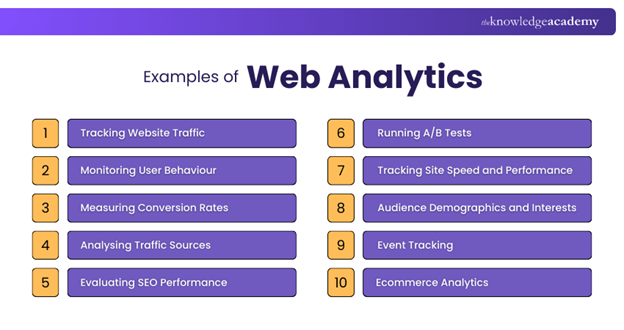
1) Tracking Website Traffic
Measures how many users visit your website over a specific time period.
Example: A retail site notices a spike in traffic during a seasonal sale and uses this insight to plan future promotions.
2) Monitoring User Behaviour
Shows how users navigate your website, what pages they visit, how long they stay, and what they click.
Example: An online course provider finds that most users drop off after viewing the pricing page. They use heatmaps and scroll data to redesign that page.
3) Measuring Conversion Rates
What it does: Tracks how many users complete a goal (e.g., form submissions, purchases).
Example: A travel booking site tracks how many users complete the booking process and identifies that mobile users convert less, prompting a mobile optimisation effort.
4) Analysing Traffic Sources
Shows where your visitors are coming from search engines, Social Media, email, direct, or referrals.
Example: A blog finds that most high-converting traffic comes from organic search, so they focus on SEO-driven content.
5) Evaluating SEO Performance
Tracks keywords, landing pages, and search queries that bring users to your site.
Example: A law firm identifies keywords that rank well but have low click-through rates. They update page titles and descriptions to improve performance.
Tools used: Google Search Console, SEMrush, Ahrefs
6) Running A/B Tests
Compare two versions of a webpage to see which performs better.
Example: An e-commerce site tests two versions of a product page and finds that version B with larger product images increases sales by 15%.
7) Tracking Site Speed and Performance
Measures how quickly your pages load across devices and locations.
Example: A media site discovers slow load times in specific regions and implements a CDN to improve performance.
8) Audience Demographics and Interests
Reveals age, gender, location, device type, and user interests.
Example: A skincare brand learns that most of its traffic is mobile users aged 25–34, leading them to launch a mobile-first design and targeted social ads.
9) Event Tracking
Tracks specific actions like video plays, downloads, or button clicks.
Example: A SaaS company tracks how many users click the "Start Free Trial" button and uses the data to refine the CTA placement.
10) E-commerce Analytics
Analyses online shopping behaviour like cart abandonment, product views, and revenue per product.
Example: An online clothing store notices high cart abandonment and adds exit-intent pop-ups to recover lost sales.
Acquire essential skills in SEO and analytics to optimise your content marketing with our Content Marketing Course – Join today!
Web Analytics Tools
Web Analytics tools help businesses collect and analyse website data to understand user behaviour and performance. They track metrics like traffic sources, page views, user journeys, and conversions, enabling organisations to make data-driven decisions and optimise digital strategies.
Popular Web Analytics Tools Include:
1) Google Analytics: Tracks website traffic, user behaviour, and conversions
2) Matomo: An open-source platform focused on data privacy and control
3) Hotjar: Provides heatmaps, session recordings, and user feedback insights
4) Adobe Analytics: Offers advanced analysis for large-scale digital environments
5) HubSpot Analytics: Integrates website, marketing, and sales data for insights
What Does a Web Analyst Typically Do?
A Web Analyst collects, monitors, and interprets data from websites, applications, and digital campaigns to understand how users interact with online platforms. Their main goal is to enhance user experience, increase conversion rates, and enhance overall business performance through data-driven insights.
Using tools such as Google Analytics and Adobe Analytics, Web Analysts track visitor behaviour, analyse traffic and campaign performance, and manage tracking systems. They share actionable insights with teams to optimise digital strategies and improve business outcomes.
Conclusion
Knowing What is Web Analytics helps you understand how people use your website. It shows what’s working, what needs improvement, and how you can make smarter decisions to grow your business. From tracking traffic and conversions to improving content and SEO, Web Analytics gives you the insights to make your website better. Simply put, it’s a must-have tool for online success. Start measuring what matters and let the data guide your growth.
Enhance your ability to influence, engage, and convert your audience with our Marketing Courses – Join now!
Frequently Asked Questions
What is the Difference Between Web Analytics and Digital Analytics?

Web Analytics focuses on user behaviour and performance data from websites, such as page views, bounce rates, and conversions. Digital Analytics has a broader scope and covers multiple digital channels, including Social Media, email, mobile apps, and online ads, to provide a complete view of user engagement.
What is UTM Tracking Used for?
UTM tracking adds tags to URLs so you can monitor how visitors arrive at your site. It helps track the effectiveness of campaigns across sources like email, Social Media, and ads. By analysing UTM parameters, you can see which marketing efforts drive the most traffic and conversions.

James Smith


Digital Marketing Manager and Trainer
James Smith is a digital marketing professional with over a decade of experience in SEO, content strategy, paid media and analytics. He has supported both SMEs and global brands in transforming their digital presence. James’s writing and training are rooted in results-driven tactics and the latest marketing trends.
View Detail

 If you wish to make any changes to your course, please


