


 Top Rated Course

We may not have the course you’re looking for. If you enquire or give us a call on 01344203999 and speak to our training experts, we may still be able to help with your training requirements.
The Best Project Management Software for Seamless Task Management
David Evans 16 October 2025Project Management Software helps teams organise, track and manage projects with features like Task Management, collaboration tools and reporting capabilities. Different software solutions, from simple task managers to comprehensive enterprise-level platforms, cater to different levels of project complexities and team sizes.

Training Outcomes Within Your Budget!
We ensure quality, budget-alignment, and timely delivery by our expert instructors.
Table of Contents
Juggling deadlines, tasks, and team updates can feel like spinning plates. One wrong move, and things start to fall apart! That’s where the power of Project Management Software steps in. It brings everything together in one place, helping you plan smarter, work better, and stay on track.
They can turbocharge your project workflow with features such as task scheduling, resource allocation, time tracking, collaboration, and progress reporting. This blog explores the top Project Management Software, their standout features, and how they can infuse clarity into every instance of chaos and confusion for your team. So read on!
Table of Contents
1) What is a Project Management Software?
2) Top Project Management Software
3) What Makes the Best Free Project Management Tool?
4) Emerging Trends in Project Management Software
5) How to Choose a Project Management Tool?
6) What can You do With Project Management Software?
7) Conclusion
What is a Project Management Software?
Project Management Software is an all-in-one tool that helps with better planning and smarter use of resources. It makes it easy for project managers and teams to communicate, assign tasks, schedule work, and track progress in real time, leading to more efficient project delivery.
The software also brings together key Project Management Processes like planning, budgeting, quality checks, and document sharing in one place. Using a central platform supports teamwork and clear communication. This helps everyone stay on the same page, making it easier to complete the project on time and within budget.

Top Project Management Software
If you want to find the right Project Management Software for your business or build your skills for a career in Project Management, we’ve got it sorted for you. Below is a list of the top Project Management Software professionals and organisations worldwide.
Monday.com
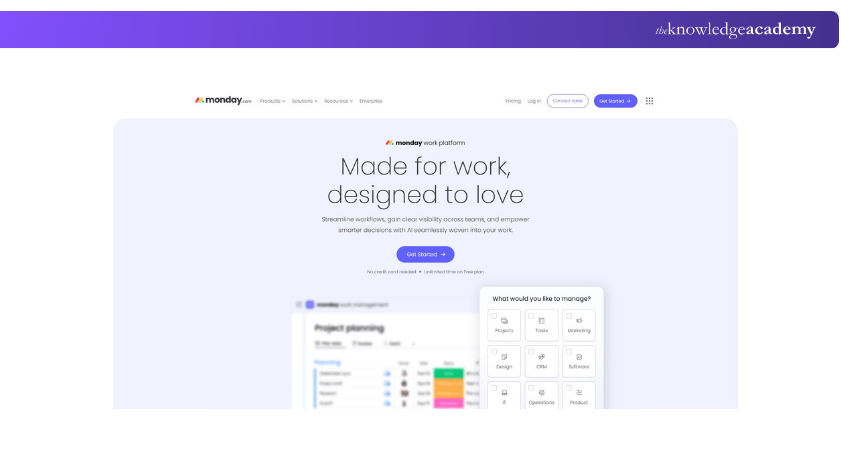
Monday.com is a versatile Project Management Software offering various templates and tools to enhance team productivity. Known as a work operating system (OS), it provides developer-level workflow customisation without requiring coding skills, making it adaptable to specific needs.
However, it is less customisable at the space or department level compared to other tools. For those seeking Microsoft Project Alternatives, Monday.com presents a user-friendly option with flexible workflow management features.
Key Features:
a) Custom Dashboards: Provides real-time project insights.
b) Powerful Automations: Streamlines processes.
c) Integrations: Over 200 integrations with popular tools.
Pros:
a) Engaging interface
b) Extensive templates
c) Strong automation capabilities
Cons:
a) Limited native proofing features
b) Some stability issues
c) Potentially cluttered display
Smartsheet
Smartsheet is a versatile work management platform offering a variety of views, reports, workflows, and dashboards, all tailored to meet your business needs. It ranks among the most popular Project Management tools, featuring dynamic Gantt charting, customisable data organisation forms, and seamless integration with third-party tools like Salesforce and Jira.
Key Features:
a) Variety of Views: Offers multiple views to suit different project needs.
b) Dynamic Gantt Charting: Provides interactive and flexible Gantt charts.
c) Customisable Forms: Allows for tailored data organisation.
d) Third-party Integrations: Easily integrates with tools like Salesforce and Jira.
Pros:
a) Flexibility for a variety of tasks
b) Ease of real-time collaboration
Cons:
a) Limited reporting capabilities
b) Requires add-ons for resource management and time tracking
Enhance Smartsheet skills for smarter projects! Sign up for our Smartsheet Training now!
Asana
Asana is a comprehensive Work Management tool designed for businesses of all types. It features file storage, project roadmaps, and dashboards, all presented in a highly polished interface. However, it falls short in advanced proofing capabilities and governance setup.

Key Features:
a) Workflow Builder: Create custom workflows to streamline processes.
b) Strategic Goals: Track performance against set objectives.
c) Gantt Charts: Visualise project progress with dynamic charts.
d) Third-party Integrations: Supports over 200 integrations, including Google Drive, Google Calendar, and Slack.
Pros:
a) Intuitive design and user-friendly interface
b) Wide range of integration options
Cons:
a) Lacks advanced proofing capabilities
b) Governance features could be stronger
Don’t know how to start a career in Project Management? Start with our Project Management for Non-managers Course – join today!
Zoho Projects
Zoho Projects is a popular Cloud-based Project Management Software offering robust tools for Project Resource Management, task tracking, and reporting. It’s designed to streamline project workflows with features like BluePrint for templates, risk management, and Custom Fields for tracking various project metrics.
Key Features:
a) BluePrint: Create reusable project templates for consistency.
b) Risk Management: Identify and mitigate project risks effectively.
c) Custom Fields: Tailor tracking to specific project needs.
d) Data Analysis and Automation: Provides tools for data-driven decision-making and automated workflows.
Pros:
a) Comprehensive Project Management tools
b) Effective risk management features
Cons:
a) Limited integration with some leave management and attendance systems
b) Challenges in document storage for certain file types
Jira
Jira Software is a highly configurable, centralised task and project tracker that can be tailored to suit any team’s needs. With its robust customisation options, Jira offers granular control over workflows, ensuring seamless management and collaboration.
Key Features:
a) Customisable Configuration: Adapt the software to meet specific team requirements.
b) Project Management Timeline: Visualise dependencies and track project progress.
c) Cross-project Syncing: Monitor tasks across multiple teams effortlessly.
d) Sub-task Management: Break down tasks into manageable sub-tasks with due date settings.
Pros:
a) Strong customisation and workflow control
b) Effective for managing complex projects
Cons:
a) Limited integrations with productivity tools
b) Few pre-built templates available
Get Hands-on with Jira and take control of your projects and fuel your workflow! Sign up for our Jira Training now!
Trello
Trello is a classic Kanban-based tool that offers intuitive project visualisation and easy task management through a user-friendly drag-and-drop interface. Its visually appealing boards make task management both simple and engaging.
Key Features:
a) Flexible Kanban Board: Easily visualise and manage tasks.
b) Editable Task Cards: Customise details for each task with ease.
c) Workflow Automation: Streamline repetitive processes to boost productivity.
d) Extensive Integrations: Connects with over 200 apps, including Google and Slack.
Pros:
a) User-friendly and visually appealing interface
b) Ideal for small to medium-sized teams
Cons:
a) Limited capabilities for organisation-wide Project and Portfolio Management
b) May not be sufficient for complex project tracking
Wrike
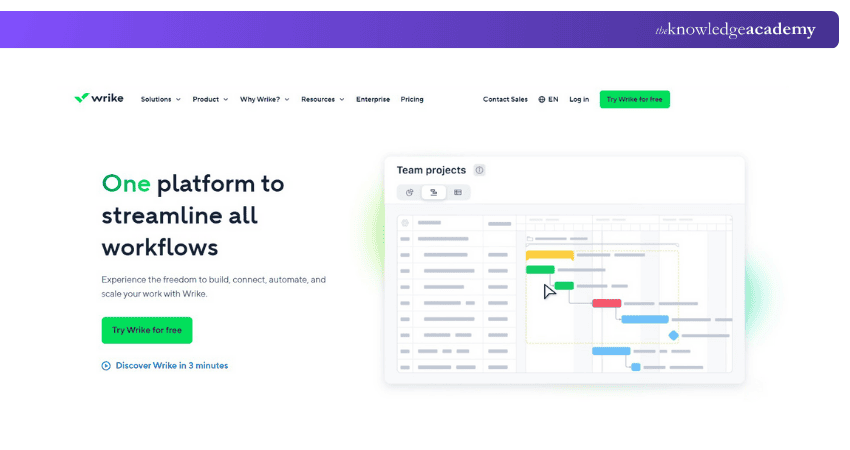
Wrike is an online Project Management Software designed for effective work collaboration and tracking. It enhances Project Management by allowing users to manage time and budgets efficiently, and integrates seamlessly with tools like Google Apps, Microsoft Excel, and Dropbox.
Key Features:
a) Time and Budget Management: Track and manage project timelines and budgets.
b) Email Integration: Convert emails into tasks and manage documents directly from your inbox.
c) Business Tool Integrations: Connects with Google Apps, Microsoft Excel, and Dropbox for enhanced productivity.
Pros:
a) Efficient time and budget tracking
b) Convenient email-to-task feature
Cons:
a) Limited customisation options for advanced project needs
b) Integration complexity for some business tools
Learn the fundamentals that turn strategy into successful project results! Sign up for our Introduction to Project Management Course now!
Basecamp
Basecamp is an online Project Management software designed for seamless team collaboration on projects. It offers robust features for individuals, Project Managers, and marketing teams to streamline their workflow and amplify productivity.
Key Features:
a) To-do Lists: Create and assign tasks with deadline reminders
b) Real-time Progress Tracking: Monitor project progress and team discussions in real-time
c) File Sharing and Storage: Share documents and store files within the platform
Pros:
a) Effective task management and deadline reminders
b) Real-time group chat and client visibility features
Cons:
a) Limited advanced project analytics and reporting
b) Integration with some tools may require additional setup
Nifty
Nifty is a collaborative Project Management tool designed to empower teams with flexible functionalities. It excels in task management, allowing users to create, assign, and track tasks, and features time tracking and project roadmap creation. Nifty also supports managing project portfolios by organising projects based on various criteria.
Key Features:
a) Task Management: Create, assign, and track tasks efficiently
b) Project Roadmap: Visualise project timelines and milestones
c) Portfolio Management: Organise projects into portfolios based on criteria
Pros:
a) User-friendly task and portfolio management
b) Integrated time tracking feature
Cons:
a) Limited customisation options for time tracking
b) Less robust integration with third-party tools compared to competitors
ClickUp
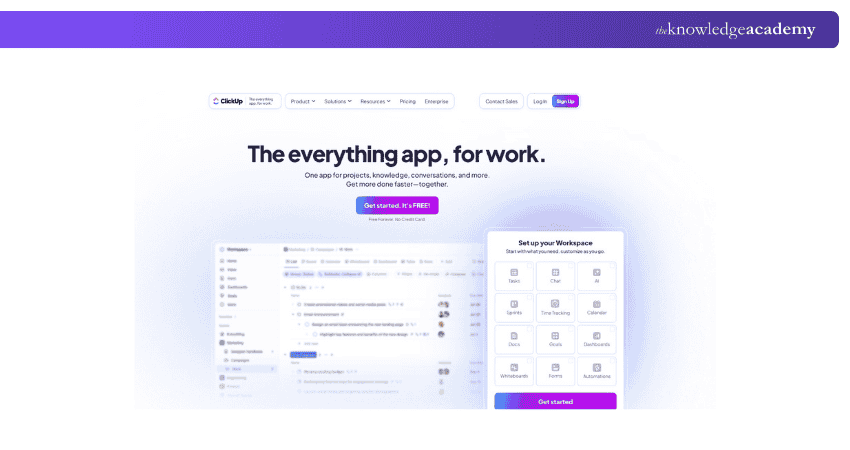
ClickUp offers is a comprehensive Project Management tool offering extensive features for task and project tracking. It provides 11 task views, including Gantt charts and mind maps, and 4 page views. Users can also customise dashboards with over 20 widgets to track key project data. ClickUp’s onboarding is more detailed than Trello's, featuring guided in-app tutorials and extensive customisation options, as well as Zapier integrations for enhanced flexibility.
Key Features:
a) Varied Task Views: Includes Gantt charts, mind maps, and more
b) Customisable Dashboards: Over 20 widgets to display project data
c) In-depth Onboarding: Guided tutorials and customisation options
Pros:
a) Wide range of task and page views
b) Extensive customisation and integration options
Cons:
a) Complex setup process
b) Potential performance lag during use
Airtable
Airtable is an adaptable tool that combines the functionality of a high-powered spreadsheet with advanced Project Management features. Teams can create lists of tasks and projects, and store files, while adding pictures, links, and assigning responsibilities. Airtable provides multiple data visualisation options, including calendar, Kanban, and gallery views. Ideal for users familiar with Excel or Google Sheets, it enhances project tracking and organisation.
Key Features:
a) Flexible Views: Switch between calendar, Kanban, and gallery formats
b) Enhanced Functionality: Add images, links, and task assignments
c) Data Integration: Integrates various types of information in a spreadsheet-like format
Pros:
a) Highly customisable, offering a wide range of personalisation options
b) Abundant templates to streamline initial setup and project organisation
c) Flexible data visualisation with calendar, Kanban, and gallery views
Cons:
a) Involves a more detailed and time-consuming setup process
b) Interface may be less intuitive compared to more familiar tools
c) Premium plans are among the most expensive options available
ActiveCollab (Web, Windows, macOS, iOS, Android)
ActiveCollab is a powerful Project Management tool designed with features tailored for agencies and freelancers. It integrates time tracking, billing, and expense management, allowing users to handle client projects efficiently. With ActiveCollab, you can estimate and track time for tasks, mark tasks as billable, and manage expenses from within the task details screen.
Key Features:
a) Time Tracing: Track and estimate time for tasks and manage expenses
b) Billing Integration: Create and send invoices, and integrate with payment processors
c) User Permissions: Manage client access with detailed permissions and roles
Pros:
a) Built-in time tracking, billing, and expense management features
b) Effective user permissions for secure client interactions
c) Seamless integration with payment processing and accounting tools
Cons:
a) Limited flexibility for use cases beyond client management.
b) Free and Plus plans restricted to 3 users.
Adobe Workfront
Adobe Workfront is a robust Project Management and work collaboration tool designed to streamline workflows and enhance team productivity. An extensive suite of features for managing tasks, projects, and resources across teams is available in Adobe Workfront. Users can plan, execute, and track work through various tools, including Gantt charts, resource management, and reporting capabilities. The platform integrates seamlessly with other
Key Features:
a) Advanced Project Management: Includes Gantt charts, task tracking, and resource management
b) Customisable Workflows: Tailor workflows to fit specific project requirements and team needs
c) Integration Capabilities: Connects with Adobe products and various third-party applications for enhanced functionality
Pros:
a) Comprehensive Project Management tools with advanced features
b) Highly customisable workflows to match project needs
c) Seamless integration with Adobe products and other popular tools
Cons:
a) Steep learning curve for new users
b) More complex than simpler Project Management tools
c) Higher cost compared to alternatives
What Makes the Best Free Project Management Tool?
The best free Project Management tools combine exciting features, user-friendliness, and scalability so that you can support teams of all sizes. The best options offer features such as:
1) Team Collaboration: These tools provide features that improve team communication and coordination.
2) Visual Task Management: These tools use elements like Kanban boards for clear task visualisation.
3) Customisable Workflows: The best tools allow users to tailor task views to their needs.
4) Spreadsheet-like Interfaces: The best tools offer interfaces that resemble spreadsheets, which helps in data organisation.
These tools are designed to be intuitive, making them accessible for beginners and experienced users. They also offer free tiers with strong features to make sure teams can manage projects effectively without immediate investment.
Emerging Trends in Project Management Software
Here are some new excited trends to look out for:
1) AI for Better Planning: Many tools now use AI to predict team and budget needs by looking at past work. This helps avoid overloading staff and improves planning.
2) Support for Hybrid Work: Tools are designed to suit remote and office work. Features like async messaging and flexible workflows make switching between work styles easier.
3) Planning for Risks: New features let teams test different project scenarios like budget cuts or delays, so they can spot problems early and adjust plans on time.
4) Built-in Budget Tracking: More tools now include features to track costs, expenses, and profits directly in the project. This helps manage multiple projects without using separate finance tools.
5) Focus on Sustainability: Some platforms now show data on energy use and carbon emissions. This helps companies track their environmental impact and meet sustainability goals.
How to Choose a Project Management Tool?
Choosing the ideal Project Management Software is essential for better teamwork and smoother workflows. Begin by identifying your team’s key needs, then explore different tools and compare their features. Use free trials to test how user-friendly they are, how well they support communication, and the quality of reporting.
What can You do With Project Management Software?
Project Management Software and apps help you keep track of progress and handle all kinds of projects, like launching a product, building a house or website, or running a marketing campaign. These tools are great for teams working on many projects at once. They make planning tasks easier and assigning work based on what needs to be done.
Conclusion
We hope your search for the Best Project Management Software ends here. Picking the right software can be a time-consuming endeavour, but it’s best to get it right before rolling it out in the organisation. This will impact your team, business growth, and the effective management of Workstreams in Project Management.
Learn Everything about managing Sprints – Explore our Project Management Courses!
Frequently Asked Questions
What are the Four Main Types of Project Management Software?

The four main categories of Project Management Software are:
a) Traditional/Sequential Project Management Software
b) Agile Project Management Software
c) Collaborative Project Management Software
d) Integrated Project Management Software
What are the Benefits of Using Software for Project Management?
Software for Project Management streamlines task tracking, enhances collaboration, and improves resource allocation. It provides real-time updates, centralises project information, and facilitates efficient communication, leading to better organisation, timely project completion, and increased productivity across teams.
What are the Other Resources and Offers Provided by The Knowledge Academy?
The Knowledge Academy takes global learning to new heights, offering over 3,000 online courses across 490+ locations in 190+ countries. This expansive reach ensures accessibility and convenience for learners worldwide.
Alongside our diverse Online Course Catalogue, encompassing 19 major categories, we go the extra mile by providing a plethora of free educational Online Resources like Blogs, eBooks, Interview Questions and Videos. Tailoring learning experiences further, professionals can unlock greater value through a wide range of special discounts, seasonal deals, and Exclusive Offers.
What is Knowledge Pass, and how Does it Work?
The Knowledge Academy’s Knowledge Pass, a prepaid voucher, adds another layer of flexibility, allowing course bookings over a 12-month period. Join us on a journey where education knows no bounds.
What are the Related Courses and Blogs Provided by The Knowledge Academy?
The Knowledge Academy offers various Project Management Courses, including the Notion Training, the Trello Training and the Asana Training. These courses cater to different skill levels, providing comprehensive insights into Embedding Google Calendar in Notion.
Our Project Management Blogs cover a range of topics related to Project Management Software, offering valuable resources, best practices, and industry insights. Whether you are a beginner or looking to advance your Project Management skills, The Knowledge Academy's diverse courses and informative blogs have got you covered.

David Evans


Certified Project Trainer and Agile Delivery Expert
David Evans brings over a decade of hands-on experience in project delivery, Agile transformation, and team leadership. With a background in technology and business consulting, David has led cross-functional teams through Agile and Waterfall projects in both public and private sectors. He combines technical knowledge with practical insights to help readers navigate the challenges of modern project environments.

Upcoming Project Management Resources Batches & Dates
Date
 Introduction to Project Management Course
Introduction to Project Management Course
Fri 17th Apr 2026
Introduction to Project Management Course
Fri 15th May 2026
Introduction to Project Management Course
Fri 12th Jun 2026
Introduction to Project Management Course
Fri 17th Jul 2026
Introduction to Project Management Course
Fri 14th Aug 2026
Introduction to Project Management Course
Fri 11th Sep 2026
Introduction to Project Management Course
Fri 16th Oct 2026
Introduction to Project Management Course
Fri 13th Nov 2026
Introduction to Project Management Course
Fri 18th Dec 2026

 If you wish to make any changes to your course, please


