




We may not have the course you’re looking for. If you enquire or give us a call on 01344203999 and speak to our training experts, we may still be able to help with your training requirements.
Best X (Twitter) Analytics Tools: Features and Comparison
ByThe Knowledge AcademyLast updated on: 29 October 2026
Discover key X (Twitter) analytics tools for monitoring post-performance, audience engagement and brand conversations. Compare the various tools, including their key features, benefits and limitations, to identify a suitable solution for your social media goals.

The Rundown
1. Native Analytics: X Analytics focuses on performance metrics within the platform.2. Multi-platform Reporting: Hootsuite, Sprout Social and Emplifi help manage reporting across social channels.3. Content Performance: Buffer and Keyhole support post analysis and engagement tracking.4. Social Listening: Brandwatch helps monitor brand mentions and wider conversations.5. Tool Selection: Consider available metrics, reporting requirements, subscription costs and integration limitations.
Are your posts reaching the right audience, or are you publishing content without knowing what works? Understanding X (Twitter) performance requires more than counting likes and reposts. Analytics tools help you evaluate engagement, identify content trends and understand how audiences interact with your posts.
Choosing the right analytics tool is just as important as understanding your performance. Some platforms focus on post analytics, while others specialise in multi-platform reporting, campaign monitoring or social listening. In this blog, we'll explore eight X (Twitter) analytics tools, their key features, advantages and limitations to help you make an informed choice.
8 Best X (Twitter) Analytics Tools
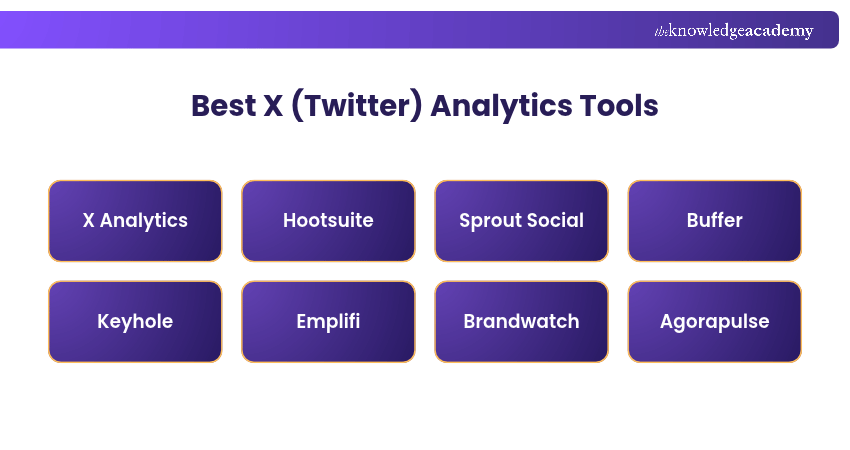
X (Twitter) analytics tools help individuals and businesses understand content performance, monitor engagement and assess social media activity. Here are eight X (Twitter) analytics tools worth considering in 2026:
1) X Analytics
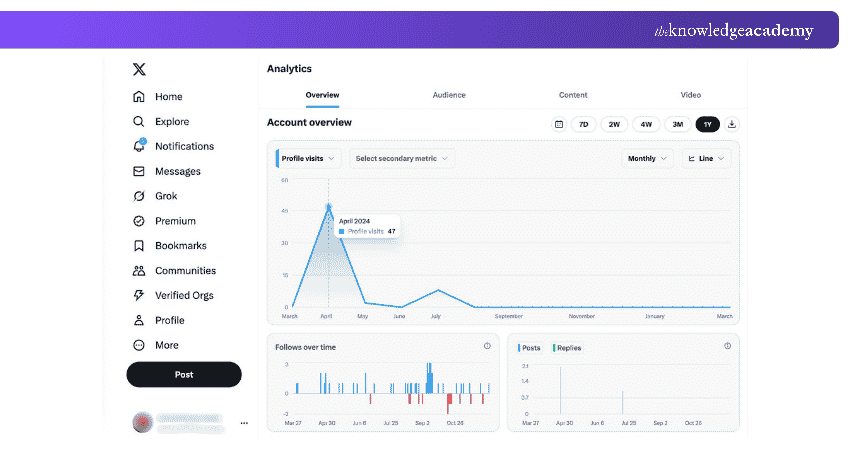
X Analytics is the platform's native analytics feature, designed to help users review their account and post-performance. It provides information on audience interactions and content activity directly within X. The availability of full account analytics depends on account eligibility and subscription access.
Key Features:
a) Post-performance: Review available metrics such as post views, likes, replies and reposts.
b) Engagement Analysis: Examine how audiences interact with published content to identify successful posts.
c) Account Performance: Review available account-level analytics and performance trends over supported reporting periods.
Pros:
a) Native integration with X without a separate third-party analytics service.
b) Useful for reviewing account and post-performance directly.
c) Suitable for users focused primarily on their own X activity.
Cons:
a) Full analytics features may require an eligible paid subscription.
b) Less suitable for managing analytics across several social media platforms.
c) Available audience information and reporting features depend on current X access.
Best For: Individuals and businesses wanting to understand their own X content performance.

2) Hootsuite
Hootsuite is a social media management platform that also offers X (Twitter) analytics features. With Hootsuite, users can track their X (Twitter) performance alongside other social media platforms, making it easier to compare metrics.
Key Features:
a) Customisable Reporting: Create reports using supported metrics and reporting options to monitor social media performance.
b) Social Listening: Use available listening capabilities to monitor relevant public conversations, keywords and brand-related discussions.
c) Performance Analysis: Evaluate X activity and engagement alongside supported social media accounts.
Pros:
a) Comprehensive social media management in addition to analytics.
b) Collaboration features for teams.
c) Integration with various social media platforms.
Cons:
a) It can be expensive for small businesses.
b) Some advanced features may take time to learn.
c) X reporting capabilities depend on integration permissions, API access and subscription features.
Best For: Marketing teams managing X alongside several other social platforms.
3) Sprout Social
Sprout Social is a social media management and analytics platform that offers dedicated X reporting. Its tools help organisations examine profile performance, audience engagement and content effectiveness.
Key Features:
a) X Profiles Report: Analyse available X performance metrics, including impressions and engagement, through a dedicated reporting dashboard.
b) Performance Comparisons: Review performance across selected profiles or reporting periods using supported analytics features.
c) Social Listening: Explore relevant conversations and trends using the platform's listening capabilities, where available under the selected plan.
Pros:
a) Extensive reporting features.
b) User-friendly interface.
c) Useful for teams requiring detailed performance analysis and coordinated reporting.
Cons:
a) Subscription costs may be less suitable for smaller teams with basic reporting needs.
b) Its extensive features may exceed the needs of some small businesses.
c) Advanced listening and reporting capabilities may require higher-tier subscriptions or add-ons.
Best For: Businesses and agencies requiring detailed X analytics and collaborative reporting.
4) Buffer
Buffer is primarily known for its scheduling capabilities, but it also offers X analytics through Buffer Insights. It's a useful choice for individuals and small teams looking to streamline social media publishing while reviewing content performance.
Key Features:
a) Post-performance: Review supported metrics such as reactions, comments, shares and engagement rates for published X posts.
b) Audience Growth: Track follower trends and changes in audience size through available reporting views.
c) Performance Insights: Compare recent content activity and identify posts generating stronger engagement.
Pros:
a) Simple and intuitive interface.
b) Combines publishing and lightweight analytics in one platform.
c) Useful for monitoring basic content performance across connected channels.
Cons:
a) Limited advanced analytics compared to specialised enterprise platforms.
b) X impressions and views are not available in the current Buffer Insights visibility chart.
c) Audience demographics and best-time-to-post recommendations are not currently provided by Buffer Insights.
Best For: Individuals and small teams combining X scheduling with straightforward performance tracking.
Bonus Tip
Before choosing an analytics tool, check which X metrics are available and how much historical data it retains. A platform may support engagement tracking but provide limited impressions, audience demographics or historical reporting.
5) Keyhole
Keyhole is a social media analytics and listening platform that provides insights into X (Twitter) performance. It is particularly useful for organisations monitoring public conversations, evaluating campaigns and analysing social profile activity.
Key Features:
a) Profile Analytics: Review post-performance, engagement activity and account growth using available X metrics.
b) Content Analysis: Compare post formats, hashtags and publishing patterns to identify stronger-performing content.
c) Reporting: Export or share supported performance data for campaign analysis and stakeholder reporting.
Pros:
a) Dedicated X profile analytics features.
b) Supports content comparisons and engagement analysis.
c) Customisable reporting options.
Cons:
a) Pricing can be steep for small businesses.
b) Some advanced reporting features may require additional familiarisation.
c) Certain metrics, including engagement rates, follower growth rates and mentions, require account authentication.
Best For: Brands and agencies monitoring X activity, campaigns and content performance.
Go beyond likes and discover what truly drives engagement with the Social Media Analytics Training now!
6) Emplifi
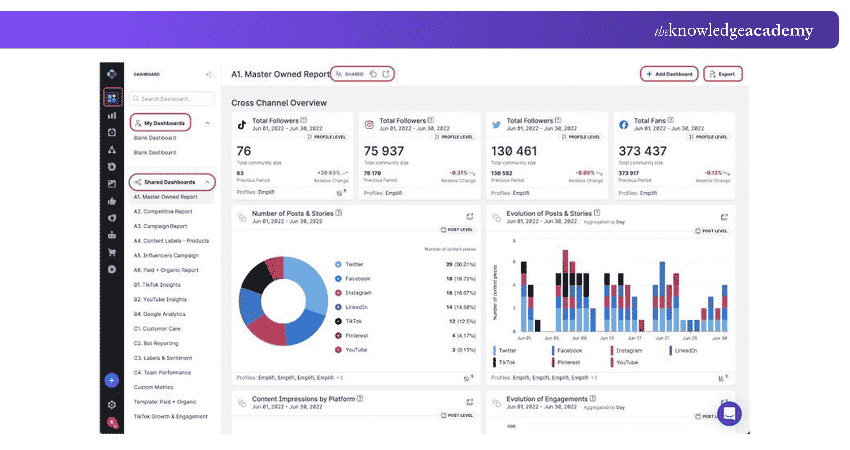
Emplifi is a social media management, analytics and customer experience platform that incorporates capabilities previously offered under the Socialbakers brand. It supports X analytics, helping businesses assess content performance, audience interactions and social media activity.
Key Features:
a) Content Performance: Analyse which types of content resonate most with your audience using available engagement and impression metrics.
b) Performance Reporting: Monitor supported X analytics and compare performance over selected reporting periods.
c) Audience and Profile Insights: Connect owned X profiles to access supported private insights and evaluate account activity.
Pros:
a) Combines social analytics with broader social media management capabilities.
b) Comprehensive reporting features.
c) Suitable for organisations managing multiple social accounts.
Cons:
a) More expensive than basic tools.
b) It can be overwhelming for beginners.
c) Available X metrics depend on account permissions and API restrictions.
Best For: Larger organisations looking for multi-platform analytics and enterprise social media management.
7) Brandwatch
Brandwatch is a social media analytics and listening platform that provides insights into brand conversations, audience interests and online trends. It is suitable for brands that want to monitor their online reputation.
Key Features:
a) Sentiment Analysis: Analyse the sentiment of relevant public conversations to better understand brand perceptions.
b) Trends and Insights: Identify trending topics related to your industry using supported public social data and search queries.
c) Social Listening and Reporting: Monitor brand mentions, relevant discussions and conversation patterns across available data sources, including X.
Pros:
a) Extensive social listening capabilities.
b) Supports brand management and reputation monitoring.
c) In-depth analytics features.
Cons:
a) Pricing may be less suitable for smaller businesses.
b) Complex setup and learning curve.
c) Social listening results should not be treated as a complete record of every conversation on X.
Best For: Enterprises conducting brand research, audience analysis and social listening.
Trainer's Insight
Social analytics measures how your published posts perform, while social listening examines wider conversations about brands, competitors and industry topics. Some tools provide both, but their strengths and reporting capabilities differ.
8) Agorapulse
Agorapulse is a social media management and reporting platform that supports X (Twitter) through dedicated integration add-ons. It combines publishing, engagement management and analytics to help organisations coordinate their social media activities.
Key Features:
a) X Performance Reports: Review available profile and post-performance metrics using the X Plus add-on.
b) Audience Analysis: Examine supported audience and engagement trends through its reporting features.
c) Social Inbox: Manage supported X mentions, replies and direct messages when X Plus is enabled.
Pros:
a) Combines publishing, engagement management and reporting.
b) Offers structured reports for connected social media accounts.
c) Useful for teams handling multiple social media activities.
Cons:
a) X reporting requires the paid X Plus add-on; X Lite supports publishing only.
b) Historical X reporting data is not imported retroactively when X Plus is activated.
c) Some X monitoring features are restricted by platform integration limitations.
Best For: Teams requiring X reporting alongside publishing and social media engagement management.
How to Choose the Right X (Twitter) Analytics Tool?
Choosing the right tool depends on your social media goals, reporting requirements and budget. Consider the following factors before selecting a platform:
a) Identify Your Analytics Goals: Decide whether you need post-performance tracking, social listening, campaign analysis or multi-platform reporting.
b) Check Available X Metrics: Confirm which engagement, impression, audience and reporting metrics the tool currently supports.
c) Compare Features and Integrations: Choose a platform that supports your required social channels and fits your existing workflow.
d) Review Pricing and Access Requirements: Check subscription plans, X-specific add-ons and restrictions on advanced features.
e) Evaluate Reporting Options: Consider whether you need downloadable reports, dashboards, performance comparisons or collaborative access.
Turn digital tools into your competitive marketing advantage by joining the Digital Marketing Tools Training now!

The Knowledge Academy develops accessible learning content across Project Management, IT, Cybersecurity, Data Science, Business Analysis, HR, Accounting and Finance, Leadership and Health and Safety. Its resources combine subject research with clear explanations to help professionals build practical knowledge across a wide range of disciplines.
View Detail

 If you wish to make any changes to your course, please


