


We may not have the course you’re looking for. If you enquire or give us a call on 01344203999 and speak to our training experts, we may still be able to help with your training requirements.
35 Best Productivity Tools and Their Key Features
ByThe Knowledge AcademyLast updated on: 19 November 2026
Explore 35 productivity tools for managing projects, organising tasks, tracking time and improving collaboration. Discover their key features, practical applications and ideal use cases to identify suitable solutions for personal and workplace productivity.

At a Glance
1. Project Management: Asana, Jira and monday.com help coordinate work, deadlines and project progress.2. Task Organisation: Todoist, Trello and Akiflow support personal planning and daily priorities.3. Workflow Automation: Zapier and Microsoft Power Automate reduce repetitive manual activities.4. Time Management: Clockify, DeskTime and Toggl Track provide different approaches to tracking working hours.5. Team Collaboration: Slack, Microsoft Teams and Miro support communication, meetings and shared ideas.
A deadline approaching.
An inbox full of unread messages.
Tasks scattered across different applications.
Team updates that are difficult to track.
Sound familiar?
The challenge is not always having too much work. Sometimes, the problem is managing too many disconnected systems.
Choosing the right productivity tools can make everyday responsibilities easier to manage. Whether you're working independently or coordinating a team, the right combination can help reduce unnecessary effort and keep important work moving forward.
Best Productivity Tools
The following 35 productivity tools cover project management, task organisation, time tracking, automation, collaboration, and document management. Although some share similar features, each supports different working requirements.
1) Asana
Asana is a work management platform that helps teams coordinate tasks, projects and organisational goals. It is particularly useful for tracking responsibilities and progress across multiple departments.
Key Features:
a) Assign tasks with deadlines, priorities and dependencies.
b) Visualise projects through boards, calendars and supported timeline and Gantt views.
c) Automate routine task updates and approval workflows.
d) Monitor progress using reporting dashboards on eligible plans.
Best for: Teams that need structured project coordination and clear accountability.
Learn to create, customise, and manage projects, tasks, and sections in Asana. Join our Asana Training now!
2) Jira
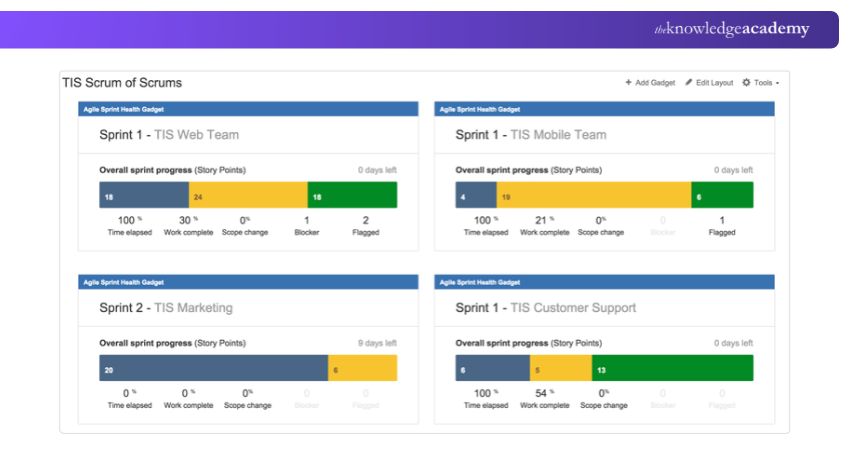
Jira is Atlassian's project and issue-tracking platform, particularly suited to software development and technical teams. It supports agile planning, issue resolution and workflow management.
Key Features:
a) Scrum and Kanban boards for visualising agile work.
b) Backlogs and sprint planning for development cycles.
c) Customisable issue types and workflows.
d) Reporting tools for analysing team delivery.
Best for: Software teams managing development work, bugs and agile delivery.
Learn to track tasks, customise workflows, and boost team collaboration with our Jira Training – Register now!
3) Notion
Notion combines notes, databases, project information and internal knowledge into a flexible workspace. Its customisable structure makes it suitable for individuals and teams that need connected information rather than separate documents.
Key Features:
a) Create linked pages, databases and internal wikis.
b) Organise information using tables, boards and calendars.
c) Build reusable project and documentation templates.
d) Use AI-assisted writing, searching and information management where supported.
Best for: Organising knowledge, documentation and project information in one workspace.
4) monday.com
monday.com is a configurable work management platform that helps organisations design workflows around their operational needs. It is useful for teams coordinating campaigns, business processes, and cross-functional activities.
Key Features:
a) Build custom boards with status fields and task owners.
b) Track schedules through timelines and Gantt charts.
c) Configure automations and workflow integrations.
d) Monitor team activity using visual dashboards.
Best for: Businesses needing adaptable workflows across different departments.
5) ProofHub
ProofHub brings project planning, task discussions, file reviews and approvals into a shared environment. It is particularly relevant for creative teams and agencies handling multiple rounds of feedback.
Key Features:
a) Plan work using task boards and Gantt charts.
b) Review files through proofing and approval features.
c) Manage project discussions and shared documents.
d) Track project activity and resource information.
Best for: Agencies and project teams managing client feedback and approvals.
6) Trello
Trello is a visual task management platform built around boards, lists and cards. Its straightforward approach makes it useful for smaller projects and workflows that do not require extensive project controls.
Key Features:
a) Move task cards between different workflow stages.
b) Add checklists, attachments, and due dates.
c) Apply labels and custom fields on eligible plans to organise work.
d) Automate routine card actions.
Best for: Individuals and small teams managing straightforward task-based workflows.
Enhance team collaboration with Trello’s features and tool integrations. Join our Trello Training now!
7) Bitrix24
Bitrix24 combines customer relationship management (CRM), task administration, communication, and business operations. Unlike standalone project tools, it connects internal work with customer-facing activities.
Key Features:
a) Manage leads, customer records, and sales pipelines.
b) Assign tasks and track project progress.
c) Coordinate calendars, calls, and team communication.
d) Automate selected sales and operational processes.
Best for: Businesses coordinating sales operations alongside internal task management.
8) Todoist
Todoist is a task management application designed around personal priorities, recurring activities and simple collaborative projects. Its focus is on organising actionable tasks rather than managing complex project structures.
Key Features:
a) Capture tasks using natural-language input.
b) Set recurring due dates and priority levels.
c) Organise tasks through projects, labels and filters.
d) View scheduled work through calendar features on eligible plans.
Best for: Personal to-do lists, recurring responsibilities and everyday planning.
9) nTask
nTask is a project management application that brings tasks, meetings, project risks and progress tracking together. It is relevant for smaller teams requiring more project administration than a basic task list provides.
Key Features:
a) Organise projects through task lists and boards.
b) Plan schedules using Gantt charts.
c) Record meetings and associated follow-up actions.
d) Maintain project risk and issue records.
Best for: Teams coordinating project tasks, meetings and risk records.
10) GanttPRO
GanttPRO specialises in timeline-based project planning. It helps Project Managers organise task sequences, dependencies, milestones, and resource requirements.
Key Features:
a) Build interactive Gantt charts.
b) Link dependent tasks and define milestones.
c) Monitor resource allocation and workload.
d) Adjust project schedules when priorities change.
Best for: Project Managers handling schedule-intensive work and task dependencies.

11) Forest
Forest is a focus application that uses a virtual tree-growing experience to encourage uninterrupted work. It offers a visual way to practise concentration habits.
Key Features:
a) Set timed sessions for focused activities.
b) Grow virtual trees by completing sessions.
c) Review focus records and personal progress.
d) Earn focus rewards and access eligible real-tree planting features.
Best for: Individuals who want to reduce phone distractions during focused work.
12) Akiflow
Akiflow combines task collection with calendar-based planning. Its central purpose is to help professionals allocate realistic time slots to work rather than simply maintaining a list of responsibilities.
Key Features:
a) Collect tasks from supported external applications.
b) Schedule activities directly into calendar time blocks.
c) Organise daily plans using keyboard shortcuts.
d) Reschedule unfinished work and adjust priorities.
Best for: Professionals using time blocking to manage busy schedules.
13) DeskTime
DeskTime provides automatic time tracking and work activity reporting. It is primarily designed for organisations looking to understand how working hours are distributed across applications and projects.
Key Features:
a) Record time spent using work applications.
b) Categorise activities for productivity reporting.
c) Monitor project hours and work patterns.
d) Support additional oversight features on eligible plans.
Best for: Organisations analysing work activity and time allocation.
14) Clockify
Clockify is a time-tracking and timesheet application for individuals, agencies and project teams. Its primary strength is recording hours against tasks and clients.
Key Features:
a) Track working time using timers or manual entries.
b) Prepare timesheets for different projects.
c) Distinguish billable and non-billable activities.
d) Produce reports for work allocation and billing.
Best for: Freelancers and teams recording project hours and billable work.
15) Toggl Track
Toggl Track is a time-tracking application that helps individuals and teams record working hours, analyse time spent on activities and prepare reports. It remains available alongside Toggl, the company's newer flagship platform, which combines time tracking with planning and work-management capabilities.
Key Features:
a) Record time through timers and manual entries.
b) Group tracked hours by client, project or task.
c) Analyse time distribution through reports.
d) Use billable rates and additional team reporting on eligible plans.
Best for: Freelancers, consultants and teams that need simple time tracking and reporting.
Trainer’s Insight
A task can take 30 minutes of work and sit in a queue for two days. Compare the time logged with the time from request to completion. If most of the delay falls between those points, look at where the work waited before changing your time estimates.
16) Zapier
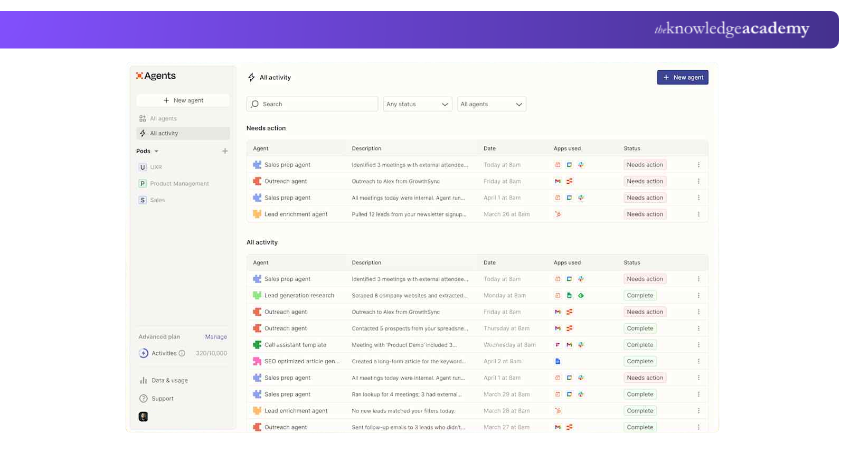
Zapier connects applications and automates workflows through triggers and actions. It is especially useful for transferring information between different cloud services without building custom integrations.
Key Features:
a) Create automated workflows called Zaps.
b) Connect supported business and productivity applications.
c) Configure multi-step workflows on eligible paid plans.
d) Apply filters, paths and additional automation controls.
Best for: Automating tasks between different online services.
17) Microsoft Power Automate
Microsoft Power Automate supports cloud workflows, desktop automation and business process automation. Its Microsoft ecosystem integrations make it useful for organisations that regularly work with Microsoft 365 and other enterprise applications.
Key Features:
a) Automate workflows across Outlook, SharePoint and Teams.
b) Build cloud-based flows using supported connectors.
c) Use robotic process automation for eligible desktop processes.
d) Apply AI-related capabilities to supported workflows.
Best for: Organisations automating repetitive workflows across Microsoft and connected business applications.
18) Slack
Slack is a workplace communication platform that organises conversations into channels and threads. It helps teams maintain discussions around projects, departments, and shared interests without relying entirely on email.
Key Features:
a) Create channels for different teams and projects.
b) Communicate through direct messages and threads.
c) Hold quick conversations using Huddles.
d) Search shared conversations and connect supported applications.
Best for: Organisations that rely on frequent, topic-based communication.
19) ClickUp
ClickUp is a productivity and project management platform that combines tasks, documents and team collaboration in one workspace. It is particularly useful for organisations managing multiple projects, coordinating responsibilities and tracking work progress.
Key Features:
a) Create and assign tasks with priorities, deadlines and dependencies.
b) Organise projects through lists, boards, calendars and Gantt charts.
c) Manage shared documents and project information.
d) Automate repetitive workflows and monitor progress through dashboards.
Best for: Teams seeking a centralised platform for project management, task organisation and collaboration.
Understand how to set up automation techniques to streamline workflows with our ClickUp Training – Join today!
20) Chanty
Chanty brings messaging and basic task coordination together. It is designed for smaller teams that want everyday workplace discussions connected to simple task administration.
Key Features:
a) Organise team conversations and direct messages.
b) Convert relevant messages into actionable tasks.
c) View tasks through a Kanban-style layout.
d) Conduct supported audio and video calls.
Best for: Small teams seeking simple communication with task management.
21) Microsoft Teams
Microsoft Teams helps teams coordinate projects by bringing conversations, meetings and shared files into one workspace. Colleagues can use project channels to share updates, review documents together, and keep decisions easy to find.
Key Features:
a) Conduct individual and group video meetings.
b) Communicate through chats and team channels.
c) Share files and collaborate through supported Microsoft applications.
d) Schedule meetings and access calendars.
Best for: Organisations coordinating communication across Microsoft 365 applications.
22) Zoom
Zoom is a communication platform widely used for virtual meetings, webinars and remote collaboration. Its meeting-focused features make it relevant for organisations conducting online discussions and presentations.
Key Features:
a) Host video meetings with screen sharing.
b) Use breakout rooms for smaller discussions.
c) Record meetings where enabled.
d) Conduct webinars and access supported AI meeting features.
Best for: Virtual meetings, webinars and online presentations.
23) GoTo Meeting
GoTo Meeting is an online meeting platform designed for business communication. It provides meeting controls and collaboration features for organisations conducting remote discussions.
Key Features:
a) Schedule and join online meetings.
b) Share screens and switch presenters.
c) Use meeting recording where supported.
d) Manage meeting access and participant controls.
Best for: Businesses seeking a dedicated platform for scheduled online meetings.
Pro Tip
Before closing a meeting, record the decision, the next action, its owner and the due date in your shared task board. Post the link in the meeting chat so anyone who missed the call can pick up the work without searching the recording.
24) Miro
Miro is an online visual collaboration workspace for brainstorming, planning and interactive workshops. It helps teams organise ideas and explore relationships between concepts on a shared canvas.
Key Features:
a) Build mind maps, diagrams and collaborative boards.
b) Use templates for brainstorming and workshops.
c) Collect feedback through sticky notes and voting.
d) Collaborate visually during planning sessions.
Best for: Brainstorming, visual planning and collaborative workshops.
25) Figma
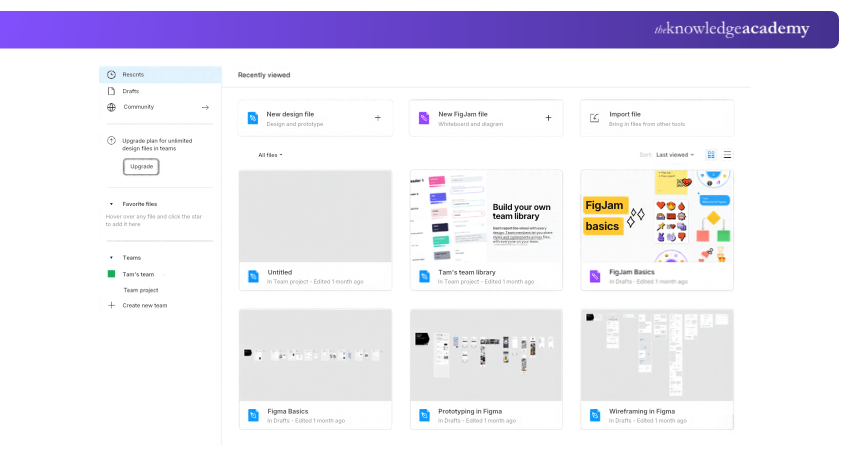
Figma is a collaborative product design platform for creating interfaces, prototypes and design systems. It is particularly useful for teams developing websites and digital products.
Key Features:
a) Design interfaces using reusable components.
b) Build interactive prototypes.
c) Maintain shared design libraries.
d) Support developer handover through Dev Mode.
Best for: UI/UX Designers and digital product development teams.
26) Google Workspace
Google Workspace is a collection of cloud-based applications for email, document management, meetings and shared work. It connects everyday business activities through an integrated environment.
Key Features:
a) Manage communication through Gmail and Google Meet.
b) Create documents, spreadsheets and presentations.
c) Store organisational files in Google Drive.
d) Coordinate appointments using shared calendars.
Best for: Organisations seeking an integrated cloud productivity suite.
27) Dropbox
Dropbox is a cloud storage and file-sharing platform that helps individuals and teams access documents across devices. It is particularly useful for sharing large files and maintaining accessible versions of project materials.
Key Features:
a) Synchronise files across supported devices.
b) Share folders and documents through access links.
c) Restore previous file versions where supported.
d) Manage shared files through team permissions.
Best for: Secure file sharing, synchronisation and document storage.
28) OneDrive
Microsoft OneDrive is Microsoft's cloud storage service, offering file access and synchronisation across supported devices. Its connection with Microsoft 365 makes it convenient for working with Office documents.
Key Features:
a) Store and synchronise files across devices.
b) Collaborate on supported Microsoft 365 documents.
c) Access file version history and recovery features.
d) Manage offline access and file-sharing permissions.
Best for: Individuals and teams managing files within Microsoft's ecosystem.
29) Evernote
Evernote is a note-taking and information management application that helps users capture and retrieve important material. Its organisational features make it suitable for reference notes, meeting records and research.
Key Features:
a) Store text, images and document attachments.
b) Capture web content through Web Clipper.
c) Organise information using notebooks and tags.
d) Search saved material and use supported AI assistance.
Best for: Professionals collecting research, notes and reference information.
30) Bit.ai
Bit.ai is a document collaboration and knowledge management platform for creating structured, interactive documents. It is useful for teams preparing shared resources that combine text with embedded content.
Key Features:
a) Create interactive documents with rich media.
b) Embed supported videos, files and other resources.
c) Organise documents into workspaces.
d) Manage sharing permissions and document versions.
Best for: Teams developing interactive documentation and shared knowledge resources.
31) SaneBox
SaneBox is an email management service that automatically organises messages according to their likely importance. It operates with supported email accounts to help reduce inbox clutter.
Key Features:
a) Move lower-priority messages into designated folders.
b) Organise newsletters and less urgent communication.
c) Set reminders for messages requiring follow-up.
d) Manage unwanted messages using filtering features.
Best for: Professionals who need help sorting and prioritising high volumes of email.
32) Boomerang
Boomerang provides email productivity capabilities for supported email environments, including scheduling and follow-up reminders. It helps professionals manage the timing of outgoing messages and responses.
Key Features:
a) Schedule emails for later delivery.
b) Set reminders when replies are not received.
c) Manage follow-up activities.
d) Use supported writing and inbox management features.
Best for: Professionals managing follow-up communication and email schedules.
33) Microsoft To Do
Microsoft To Do is a task management application that helps individuals organise daily activities, manage priorities and track responsibilities. Its integration with Microsoft Outlook makes it particularly useful for professionals managing personal tasks alongside their work schedules.
Key Features:
a) Organise daily priorities using the My Day feature.
b) Create task lists with due dates and reminders.
c) Set recurring tasks and divide activities into smaller steps.
d) Share task lists and manage responsibilities across supported devices.
Best for: Individuals and professionals organising daily tasks, reminders and personal work priorities.
34) Airmail
Airmail is an email client designed for Apple devices, offering a customisable interface for managing messages and multiple accounts. It helps users organise their inboxes, streamline email workflows and manage everyday communication more efficiently.
Key Features:
a) Manage multiple email accounts in a unified inbox.
b) Customise email actions and notification settings.
c) Organise messages using filters, labels and folders.
d) Use supported integrations and email scheduling features.
Best for: Apple users seeking a customisable email client for managing multiple accounts and daily communication.
35) Google Docs
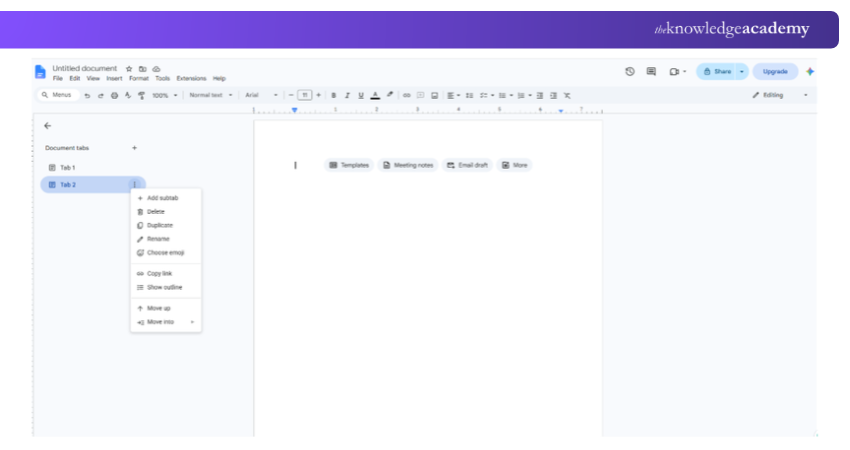
Google Docs is a cloud-based word processor that enables several people to work on the same document. Unlike the broader Google Workspace suite, it focuses specifically on document creation, review and editing.
Key Features:
a) Edit documents collaboratively in real time.
b) Add comments and suggested changes.
c) Review document version history.
d) Create documents from templates and shared files.
Best for: Collaborative writing, document editing and content reviews.
Acquire skills in integrating various media types into documents with our Google Docs Training – Sign up now!
How to Choose the Right Productivity Tool?
With 35 tools offering different capabilities, choosing the right one depends on your working requirements. Rather than focusing on the number of features available, consider how well each application supports your daily activities. The following factors can help you make an informed decision:
1) Identify Your Primary Work Requirements
Start by identifying the activities that consume the most time. Choose tools that address specific requirements, such as project scheduling, communication, document management or repetitive administrative work.
2) Evaluate Integration Capabilities
Consider whether the application connects with the systems already used by your organisation. Compatible integrations can reduce duplicate data entry and unnecessary switching between platforms.
3) Review Pricing and Feature Limitations
Compare subscription costs against the features your team will actually use. Consider user limits, storage allowances, automation quotas and additional charges before selecting a paid plan.
Pro Tip
Where export options are available, export a sample project before committing to a tool. Check whether the export includes the comments, attachments and task history your team would need if it moved to another platform.
4) Consider Security and Data Protection
Review access controls, data retention, storage locations and privacy features. Organisations handling confidential information should also assess whether prospective tools meet their security and compliance requirements.
5) Test Usability Before Implementation
Where trials are available, evaluate how easily users can complete routine tasks. A feature-rich tool may deliver limited value if its complexity makes everyday work more difficult.

The Knowledge Academy develops accessible learning content across Project Management, IT, Cybersecurity, Data Science, Business Analysis, HR, Accounting and Finance, Leadership and Health and Safety. Its resources combine subject research with clear explanations to help professionals build practical knowledge across a wide range of disciplines.
View Detail

 If you wish to make any changes to your course, please


