


 Top Rated Course

We may not have the course you’re looking for. If you enquire or give us a call on 01344203999 and speak to our training experts, we may still be able to help with your training requirements.
What is Active Directory: Definition, Key Features and Benefits
Scarlett Adams 15 December 2025Active Directory (AD) by Microsoft is a centralised service for managing users, devices, and resources in domain-based networks with secure access control. It enables Administrators to streamline authentication, enforce essential security policies, and ensure adequate access across the entire IT infrastructure.

Training Outcomes Within Your Budget!
We ensure quality, budget-alignment, and timely delivery by our expert instructors.
Table of Contents

Modern companies need to ensure that the right people have access to the right files, systems, and printers, no matter where they work from. But how do they ensure it happens without any interruptions? The answer lies in the Active Directory. This powerful tool helps organisations manage users, devices, and network permissions all from one central place.
Whether it’s logging into your computer, accessing a shared folder, or using a network printer, Active Directory makes it happen smoothly and securely. This blog explores What is Active Directory and highlights its role in keeping business operations running without disruptions. So read on and master the art of achieving smooth business performance in the digital world!
Table of Contents
1) What is Active Directory?
2) Purpose of Active Directory
3) How Does Active Directory Work?
4) Features of Active Directory Domain Services
5) Components of Active Directory
6) Benefits of Using Active Directory
7) Conclusion
What is Active Directory?
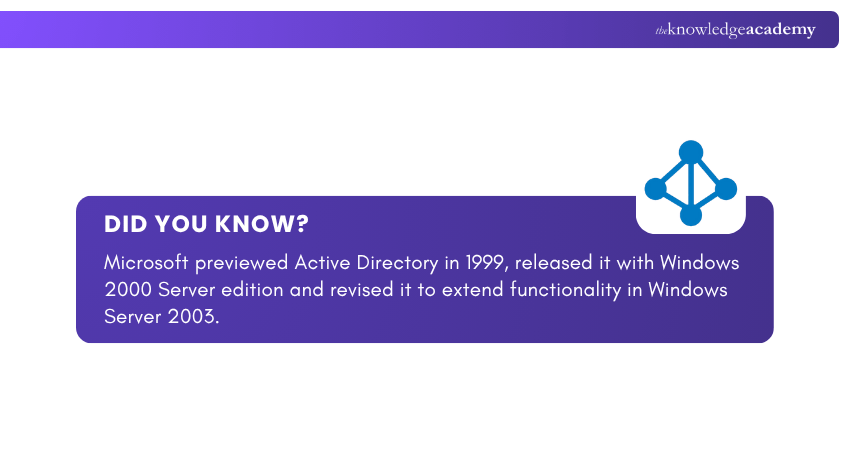
Active Directory (AD) is a Microsoft directory service that provides a centralised way to organise, manage, and control access to users, computers, and network resources within Windows domain environments. Introduced with Windows 2000, it has since evolved into a comprehensive framework for efficient administration and secure network management.
As the backbone of authentication and authorisation in Windows environments, Active Directory provides a structured, hierarchical system that enables Administrators to manage permissions and maintain security across the network efficiently.

Purpose of Active Directory
Active Directory serves as a central hub for storing information about all the network resources, referred to as “objects.” These objects include computers, user accounts, contacts, groups, organisational units, and shared folders.
Each object is classified by specific names and attributes and stored within a high-performance data repository designed for fast queries and scalability. Ultimately, Active Directory’s purpose is to help organisations maintain a well-organised network environment.
How Does Active Directory Work?
These points illustrate how Active Directory Works:
1) When Active Directory Domain Services (AD DS) is installed on a server, that server becomes a Domain Controller (DC).
2) It holds the entire AD database, which includes objects, trees, and their relationships within the network.
3) Any changes made on one DC such as password updates, data additions, or deletions are automatically replicated across all other DCs.
4) This ensures consistent and up-to-date information throughout the domain.
5) Administrators can manage Active Directory using a dedicated Graphical User Interface (GUI).
6) The intuitive GUI allows them to drag and drop objects, adjust configurations, and efficiently control various directory settings.
Features of Active Directory Domain Services
Here are the main features associated with Active Directory Domain Services:
1) Certificate Services
Certificate Services enable organisations to manage and distribute encryption certificates through Domain Services. This ensures secure information exchange over the internet. They play a big role in protecting data integrity and establishing trusted communications across networks.
2) Lightweight Directory Services (LDS)
This Lightweight Directory Access Protocol (LDAP) service extends the flexibility and versatility of Domain Services. It allows applications to use directory services without the need for a full domain. This makes it ideal for specialised or standalone scenarios.
3) Active Directory Federation Services (ADFS)
ADFS provides Single Sign-on (SSO) capabilities, which allow employees to access multiple devices, systems and applications through one set of login credentials. This improves security, reduces password fatigue and simplifies Access Management across platforms and services.
4) Rights Management Services (RMS)
AD RMS equips Administrators with tools to manage and protect sensitive data through technologies like authentication, certification and encryption. It helps organisations control how information is used by ensuring only the authorised users can access or share protected content.
Gain hands-on knowledge to manage policies and access like a seasoned admin. Sign up for our Install and Configure Microsoft Windows Server and Active Directory Training now!
Components of Active Directory
Active Directory is built on a hierarchical logical structure. This structure helps define organisational functions, manage resources and maintain security boundaries across networks. Here are its key components:

1) Forest
1) Forests are at the top of the hierarchy.
2) They act as the overarching security and administrative boundaries.
3) A forest connects one or more trees that share common configurations, such as the directory schema, global catalogue and security definitions.
4) Communication between forests happens through trust relationships.
5) This allows for controlled collaboration while maintaining independence.
6) Forests are ideal for organisations that require distinct administrative structures or separate security policies across different business units.
2) Domains
1) Domains form the fundamental building blocks of Active Directory.
2) Each domain represents a security boundary that manages authentication, authorisation and replication within its scope.
3) Domains contain a single shared database replicated automatically across all Domain Controllers to keep data synchronised.
4) Trust relationships between domains enable centralised authentication, while organisational units within domains allow for granular administrative control.
3) Trees
1) A Tree is a collection of one or more domains arranged in a parent–child hierarchy within a continuous namespace, such as company.com and sales.company.com.
2) Automatic trust relationships are created between domains using transitive trust protocols.
3) It allows for seamless access and resource sharing.
4) Trees provide a structured way to organise multiple domains under a single namespace while maintaining clear hierarchical relationships.
4) Organisational Units (OU)
1) Within domains, OU act as containers for organising users, computers, and groups.
2) It's done based on logical or departmental structures.
3) By assigning permissions and applying Group Policies to OUs, Administrators can manage specific sections without affecting the entire domain.
4) OUs make it possible to mirror the company’s hierarchy in the directory.
5) It improves administrative clarity and delegation of tasks.
5) Containers
1) Containers are predefined objects in Active Directory that hold other directory objects.
2) It's similar to Organisational Units but with limited functionality./p>
3) Unlike OUs, containers cannot be customised or used to apply group policies.
4) Examples include default containers like “Users” and “Computers.”
5) While they serve as basic storage locations for objects, they are not suitable for advanced administrative tasks or Policy Management.
Deploy Windows Server environments with confidence. Learn how in our Windows Server Administration 55371AC Course - Sign up now!
Benefits of Using Active Directory
Active Directory goes beyond being a simple directory service. It’s a powerful tool for organisations looking to streamline IT Management and operations and thereby improve overall network efficiency. Here are some of its key advantages:

1) Efficient User Management
With Active Directory, user Account Management becomes centralised. Administrators can create, modify or remove user accounts from one platform. This eliminates the need to manually update individual machines.
2) Enhanced Security
Active Directory’s advanced security features protect sensitive data from unauthorised access and cyber threats. Through group policies and access controls, Administrators can enforce strong password standards and implement role-based permissions. They can also control access to specific files, applications or systems.
3) Simplified Resource Access
Sharing files, printers and other network resources becomes seamless with AD. Administrators can centrally configure and manage these resources, making them accessible to authorised users without additional setup. This reduces administrative overhead.
4) High Extensibility
Active Directory is highly adaptable, making it easy for organisations to structure directory data to match their business hierarchy. It can scale with business growth by supporting additional users, domains or services without major disruptions.
5) Accelerated Troubleshooting
Centralised management through AD enables quicker diagnosis and resolution of technical issues. With detailed logs of user activities and system events, Administrators can pinpoint problems efficiently. This reduces downtime and keeps the network running smoothly.
6) Ease of Use
Thanks to centralised management of user identities and access rights, AD simplifies administration across the enterprise. Tasks like onboarding, password resets and permissions updates can be handled easily from one location. This minimises errors and frees up IT teams to focus on strategic initiatives rather than repetitive tasks.
7) Robust Resiliency
With built-in redundancy and automatic data replication between domain controllers, Active Directory is designed for reliability. This ensures that even if one server fails, services remain available without major interruptions. By supporting disaster recovery and high availability, AD plays a big role in maintaining operational stability.
Conclusion
We hope this blog on What is Active Directory has helped you understand how it acts as the backbone of modern business networks. By keeping systems connected, secure, and well-organised, it simplifies user management, strengthens security, and ensures smooth day-to-day operations across the organisation.
Discover the tools and techniques that make Windows Server the heart of modern networks. Sign up for our Microsoft Windows Server Training now!
Frequently Asked Questions
What is an Example of Active Directory?

A common example of Active Directory is its use in a corporate network where employees log in to their computers using company credentials. Administrators can centrally manage user accounts, control access to shared folders, printers, and applications, and enforce security policies across the organisation.
What are the Three Main Functions of Active Directory?
The three core functions are:
1) Authentication and Authorisation: Verifies user identities and grants secure access to resources.
2) Centralised Management: Organises and manages users, computers, and devices from one place.
3) Policy Enforcement: Applies security and configuration settings through Group Policies for consistency and control.
What are the Other Resources and Offers Provided by The Knowledge Academy?
The Knowledge Academy takes global learning to new heights, offering over 3,000 online courses across 490+ locations in 190+ countries. This expansive reach ensures accessibility and convenience for learners worldwide.
Alongside our diverse Online Course Catalogue, encompassing 19 major categories, we go the extra mile by providing a plethora of free educational Online Resources like Blogs, eBooks, Interview Questions and Videos. Tailoring learning experiences further, professionals can unlock greater value through a wide range of special discounts, seasonal deals, and Exclusive Offers.
What is The Knowledge Pass, and How Does it Work?
The Knowledge Academy’s Knowledge Pass, a prepaid voucher, adds another layer of flexibility, allowing course bookings over a 12-month period. Join us on a journey where education knows no bounds.
What are the Related Courses and Blogs Provided by The Knowledge Academy?
The Knowledge Academy offers various Microsoft Windows Server Training, including the Fundamentals of Active Directory 55152A Course, Install and Configure Microsoft Windows Server and Active Directory Training and the Fundamentals of a Windows Server Infrastructure M10967 Course. These courses cater to different skill levels, providing comprehensive insights into Server Management.
Our Microsoft Technical Blogs cover a range of topics related to Active Directory, offering valuable resources, best practices, and industry insights. Whether you are a beginner or looking to advance your Server Management skills, The Knowledge Academy's diverse courses and informative blogs have got you covered.
Upcoming Microsoft Technical Resources Batches & Dates
Date
 Fundamentals of Active Directory 55152A
Fundamentals of Active Directory 55152A
Fri 27th Mar 2026
Fundamentals of Active Directory 55152A
Fri 3rd Jul 2026
Fundamentals of Active Directory 55152A
Fri 4th Sep 2026
Fundamentals of Active Directory 55152A
Fri 4th Dec 2026

 If you wish to make any changes to your course, please


