


 Top Rated Course

We may not have the course you’re looking for. If you enquire or give us a call on 01344203999 and speak to our training experts, we may still be able to help with your training requirements.
Input and Output Devices: The Backbone of Digital Communication
Richard Harris 03 February 2026Input and Output Devices connect humans and computers, capturing commands and delivering results through visual, auditory, or tangible outputs. In this blog, we’ll dive into how these devices work together to create seamless digital experiences. Step into a world where every click, swipe, and sound powers your tech journey!

Training Outcomes Within Your Budget!
We ensure quality, budget-alignment, and timely delivery by our expert instructors.
Table of Contents

Have you ever wondered how your keyboard and mouse clicks convert into digital experiences? Input and Output Devices are the unseen hands that make this magic happen, transforming your actions into data and giving visible, audible, and interactive outcomes.
In this blog, we’ll uncover how Input and Output Devices bridge the gap between human intent and computer operations, creating the seamless digital world we know today. From a simple click to vibrant visuals, discover the secrets behind your everyday tech interactions!
Table of Contents
1) What are Inputs and Outputs?
2) List of Input Devices
a) Keyboard
b) Mouse
c) Joystick
d) Light Pen
e) Microphone
f) Scanner
g) Barcode Reader
3) List of Output Devices
4) Conclusion
What are Inputs and Outputs?
Hardware components known as input devices enable users to send data, commands, or signals to a computer. They act as the primary interface through which users interact with the system, providing the means to input information for processing.
Conversely, output devices receive data from the computer and display it to the user in a format that can be easily understood, such as text, images, or sound. These devices are crucial in ensuring a smooth two-way flow of information between the user and the computer. In the context of Computers Classification, the distinction between input and output devices is fundamental to understanding how various types of computers interact with users and process data.

List of Input Devices
Here are some common input devices that allow users to interact with and provide data to computer systems:
1) Keyboard
A fundamental input device, the keyboard comprises keys representing letters, numbers, and functions. It allows users to input text, execute commands, and perform shortcuts, serving as a primary tool for data entry.
2) Mouse
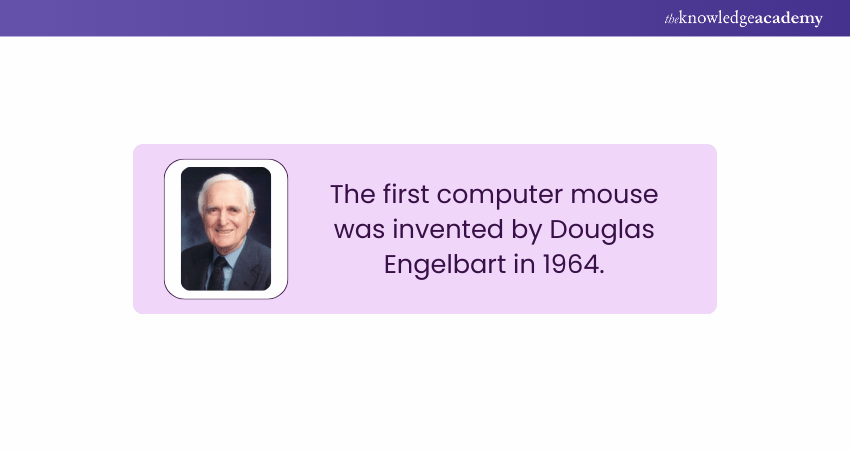
A pointing device that detects two-dimensional motion relative to a surface. It enables users to navigate graphical User Interfaces (UIs),select objects, and execute commands through clicks and gestures.
3) Joystick
Often used in gaming and simulations, a joystick is a lever that pivots on a base. It translates physical movement into digital signals to control on-screen actions or navigate environments.
4) Light Pen
A light-sensitive pointing device is used to draw or select objects directly on a display screen. Detecting the screen's brightness allows for precise input, which is commonly utilised in Graphic Design and technical drawing.
5) Microphone
An audio input device that captures sound waves and converts them into digital signals. Microphones are essential for voice recognition systems, audio recordings, and communication applications.
6) Scanner
A device that digitises physical documents and images, converting them into electronic formats for storage, editing, or sharing. Scanners are crucial for digitising printed media and facilitating electronic document management.
7) Barcode Reader
An optical scanner that interprets barcodes, translating the encoded data into digital information. Commonly used in retail and Inventory Management, barcode readers streamline data entry and tracking processes.
Join the Computer Hardware Troubleshooting Course and unlock your IT potential today!
List of Output Devices
Here are some common output devices that allow computer systems to display, present, or deliver information to users:
1) Monitor
Also known as a display screen, the monitor visually presents text, images, and videos generated by the computer. It serves as the primary medium through which users receive visual feedback from the system.
2) Printer
A device that produces physical copies of electronic records and images on paper or other media. Printers are essential for creating hard copies of reports, photographs, and various documents.
3) Speakers
Audio output devices convert digital audio signals into sound waves, allowing users to hear music, system alerts, and other audio content. Speakers enhance multimedia experiences and are integral to applications requiring sound output.
4) Projector
A device that projects visual content from a computer onto a larger surface, such as a screen or wall. Projectors are commonly used in presentations, educational settings, and entertainment to display information to larger audiences.
5) Headphones
Personal audio output devices worn over or in the ears provide sound directly to the user. Headphones are ideal for private listening, noise isolation, and applications requiring focused audio consumption.
Embark on your IT learning adventure and build a brighter future starting now with our IT Fundamentals Training – join now!
Conclusion
Input and Output Devices are necessary for effective human-computer interaction, converting commands into data and delivering results in visual, auditory, or tactile forms. By understanding their roles, we gain a deeper appreciation for the technology that powers seamless digital experiences in our daily lives. Every interaction sparks the digital world into action!
Join our IT Support and Solution Training and gain the skills to excel in technology!
Frequently Asked Questions
Is a CPU an Output Device?

No, a CPU is not an output device. It is the central processing unit responsible for executing instructions and performing calculations, acting as the brain of the computer to process data.
What is RAM in a Computer?
Random Access Memory (RAM) is temporary storage used by a computer to store data and instructions that are actively being used or processed. It allows fast access to data for quick execution.
What are the Other Resources and Offers Provided by The Knowledge Academy?
The Knowledge Academy takes global learning to new heights, offering over 3,000+ online courses across 490+ locations in 190+ countries. This expansive reach ensures accessibility and convenience for learners worldwide.
Alongside our diverse Online Course Catalogue, encompassing 19 major categories, we go the extra mile by providing a plethora of free educational Online Resources like Blogs, eBooks, Interview Questions and Videos. Tailoring learning experiences further, professionals can unlock greater value through a wide range of special discounts, seasonal deals, and Exclusive Offers.
What is The Knowledge Pass, and How Does it Work?
The Knowledge Academy’s Knowledge Pass, a prepaid voucher, adds another layer of flexibility, allowing course bookings over a 12-month period. Join us on a journey where education knows no bounds.
What are the Related Courses and Blogs Provided by The Knowledge Academy?
The Knowledge Academy offers various IT Support and Solution Training, including IT Fundamentals Training, Computer Hardware Troubleshooting Course and Introduction to Networking Training. These courses cater to different skill levels, providing comprehensive insights into WAN.
Our IT Infrastructure & Networking Blogs cover a range of topics related to IT Fundamentals, offering valuable resources, best practices, and industry insights. Whether you are a beginner or looking to advance your IT Support skills, The Knowledge Academy's diverse courses and informative blogs have got you covered.

Richard Harris


Senior Full Stack Developer and Technology Educator
Richard Harris is a highly experienced full-stack developer with deep expertise in both frontend and backend technologies. Over his 12-year career, he has built scalable web applications for startups, enterprises and government organisations. Richard’s writing combines technical depth with clear explanations, ideal for developers looking to grow in modern frameworks and tools.

Upcoming Programming & DevOps Resources Batches & Dates
Date
 IT Fundamentals Training
IT Fundamentals Training
Fri 12th Jun 2026
IT Fundamentals Training
Fri 18th Sep 2026
IT Fundamentals Training
Fri 18th Dec 2026

 If you wish to make any changes to your course, please


