


 Top Rated Course

We may not have the course you’re looking for. If you enquire or give us a call on 01344203999 and speak to our training experts, we may still be able to help with your training requirements.
Classification of Computers: Size, Purpose & Data Handling
The Knowledge Academy 16 July 2026Interested in the Classification of Computers? Computers are broadly categorised into microcomputers, minicomputers, mainframes, and supercomputers. Each type serves different functions and industries. This blog explores their characteristics, uses, and examples. Discover the diverse world of computer classifications!

Training Outcomes Within Your Budget!
We ensure quality, budget-alignment, and timely delivery by our expert instructors.
Table of Contents
Computers come in all shapes and sizes, each designed to meet specific needs and functions. Have you ever wondered why some computers can process massive amounts of data at lightning speed, while others are tailored for different tasks? The classification of computers by size, data handling, and purpose reveals a fascinating spectrum of technology.
In this blog, we’ll explore the unique configurations of computers and how they cater to a wide array of requirements. Whether you’re a beginner or a tech enthusiast, you’ll gain valuable insights into the incredible versatility of modern computing. Dive in to understand the classification of computers and their remarkable roles!
Table of Contents
1) Computer Classification
2) Classification of Computers According to Size
3) Classification of Computers According to Purpose
4) Classification of Computers According to Data Handling
5) Conclusion
Computer Classification
A computer is a device that transforms raw data into usable information. It processes input based on user instructions to generate the desired output. Modern digital computers are classified by size and capacity, which can be grouped into two main categories.

Classification of Computers According to Size
Computers can be categorised into four types based on size and configuration:
1) Supercomputers
The Most Powerful Computer in the World are supercomputers which are more efficient in terms They are used for research, space exploration, seismic research, and nuclear testing.

Their key features include the following:
a) Use of Artificial Intelligence (AI)
b) Fastest and most powerful
c) Very costly and large
d) Employed by manufacturing companies
e) Rapid information processing
2) Mainframe Computers
Mainframe computers, though less efficient than supercomputers, are still very expensive. They are used by large corporations and government organisations for daily operations, storing and analysing large amounts of data.
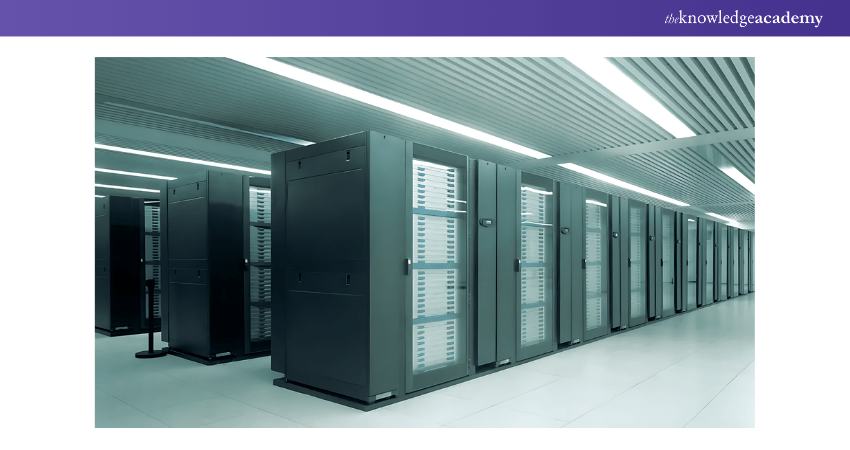
Their core attributes are as follows:
a) Enormous memory
b) Capable of running multiple operating systems
c) Numerous CPUs with powerful processing speeds
d) Use of Tightly Coupled Clustering Technology
3) Minicomputers
Minicomputers, or midrange computers, are used by small businesses and industries. They support multiple users and are slower than mainframes.
A few of their essential characteristics include the following:
a) Smaller and less costly than mainframes or supercomputers
b) Capable of multitasking
c) Used by small businesses
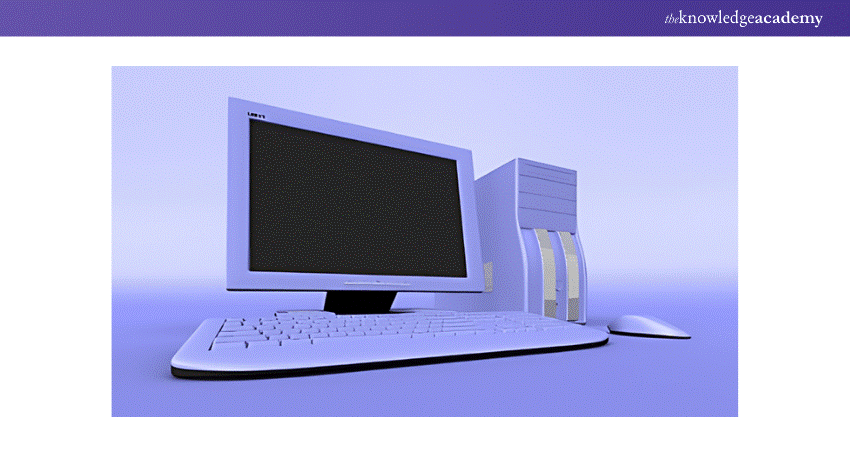
4) Microcomputers
Microcomputers, or Personal Computers (PCs), are smaller and more affordable. They include a Central Processing Unit (CPU), microprocessor, Read-only Memory (ROM), Random Access Memory (RAM), Input/Output (I/O) ports, and a bus system.

Some of their essential features are mentioned here:
a) Extensive personal use
b) Smaller and less expensive
c) Limited computational capacity
d) Easy to use
Transform your career with cutting-edge skills - join our Advanced Technologies Courses now!
Classification of Computers According to Purpose
Computers can also be classified based on the tasks they perform:
1) General Purpose Computers
These are the most common types used for a wide array of applications, such as document processing, calculations, accounting, and Data Management. Examples include mainframes, minicomputers, microcomputers, and laptops.
2) Specific Purpose Computers
Designed to handle specific tasks, these computers cannot perform other tasks. Examples include the robots in manufacturing, mobile phones for communication, calculators, and computers in digital watches and petrol pumps.
Classification of Computers According to Data Handling
Based on data handling capabilities, computers are classified into three types:
1) Digital Computers
Digital Computers store data in binary format (0s and 1s) and execute logical and mathematical operations. They manipulate discrete data.
2) Analogue Computers
Analogue Computers process continuously varying data, measuring physical quantities like electrical current and voltages. They are used in scientific and industrial applications.
3) Hybrid Computers
Hybrid Computers combine digital and analogue systems, effectively handling both types of input. The digital component manages numerical and logical operations, while the analogue component processes complex mathematical computations. This unique structure sets them apart from other systems, much like the Types of Quantum Computers blend classical computing principles with quantum mechanics for advanced processing capabilities.
Sign up for our Conda Training and stay ahead in the competitive tech world – secure your spot now!
Conclusion
The Classification of Computers by size, data handling, and purpose showcases their remarkable adaptability. Be it the mighty supercomputers powering complex simulations or the everyday PCs simplifying our tasks; each type serves a unique function. For IT professionals seeking to enhance desktop management skills, the MD-101 Managing Modern Desktops PDF is an invaluable resource. We hope our blog helped you discover how these technological marvels can shape the future!
Develop immersive environments with our Virtual Reality (VR) Training - register now and transform your skills!
Frequently Asked Questions
How are Computers Classified Based on the Type of Signal?

Computers are classified into analogue, digital, and hybrid based on the type of signal they process. Analogue computers handle continuous signals, digital computers manage discrete binary signals, and hybrid computers combine both analogue and digital signal processing capabilities.
Which Computer Does not Support Multiple Users?
Personal computers (PCs) do not support multiple users simultaneously. They are designed for individual use, providing resources and applications tailored to a single user's needs at any given time.

The Knowledge Academy


Global Training Provider
The Knowledge Academy is a world-leading provider of professional training courses, offering globally recognised qualifications across a wide range of subjects. With expert trainers, up-to-date course material, and flexible learning options, we aim to empower professionals and organisations to achieve their goals through continuous learning.


 If you wish to make any changes to your course, please


