


 Top Rated Course

We may not have the course you’re looking for. If you enquire or give us a call on 01344203999 and speak to our training experts, we may still be able to help with your training requirements.
Advantages and Disadvantages of Automation Testing
Richard Harris 21 July 2026Dive into the world of Automation Testing in this detailed overview on the Advantages and Disadvantages of Automation Testing. Begin with an understanding of Automation Testing and its definition. Explore the benefits that it brings in terms of efficiency, reliability, and time-saving as we dissect the advantages.

Training Outcomes Within Your Budget!
We ensure quality, budget-alignment, and timely delivery by our expert instructors.
Table of Contents

In Software Development, ensuring the reliability and performance of applications is paramount. Software Testing plays a pivotal role in detecting bugs and issues that might hinder the seamless functioning of these applications. Among the various testing approaches, Automation Testing has emerged as a gamechanger, streamlining the testing process and boosting productivity. In this blog, you will explore the Advantages and Disadvantages of Automation Testing, shedding light on its potential to revolutionise Software Testing.
Table of Contents
1) What is Automation Testing?
2) Advantages of Automation Testing
3) Disadvantages of Automation Testing
4) Effective guidelines for making Automated Testing
5) Conclusion
What is Automation Testing?
Automated Testing is a technique that allows software tests and other repetitive operations to be executed without the need for direct human involvement. Regularly scheduled tests ensure continuous verification of expected performance, especially after code changes.
It's essential to differentiate automation testing from automatic (or robotic) testing, which uses automation tools to conduct tests autonomously without human intervention. Now let us discuss the Advantages and Disadvantages of Automation Testing.

Advantages of Automation Testing
Automation Testing has revolutionised the Software Testing industry. It offers numerous Advantages, making it an indispensable part of the development process. Let's explore some of the key Benefits of Automation Testing:
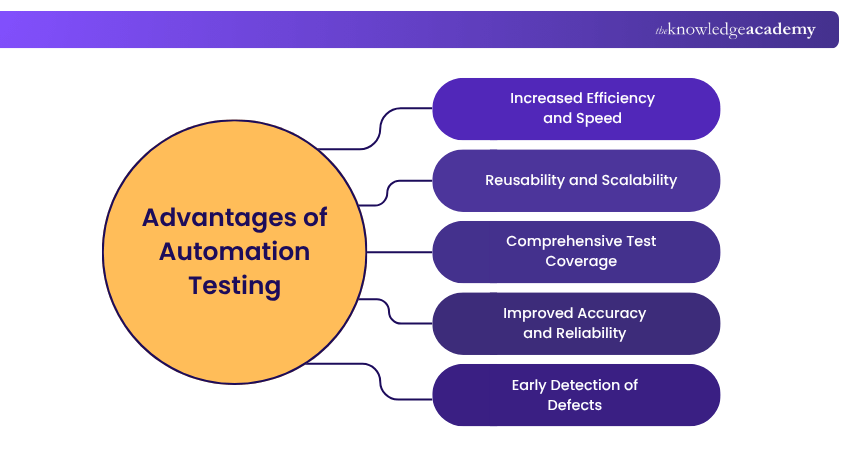
1) Increased Efficiency and Speed
One of many Advantages of Automation Testing is its ability to execute test cases much faster than manual testing. Automated test scripts can be run simultaneously. This helps accelerate the testing process and provides quick feedback on the application's performance.
2) Reusability and Scalability
Automation test scripts can be reused across various test scenarios and projects, saving time and effort in creating new test cases. Additionally, an Automation Testing Strategy can easily scale to handle large and complex applications, ensuring comprehensive test coverage.
3) Comprehensive Test Coverage
Automation Testing allows for extensive test coverage by running a large number of Test cases in a short period. This ensures that various aspects of the application are thoroughly examined, leading to the detection of more bugs and issues.
4) Improved Accuracy and Reliability
Automated tests are highly precise and consistent in their execution. Unlike manual testing, which may be prone to human errors, Automation Testing provides reliable results with each test run.
5) Early Detection of Defects
By integrating this method into the development process, defects and issues can be identified and addressed early on. This early detection helps maintain high product quality and reduces the cost of fixing defects at later stages.
6) Cost and Time Efficiency
While the initial setup cost of Automation Testing may be higher, it proves to be cost-effective in the long run. The time saved by automating repetitive test cases and the early identification of defects contributes to significant cost savings.
7) Regression Testing Made Easy
Automation Testing excels in performing repetitive regression tests, which help to mitigate the Challenges in Automation Testing, ensuring that new features or changes do not adversely impact existing functionalities. This reduces the risk of introducing bugs during software updates.
Build Practical Test Complete Automation Skills with Automation Testing Using TestComplete Training – Join Today!
8) Continuous Integration and Continuous Delivery (CI/CD)
Automation Testing seamlessly integrates with CI/CD pipelines. This helps facilitate continuous testing and faster deployment of software updates.
9) Better Resource Utilisation
One of many Advantages of Automation Testing is that it also allows testing teams to focus on more critical aspects of testing, such as exploratory testing and user experience testing. At the same time, repetitive tasks are handled by automated scripts.
10) Reliable Performance Testing
Automation Testing enables stress and load testing of applications. This ensures that the application performs optimally under heavy user loads, which is challenging to achieve through Manual Testing.
Disadvantages of Automation Testing
While Automation Testing offers numerous benefits, it is essential to be aware that Automation Testing Interview Questions often cover both its advantages and disadvantages. Let's explore some of the key Disadvantages of Automation Testing:
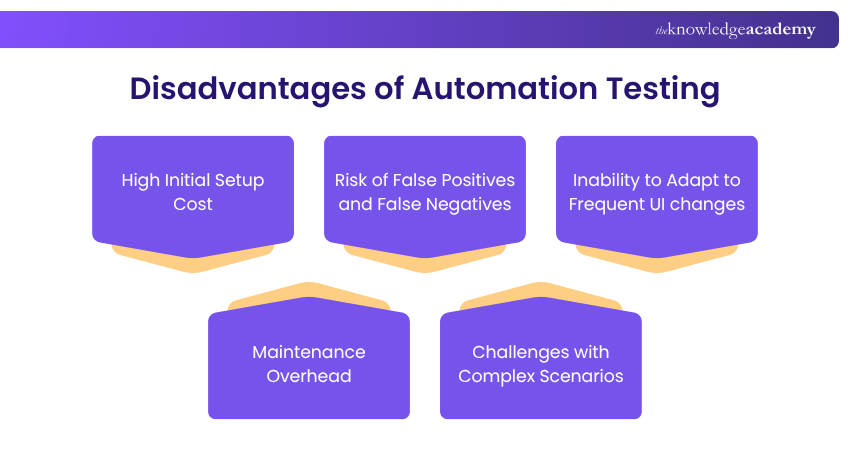
1) High Initial Setup Cost
Implementing Automation Testing requires investment in testing tools, infrastructure, and training for the testing team. The initial setup cost can be significant, making it a less viable option for smaller projects with limited budgets.
Improve Mobile Application Testing Accuracy with ISTQB Mobile App Tester Extension Training – Register Today!
2) Inability to Replace Human Intuition
Automation Testing is excellent at executing predefined test scripts, but it lacks the ability to replicate human intuition and creativity. Certain complex scenarios may require human testers' expertise in exploratory testing to uncover subtle defects.
3) Maintenance Overhead
As applications undergo updates and changes, automated test scripts may require frequent maintenance to remain relevant and effective. Failure to update these scripts can lead to false test results and inefficiencies.
4) Limited Testing for User Experience
Automation Testing primarily focuses on functional testing, and it may not be effective in evaluating the user experience aspects of an application. Human testers provide valuable feedback on usability, which automation alone cannot replicate.
5) Challenges with Complex Scenarios
In some cases, particularly with applications that have intricate workflows or constantly changing interfaces, Automation Testing may face challenges. Creating and maintaining test scripts for such scenarios can be time-consuming and may not yield optimal results.
6) Time-consuming Test Script Creation
Developing comprehensive test scripts for Automation Testing requires significant time and effort. In situations where the application is still evolving, writing and maintaining test scripts can become a resource-intensive task.
7) Inability to Adapt to Frequent UI changes
If an application undergoes frequent user interface (UI) changes, automated test scripts may become outdated, leading to test failures. Ensuring the scripts are updated promptly becomes crucial, adding to the testing overhead.
8) Complexity in Testing Third-party Integrations
Automated testing might encounter challenges when testing third-party integrations or external systems, as these components may not be entirely under the tester's control.
9) Risk of False Positives and False Negatives
Automation Testing may sometimes produce false positives (indicating a defect that does not exist) or false negatives (failing to detect an actual defect). This can lead to wasted effort in investigating non-existent issues or missing real problems.
10) Skill dependency
Successful implementation of Automation Testing depends on the skills and expertise of the testing team. If the team lacks proficiency in writing and maintaining test scripts, the effectiveness of automation may be compromised.
Advance your career with ISTQB Advanced Test Automation Engineer Certification Course. Gain in-depth knowledge and skills to excel in test automation - Join Now!
Effective Guidelines for Making Automated Testing
When you create Automated Tests after understanding the Advantages and Disadvantages of Automation Testing, there are several strategies that you can use to streamline the process. It starts with establishing an automated workflow, such as implementing continuous integration, before getting into test development. This not only accelerates your testing and development cycle but also allows you to check that new changes do not affect existing functionality promptly.
In the initial stages, it's better to start with a 'happy path' test, ensuring that the most essential functionalities operate as expected. As you advance, focus on creating modular tests that can serve multiple scenarios. By authoring a test only once and later adapting it as necessary, you can save valuable time.
To guarantee the simplicity and user-friendliness of your application, consider the use of exploratory or usability testing. Remember that automated testing serves as a valuable tool, but it should complement, not replace, human interaction.
Conclusion
Considering both the Advantages and Disadvantages of Automation Testing is essential for optimising software quality and delivering impeccable applications to end-users. This also helps in boosting productivity and streamlining the testing process.
Strengthen Automation Testing Capabilities with Automation Testing Using TestComplete Training – Join Now!
Frequently Asked Questions
When is Automation Testing Not Recommended?

Automation testing is not suitable for short-term projects where the setup effort outweighs the benefits. It is less effective for frequently changing features or unstable requirements, as scripts require constant updates. Manual testing is preferable for exploratory, usability, or UI-based tests that need human judgment.
Is Automation Testing Cost-effective?
Automation testing is cost-effective in the long run, especially for repetitive and regression test cases. Although initial setup and tool costs can be high, it reduces manual effort and execution time over multiple cycles. It improves accuracy, efficiency, and test coverage, leading to better return on investment for ongoing projects.

Richard Harris


Senior Full Stack Developer and Technology Educator
Richard Harris is a highly experienced full-stack developer with deep expertise in both frontend and backend technologies. Over his 12-year career, he has built scalable web applications for startups, enterprises and government organisations. Richard’s writing combines technical depth with clear explanations, ideal for developers looking to grow in modern frameworks and tools.


 If you wish to make any changes to your course, please


