




We may not have the course you’re looking for. If you enquire or give us a call on 01344203999 and speak to our training experts, we may still be able to help with your training requirements.
What is a Kubernetes Cluster and How Does it Work ?
ByLily TurnerLast updated on: 12 May 2026
Kubernetes Clusters revolutionise modern app deployment by automating scaling, ensuring high availability, and simplifying infrastructure management. It empowers developers and businesses to build, run, and manage containerised applications with confidence and efficiency. Explore how they work, manage resources, and scale applications.

Ever thought of how tech giants manage thousands of applications running smoothly across the globe? The answer often lies in something called a Kubernetes Cluster. It's the quiet powerhouse behind scalable, reliable, and self-healing systems that never sleep; even when you do. Whether you're launching a new app or managing a complex microservices architecture, Kubernetes is likely doing the heavy lifting in the background.
So, What is Kubernetes Cluster really, and why is everyone from startups to enterprises talking about it? In this blog, we’ll unpack its core components, walk you through the setup, and reveal how it helps teams ship faster and smarter.
Table of Contents
1) What is Kubernetes?
2) Why Use Kubernetes Clusters?
3) Components of a Kubernetes Cluster
4) How Kubernetes Clusters Work?
5) Overview of Kubernetes Cluster Management
6) How to Create a Kubernetes Cluster?
7) What are the Benefits of Creating Kubernetes Clusters?
8) Conclusion
What is Kubernetes?
Kubernetes, an open-source platform, automates the deployment, scaling, and management of containerised applications. It can group containers and break up an application into several logical units, making them easier to manage and discover. Originally developed by Google, Kubernetes has become the leading tool for container orchestration across cloud environments.
In simple terms, Kubernetes acts as a conductor for your containerised apps, ensuring each part runs smoothly, scales as needed, and recovers automatically if something goes wrong. It’s especially powerful for managing complex applications spread across multiple servers, helping teams deliver software faster with fewer manual tasks.

Why Use Kubernetes Clusters?
Kubernetes Clusters have rapidly become a linchpin in modern software development and deployment strategies, though some teams explore a Kubernetes Alternative based on their specific needs. Discussed below are a few reasons why one should use Kubernetes Clusters.
a) Smooth Start and Scalability:
Kubernetes simplifies the initiation and handling of software. As software gains popularity and more users engage with it, Kubernetes ensures the software can accommodate increased user numbers effectively without crashing or slowing down.
b) Efficient Resource Allocation:
When numerous users access software concurrently, Kubernetes ensures equitable resource sharing among its users. This prevents resource shortages and optimises the utilisation of computer capacity, which translates to improved performance.
c) Automatic Issue Resolution:
In the event of software malfunctions, Kubernetes automatically detects these issues and undertakes corrective measures. This automated resolution mechanism minimises disruptions by addressing problems without manual intervention.
d) Seamlessly Managed Updates:
Software updates are managed smoothly through Kubernetes. New features or improvements can be implemented without interrupting the software's functionality. If issues arise with the updates, reverting to the previous version is a straightforward process.
e) Enhanced Collaboration:
Kubernetes facilitates collaboration between software developers and operations teams. Developers focus on coding and packaging software, while operations teams manage the technical infrastructure. This collaborative approach optimises the software lifecycle.
f) Portability and Flexibility:
Kubernetes enables software to be moved across various environments without complications. This flexibility supports the seamless deployment of software on different platforms, enhancing its accessibility and adaptability.
g) Extensive Tool Integration:
Kubernetes offers a wide array of integrated tools that enhance its capabilities. These tools contribute to the software management process, providing developers with a diverse toolkit to address different challenges.
h) Freedom from Vendor Lock-in:
Kubernetes isn't tied to a specific vendor or platform. It can be implemented across various settings, reducing dependency on a single provider and granting users the freedom to choose their preferred environment.
i) Future-ready Solution:
Kubernetes remains relevant amid changing technological landscapes. It's equipped to handle emerging technologies, ensuring sustained value and utility as new developments arise. It also keeps up with new tech, so your software stays modern and useful over time.
Want to take the next step in your DevOps journey? Check out our Certified DevOps Professional (CDOP) Course today!
Components of a Kubernetes Cluster
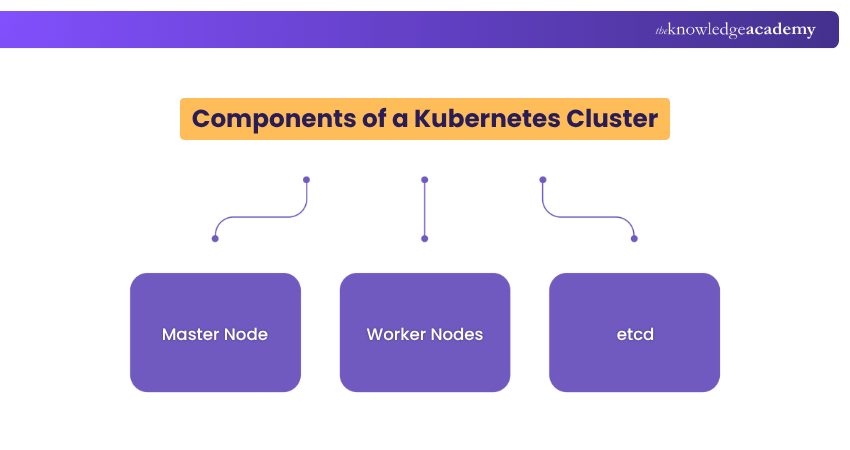
A Kubernetes Cluster is like a team of computers that work together to manage and run applications. Just as a team has different roles, a Kubernetes Cluster also has various parts that play specific roles. Let's break down these parts in simple terms:
Master Node
Think of the master node as the captain of the team. It's in charge of making decisions and managing the overall cluster. It keeps track of what's happening, decides where to put different parts of applications, and ensures everything runs smoothly.
For instance, the master node runs the API server, scheduler and controller manager. The API server acts as the front end of the Kubernetes control plane and exposes the REST interface to all Kubernetes resources.
The scheduler makes the note of Pods, which have no assigned values and places containers which are according to resource requirements and metrics. Lastly, the controller manager manages controllers, runs the processes and reconciles the actual state of the Cluster.
Worker Nodes
Worker nodes are like team players. They do the actual work of running applications. Each worker node can handle different parts of an application, making sure they all run properly. Just as players work together in a team, worker nodes cooperate to make applications work.
For instance, the worker nodes are responsible for running the Kubelet and Kube-proxy. Kubelet makes sure that the containers running in a Pod interact with the Docker engine. The default program in Kubelet is responsible for creating and managing containers.
When the master node schedules a task, it is the worker nodes that execute it. These nodes can be either physical or Virtual Machines and scale up or down depending on the workload. Kube-proxy manages network connectivity and maintains network rules across all nodes.
etcd
etcd is like the team's memory. It stores important information about the cluster, like who's on the team and what the game plan is. This information helps the cluster work together effectively and stay coordinated.
It is more like a distributed key-value store used by Kubernetes to store all cluster data, including configuration, state, and metadata. It acts as the single source of truth for the cluster. Every change in the cluster like deploying a new app or scaling a service is recorded in etcd.
It is critical for the cluster’s operation, and if etcd fails or becomes corrupted, the entire cluster can become unstable. That is the reason why etcd is usually backed up regularly and secured carefully.
How Kubernetes Clusters Work?
Kubernetes Clusters are like groups of computers that collaborate to manage and run applications. They work together using a set of rules to make sure everything runs well.
1) Control Plane
The control plane acts as the decision-making centre. It oversees the Cluster's state, making decisions about where applications should be and how they should run. It's responsible for ensuring that the Cluster operates as planned.
2) Container Orchestration
Container orchestration coordinates the actions of different parts of an application, assigning tasks, and managing their execution. It decides where to place them, starts them, stops them if they crash, and makes sure they are always running as expected.
3) Scaling and Load Balancing
Kubernetes can increase or decrease the number of application parts as demand changes over time. Load balancing is evenly distributing tasks among the team, preventing any member from being overwhelmed. It also ensures that work is distributed evenly across computers.
Unlock the power of Kubeflow with our course on Kubeflow Training and advance your DevOps capabilities today.
Overview of Kubernetes Cluster Management
So far, you would have explored What is Kubernetes Cluster. Now, Kubernetes Cluster Management refers to taking care of one or more Kubernetes Clusters so that your apps can run smoothly. It is the process of setting up, maintaining, and optimising a Kubernetes Cluster to ensure that containerised applications run smoothly and efficiently.
In many companies, teams use multiple clusters for different purposes like development, testing, and production. These clusters might run in different places, such as on-site servers or cloud platforms.
Managing these clusters involves creating and deleting clusters, updating and fixing them, changing settings when needed, balancing traffic between app instances, and more.
How to Create a Kubernetes Cluster?
Before diving into creating a Kubernetes Cluster, it is crucial to ensure your environment is properly set up. You will need to set up a group of machines, either physical or virtual. Each machine should have Docker, or another container runtime installed, as well as Kubernetes tools installed in them.
Start the cluster using your chosen tool. For example, run “minikube start” locally or use “kubeadm init” on a master node for on-prem setups. Connect worker nodes to the cluster using the join command provided during initialisation. This allows them to run workloads and be managed by the control plane.
Use “kubectl” to check cluster status, deploy apps, and manage resources. Ensure everything is running correctly and monitor the cluster for performance and health. After learning what is a Kubernetes Cluster, you have also explored how to create it!
What are the Benefits of Creating Kubernetes Clusters?
Creating a Kubernetes Cluster has many useful benefits, especially when you are running apps that need to be reliable and flexible. One specific benefit is that it helps your apps handle more users by automatically adding more resources when needed.
1) Keeps your app running even if some machines go down
2) Handles tasks like starting, restarting, and updating apps without needing manual work
3) You can run clusters on your laptop, in your company’s data center, or in the cloud
4) Uses system resources smartly, so machines aren’t overloaded or sitting idle
These benefits of Kubernetes Clusters make it easy to move your apps around and avoid being stuck with one provider. Overall, it makes managing apps much easier and more reliable.
Conclusion
Just as teamwork makes everything smoother, What is Kubernetes Clusters helps you to be sure that applications run well, adapt to changes, and stay reliable. With central command, smart coordination, and distribution of work, Kubernetes Clusters simplify the complex world of software deployment. Embracing Kubernetes DevOps helps streamline this coordination even further, allowing for automated management of clusters and faster scaling.
Enhance your DevOps integration skills with our Kubernetes Training – Sign up today!

Lily Turner is a data science professional with over 10 years of experience in artificial intelligence, machine learning, and big data analytics. Her work bridges academic research and industry innovation, with a focus on solving real-world problems using data-driven approaches. Lily’s content empowers aspiring data scientists to build practical, scalable models using the latest tools and techniques.
View Detail

 If you wish to make any changes to your course, please


