


 Top Rated Course

We may not have the course you’re looking for. If you enquire or give us a call on 01344203999 and speak to our training experts, we may still be able to help with your training requirements.
What is a Gantt Chart: Uses, Benefits & How to Create One
David Evans 18 December 2025A Gantt Chart is a strong and widely used Project Management tool that uses horizontal bars to display tasks, durations, and dependencies. It helps teams visualise schedules, manage resources efficiently, and track progress in real-time. This makes complex projects much easier to plan, manage, and complete on time.

Training Outcomes Within Your Budget!
We ensure quality, budget-alignment, and timely delivery by our expert instructors.
Table of Contents
Ever felt overwhelmed juggling endless tasks and deadlines? That is where understanding What is a Gantt Chart becomes essential. It is like having a project’s playbook right at your fingertips, showing what needs doing, when, and how everything connects. Simple yet powerful, a Gantt Chart helps teams stay on track and focused, turning project chaos into smooth, confident progress.
In this blog, we’ll be discussing What is a Gantt Chart and exploring its pros and cons. We’ll also show you how to use Gantt Charts effectively and share a clear example to help you visualise their benefits. Whether you’re tracking progress, managing resources, or improving team communication, Gantt Charts make even complex projects easier to handle.
Table of Contents
1) What is a Gantt Chart?
2) What are Gantt Charts Used for?
3) How to use Gantt Charts?
4) What are the Pros and Cons of a Gantt Chart?
5) Why are Gantt Charts Used in Project Management?
6) Example of Gantt Chart
7) When Should You Use a Gantt Chart for Your Project?
8) How to Create a Gantt Chart?
9) Conclusion
What is a Gantt Chart?
A Gantt Chart is a widely used Project Management tool that visually represents a project’s schedule over time. It displays tasks or activities on the vertical axis and time intervals on the horizontal axis. Each task is shown as a horizontal bar, indicating its start date, duration, and end date.
Gantt Charts help Project Managers plan, organise, and monitor progress effectively by providing a clear view of task sequences, deadlines, and dependencies. They make it easy to identify overlaps, delays, and resource allocations. By offering a real-time snapshot of the entire project, Gantt Charts support better decision-making and improved project control.

What are Gantt Charts Used for?
Now that you know What is a Gantt Chart, let’s understand its use in Project Management. These charts are used to plan and schedule tasks in Project Management. It simplifies complex projects into an easy-to-follow plan and tracks the status of activities. Gantt Charts also track project deadlines, milestones, and hours worked to address delays or overages. A great example of this is Creating Gantt Chart for Multiple Projects in Excel, allowing for easy project scheduling and tracking. The following are the three primary reasons why Project Managers employ Gantt Charts:
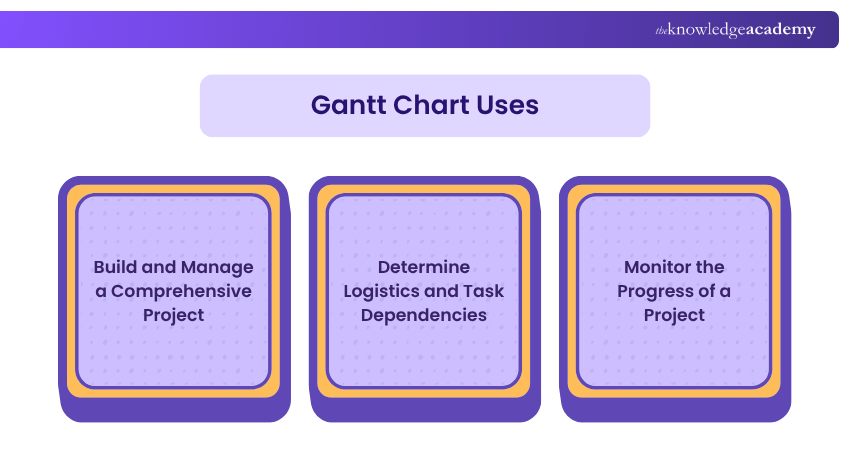
a) Build and Manage a Comprehensive ProjectGantt Charts visualise a project's building blocks and break them into smaller and more manageable assignments. The small assignments are prepared on the Gantt Chart's timeline, along with dependencies between tasks, assignees, and landmarks.
b) Determine Logistics and Task Dependencies: Gantt Charts can be operated to keep an eye on the logistics of an assignment. Task dependencies in a Gantt Chart With Dependencies in Excel confirm that a new assignment can only start once another assignment is concluded. If an assignment is delayed, then dependent issues are automatically rescheduled. This feature can be particularly helpful when planning in a multi-team environment.
c) Monitor the Progress of a Project:Project Managers can scrutinise projects' progress and make required adjustments. A Gantt Chart can contain release dates, landmarks, or other vital metrics to track project progress.
Learn essential tools and techniques for effective project planning. Join our Introduction to Project Management Course now!
How to use Gantt Charts?
To utilise a Gantt Chart effectively in Project Management, it is essential to engage in perfect Project Planning, consistent monitoring, and timely modifications to guarantee that the project remains aligned with the planned schedule. Here are several strategies for employing a Gantt Chart to manage your project efficiently:
1) Breakdown Structure: Start by listing all the tasks needed for the project. A Work Breakdown Structure (WBS) tool can help with this process. It ensures that tasks are completed on time.
2) Task List and Timeline: Create a list of tasks with their due dates, duration, and other details. Then, use this info to Make a Gantt Chart showing task dates and durations.
3) Identify Task Dependencies: Correctly identify which tasks depend on the completion of others to maintain workflow efficiency. This step helps plan the sequence of operations and avoid bottlenecks.
4) Find the Critical Path: Identify the most extended sequence of tasks. If tasks on this path are delayed, the whole project will be delayed. Some Gantt Chart software can do this automatically.
5) Track Milestones: Monitor important events in the Project Management Timeline. Milestones show major achievements and help track overall progress.
6) Allocate and Track Resources: Estimate and assign resources effectively to ensure that you have the necessary manpower, materials, and budget to complete each task. Monitor their usage to maintain control over the project costs and schedule.
7) Create Baselines and Compare Results:Establish baselines for scope, budget, and timeline to measure project performance. Comparing actual results with these baselines helps in identifying variances and taking corrective actions.
Gain comprehensive knowledge of Excel functions, formulas, and tools with our Microsoft Excel Courses – Join now!
What are the Pros and Cons of a Gantt Chart?
Gantt Charts are a favoured tool in Project Management, renowned for their distinctive features. While they offer numerous benefits, they are not without limitations. Let’s explore the advantages and disadvantages of Gantt Charts based on the following points.
Pros of a Gantt Chart
Here is the list of advantages of using the Gantt Chart:
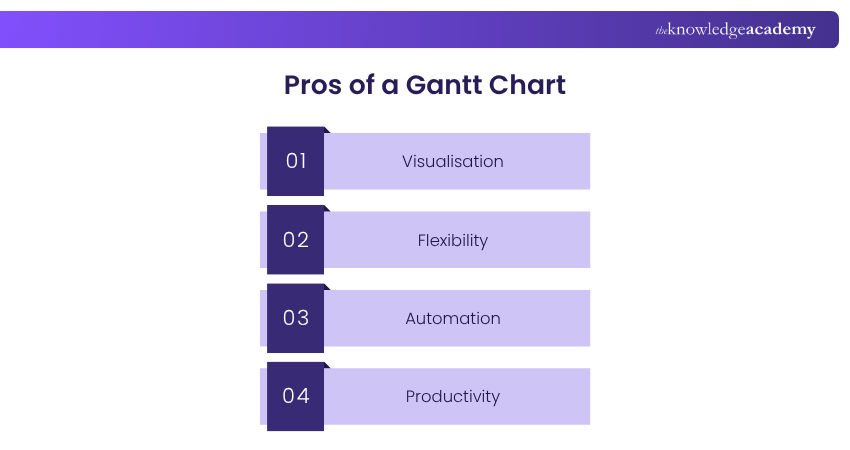
1) Visualisation: Gantt Chart makes complex tasks more understandable. It helps a Project Manager track the start and completion dates of many project subtasks simultaneously.
2) Flexibility:The Gantt Chart enables managers to set the chart based on the assignment’s requirements. It can add any changes that may arise during the project.
3) Automation: The Gantt Chart can be automatically updated to show the changes in the project timeline. Managers can save time and effort by not needing to add manually.
4) Productivity: The Gantt Chart allows teams to stay on track with their objectives. The teams can identify what needs to be done within the timeline, increasing productivity.
Cons of a Gantt Chart
Here is the list of disadvantages of using the Gantt Chart:
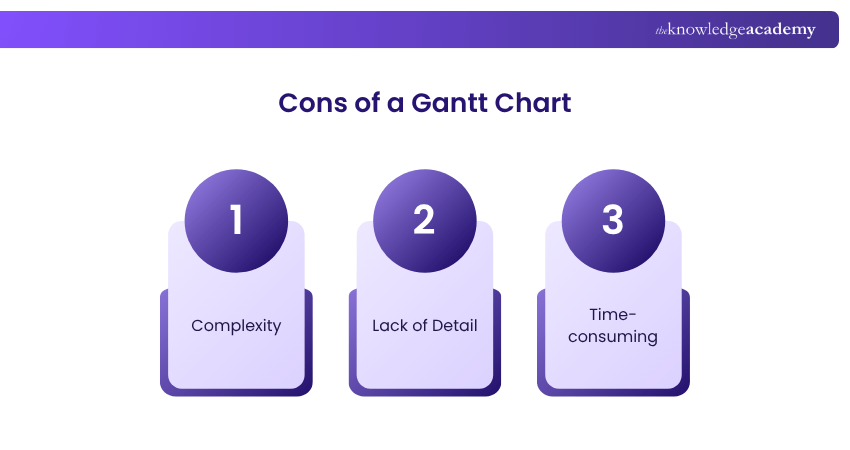
1) Complexity: While it represents complex projects, it can be challenging to read and understand. The chart shows several tasks and activities at the same time. When there are larger assignments, it may become too cluttered and hard to follow.
2) Lack of Detail: TheGantt Chart offers an overview of an assignment but not detailed information about tasks and activities. Projects that need more thorough tracking may require additional charts.
3) Time-consuming: Creating a Gantt Chart manually can be long and tedious. For elaborate projects, this can introduce delays as the detailed entry of data into the chart is a slow-moving endeavour.
Why are Gantt Charts Used in Project Management?
Gantt Charts are mainly used in Project Management because they provide a clear visual timeline of all the project’s tasks. This makes planning and scheduling easier while helping teams track progress against deadlines. By displaying tasks in order and showing how they depend on each other, Gantt Charts help managers organise resources effectively.
In addition, Gantt Charts improve communication among team members and stakeholders by giving everyone a shared view of the project’s status. They also help identify potential delays or bottlenecks early, allowing managers to adjust promptly and keep the project running smoothly. This makes Gantt Charts an essential tool for successful Project Management.
Understand how to integrate Smartsheet with other tools and applications with our Smartsheet Training – Register now!
Example of Gantt Chart
In a Gantt Chart, project tasks are displayed along the Y-axis, while their durations are shown on the X-axis. Each task is depicted by a bar, with the bar’s length indicating the task’s duration. If two bars overlap on the X-axis, it signifies that the tasks occur simultaneously. The tasks and their durations are as follows:
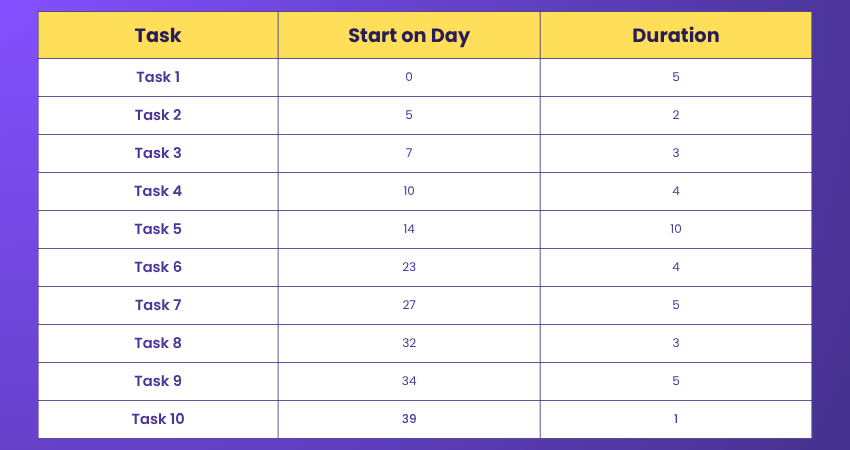

As demonstrated in this example, a Gantt Chart allows Project Managers to swiftly view essential project details, such as:
a) The list of tasks comprising the project
b) Start and end dates for each task
c) Dependencies between tasks
d) Scheduling
e) Progress of each task
f) Task owners
A Gantt Chart is particularly useful for keeping a project on track, especially when there are multiple dependencies and numerous tasks occurring simultaneously.
When Should You Use a Gantt Chart for Your Project?
You should use a Gantt Chart when managing projects with multiple tasks, clear deadlines, and dependencies. It’s ideal for tracking progress, visualising timelines, coordinating teams, and ensuring all activities stay on schedule throughout the project.
How to Create a Gantt Chart?
To create a Gantt Chart, list all project tasks, set start and end dates, and arrange them in sequence. Use project management tools or Excel to plot tasks as horizontal bars on a timeline, showing durations, dependencies, and progress.
Conclusion
Knowing What is a Gantt Chart is essential for managing projects smoothly. It offers a clear timeline that helps plan tasks, track progress, and manage resources effectively. By improving communication and spotting delays early, Gantt Charts keep teams aligned and projects on schedule, making them a vital tool for successful Project Management.
Master modern Project Management techniques and achieve your professional goals faster by registering for our Project Management Courses today.
Frequently Asked Questions
What are Some Things to Look for in Gantt Chart Software?

When selecting Gantt Chart Software, look for features like intuitive drag-and-drop functionality, real-time collaboration, customisable templates, and integration with other Project Management tools. Ensure it offers robust reporting capabilities and supports dependencies to effectively track project progress and timelines.
How do I Remove Resources from a Gantt Chart Project?
To remove resources in Microsoft Project, go to the View tab, then select Gantt Chart. Find the task in the Task Name column, right-click it, and choose Assign Resources. In the Resource Name column, select the resource you want to remove. Then, click Remove. Steps may vary slightly in other Gantt Chart tools.
What are the Other Resources and Offers Provided by The Knowledge Academy?
The Knowledge Academy takes global learning to new heights, offering over 3,000 online courses across 490+ locations in 190+ countries. This expansive reach ensures accessibility and convenience for learners worldwide.
Alongside our diverse Online Course Catalogue, encompassing 19 major categories, we go the extra mile by providing a plethora of free educational Online Resources like Blogs, eBooks, Interview Questions and Videos. Tailoring learning experiences further, professionals can unlock greater value through a wide range of special discounts, seasonal deals, and Exclusive Offers.
What is The Knowledge Pass, and How Does it Work?
The Knowledge Academy’s Knowledge Pass, a prepaid voucher, adds another layer of flexibility, allowing course bookings over a 12-month period. Join us on a journey where education knows no bounds.
What are the Related Courses and Blogs Provided by The Knowledge Academy?
The Knowledge Academy offers various Project Management Courses, including the Project Risk Management Course, Smartsheet Training, and the Project Management Certification. These courses cater to different skill levels, providing comprehensive insights into Project Integration Management.
Our Project Management Blogs cover a range of topics related to Gantt Chart, offering valuable resources, best practices, and industry insights. Whether you are a beginner or looking to advance your Project Management skills, The Knowledge Academy's diverse courses and informative blogs have got you covered.

David Evans


Certified Project Trainer and Agile Delivery Expert
David Evans brings over a decade of hands-on experience in project delivery, Agile transformation, and team leadership. With a background in technology and business consulting, David has led cross-functional teams through Agile and Waterfall projects in both public and private sectors. He combines technical knowledge with practical insights to help readers navigate the challenges of modern project environments.

Upcoming Project Management Resources Batches & Dates
Date
 Waterfall Project Management Certification Course
Waterfall Project Management Certification Course
Fri 10th Apr 2026
Waterfall Project Management Certification Course
Fri 19th Jun 2026
Waterfall Project Management Certification Course
Fri 14th Aug 2026
Waterfall Project Management Certification Course
Fri 9th Oct 2026
Waterfall Project Management Certification Course
Fri 11th Dec 2026

 If you wish to make any changes to your course, please


