


 Top Rated Course

We may not have the course you’re looking for. If you enquire or give us a call on 01344203999 and speak to our training experts, we may still be able to help with your training requirements.
Top UML Diagram Tool Choices for Creative Solutions
Richard Harris 12 February 2026A UML Diagram Tool visualises software systems, simplifies complex structures, models behaviours, and enhances communication across development teams. These tools support various diagram types like class, use case, and sequence diagrams, streamlining both technical planning and stakeholder understanding. Read ahead to learn more!

Training Outcomes Within Your Budget!
We ensure quality, budget-alignment, and timely delivery by our expert instructors.
Table of Contents

Want to turn your complex ideas into crystal-clear visuals? The right UML Diagram Tool is your ticket to effortless design and flawless communication. It’s like giving your concepts a makeover, making them not only understandable but visually captivating.
In this blog, we’ll explore the top UML Diagram Tools with their features, and we’ll also discuss How to Create UML Diagrams. Whether you're a developer or a visual thinker, this blog has something for you. So, let’s bring those brilliant ideas to life. Let’s dive in and get started!
Table of Contents
1) Best UML Diagram Software & Tools
2) How to Create UML Diagrams?
3) Things to Remember While Creating UML Diagrams
4) Which UML Diagrams are Mostly Used?
5) What is the Easiest UML Tool to Use?
6) Conclusion
Best UML Diagram Software & Tools
UML equips development teams with a powerful set of tools to create various types of diagrams. These UML Diagram are categorised into two main groups:
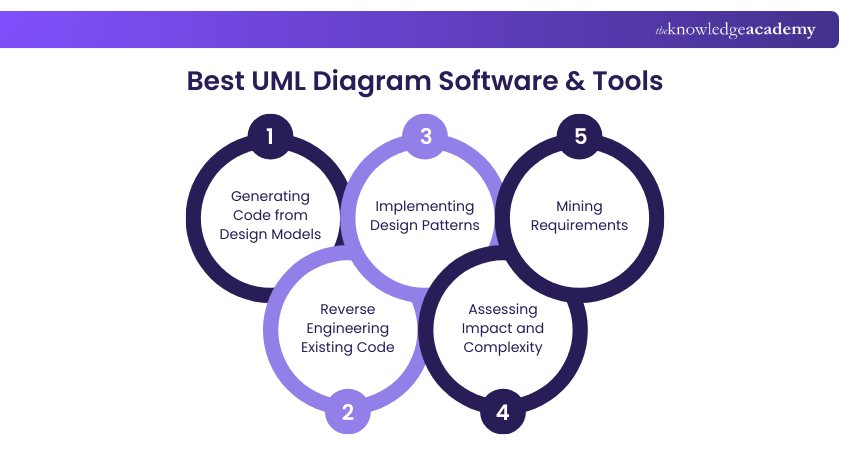
a) Structure diagrams: Structure diagrams illustrate the static, architectural aspects of a system.
b) Behaviour diagrams: These depict the dynamic aspects, demonstrating how the system responds to inputs.
Here’s an expert list of the best UML Diagram Tools
1) Astah
Astah is an award-winning graphical modelling tool designed to create UML Diagrams for individuals and teams of all sizes. It has over 40 free plugins that enhance functionality, including reverse engineering, code generation, document generation, and diagram embedding into MS documents.
Features:
a) Model Reusability: Classes created in Class diagrams can be reused in Sequence diagrams and other diagrams with automatically synced changes.
b) Supported UML Diagrams: Offers detailed diagrams such as Activity, Sequence, State Machine, and more.
c) Integration: Integrates with Miro, PlantUML, Mermaid.js, and more.
d) Programming Languages: it supports Java, C++, C#, and more.
e) Other Features: Includes intelligent diagramming, traceability maps, team collaboration, hyperlinks, text notes, drag and drop, print option, merge, exclusive control, and compare diagrams for team collaboration.
f) Support: Provides customer support via email, chat and contact form.
g) Supported Platforms: Windows, Mac, Linux, and iOS.

2) Lucidchart
Lucidchart is an HTML5-based UML Tool renowned for its real-time collaboration capabilities. It enables teams to create anything from simple flowcharts to complex technical diagrams. It supports various file formats for importing and exporting, including CSV, SVG, PNG, JPG, and PDF.

Features:
a) Versatile Diagramming: Lucidchart supports both structural and behavioural diagrams. Allows developers to connect live data with diagrams or import data to automatically build organisational charts.
b) Types of Templates: Provides pre-built templates for brainstorming, flowchart creation, layout and UI design, business strategy development and more.
c) Integrations: Seamlessly integrates with Slack, AWS, Salesforce, Azure, Zapier, Quip, and Asana.
d) Programming Languages: Supports Java, Python and C++.
e) Other Features: Lucidchart includes enhanced security, real-time collaboration, automated diagramming, and the ability to import from Visio, Gliffy, and Omnigraffle. It also provides multi-file support and drag-and-drop functionality.
f) Support: Customer support is available through chat and contact forms.
g) Supported Platforms: These are available on Android, Windows, and iOS.
3) Diagrams.net
Diagrams.net (previously known as draw.io) offers a user-friendly drag-and-drop interface, making it an excellent choice for creating flowcharts, graphs, and UML diagrams. However, when considering the pros and cons of UML, some users might find that this tool lacks specialized functions compared to other more advanced options.

Features:
a) Cost-effective: it’s an affordable, easy-to-use UML solution, and a cost-effective alternative to Lucidchart, maintaining similar usability for general diagramming needs.
b) Input Type: Drag-and-drop
c) Specialisation: Specialises in Case diagrams, Sequence diagrams and Activity diagrams
d) Versatile Interface: An excellent choice for users who need a versatile diagramming tool with an intuitive interface, especially when budget considerations are prioritised.
e) Support Platforms: Available on Linux, macOS, and Windows
f) Other Features: Customisable diagram templates and vector graphics capable of sustaining image quality over multiple revisions.
4) Creately
Creately helps you create UML modelling, design, and architecture with advanced technology allowing for addition of notes, link models, and centralising design documents. Its free plan offers 100MB of cloud storage. It supports GIF, BMP, ICO SVG, JPEG, PNG and PDF file formats and comes with AES-256 and TLS 1.2 encryption that guarantees protection.
Features:
a) Advanced Diagramming: Creately offers advanced features including 70 types of diagramming standards and customisable professional diagrams. It also includes tools like universal full-text search, which helps quickly locate specific nodes and information in large and complex UML Diagrams.
b) Single Source of Truth: This tool has a single source of truth that provides data-driven visuals and helps developers organise information on Kanban boards, grids and timelines, files, attachments and more.
c) Types of Templates: It offers over 8000 pre-built professional templates for domains such as Operations, Marketing, Strategy, IT & Networking, HR, Product, Education and Engineering.
d) Integrations: Creately integrates seamlessly with Google Drive, Confluence, Slack, OneDrive, Zapier, and Microsoft Teams.
e) Other Features: This tool provides visual workspaces, custom databases, multi-player collaboration, task management, wikis and notes. Additionally, it also includes version history, multi-file support, printing options, and drag-and-drop functionality.
f) Support: Customer support is available through phone, email and contact forms.
g) Supported Platforms: Available on Android, Windows, and iOS.
Your dream of excelling in the world of Software Development is just a click away. Sign up for our Analysis & Design Using UML Course now!
5) Adobe Express
Adobe Express is a versatile flowchart software designed to help you create customised and streamlined flowcharts as well as save and share your diagrams effortlessly. Adobe Express integrates with Canvas LMS, and the free plan offers 2GB of cloud storage. This tool supports various file formats including MP4, MOV, MPEG, JPEG, and more.
Features:
a) Customisable and Simple: Adobe Express can create flowcharts that can be reformatted for posters, emailers, infographics and more. Its user-friendly interface ensures easy and fast development.
b) Quick Build: It enables instantly downloading or printing your flowchart designs for home or office use. This tool helps system analysts integrate data flow and business process diagrams.
c) Types of Templates: This tool provides pre-built templates for birthday cards, business cards, brochures, certificates, educational infographics, calendars, Facebook covers, graphs, flyers and logos.
d) Programming Languages: Supports languages like JavaScript and C++.
e) Other Features: Includes Video-to-GIF conversion, image resizing, video cropping, and video trimming and editing. Also offers version history, drag and drop functionality, multi-file support, and printing options.
f) Support: Offers customer support through a chat channel.
g) Supported Platforms: Available on Windows, Android, iOS, Mac, and Linux.
6) Cacoo
Cacoo is a user-friendly diagramming tool designed to help you create a variety of diagrams, including flowcharts, wireframes, UML Diagrams, mind maps, network diagrams, sitemaps, database diagrams, and more.
Features:
a) Real-time Collaboration: Offers real-time collaborative features such as simultaneous editing, version tracking, and commenting, enhancing teamwork and efficiency.
b) Support: Supports multiple file formats for exporting, including PNG, SVG, PDF, PS, and PPT.
c) Input Type: Utilises a drag-and-drop interface for easy diagram creation.
d) Integration: Seamlessly integrates with Google Drive, AWS, Microsoft OneDrive, and more, ensuring smooth workflow and data management.
e) Target Audience: Aimed at a general audience, making it accessible and useful for various users.
f) Specialisation: Specialises in use case diagrams, sequence diagrams, and activity diagrams.
g) Compatible: It is compatible with macOS and Windows.
7) Visme
Visme is a UML Diagram Tool that helps you share visual stories in the form of infographics, flowcharts, graphs, and other visual content. It provides multiple diagram options and offers 2GB of cloud storage as part of its free plan. Visme includes import and export options for Excel, TXT, CSV, MP4, MOV, JPEG, PDF, PNG, and DOC file formats.
Features:
a) Diagram Building: Visme enables you to create professional-looking diagrams, allowing collaboration from any web browser. It supports the use of flowcharts and diagrams for real-time data visualisation.
b) Modelling: This tool provides comprehensive software for professional modelling, making it an effective tool for data, process, and engineering modelling.
c) Types of Templates: Visme provides pre-built templates for various requirements including calendars, brochures, budgets, cards, certificates, education, decorations, flyers, invitations, health & fitness and letters.
d) Integrations: Seamlessly integrates with tools such as Splunk, Yammer and Secureworks.
e) Programming Languages: Supports programming languages like Python, PHP, C#, and ASP.NET.
f) Other Features: it includes collaboration and sharing capabilities, intelligent diagramming, user-friendly templates, stencils, shapes, and accessibility options. It also offers version history, drag-and-drop functionality, multi-file support and printing options.
g) Support: Customer support is available through phone and chat.
h) Supported Platforms: Compatible with Windows and Mac.
8) Visual Paradigm
Visual Paradigm is a UML Tool tailored for engine software projects and helps the Software Development team model enterprise applications and complex information systems across business domains.
It offers 1GB of cloud storage and supports SVG, TIFF, EMF, JPG, PNG, PDF, TIFF, XML, and DOC file formats. It additionally provides 256-bit SSL encryption for complete security.

Features:
a) Types of diagrams: This tool uses Class Diagrams, Case Diagrams, Sequence Diagrams, Activity Diagrams, Communication Diagrams, State Machine Diagrams, and many more.
b) Types of templates: Visual Paradigm provides pre-built templates for Social Media, Events, Documents, Business, Marketing, School, Infographics, Posters and Gift Card
c) Integrations: It seamlessly integrates with NetBeans, IntelliJ IDEA, Eclipse, Visual Studio, and Android Studio
d) Other features: This tool provides Enterprise Architecture, Visual Modelling, Business Analysis & Design, Agile & Scrum Development, Project Management, Spreadsheet Tool, Online Diagram Tool and Team Collaboration. It also has multi-file support, print and drag and drop options.
e) Support: Customer support is available through the Contact form.
f) Supported Platforms: Windows, iOS, MacOS, and Linux
9) Gleek.io
Gleek is a text-to-diagram tool that helps you create diagrams from adequate descriptions. Gleek.io relies on keyboard commands enabling developers to work faster than they do with drag and drop diagramming programs. Additionally, this tool offers syntax help within the diagramming window, making it easier to navigate and create accurate UML Use Case Diagram when you encounter any difficulties.
Features:
a) Version Control: Provides meaningful version control features, avoiding the need to store binary files.
b) Collaboration: Allows team members to collaborate, plan, conceptualise, and finalise project ideas.
c) File Management: Diagrams can be saved in various formats and exported or shared within the team.
d) Templates: It offers a variety of pre-designed templates for common use cases. Additionally, it enables the creation of flowcharts to illustrate step-by-step processes.
e) Entity-Relationship Diagrams: Helps developers create database designs at the conceptual level.
f) UML Class Diagrams: Facilitates the creation of UML Class Diagrams, showcasing classes, attributes, methods and their relationships.
g) Specialisation: Class diagrams, Sequence diagrams, State diagrams and Object diagrams
h) Integration: Integrates with Confluence and Azure DevOps
10) Gliffy
Gliffy is software for diagramming via an HTML5 cloud-based app used to create UML Diagrams, Venn diagrams, floor plans, flowcharts and various other kinds of diagrams online. These diagrams can be shared with and edited by users in real time.
It offers multiple diagram options for cloud storage and supports PNG, SVG, JPG, JPEG, PNG, GIF, and VSDX file formats. Gliffy offers TLS 1.2 and AES-256 encryption.
Features:
a) Diagram building: Gliffy delivers the power of collaboration and visual communication. Strong support for BPMP process models allows you to draw diagrams with ease.
b) Types of diagrams: It enables you to create 14 UML Diagram types, including class, use case, state diagram, sequence, activity and others.
c) Integrations: Seamless integration with Atlassian, Confluence and Jira.
d) Other features: Features include Collaborate Instantly, Create with Ease, Share With Anyone, and Cloud-Fortified Collaboration. It also offers multi-file support, version history, and drag and drop and print options.
e) Support: It offers customer support through a contact form
f) Supported Platforms: Compatible with Windows and MacOS
Looking towards a future in the world of Software Development? Then consider UML Diagram Tools your closest ally with our UML Training - Sign up now!
11) EdrawMax
EdrawMax is UML builder software that helps you create diagrams using ready-made symbols and templates. It also allows you to import your drawings into file formats such as Word, PDF, PPT and HTML.
It Supports PNG, ICO, SVG, PDF, JPG, Excel, PowerPoint, Word, Tiff, Visio, and HTML file formats for import and export. EdrawMax is secure software offering 256-bit SSL encryption.
Features:
a) Easy Modelling: The tool facilitates a seamless transition from UML to domainsm-specific modelling. It allows continuous feature enhancements based on user feedback.
b) Types of Diagrams: This UML software enables you to create Class diagrams, Component Diagrams, and composite structure diagrams. Its good usability also gives it the overall look and feel of a serious programming environment.
c) Select templates effortlessly: It provides pre-built templates for Operating Models, Marketing, HR and Mind maps. It allows developers to embed generation templates, modelling concept patterns, and other abstractions in traditional code.
d) Integrations: This tool integrates with Microsoft Visio, Dropbox, and Google Drive.
e) Programming languages: EdrawMax supports programming languages such as C++ and Java.
f) Other features: Provides Quick Access Toolbar, Ribbon, Context Pane, Canvas, Gantt view, Symbol Library and Cloud Collaboration. It offers Drag and Drop, Version history and Print options. You can also create a mind map, flowchart, UML, electrical diagrams, network diagrams, etc.
g) Support: It offers customer support via Email, Chat and Contact form.
h) Supported Platforms: These are compatible with Windows, Mac, Linux, Web, and iOS.
12) ClickUp
ClickUp is a versatile tool with impressive features and viewing modes. These outlines let you tackle particular aspects of a project from diverse perspectives. Regarding UML Diagrams, ClickUp is an efficient choice for creating simple and intuitive diagrams with ClickUp Mind Maps.
Features:
1) Enables Collaboration: The tool facilitates collaboration in real-time, allowing you to insert drawings, documents, images, videos, website cards, or any other media to get your point across.
2) Mind Map Modes: Offers choice between two modes:
a) Node-based (Purely visual where nodes are shapes, and they represent ideas).
b) Task-based (Interactive where nodes are tasks, and you can manage them in other Views).
3) Integration: Integrates with 1,000+ apps and is available on mobile and web.
4) Support Platforms: Mac, Windows and Linux.
5) Other features: Intuitive Mind Map View and Drag-and-drop functionality.
Elevate your Software Development prospects with our Software Design and Architecture Training – Sign up now!
13) SmartDraw
SmartDraw is a diagramming tool that functions as a cost-effective Visio alternative. It allows you to develop over 70 types of diagrams, each with templates for quicker setup.
The diagram creation process is intuitive, as a result of the intelligent formatting engine enabling you to add, remove, or reposition shapes as you please. This is possible because the rest of the diagram can automatically adapt to any new arrangement.

Features:
a) SmartDraw offers over 70 diagram template types, from context diagrams to UML.
b) It contains an Intelligent formatting engine.
c) It provides extensions for automatic diagram creation.
d) Collaboration tools such as sharing, comments and notes with drag-and-drop features.
e) It enables native integration with over ten popular suites and programs.
f) It is supported on platforms such as Mac and Windows.
14) Miro
Miro helps enable the creation of stunning diagrams through a user-friendly interface to visualise your workflows and build collaboration and communication.
With the help of Miro AI, you can create a UML Diagram in seconds based on any text prompt. Additionally, Miro’s Mermaid and PlantUML apps facilitate the code transformation into a UML Diagram.

Features:
a) Extremely user-friendly UML Diagram Tool.
b) Offers ready-made diagram templates.
c.) It has over 2,000 shapes to choose from.
d) Facilitates automatic diagram generation from text or code.
e) Delivers over 100+ integration options.
f) Miro has a mobile version for Software Development that is on the go.
g) Miro offers many other functionalities, such as strategic planning, virtual collaborative workshops, and Scrum Events for Agile teams.
h) Miro is compatible with Windows, macOS and Linux.
15) Microsoft Visio
If you're already familiar with Office 365, adapting to Microsoft Visio as a UML Diagram Tool will be easy. You can enjoy its familiar user interface while seamlessly integrating it with other Office programs you already use. Visio provides a variety of pre-built templates, stencils, and thousands of customisable shapes to create professional UML Diagrams.
Features:
a) Clean Diagrams: Microsoft Visio enables the creation of clear and understandable UML Diagrams.
b) Accessibility: It offers diverse accessibility features to enhance the user experience.
c) Templates & Stencils: Provides dozens of templates and stencils specifically for UML Diagrams.
d) Microsoft Integration: Facilitates seamless integration with other Microsoft tools, making the diagramming process easier.
e) Web and Desktop Versions: These are available in both web and desktop versions for flexibility.
f) Free with Microsoft 365: Limited version available with Microsoft 365; full desktop Visio requires a separate license.
g) Supported Platforms: These are compatible with both Windows and Mac platforms.
16) Moqups
Moqups is an online tool designed for the effortless creation of flowcharts and UML Diagrams through a simple drag-and-drop interface. It provides 25MB of cloud storage in its free version. For import and export, it supports various formats, including PNG, PDF, SVG, HTML, JPEG, GIF and WEB.
a) Wireframes and Mockups: It enables you to create professional UX Wireframes for applications and websites without the need for installation.
b) Flexibility: Moqups facilitates easy collaboration, offering numerous shapes, drawing templates, and arrows.
c) Types of Templates: It provides pre-built templates for wireframes and mockups
d) Integrations: It seamlessly integrates with Drive, Slack, Jira, Dropbox, Box and Confluence.
e) Other Features: Includes a graph maker, wireframe tool, flowchart maker, multi-file support, and an extensive range of fonts and styling options.
f) Support: Provides customer support through a contact form.
g) Supported Platforms: Available on Windows.
17) StarUML
StarUML is a powerful UML Diagram Tool that supports a variety of diagrams, offering compatibility with UML 2.x versions. It comes with pre-built templates for class diagrams and multiple cloud storage options to streamline your work.
a) SYSML Support: StarUML supports SYSML diagrams such as objects, use cases, deployment, activity, class, sequence, and timing diagrams.
b) Additional Diagrams: It also supports flow charts, data flow diagrams, and entity-relationship diagrams (ERD).
c) Programming Languages: StarUML supports programming languages including C, C++, C#, Java, and Python.
d) Other Features: It includes a custom UML profile, auto-update, model-driven development, fast modelling, and both dark and light themes.
e) Support: Customer support is available via email.
f) Supported Platforms: Available for macOS, Windows, and Linux.
18) GenMyModel
GenMyModel began as a UML Tool but has since expanded to include business modelling with Archimate and BPMN support. It offers a centralised model repository for easy collaboration, making it ideal for presentations to management and project stakeholders.

Features:
a) Modelling and Diagramming: GenMyModel combines the power of desktop modelling tools with a modern web solution. Offers pre-built templates and integrates with Jira and Confluence.
b) Diagramming-Oriented: It enhances model-based projects by making diagramming intuitive, enjoyable, and predictive.
c) Additional Features: Includes a modelling toolkit, cloud-native capabilities, collaborative online repository, effortless documentation and support for multiple standards. It provides version history, multi-file support, drag-and-drop functionality, and print options.
d) Support: Offers customer support through tickets, email, and phone.
e) Supported Platforms: Compatible with MacOS, Windows, and Linux
How to Create UML Diagrams?
To create UML Diagrams, follow these steps:
1) Choose the Right Diagram Type:
Select the appropriate UML Diagram based on your needs, whether it's a class diagram, use case diagram, or sequence diagram.
2) Collect Relevant Information:
Make sure you have all the details about the system you're diagramming, such as components, processes, and relationships.
3) Use Diagramming Tools:
Tools like Creately can make the process easier by providing templates and a user-friendly interface to help you create clear, professional diagrams.
4) Identify Key Elements:
Break down the system into its key components, such as actors, objects, or classes, depending on the type of diagram.
5) Draw the Diagram:
Start adding the components to your diagram and connect them using appropriate lines or arrows that represent their relationships.
6) Refine and Finalise:
After completing the diagram, review it to ensure it accurately reflects the system or process. Adjust as needed for clarity and completeness.
Things to Remember While Creating UML Diagrams
Things to keep in mind when designing UML Diagrams, focus on the following key points:
1) Consistency:
Use uniform symbols and notations throughout your diagram for clarity
2) Clarity:
Keep diagrams simple and avoid unnecessary complexity.
3) Relationships:
Accurately represent the relationships between components.
4) Audience Focus:
Tailor your diagrams to suit the needs of your audience, whether for technical or business purposes.
5) Use Tools:
Leverage tools like Creately to simplify the process with templates, collaboration, and real-time editing features.
Which UML Diagrams are Mostly Used?
These are the main UML Diagrams using mostly:
1) Use Case:
Shows system functionality and user interactions.
2) Class:
Represents system structure with classes and relationships.
3) Sequence:
Models object interactions over time.
4) Activity:
Depicts control or data flow in processes.
5) State:
Shows object states and transitions.
What is the Easiest UML Tool to Use?
SmartDraw is considered one of the easiest UML tools. It offers a simple interface and a wide range of templates, from use cases to activity diagrams, making it accessible for both beginners and professionals. Referencing the UML Design Patterns Guide can further enhance how users apply these templates effectively. Its drag-and-drop functionality streamlines the diagramming process.
Ready to impress hiring managers? Practice answering Software Developer Interview Questions and set yourself up for a successful interview.
Conclusion
Selecting the right UML Diagram Tool can greatly improve your Software Development process by providing clear visuals and fostering better team collaboration. Whether you're comparing BPMN to UML, each tool highlighted here offers unique features to suit different needs. We hope this blog helps you explore the best UML Tools and expand your Software Development possibilities.
Expand your Design skills through our Analysis & Design using UML Course - Sign up now!
Frequently Asked Questions
How Important are UML Diagrams?

UML Diagram Tools are essential for showcasing the behaviour and structure of a system. They help software engineers and system architects design and communicate complex system functionalities in a clear, structured way, ensuring everyone is on the same page.
What are the Difficulties of Creating UML Diagrams?
Using a UML Diagram Tool can be challenging when trying to represent system behaviour and relationships accurately. For software engineers and system architects, finding the balance between simplicity and detail while maintaining clarity in diagrams is often a tough task, especially with large systems.
What are the Other Resources and Offers Provided by The Knowledge Academy?
The Knowledge Academy takes global learning to new heights, offering over 3,000+ online courses across 490+ locations in 190+ countries. This expansive reach ensures accessibility and convenience for learners worldwide.
Alongside our diverse Online Course Catalogue, encompassing 19 major categories, we go the extra mile by providing a plethora of free educational Online Resources like Blogs, eBooks, Interview Questions and Videos. Tailoring learning experiences further, professionals can unlock greater value through a wide range of special discounts, seasonal deals, and Exclusive Offers.
What is The Knowledge Pass, and How Does it Work?
The Knowledge Academy’s Knowledge Pass, a prepaid voucher, adds another layer of flexibility, allowing course bookings over a 12-month period. Join us on a journey where education knows no bounds.
What are the Related Courses and Blogs Provided by The Knowledge Academy?
The Knowledge Academy offers various UML Training, including the Introduction to UML and Analysis & Design using UML. These courses cater to different skill levels, providing comprehensive insights into UML Use Case Diagram.
Our Programming & DevOps Blogs cover a range of topics related to UML Training, offering valuable resources, best practices, and industry insights. Whether you are a beginner or looking to advance your Programming & DevOps skills, The Knowledge Academy's diverse courses and informative blogs have got you covered.

Richard Harris


Senior Full Stack Developer and Technology Educator
Richard Harris is a highly experienced full-stack developer with deep expertise in both frontend and backend technologies. Over his 12-year career, he has built scalable web applications for startups, enterprises and government organisations. Richard’s writing combines technical depth with clear explanations, ideal for developers looking to grow in modern frameworks and tools.

Upcoming Programming & DevOps Resources Batches & Dates
Date
 Introduction to UML
Introduction to UML
Fri 15th May 2026
Introduction to UML
Fri 14th Aug 2026
Introduction to UML
Fri 13th Nov 2026

 If you wish to make any changes to your course, please


