


 Top Rated Course

We may not have the course you’re looking for. If you enquire or give us a call on 01344203999 and speak to our training experts, we may still be able to help with your training requirements.
How Long Does the iOS 17 Update Take? Explained
Richard Harris 17 February 2026This blog addresses the common question, "How Long Does the iOS 17 Update Take?" highlighting that update time varies due to device age and internet speeds. It uncovers the factors that can lengthen or shorten the process, including tips and steps to navigate these variables for a swift iOS 17 upgrade. Let’s dive in!

Training Outcomes Within Your Budget!
We ensure quality, budget-alignment, and timely delivery by our expert instructors.
Table of Contents
In the fast-paced world of technology, updates are a common occurrence, especially in the realm of smartphones. Among the most anticipated updates is the release of a new iOS version by Apple. Each new iteration brings a slew of features, improvements, and bug fixes, but it also raises questions about the update process itself. One of the most common queries among iPhone users is: How Long Does the iOS 17 Update Take? In this blog, we will delve into the factors influencing the duration of an iOS 17 update and provide tips on how to streamline the process.
Table of Contents
1) Understanding the iOS 17 update process
2) Factors influencing update time
3) Steps to update iOS 17
4) Tips to speed up the update process
5) Conclusion
Understanding the iOS 17 update process
Understanding the iOS 17 update process is crucial for a seamless upgrade to Apple's latest operating system. For those updating iOS on iPad, the process is similar to other Apple devices. Upon the launch of a new iOS, users receive a notification suggesting an update. This can be done manually by going to Settings > General > Software Update, or it might automatically proceed based on the device’s settings. The update involves several stages, each designed to make sure that the update is compatible with your device, downloaded properly, installed correctly, and that your data remains safe throughout.

Factors influencing update time
The time it takes to update the device to iOS 17 can be influenced by various factors, each plays a crucial role in the overall process. On average, the update process can take from 30 minutes to an hour. Let's discuss these factors in detail:
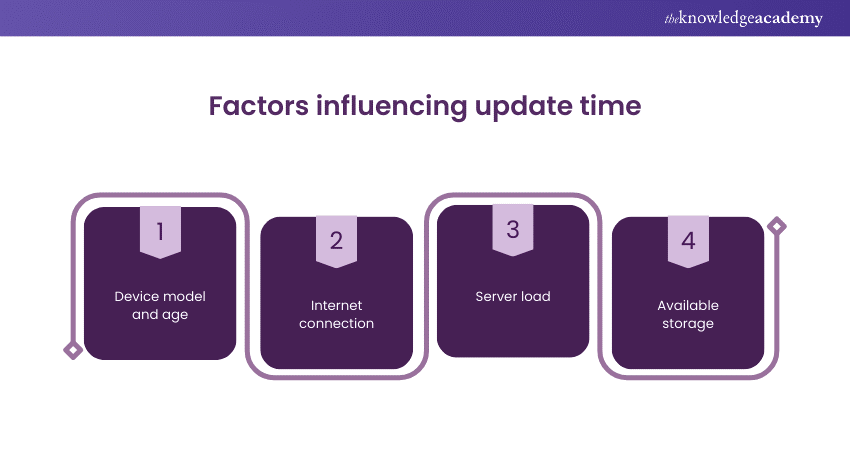
a) Device model and age: Newer devices have advanced processors and memory systems, enabling faster iOS 17 updates. Older models may face delays due to less efficient hardware and software optimisation.
b) Internet connection: The speed of your internet connection affects the download time of iOS 17, with faster connections allowing for quicker updates. However, an unstable connection can cause delays due to repeated download attempts. If you're experiencing issues, Changing iOS App Store Country might help access updates faster in certain regions.
c) Server load: Global launches of major updates like iOS 17 can overwhelm Apple's servers, resulting in slower download speeds for users. The timing of updates can affect speed, with peak times leading to potential throttling.
d) Available storage: Major updates require significant free storage for both downloading and installing, with the iOS 17 update being no exception. Insufficient space necessitates the deletion of unnecessary files, which can extend preparation time.
Get an understanding of how to increase the speed of web development with our Symfony Web Development Course – join today!
Steps to update iOS 17
The process of updating to iOS 17 is a user-friendly and accessible to everyone. Here are the steps to follow to ensure a smooth update experience:
a) Backup device: Before proceeding with the update, it is important to Back up your iPhone and other devices. This can be done either via iCloud or by connecting the device to a computer and using iTunes. This step ensures that the personal data is safe in case of any issues.
b) Charge device: Make sure the device has a sufficient battery charge. It is recommended to have 50% battery life or to connect device to a charger during the update process.
c) Connect to Wi-Fi: Since iOS updates are large files, it's best to download them over a Wi-Fi connection. This provides a more stable connection for downloading the update.
d) Update iOS: Open the Settings app, then go to General > Software Update. If the iOS 17 update is available, it will appear here. Tap "Download and Install" to proceed. Enter the passcode if asked and agree to the terms and conditions.
e) Wait for download and installation: The download time depends on internet speed and the current load on Apple's servers. Once the download is complete, the installation process begins.
f) Complete setup: After the update is installed, the device may ask to complete a few setup steps. This could include entering iCloud details, setting up Siri, and opting into services like location services and analytics sharing.
Learn mobile app creation with our Android App Development Course – register today!
Tips to speed up the update process
Speeding up the update process for iOS 17 can significantly enhance your experience by reducing waiting times. Here are some practical tips to help you achieve a faster update:
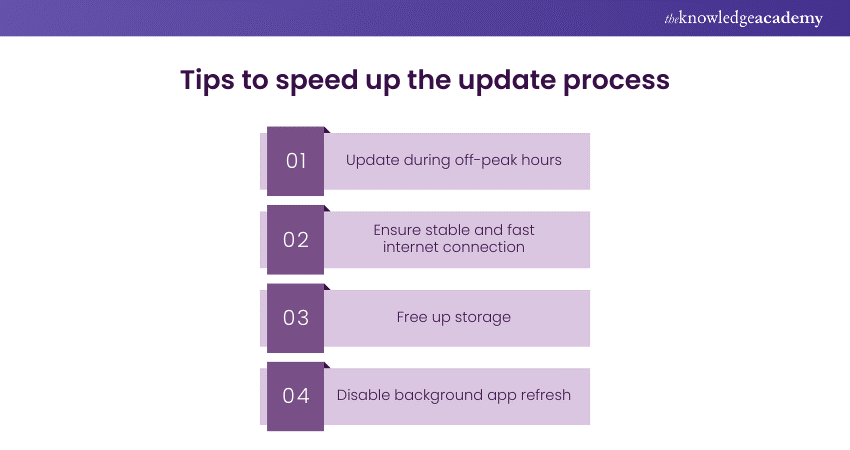
a) Update during off-peak hours: Updating the device late at night or early in the morning can lead to faster download speeds. This is because fewer people are likely to be downloading the update.
b) Ensure stable and fast internet connection: Connect to a reliable Wi-Fi network for the update. If experiencing slow speeds on network, consider going closer to the router.
c) Free up storage: Make sure the enough storage available for the update. It is advisable to remove unused apps, clear the cache, and delete unnecessary media files.
d) Disable background app refresh: Temporarily disabling background app refresh can free up system resources and speed up the download and installation process. It can be done by going to Settings > General > Background App Refresh and then selecting Off.
Boost your interview prep with must-know iOS Interview Questions and Answers. Start practicing now!
Conclusion
When considering "How Long Does the iOS 17 Update Take?" it is crucial to note that the duration can vary significantly, generally ranging from 30 minutes to an hour. This timeframe is based on factors such as the device's model and age, the speed of internet connection, server load and the available storage. By understanding these factors and following the outlined steps and tips, users can streamline their update experience.
Understand the foundational concepts of iOS app development with our IOS App Development Course – join today!
Frequently Asked Questions
Can I use my device while it's updating to iOS 17?

While it's technically possible to use your device during the initial download phase of the iOS 17 update, it is not advisable. Using your device can slow down the download and may lead to a longer overall update time.
What should i do if my update to iOS 17 seems to be stuck?
If your update appears to be stuck, first give it some time, as some phases of the update process may take longer than expected. If there is no progress after an hour, restart your device and check internet connection before attempting the update again.
What are the other resources and offers provided by The Knowledge Academy?
The Knowledge Academy takes global learning to new heights, offering over 3,000+ online courses across 490+ locations in 190+ countries. This expansive reach ensures accessibility and convenience for learners worldwide.
Alongside our diverse Online Course Catalogue, encompassing 19 major categories, we go the extra mile by providing a plethora of free educational Online Resources like Blogs, eBooks, Interview Questions and Videos. Tailoring learning experiences further, professionals can unlock greater value through a wide range of special discounts, seasonal deals, and Exclusive Offers.
What is the Knowledge Pass, and how does it work?
The Knowledge Academy’s Knowledge Pass, a prepaid voucher, adds another layer of flexibility, allowing course bookings over a 12-month period. Join us on a journey where education knows no bounds.
What are related courses and blogs provided by The Knowledge Academy?
The Knowledge Academy offers various App & Web Development Training, including Mobile App Development Training, IOS App Development Training and Symfony Web Development Training. These courses cater to different skill levels, providing comprehensive insights into What is HTML?
Our Programming & DevOps cover a range of topics offering valuable resources, best practices, and industry insights. Whether you are a beginner or looking to advance your IT Security skills, The Knowledge Academy's diverse courses and informative blogs have you covered.

Richard Harris


Senior Full Stack Developer and Technology Educator
Richard Harris is a highly experienced full-stack developer with deep expertise in both frontend and backend technologies. Over his 12-year career, he has built scalable web applications for startups, enterprises and government organisations. Richard’s writing combines technical depth with clear explanations, ideal for developers looking to grow in modern frameworks and tools.

Upcoming Programming & DevOps Resources Batches & Dates
Date
 Mobile App Development Training Using Flutter
Mobile App Development Training Using Flutter
Fri 17th Apr 2026
Mobile App Development Training Using Flutter
Fri 17th Jul 2026
Mobile App Development Training Using Flutter
Fri 16th Oct 2026

 If you wish to make any changes to your course, please


