




We may not have the course you’re looking for. If you enquire or give us a call on 01344203999 and speak to our training experts, we may still be able to help with your training requirements.
Difference Between Microsoft Access and Excel
ByGaurav KalitaLast updated on: 19 September 2026
Explore the difference between Microsoft Access and Excel to understand the unique features of these Microsoft tools. Compare their approaches to data storage, organisation, manipulation, analysis, customisation, collaboration, and sharing, and discover the ideal use cases for each.
Microsoft Access and Microsoft Excel are two popular software applications developed by Microsoft Corporation. While both serve as valuable tools for managing data and organising information, they have distinct differences in terms of their purpose, features, and use cases.
This is why people need to make an informed choice between Microsoft Access or Excel. In this blog, we will explore the difference between Microsoft Access and Excel to help you understand which application is more suitable for your specific needs.
What is the Difference Between Microsoft Access and Excel?
Before we delve into the difference between Microsoft Access and Excel, we will first define What is Microsoft Access and Excel beginning with the former. Microsoft Access is defined as a Relational Database Management System (RDBMS) that allows users to create and manage databases.
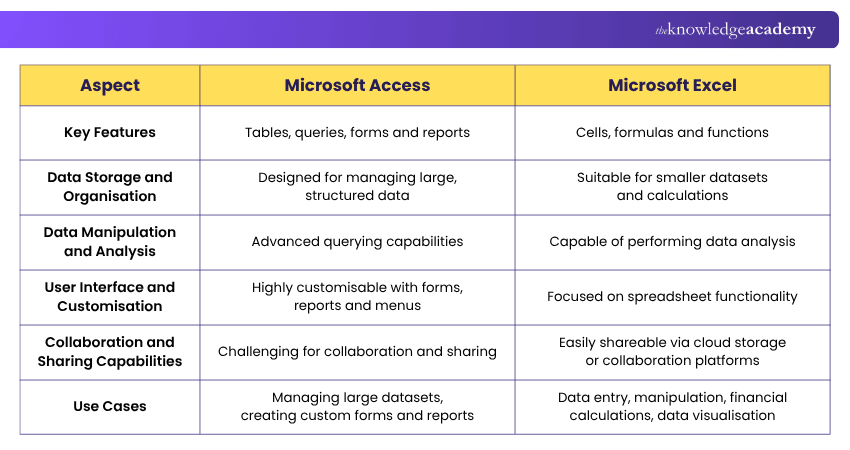
Microsoft Excel and Access differ in several ways, some of which we have explained as follows:
1) Key Features
Access, a robust Database Management System, hosts several features such as tables, queries, forms, and creating reports in Microsoft Access. It has a customisable, user-friendly interface that supports data relationships and ensures referential integrity allowing users to maintain data consistency.
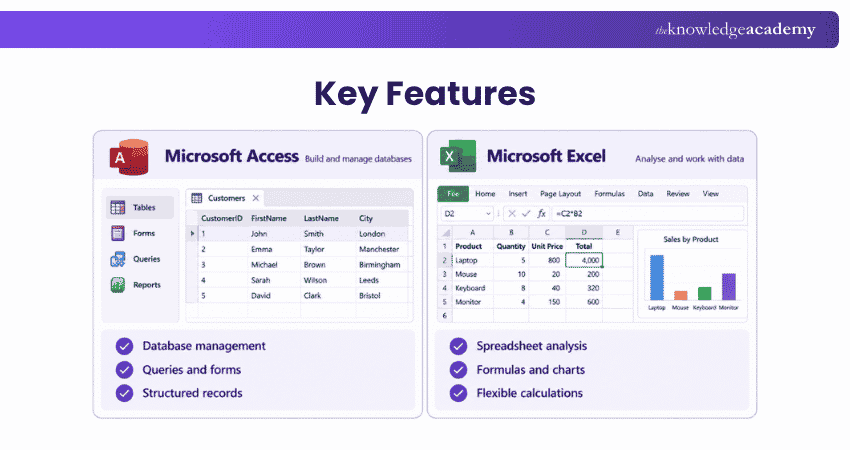
Excel, on the other hand, is a spreadsheet software that offers features such as cells, formulas, and functions. It provides a set of tools for data analysis and data, such as various chart types and options which aids users in interpretation and presentation.

2) Data Storage and Organisation
Access is designed as a Relational Database Management System (RDBMS) and is well suited to storing and managing structured relational data. It allows users to create multiple tables, establish relationships between them, and apply data integrity rules.
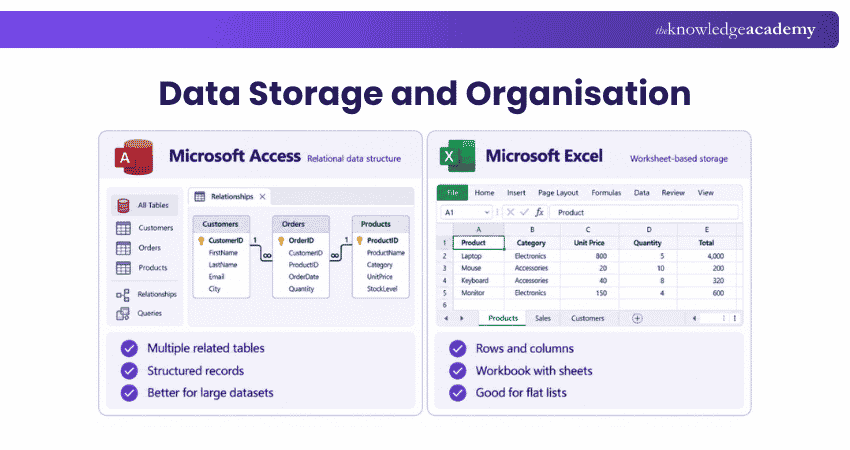
Excel provides a grid-based interface where users can organise data into rows and columns. It is particularly suitable for spreadsheet-based calculations, analysis, reporting, and data exploration.
3) Data Manipulation and Analysis
Access provides advanced querying capabilities, making it easier to extract specific subsets of data from a database. It offers tools for filtering, sorting, and performing calculations on data.
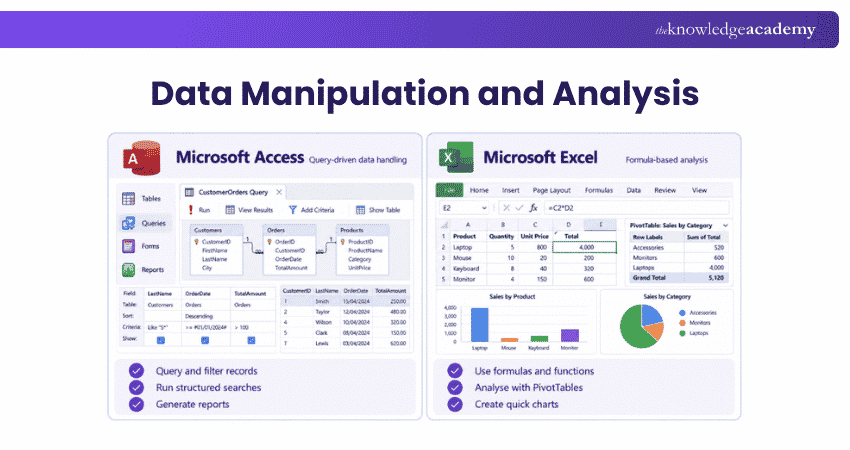
Excel offers a range of built-in functions and formulas for data manipulation and analysis. It allows users to perform complex calculations, create custom formulas, and apply functions to analyse data trends and patterns.
4) User Interface and Customisation
Access offers a more robust and customisable user interface compared to Excel. It allows users to create custom forms, reports, and navigation menus tailored to their specific requirements.
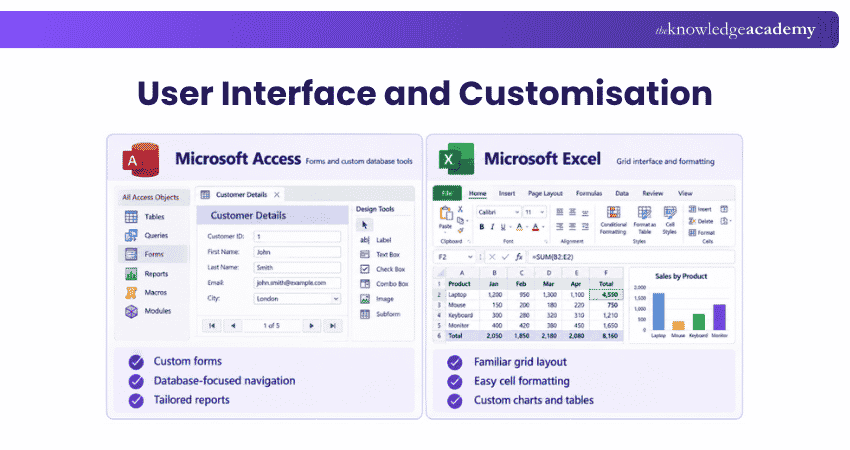
Excel's interface is primarily focused on spreadsheet functionality, and while it offers some customisation options, they may not be as extensive as those available in Access. However, for tasks like the Comparison of Two Columns in Excel, Excel's streamlined interface proves highly efficient for managing and analysing data.
Manage Data More Effectively with Microsoft Access Training – Register now!
5) Collaboration and Sharing Capabilities
Access databases are usually stored on a local or network drive, which can make collaboration and sharing more challenging. Access databases require proper setup and configuration for multi-user access.
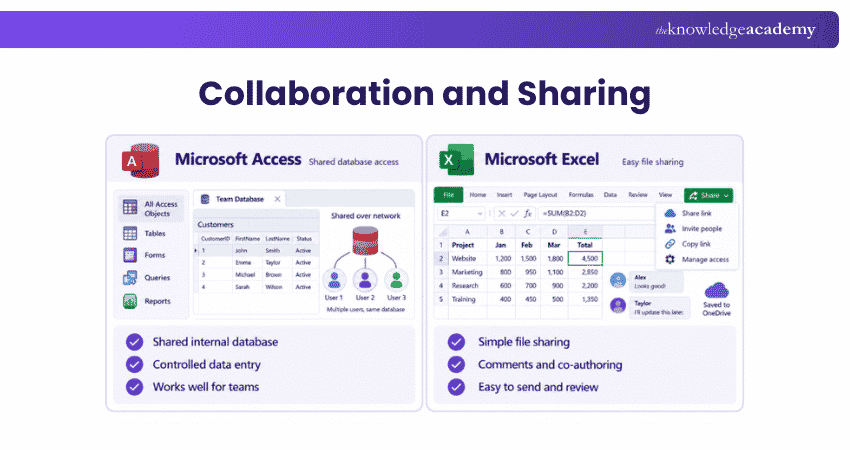
Excel, on the other hand, allows for easier collaboration and sharing. Users can share Excel spreadsheets via cloud storage services or collaborative platforms, enabling real-time collaboration, version control, and simultaneous editing.
6) Use Cases
Access is well suited to managing large, structured datasets that require relationships between tables and strong data integrity. It is useful for building databases with customised forms, queries, and reports for data entry and analysis.
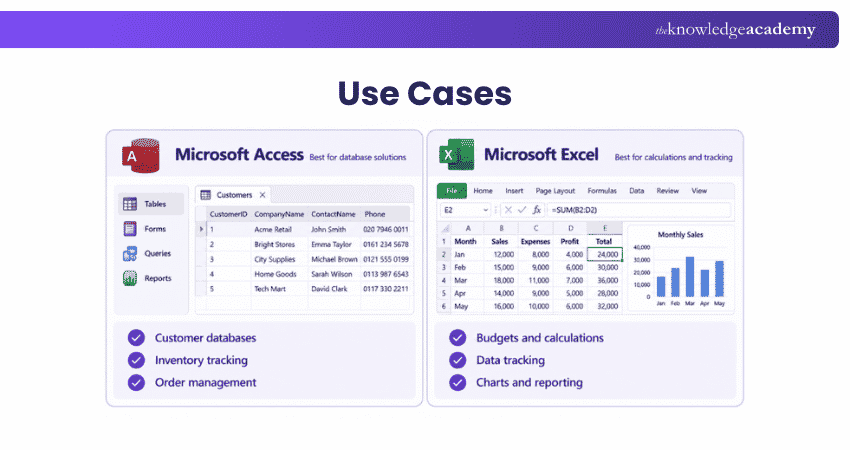
Excel is ideal for data entry, calculations, financial modelling, budgeting, and forecasting. Its built-in functions simplify complex calculations, while charts and graphs help users visualise trends and patterns clearly.
Microsoft Access or Excel: Which Should You Choose?
The right choice depends on how you plan to store, manage, and analyse your data. Microsoft Access is better suited to structured database management, while Excel is ideal for calculations, analysis, and reporting. Here’s a quick guide to help you decide which tool fits your needs best:
1) Choose Microsoft Access when you need to manage related tables, maintain data integrity, or create customised forms, queries, and reports.
2) Choose Microsoft Excel when your work involves calculations, financial modelling, data analysis, visualisation, or reporting using tools such as formulas, PivotTables, charts, and Power Query.
3) Use both together when Access is needed for structured data management and Excel is preferred for analysing or presenting that data.
Boost workplace productivity and collaboration with our Microsoft Office 365 Training for practical digital skills.
Keep This in Mind
Microsoft Access and Excel are built for different types of data work.Access is better suited to structured database management, while Excel is stronger for calculations, analysis, and visual reporting.The best choice depends on how your data needs to be stored, managed, and used.

Gaurav Kalita is a Content Writer with 2+ years of experience in content development, research and storytelling. His background in English literature and teaching, combined with his growing interest in AI and Machine Learning, supports his writing across Business Skills and IT and Tech.
View Detail

 If you wish to make any changes to your course, please


