




We may not have the course you’re looking for. If you enquire or give us a call on 01344203999 and speak to our training experts, we may still be able to help with your training requirements.
AWS Benefits: 8 Key Advantages for Businesses
ByGaurav KalitaLast updated on: 17 September 2026
This blog explains eight major AWS Benefits, from cost flexibility and scalability to security, global reach and reduced infrastructure management.

Cost savings may be the first AWS Benefit that comes to mind, but the advantages of Cloud Computing extend much further. AWS can help organisations respond to changing demand, deploy resources faster and operate across multiple geographic locations.
However, these AWS Benefits depend on appropriate architecture, security, skills and cost management. Understanding what AWS offers can help businesses determine which advantages are most relevant to their needs.
What is AWS?
Amazon Web Services (AWS) is a Cloud Computing platform that provides a broad range of infrastructure and software services for building, deploying and managing applications. Its services span areas such as computing, storage, databases, networking, security, analytics and Artificial Intelligence. Some widely used AWS services include:
1) Amazon Elastic Compute Cloud (EC2)
2) Amazon Simple Storage Service (S3)
3) Amazon Virtual Private Cloud (VPC)
4) Amazon CloudFront
5) Amazon Relational Database Service (RDS)

What are the Key Benefits of AWS?
AWS Benefits extend across cost management, capacity, resilience, security, speed, geographic reach and infrastructure operations. Their practical value depends on how well each capability matches an organisation's requirements.
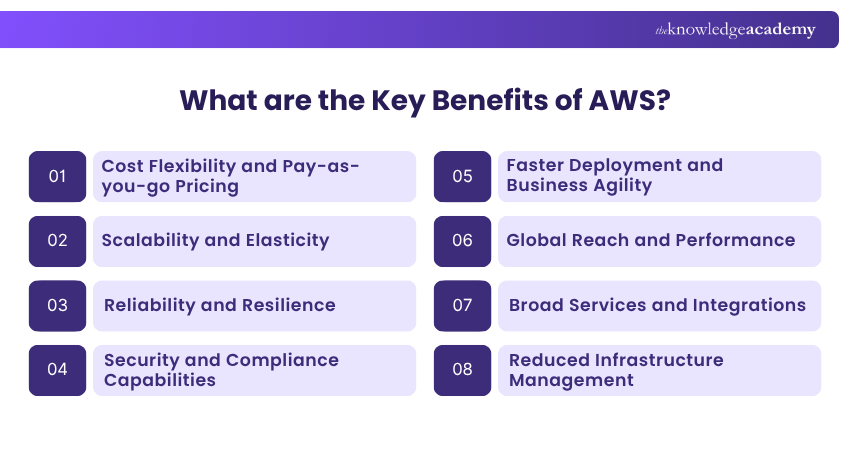
1) Cost Flexibility and Pay-as-you-go Pricing
Traditional infrastructure can require businesses to purchase servers, storage and networking equipment before they know exactly how much capacity they will use.
AWS changes this model for many workloads by offering a pay-as-you-go approach across the vast majority of its Cloud services. Businesses generally pay for the individual services they use and for the period in which they use them, although individual pricing models vary by service.
This can provide several advantages:
1) Lower need for large upfront hardware investments
2) Greater ability to align infrastructure expenditure with actual usage
3) Less need to buy capacity purely to accommodate occasional demand peaks
4) More flexibility to increase or reduce resources as requirements change
2) Scalability and Elasticity
These days, businesses experience many rapid changes in the technological market within a short time. They must continue adapting to these changes to grow and expand their business. Leaders must ensure the firm's operations are scalable and flexible to keep up with these changes and enhance competitiveness.
This is where AWS comes in. Organisations can scale AWS resources up as demand increases and scale them down when those resources are no longer required. For example, additional capacity may be needed temporarily during periods of unusually high traffic.
3) Reliability and Resilience
Reliability is an important AWS Benefit for organisations that need workloads to remain available when individual components fail. AWS provides Regions and multiple Availability Zones that businesses can use when designing resilient architectures.
Organisations can distribute workloads across multiple availability zones and, where required, across regions. With appropriate redundancy and failover mechanisms, this can reduce reliance on a single location and improve workload resilience.
This architecture can allow organisations to design workloads with:
1) Redundant application components
2) Replicated data
3) Traffic distribution across multiple locations
4) Failover mechanisms
5) Backup and recovery strategies
The business benefit is stronger resilience when appropriate architecture is implemented. Rather than depending on a single physical location, critical systems can be designed to continue operating when individual components or locations become unavailable.
4) Security and Compliance Capabilities
AWS provides a broad range of security and compliance capabilities that organisations can use to protect Cloud workloads and data. However, security and compliance follow a shared responsibility model: AWS protects the infrastructure that runs its Cloud services, while customers remain responsible for security responsibilities that depend on the services they use.
Some important AWS security capabilities include:
a) Encryption and Key Management: AWS Key Management Service (AWS KMS) helps organisations create and control cryptographic keys used to protect data.
b) Data Encryption in Transit: Secure protocols such as Transport Layer Security (TLS) can help protect data as it moves between systems.
c) Password Management: AWS Secrets Manager helps organisations store, retrieve and rotate credentials, API keys and other secrets securely.
Key Insight
AWS Benefits are strongest when they are tied to a specific business objective. Moving to the Cloud without clear goals can increase complexity instead of creating value.
5) Faster Deployment and Business Agility
Infrastructure procurement can slow technology projects when teams must wait for hardware to be purchased, delivered and configured before development can proceed.
Cloud resources can be made available much more quickly. AWS identifies speed and agility as a key Cloud advantage because teams can provision technology resources without the same physical procurement cycle.
This can help organisations:
1) Create development and testing environments faster
2) Experiment with new ideas without purchasing dedicated hardware for every trial
3) Release new applications or features sooner
4) Respond more quickly to changing business requirements
5) Remove infrastructure procurement from some stages of development
The main benefit is not simply “faster servers”. It is the ability to shorten the time between identifying a technology requirement and making suitable resources available.
Develop practical AWS database expertise with our Planning and Designing Databases on AWS Training– Join now!
6) Global Reach and Performance
AWS provides infrastructure in multiple geographic Regions around the world. Organisations can select Regions according to factors such as service availability, proximity to users and legal or operational requirements. AWS notes that selecting a Region closer to the majority of users can help reduce network latency.
Global infrastructure can therefore help businesses:
1) Deploy workloads nearer to target users
2) Support expansion into additional geographic markets
3) Design multi-Region strategies where requirements justify them
4) Consider data-location requirements during architecture planning
5) Improve user experience where network latency is an important factor
A global AWS presence does not mean every service is identical in every location. Organisations should confirm that the services and features they require are available in their chosen Region before committing to an architecture.
7) Broad Services and Integrations
AWS gives organisations access to a broad choice of technologies within one Cloud ecosystem. This can help businesses select services that match different infrastructure, application, data and operational requirements.
AWS provides more than 200 services spanning areas such as:
a) Compute
b) Storage
c) Databases
d) Networking
e) Analytics
f) AI and Machine Learning
g) Application integration
h) Security
i) Migration
j) Developer tools
k) Management and governance
l) Internet of Things
8) Reduced Infrastructure Management
Running physical infrastructure involves work that does not directly differentiate most businesses. Servers must be procured, installed, powered, maintained and eventually replaced.
Cloud Computing can move parts of that infrastructure responsibility to AWS. AWS owns and maintains the underlying hardware required to provide its Cloud services, while customers provision and use the resources they need.
This can reduce effort associated with:
1) Procuring physical servers and storage
2) Maintaining data center hardware
3) Planning physical capacity
4) Replacing failed or ageing infrastructure
5) Expanding facilities purely to accommodate additional IT equipment
Managed AWS services can reduce operational responsibility further by allowing AWS to operate more of the underlying technology stack.
Build confidence in AWS cloud concepts with our AWS Cloud Practitioner Training – Register now!

Gaurav Kalita is a Content Writer with 2+ years of experience in content development, research and storytelling. His background in English literature and teaching, combined with his growing interest in AI and Machine Learning, supports his writing across Business Skills and IT and Tech.
View Detail

 If you wish to make any changes to your course, please


