


We may not have the course you’re looking for. If you enquire or give us a call on 01344203999 and speak to our training experts, we may still be able to help with your training requirements.
Top 10 Software Engineering Tools and Their Features
ByThe Knowledge AcademyLast updated on: 12 November 2026
Explore 10 software engineering tools used for coding, version control, testing, project management and deployment. Discover their key features, practical applications and how to choose suitable tools based on your project's technical requirements, team needs and budget.
Quick Preview
1. Software engineering tools help developers manage code, automate processes and maintain software quality.2. Popular tools include Visual Studio Code, GitHub, Jira, Docker and Jenkins.3. Different tools support specific tasks, including version control, API testing, containerisation and code analysis.4. Choosing the right tools depends on project requirements, team size, compatibility and budget.
Tracking code changes, fixing bugs and meeting deadlines can be challenging, even for experienced development teams. This is where software engineering tools come into play. They simplify development tasks, improve collaboration and help teams build reliable applications.
Whether it's writing code, automating tests or managing deployments, these tools support different stages of software development. In this blog, we'll look at 10 popular tools, what makes them useful and how they can support your development projects. Let's get started!
Top 10 Software Engineering Tools for Developers
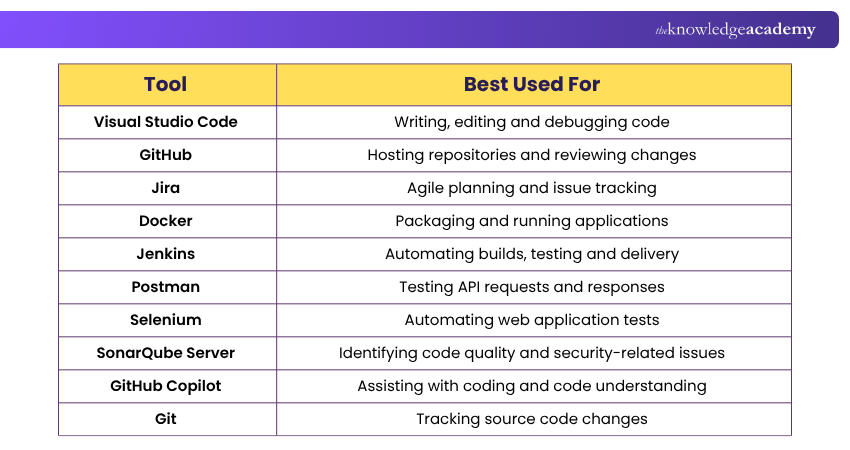
Here are 10 software engineering tools that developers can use to simplify coding, manage projects, automate testing and improve software delivery:
1) Visual Studio Code
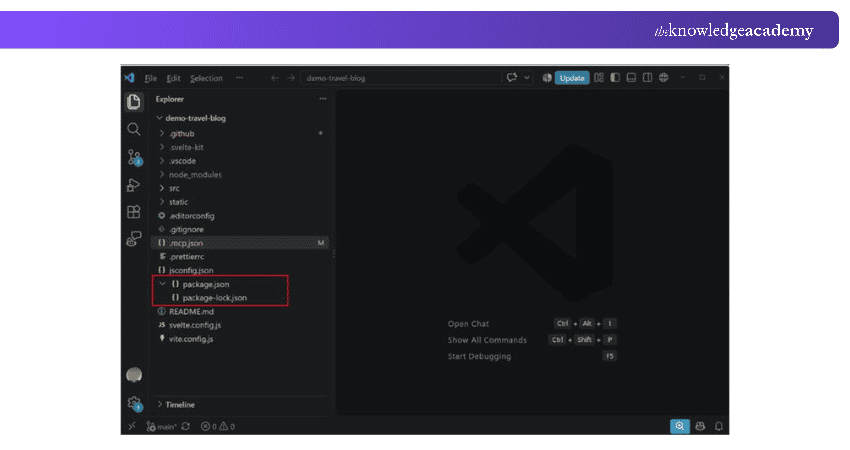
Visual Studio Code (VS Code) is a free and widely used code editor developed by Microsoft. It supports various programming languages and provides features that help developers write, edit and debug code efficiently. One of its biggest advantages is its extensive collection of extensions, allowing developers to customise their coding environment according to their project requirements.
Key Features:
a) Syntax highlighting and intelligent code completion
b) Built-in Git integration using an installed Git client
c) Integrated terminal for running commands
d) Debugging support for multiple programming languages, including through extensions
e) Extensions for additional languages, tools and development frameworks
Best For: Developers who need a flexible code editor for web development, application development and other programming projects.

2) GitHub
GitHub is a web-based platform that provides repository hosting and collaboration services for software projects. It uses Git for version control, allowing Software Engineers to store, manage and share their code repositories online.
GitHub is especially useful for developers working in teams or contributing to open-source projects. It enables them to review changes, track issues and collaborate on code without losing track of project updates.
Key Features:
a) Repository hosting and code management
b) Pull requests for reviewing and merging code changes
c) Issues for tracking bugs and development tasks
d) GitHub Actions for automating development workflows
e) Collaboration features, including discussions and project management tools
Best For: Software Engineers who need to collaborate on code, manage repositories and contribute to open-source projects.
Pro Tip
Before exploring advanced development platforms, build a strong understanding of version control. Learning Git and GitHub can help you manage code changes, collaborate with other developers and maintain a clear project history.
3) Jira
Jira is a powerful project management and issue-tracking tool developed by Atlassian. It helps Software Engineers plan, organise and monitor development tasks using Agile approaches such as Scrum and Kanban.
Jira allows teams to manage backlogs, track bugs, prioritise tasks and monitor project progress. Its customisable workflows make it suitable for teams working on projects with different requirements and delivery processes.
Key Features:
a) Scrum and Kanban boards for managing development work
b) Backlog management and sprint planning
c) Bug tracking and issue management
d) Customisable workflows and dashboards
e) Reports for monitoring project progress and team performance
Best For: Software development teams that follow Agile methodologies and need a centralised platform for managing tasks, bugs and project progress.
Learn to track tasks, customise workflows, and boost team collaboration with our Jira Training – Join now!
4) Docker
Docker is a containerisation platform that helps developers package applications and their dependencies into containers. These containers can run consistently across compatible environments, reducing problems caused by differences in software configurations.
Docker is particularly useful when applications need to move between development, testing and production environments. It allows developers to package software into portable container images and run applications without manually configuring every dependency.
Key Features:
a) Containerisation for packaging applications and dependencies
b) Docker images for creating consistent application environments
c) Docker Compose for managing multi-container applications
d) Docker Hub for discovering and sharing container images
e) Support for integrating container workflows into development pipelines
Best For: Developers who work with containerised applications, microservices and applications requiring consistent runtime environments.
5) Jenkins
Jenkins is an open-source automation server that helps developers automate software development processes. It's widely used for Continuous Integration and Continuous Delivery (CI/CD), allowing teams to automate builds, tests and deployment workflows.
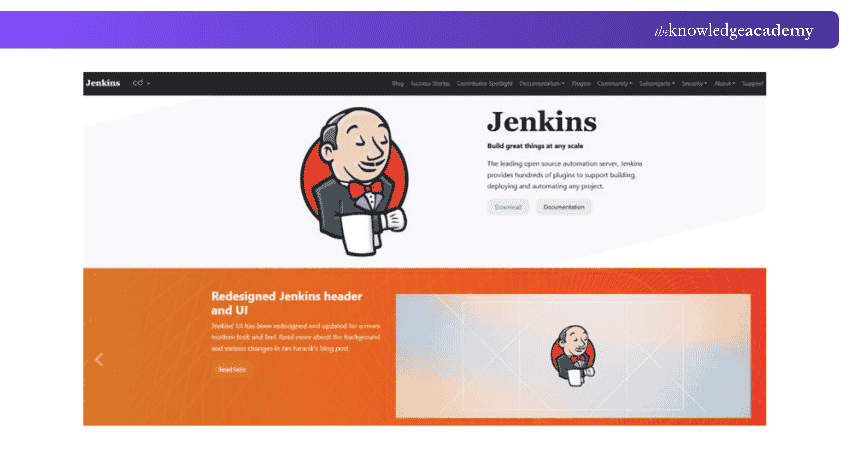
Jenkins helps reduce repetitive manual tasks and provides a structured way to move code through different development stages. Its extensive plugin ecosystem also allows it to integrate with various development tools.
Key Features:
a) Automated software builds and testing
b) CI/CD pipelines for software delivery
c) Integration with Git repositories and other development platforms
d) Extensive plugin support for additional functionality
e) Pipeline-as-code using Jenkinsfiles
Best For: Development and DevOps teams that want to automate builds, testing and software delivery processes.
6) Postman
Postman is an API development and testing platform that helps Software Engineers build, test and collaborate on APIs. It allows developers to send requests, inspect responses and identify problems in API functionality.
Postman is particularly useful for applications that communicate with external services or exchange data through APIs. Developers can organise requests into collections, create automated tests and share API resources with team members.
Key Features:
a) Sending and testing API requests
b) Organising API requests into collections
c) Writing automated tests using scripts
d) Managing environments and variables
e) Supporting API documentation and collaboration
Best For: Developers and QA professionals working on API development, integration testing and backend services.
7) Selenium
Selenium is an open-source browser automation project commonly used for testing web applications. It helps developers and testers automate browser interactions and verify whether applications behave as expected.
Selenium WebDriver supports automation across major web browsers, making it useful for checking application functionality in different browser environments. It also supports multiple programming languages through its language bindings.
Key Features:
a) Automated browser testing with Selenium WebDriver
b) Support for major browsers, including Chrome, Firefox and Edge
c) Language bindings for Java, Python, C# and other languages
d) Selenium Grid for running tests across multiple environments
e) Integration with testing frameworks and CI/CD pipelines
Best For: Software Testers and developers who need to automate functional testing of web applications.
8) SonarQube Server
SonarQube Server is a static code analysis platform that helps developers identify code quality and security-related issues. It performs automated code analysis to highlight potential bugs, security vulnerabilities and maintainability concerns.
SonarQube Server can be integrated into development workflows, allowing teams to assess code quality regularly rather than waiting until the end of a project.
Key Features:
a) Static code analysis for identifying potential issues
b) Detection of maintainability and security-related problems
c) Quality gates for enforcing defined code quality conditions
d) Support for multiple programming languages
e) Integration with development and CI/CD workflows
Best For: Development teams that want to monitor code quality, support secure coding practices and improve maintainability.
Trainer Insight
A powerful tool is not always the most suitable choice for every project. Focus on how well your tools integrate. A smaller, well-connected toolchain can be more effective than several disconnected platforms.
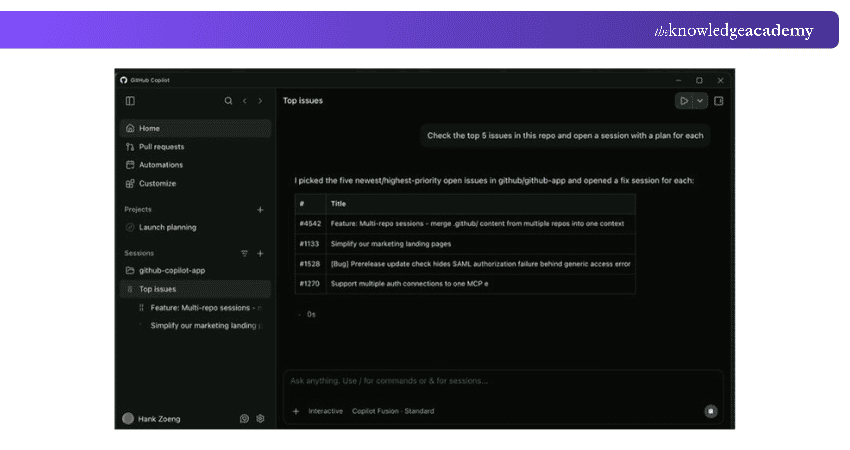
9) GitHub Copilot
GitHub Copilot is an AI-powered coding assistant that helps developers write, understand and improve code. It provides context-based code suggestions and offers conversational assistance for programming tasks.
Developers can use GitHub Copilot to explore unfamiliar code, generate suggested implementations, explain functions and assist with debugging. However, its suggestions still require human review and testing to ensure accuracy and security.
Key Features:
a) AI-powered code completion and suggestions
b) Conversational assistance for coding questions
c) Code explanations and debugging assistance
d) Support for generating and improving tests
e) Integration with supported development environments
Best For: Developers who want AI assistance with coding, understanding existing code and handling repetitive programming tasks.
10) Git
Git is a free, open-source distributed version control system that helps developers track changes to source code. It enables multiple developers to work on a project while maintaining a record of modifications.
Unlike GitHub, which provides repository hosting and collaboration services, Git is the underlying version control system that manages code history. Developers can use Git locally and connect their repositories to hosting platforms when collaboration is required.
Key Features:
a) Tracking changes to source code over time
b) Branching and merging for parallel development
c) Maintaining local repository history
d) Comparing changes and restoring earlier versions
e) Supporting collaborative development through remote repositories
Best For: Software Engineers who need reliable version control for individual or team-based development projects.
Learn how to create a repository with our Git & GitHub Fundamentals Training – Sign up now!
How to Choose the Right Software Engineering Tools?
Choosing the right software engineering tools depends on your project's needs, development environment and team requirements. Here are some important factors to consider:
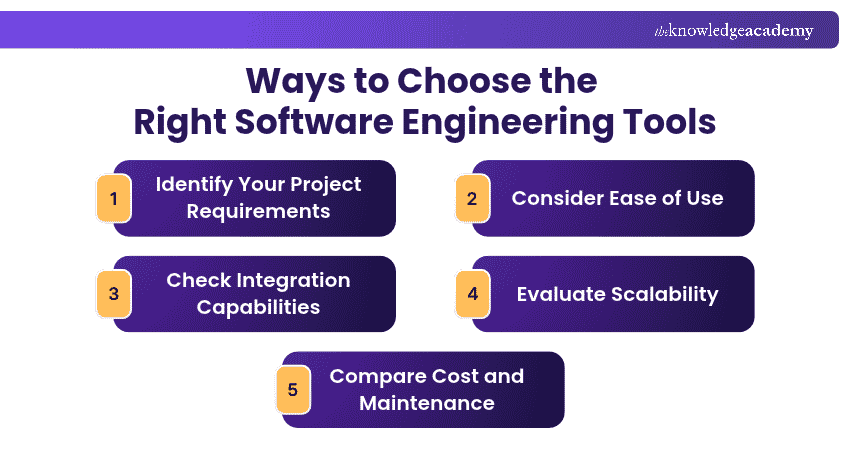
1) Identify Your Project Requirements
Start by understanding what your project needs. If you are developing a web application, you may need coding, browser testing and version control tools. For a project involving multiple services, containerisation and automation tools may also be useful.
2) Consider Ease of Use
Choose tools that match your team's experience and technical knowledge. A tool with clear documentation, an intuitive interface and accessible learning resources can make adoption easier.
3) Check Integration Capabilities
Software development often involves several tools working together. Check whether your selected tools can integrate with your existing code repositories, testing frameworks and deployment systems.
4) Evaluate Scalability
Consider whether the tools can support your project as it grows. A suitable tool should accommodate changing development requirements, larger workloads and increasing collaboration needs.
5) Compare Cost and Maintenance
Some tools are free or open-source, while others offer paid plans or enterprise features. Consider licensing costs, hosting requirements, maintenance and the resources needed to manage each tool.
Keep This in Mind
Every software engineering tool serves a different purpose, from writing code and tracking changes to testing and deployment. Choose tools based on the tasks your team needs to perform, the problems they need to solve and the resources available.
Master every stage of the software development lifecycle and deliver high-quality solutions. Sign up for the Software Development Lifecycle Training now!

The Knowledge Academy develops accessible learning content across Project Management, IT, Cybersecurity, Data Science, Business Analysis, HR, Accounting and Finance, Leadership and Health and Safety. Its resources combine subject research with clear explanations to help professionals build practical knowledge across a wide range of disciplines.
View Detail

 If you wish to make any changes to your course, please


