




We may not have the course you’re looking for. If you enquire or give us a call on 01344203999 and speak to our training experts, we may still be able to help with your training requirements.
15 Best Data Modelling Tools: Features, Pros and Cons
ByLily TurnerLast updated on: 29 October 2026
Explore 15 data modelling tools used to design, visualise and manage database structures. Compare their features, advantages and limitations, and discover how to choose the right solution for database development, data architecture and collaborative modelling.

Key Highlights
1) Data modelling tools help design, visualise and manage database structures2) The 15 tools cover enterprise modelling, database development and ER diagrams3) Key capabilities include schema design, reverse engineering and collaboration4) Some tools specialise in particular databases, while others support multiple platforms5) Database compatibility, features, usability and pricing guide tool selection
Search for data modelling tools and you'll find everything from enterprise architecture platforms to simple diagramming applications. They may appear to serve the same purpose, but their capabilities can be very different. Some generate database schemas, others reverse-engineer existing structures, and some primarily help visualise relationships.
So, which features are worth prioritising? This blog explores 15 data modelling tools, examining their advantages, limitations and intended uses to help you narrow down the options based on your requirements.
15 Best Data Modelling Tools
Data modelling tools vary in their capabilities, supported databases, deployment options and intended users. Some provide comprehensive enterprise modelling environments, while others focus on database diagrams or development workflows. Here are 15 data modelling tools worth considering:
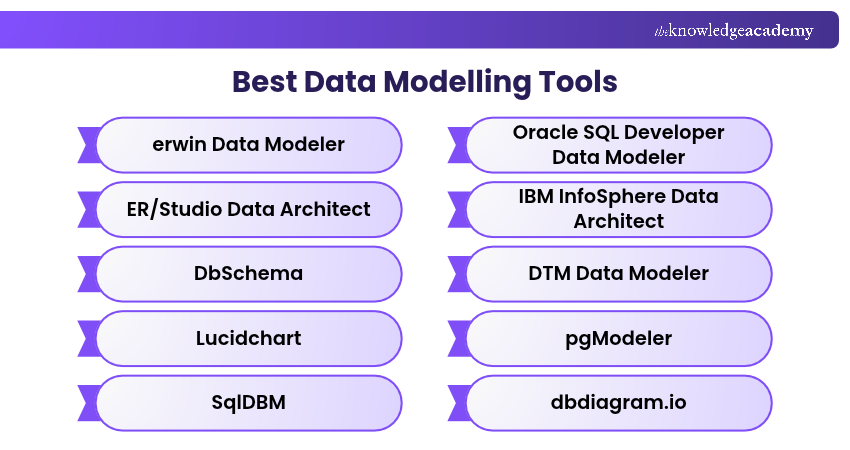
1) erwin Data Modeler
erwin Data Modeler is an enterprise data modelling tool offered by Quest Software. It helps organisations design, visualise, standardise and manage data structures across different database platforms.
The software supports conceptual, logical and physical data modelling, making it suitable for database architects and organisations managing complex data environments.
Key Features:
a) Conceptual, logical and physical modelling
b) Forward and reverse database engineering
c) Data model comparison and standardisation
d) Model management, versioning and collaboration capabilities in supported editions
Advantages:
a) Supports complex enterprise data modelling requirements
b) Provides broad database platform compatibility
c) Helps maintain consistent data definitions and structures
Limitations:
a) Enterprise licensing can be expensive
b) Advanced features require technical modelling expertise
Best For: Large organisations and Data Architects managing complex data structures across multiple database environments.

2) ER/Studio Data Architect
ER/Studio Data Architect is a data modelling solution from IDERA designed for database architects, developers and data management professionals. It supports logical and physical database design, model documentation and schema management.
The tool provides capabilities for comparing models, enforcing standards and generating database structures across supported platforms.
Key Features:
a) Logical and physical data modelling
b) Forward and reverse database engineering
c) Model comparison, merging and validation
d) Data dictionaries and naming standards
Advantages:
a) Supports multiple database platforms
b) Provides detailed model documentation
c) Helps maintain consistency across database designs
Limitations:
a) Advanced collaboration and repository features depend on the edition
b) Licensing and enterprise deployment can increase costs
Best For: database architects and enterprise teams requiring structured database design, model comparison and documentation.
3) DbSchema
DbSchema is a visual database design and management tool that helps professionals create, document and maintain database schemas. It supports relational and selected NoSQL databases and allows users to design schemas independently of a live database connection.
The software combines visual modelling with schema synchronisation, documentation and query-related functionality.
Key Features:
a) Interactive database diagrams and schema design
b) Reverse engineering and schema synchronisation
c) Visual query building and SQL editing
d) Database documentation and model sharing
Advantages:
a) Supports multiple database technologies
b) Allows offline schema design
c) Combines modelling and database management functions
Limitations:
a) Advanced capabilities depend on the selected edition
b) Its extensive functionality can require familiarisation
Best For: Database Developers seeking visual design, schema management and documentation within a single application.
4) Lucidchart
Lucidchart is a cloud-based visual collaboration platform that supports database diagramming and entity relationship modelling. It enables users to create diagrams showing tables, attributes, keys and relationships.
The platform also supports database schema imports and collaborative editing, making it useful for communicating database designs across technical and non-technical teams.
Key Features:
a) Drag-and-drop entity-relationship diagrams
b) Database schema import and SQL-related export capabilities
c) Collaborative diagram editing and sharing
d) Templates and diagramming libraries
Advantages:
a) Accessible through a web browser
b) Suitable for collaborative database planning
c) Provides visual tools for communicating database structures
Limitations:
a) Not a complete enterprise database engineering platform
b) Some capabilities depend on subscription plans
Best For: Teams requiring collaborative ER diagrams, database documentation and visual design reviews.
5) SqlDBM
SqlDBM is a cloud-based data modelling platform designed for collaborative database and data warehouse design. It provides an environment for creating and managing data models without relying entirely on locally installed modelling software.
The platform supports conceptual, logical and physical modelling alongside engineering and integration features for enterprise data teams.
Key Features:
a) Cloud-based conceptual, logical and physical modelling
b) Forward and reverse engineering in supported editions
c) Version control and real-time collaboration
d) Integration with development and data engineering workflows
Advantages:
a) Supports collaborative modelling across distributed teams
b) Helps manage data model changes and documentation
c) Connects modelling activities with wider data workflows
Limitations:
a) Cloud-based deployment may not suit every security policy
b) Advanced enterprise requirements may involve additional licensing and configuration
Best For: Modern data engineering teams collaborating on database and data warehouse structures.
6) Oracle SQL Developer Data Modeler
Oracle SQL Developer Data Modeler is a database design application that supports logical and relational modelling, database engineering and metadata management.
It helps professionals create data models, define relationships and transform designs into database structures. The tool is particularly relevant to organisations using Oracle database technologies.
Key Features:
a) Logical and relational database modelling
b) Forward and reverse engineering
c) DDL generation and schema design
d) Model documentation and design-rule validation
Advantages:
a) Suitable for structured relational database design
b) Supports detailed database modelling workflows
c) Integrates with Oracle-oriented database development practices
Limitations:
a) The interface requires familiarity with database modelling concepts
b) Its workflow may be less convenient for teams primarily using collaborative browser-based platforms
Best For: Database Developers and Architects designing relational schemas, particularly within Oracle environments.
7) IBM InfoSphere Data Architect
IBM InfoSphere Data Architect is an enterprise data modelling application that helps organisations design, document and manage data structures.
The software supports logical and physical modelling, relationship visualisation and database-oriented architecture work. It is designed for teams working with enterprise data requirements.
Key Features:
a) Logical and physical data modelling
b) Database schema visualisation and design
c) Model comparison and impact analysis
d) Metadata management and data architecture documentation
Advantages:
a) Supports enterprise modelling requirements
b) Helps maintain documentation and standards
c) Fits organisations using IBM-oriented data environments
Limitations:
a) Installation and configuration require technical expertise
b) Licensing and integration requirements should be assessed before adoption
Best For: Enterprise Data Architects working with complex organisational data structures and IBM database technologies.
8) DTM Data Modeler
DTM Data Modeler is a database modelling application designed to create, modify and document database structures. It provides graphical tools for representing entities, attributes and relationships.
The application also supports model engineering and database design activities across supported database platforms.
Key Features:
a) Graphical database structure modelling
b) Forward and reverse engineering
c) Database schema documentation
d) Model comparison and design-related utilities
Advantages:
a) Provides focused database modelling functionality
b) Supports database design and documentation
c) Offers an alternative to larger enterprise modelling suites
Limitations:
a) Its interface and workflow may require familiarisation
b) Current maintenance, compatibility and vendor support should be verified before adoption
Best For: Database professionals seeking a focused desktop modelling application.
Build a strong foundation in database structures, relationships and essential concepts with our Introduction to Database Training – Register today!
9) pgModeler
pgModeler is an open-source PostgreSQL data modelling application designed for creating, visualising and managing PostgreSQL database structures.
Its PostgreSQL-focused design enables users to represent database objects and relationships, generate SQL and work with existing database schemas.
Key Features:
a) Visual PostgreSQL database modelling
b) SQL generation and reverse engineering
c) Database schema comparison and synchronisation
d) Model validation and export capabilities
Advantages:
a) Specialised support for PostgreSQL
b) Open-source development model
c) Supports locally managed database modelling workflows
Limitations:
a) Primarily designed for PostgreSQL rather than multiple database platforms.
b) The source code is available under GPLv3, while precompiled installers are offered under commercial licensing terms.
Best For: PostgreSQL Developers and Database Administrators requiring detailed database schema modelling.
10) dbdiagram.io
dbdiagram.io is a browser-based database diagramming application that uses Database Markup Language (DBML) to define and visualise database schemas.
Instead of relying entirely on drag-and-drop interactions, users can describe database tables and relationships through concise text-based definitions.
Key Features:
a) Text-based database schema definition using DBML
b) Automatic generation of entity-relationship diagrams
c) Schema import and export capabilities
d) Diagram sharing and documentation features
Advantages:
a) Simplifies database diagram creation
b) Suitable for documenting database structures using code-like syntax
c) Provides an accessible starting point for database planning
Limitations:
a) Does not replace advanced enterprise modelling environments
b) Some collaboration and project features depend on the selected plan
Best For: Developers who prefer lightweight, text-based database modelling and ERD documentation.
11) SAP PowerDesigner
SAP PowerDesigner is an enterprise data modelling and architecture tool that helps organisations design, document and manage complex data structures. It supports conceptual, logical and physical data modelling across different database environments.
The platform provides model generation, reverse engineering and database design capabilities, making it suitable for organisations managing large-scale data architecture requirements.
Key Features:
a) Conceptual, logical and physical data modelling
b) Forward and reverse database engineering
c) Model generation and database structure management
d) Data model documentation and relationship visualisation
Advantages:
a) Supports complex enterprise data modelling requirements
b) Provides modelling capabilities across different database environments
c) Helps maintain consistency between conceptual, logical and physical models
Limitations:
a) Enterprise licensing and implementation can involve significant costs
b) Advanced modelling capabilities require technical expertise
Best For: Enterprise Data Architects and database professionals managing complex data structures and enterprise database environments.
12) Redgate Data Modeler
Redgate Data Modeler, formerly known as Vertabelo, is a cloud-based database modelling platform designed for collaborative database design and schema management. It allows teams to create, visualise and maintain database structures through a shared browser-based environment.
The platform supports physical database modelling, with logical modelling available in the Pro edition, alongside SQL generation and model versioning.
Key Features:
a) Cloud-based logical and physical database modelling
b) Automated SQL script generation
c) Real-time collaboration and version history
d) Database model validation and change tracking
Advantages:
a) Supports collaborative database design across distributed teams
b) Helps maintain version history and track model changes
c) Provides SQL generation and schema management capabilities
Limitations:
a) Advanced features and modelling capacity depend on the subscription plan
b) Cloud-based deployment may not suit organisations requiring fully offline modelling environments
Best For: Database Developers, Database Administrators and Data Architects seeking collaborative database modelling and schema management.
13) Navicat Data Modeler
Navicat Data Modeler is a database design tool that helps users create, modify and maintain data models using visual interfaces.
It supports conceptual, logical and physical modelling and provides engineering features for converting model designs into database structures.
Key Features:
a) Conceptual, logical and physical data modelling
b) Forward and reverse engineering
c) SQL and database schema generation
d) Model synchronisation and design documentation
Advantages:
a) Supports multiple stages of the data modelling process
b) Provides visual tools for maintaining database structures
c) Helps translate model designs into database implementations
Limitations:
a) Requires a commercial licence for supported paid usage
b) Database platform support and available features vary by edition and version
Best For: Database Developers requiring visual schema design and model engineering capabilities.
14) Hackolade
Hackolade is a data modelling platform designed for working with different database technologies, including NoSQL systems and structured data formats.
It helps Data Architects represent data structures, relationships and schema definitions across database and data exchange environments.
Key Features:
a) Visual data modelling for supported SQL and NoSQL systems
b) Schema design and documentation
c) Forward and reverse engineering for supported technologies
d) Data structure and schema-related validation capabilities
Advantages:
a) Supports modelling beyond traditional relational databases
b) Helps document complex and nested data structures
c) Suitable for diverse data architecture environments
Limitations:
a) Supported functionality varies between database technologies
b) Requires familiarity with the relevant data structures and modelling conventions
Best For: Data Architects working with NoSQL databases, nested data structures and heterogeneous data environments.
15) ChartDB
ChartDB is an open-source database diagramming tool that allows users to visualise database structures and create entity-relationship diagrams.
It provides a browser-based interface and supports schema import workflows that help developers explore and document existing database structures.
Key Features:
a) Database schema visualisation
b) Entity-relationship diagram editing
c) Schema import through generated database queries
d) Diagram sharing and SQL export capabilities
Advantages:
a) Open-source database diagramming solution
b) Useful for understanding existing database relationships
c) Provides a visual environment for schema documentation
Limitations:
a) Not a full enterprise data governance or modelling suite
b) Some workflows require preparing schema information outside the application
Best For: Developers and technical teams seeking an open-source tool for visualising and documenting database structures.
Find Your Data Modelling Tool
What is your main requirement?1) Enterprise Modelling2) Team Collaboration3) PostgreSQL Design4) Simple ER DiagramsSUGGESTED TOOLerwin Data Modeler: For complex data architecture and multi-level database modelling.
How to Choose the Right Data Modelling Tool?
Choosing a data modelling tool requires evaluating both technical requirements and the way teams create, maintain and share database designs. Consider the following factors before selecting a solution.
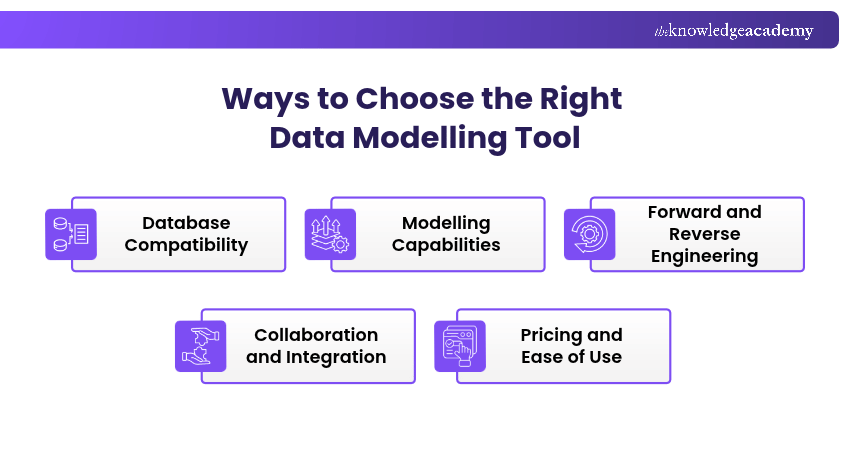
1) Database Compatibility
Identify the database platforms used in your organisation and confirm that the tool supports their specific versions and features.
Some applications specialise in systems such as PostgreSQL, while others work across relational databases, cloud data warehouses and selected NoSQL technologies.
2) Modelling Capabilities
Determine whether you need conceptual, logical, physical or dimensional data modelling.
Basic diagramming applications may be sufficient for representing relationships. Complex database projects may require tools that support multiple model levels, transformation rules, constraints and detailed schema definitions.
3) Forward and Reverse Engineering
Forward engineering enables database structures or scripts to be generated from a model. Reverse engineering helps create models from existing databases.
These capabilities are particularly useful when maintaining established database environments or implementing design changes. Check the supported database platforms and engineering functionality before choosing a tool.
4) Collaboration and Integration
Consider how team members share data models, review changes and connect modelling activities with development workflows.
Version control, shared repositories, model comparison and integration with other tools can improve collaboration. The availability of these features may depend on the product edition.
5) Pricing and Ease of Use
Compare licensing costs, deployment requirements, learning curves and the support available to users.
Lightweight tools can be suitable for smaller projects, while enterprise solutions may justify additional investment when advanced modelling and governance features are necessary.
Trainer's Tip
Before choosing a data modelling tool, test it with a sample database containing multiple tables and relationships. Check how accurately it handles keys, constraints and schema changes rather than relying solely on its feature list.
Explore relational, document, and graph database modelling techniques with our Introduction to NoSQL Training – Register today!

Lily Turner transforms complex data concepts into structured resources for aspiring and established data professionals. Her writing demonstrates how analytical methods and emerging technologies can be used to investigate problems, generate insights and support informed decisions.
View Detail

 If you wish to make any changes to your course, please


