




We may not have the course you’re looking for. If you enquire or give us a call on 01344203999 and speak to our training experts, we may still be able to help with your training requirements.
25+ Best Data Integration Tools: Features and How to Choose
ByVishnu SankarLast updated on: 29 October 2026
From cloud-based Extract, Transform and Load (ETL) platforms to real-time data replication solutions, data integration tools help organisations connect, move, prepare and access information across supported systems.
Quick Overview
1. Data integration tools connect information from databases, cloud applications, files and other sources.2. AWS Glue, Fivetran, Azure Data Factory, Boomi and Qlik Talend Cloud support different integration requirements.3. Common approaches include Extract, Transform, Load (ETL); Extract, Load, Transform (ELT); Change Data Capture (CDC); data replication and virtualisation.4. These tools can reduce manual data handling, support consistent workflows and improve data accessibility.5. Consider compatibility, data volume, processing speed, security, scalability and overall cost.
When customer records sit in one application, transactions in another and reports in a third, teams need a reliable way to connect the information. Data integration tools help move, synchronise or provide access to data across systems, depending on the use case.
Not all tools work in the same way. Some build ETL pipelines, others synchronise business applications, replicate database changes or provide virtual access without copying every record. This blog compares 25+ data integration tools, their key features and the factors to consider when choosing one.
Best Data Integration Tools
The following tools cover data ingestion, transformation, application connectivity, replication and virtualisation. Their primary capabilities differ, so choose based on the integration method your organisation needs.
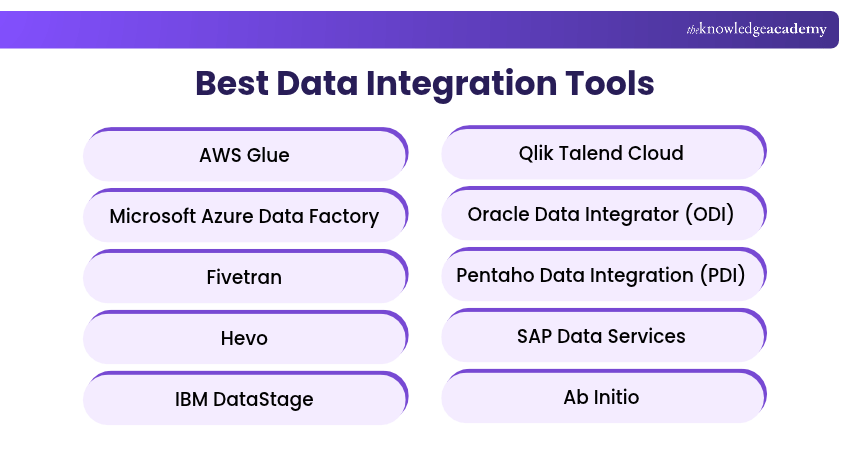
1) AWS Glue
AWS Glue is a serverless data integration service from Amazon Web Services (AWS). It helps organisations discover, prepare and move data between different sources and destinations. AWS Glue is particularly useful for organisations working with AWS services such as Amazon S3, Amazon Redshift and AWS-based data lakes.
Key Features:
1) Serverless Processing: Runs supported integration workloads without requiring users to manage servers.
2) AWS Glue Data Catalogue: Maintains metadata that helps users discover and organise datasets.
3) ETL Pipeline Development: Supports visual and code-based approaches to building data transformation workflows.
2. Microsoft Azure Data Factory
Microsoft Azure Data Factory is a cloud-based data integration and orchestration service used to create and manage data pipelines. It enables organisations to move and transform data across cloud and on-premises environments, making it useful for enterprises using Microsoft Azure and related data platforms.
Key Features:
a) Hybrid Data Integration: Connects supported cloud and on-premises data sources through integration runtimes.
b) Visual Pipeline Development: Provides an interface for designing and managing integration workflows.
c) Workflow Orchestration: Coordinates data movement and transformation activities using triggers and dependencies.
3) Fivetran
Fivetran is a managed data integration platform that automates data movement from supported sources into analytical destinations. It reduces the need to develop and maintain custom ingestion pipelines. Fivetran also offers enterprise replication capabilities through HVR technology.
Key Features:
a) Managed Connectors: Automates data extraction and loading from supported applications and databases.
b) Schema Change Handling: Helps manage supported changes in source data structures.
c) Enterprise Replication: Offers CDC and high-volume replication capabilities through Fivetran HVR.
4) Hevo
Hevo is a managed data pipeline platform designed to move information from different sources into supported data warehouses and destinations. Its no-code approach helps teams establish and maintain data pipelines without developing every integration component manually.
Key Features:
1) No-code Pipeline Configuration: Helps users create integrations through a graphical interface.
2) Automated Data Movement: Supports scheduled and low-latency data ingestion, depending on the connector.
3) Pipeline Monitoring: Provides tools for monitoring data movement and handling integration issues.
5) IBM DataStage
IBM DataStage is an enterprise data integration solution that supports ETL and ELT processing across different data environments. It is designed for organisations handling complex transformation requirements and large data volumes.
Key Features:
a) Parallel Processing: Executes data processing tasks concurrently to support large workloads.
b) ETL and ELT Support: Enables different transformation and loading approaches.
c) Hybrid Integration: Supports integration workflows across cloud and on-premises environments.
6) Qlik Talend Cloud
Qlik Talend Cloud is a subscription portfolio that includes Qlik Talend Data Integration and Talend Cloud capabilities. It supports data movement, transformation and data quality across supported cloud and hybrid environments. Access to individual capabilities depends on the subscription and deployment.
Key Features:
a) Data Pipeline Development: Supports the creation of workflows for moving and transforming data.
b) Data Quality Capabilities: Provides data validation and quality management features according to the selected subscription tier.
c) Hybrid Connectivity: Supports integration between cloud and on-premises systems through available components.
7) Oracle Data Integrator (ODI)
Oracle Data Integrator is an enterprise data integration platform that supports high-performance ETL and ELT processes. It uses an ELT-oriented architecture to take advantage of the processing capabilities of supported target systems.
Key Features:
a) ELT Architecture: Performs transformations using the processing capabilities of supported data platforms.
b) Heterogeneous Connectivity: Supports integration across various databases and technologies.
c) Workflow Automation: Helps coordinate data loading and transformation activities.
8) Pentaho Data Integration (PDI)
Pentaho Data Integration, also known as Kettle, is a visual data integration tool used to extract, transform and load data. It helps organisations prepare information for analytics, reporting and other business applications.
Key Features:
a) Visual Transformation Design: Allows users to create data processing workflows using graphical components.
b) Data Connectivity: Supports integration with different databases, files and applications.
c) Job Scheduling and Execution: Enables users to organise and run repeatable data integration processes.
9) SAP Data Services
SAP Data Services is an enterprise data integration platform used for extracting, transforming, cleansing and loading information. It is particularly relevant to organisations working with SAP applications and complex enterprise data environments.
Key Features:
a) ETL Processing: Extracts and transforms information across supported systems.
b) Data Quality Management: Offers profiling, cleansing and validation capabilities.
c) SAP Integration: Supports data movement and preparation for SAP-related processes.
Learn to blend analytics, machine learning and data engineering for next-generation problem-solving. Sign up for the Big Data Analytics & Data Science Integration Course now!
10) Ab Initio
Ab Initio is an enterprise data processing and integration platform designed for large-scale, complex data workloads. It supports organisations that require sophisticated transformation pipelines and reliable processing of substantial data volumes.
Key Features:
a) Parallel Data Processing: Supports efficient execution of large-scale processing workloads.
b) Complex Data Transformations: Enables the development of sophisticated integration logic.
c) Enterprise Data Processing: Supports batch and other data processing requirements within large organisations.
11) Matillion ETL and Maia Foundation
Matillion offers data integration products for cloud analytics. Matillion ETL is an established product for cloud warehouse transformations, while Maia Foundation is the newer offering formerly called Data Productivity Cloud. They are distinct products, not interchangeable versions of a single application.
Key Features:
a) Cloud Data Warehouse Integration: Supports data workflows involving platforms such as Snowflake and other cloud analytical systems.
b) Visual Pipeline Development: Provides interfaces for building integration and transformation processes.
c) Pipeline Orchestration: Helps coordinate the movement and transformation of data across supported systems.
The capabilities and licensing arrangements differ between Matillion ETL and Maia Foundation, so they should be evaluated as separate product offerings.
12) SQL Server Integration Services (SSIS)
SQL Server Integration Services (SSIS) is Microsoft's data integration and workflow technology used for extracting, transforming and loading data. It is particularly useful for organisations working with SQL Server and related Microsoft technologies.
Key Features:
a) ETL Package Development: Supports building reusable data integration workflows.
b) Data Transformation: Provides components for cleaning, combining and converting information.
c) Microsoft Ecosystem Integration: Works with SQL Server and supported enterprise data sources.
13) Celigo
Celigo is an integration Platform as a Service (iPaaS) that helps organisations connect cloud applications and automate business workflows. It is useful for integrating systems like Customer Relationship Management (CRM), Enterprise Resource Planning (ERP) and e-commerce applications.
Key Features:
a) Pre-built Integrations: Provides connectors and templates for supported business applications.
b) Workflow Automation: Automates data synchronisation and business processes.
c) Visual Integration Management: Helps users configure and manage integration flows.
14) Jitterbit
Jitterbit is an enterprise integration platform that supports application connectivity, workflow automation and API-related integration requirements. It helps organisations exchange information between systems and reduce repetitive manual processes.
Key Features:
a) Application Connectivity: Supports integration between different business applications.
b) Visual Workflow Development: Provides tools for designing and managing integration processes.
c) API Integration: Supports connecting applications and services through APIs.
15) SnapLogic
SnapLogic is an integration platform that supports application connectivity, data integration and workflow automation. It provides visual tools and reusable integration components that help organisations develop and manage data pipelines.
Key Features:
a) Pre-built Snaps: Offers reusable connectors and processing components.
b) Visual Pipeline Design: Enables users to create integrations through a graphical interface.
c) AI-assisted Development: Provides capabilities intended to assist with building and managing integration workflows.
16) Boomi
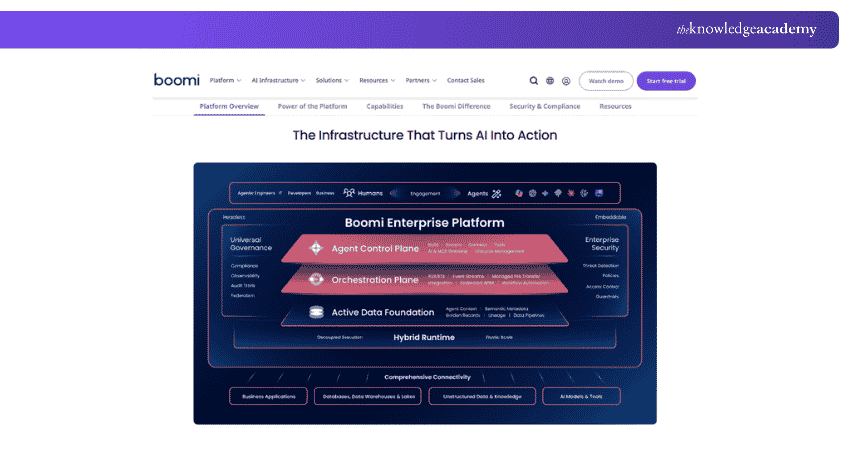
Boomi is an integration and automation platform that connects applications, data and business processes across different environments. Formerly known as Dell Boomi, it is used by organisations seeking to automate workflows between cloud and on-premises systems.
Key Features:
a) Low-code Integration: Provides visual tools for creating integration workflows.
b) Pre-built Connectors: Supports connections between various business applications and services.
c) Integration Monitoring: Helps users manage and monitor integration processes.
Trainer Insight
Application integration and analytical data integration address different requirements. Application integration helps business systems exchange information, while analytical integration prepares and delivers data for reporting and analysis.
17) Tray.ai
Tray.ai, previously known as Tray.io, provides a platform for application integration and workflow automation. It helps organisations connect software applications, APIs and services to automate business processes.
Key Features:
a) Visual Workflow Builder: Supports low-code automation development.
b) API Connectivity: Enables integrations between supported applications and services.
c) Reusable Automation: Allows teams to build and manage repeatable workflows.
18) TIBCO Platform
TIBCO Platform provides a control plane for managing and monitoring supported TIBCO technologies, including enterprise integration products. Actual application integration and messaging are delivered by relevant TIBCO components, such as BusinessWorks, rather than by the control plane alone.
Key Features:
a) Centralised Management: Provides a control plane for deploying, managing and monitoring supported TIBCO integration components.
b) Integration Development Support: Works with components such as TIBCO BusinessWorks and Flogo for application and event-driven integration.
c) Hybrid Deployment Management: Helps oversee supported TIBCO solutions across on-premises and cloud environments.
19) Qlik Replicate
Qlik Replicate is an enterprise data replication platform that helps organisations move and synchronise information between databases and analytical systems. It uses Change Data Capture (CDC) capabilities to replicate supported source-system changes.
Key Features:
a) Change Data Capture: Captures and transfers changes from supported data sources.
b) Database Replication: Supports synchronisation across databases and other destinations.
c) Migration Support: Helps organisations maintain data consistency during supported migration workflows.
20) Oracle GoldenGate
Oracle GoldenGate is a data replication and integration platform designed for moving information between supported databases and environments. It is used for Change Data Capture (CDC), database synchronisation and migration-related workloads.
Key Features:
a) Low-latency Replication: Supports continuous data movement with latency depending on the environment.
b) Heterogeneous Data Integration: Connects supported database technologies.
c) Change Data Capture: Captures database changes for replication and downstream processing.
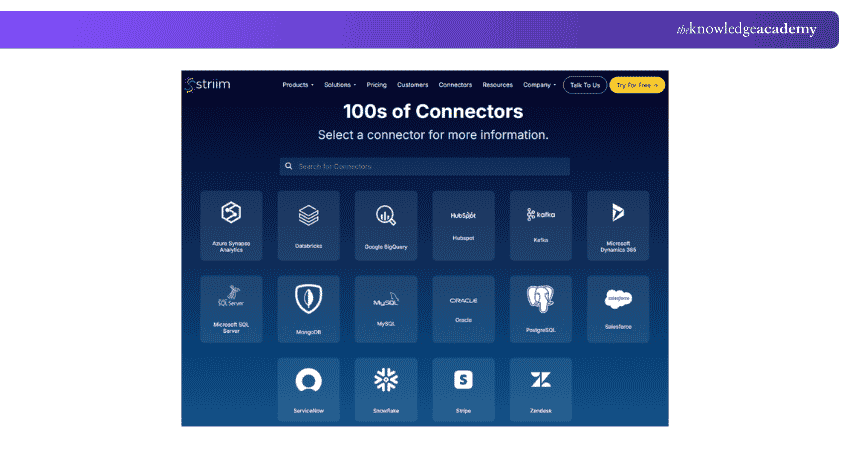
21) Striim
Striim is a real-time data integration and streaming platform used to capture, process and deliver changing information across systems. It supports operational analytics, migrations and continuously updated data pipelines.
Key Features:
a) CDC-based Integration: Captures changes from supported databases.
b) Streaming Data Pipelines: Processes and delivers information as events arrive.
c) In-flight Transformations: Supports transforming data while it moves through pipelines.
22) Precisely Connect
Precisely Connect is a data integration solution designed to move and synchronise information across modern and legacy environments. It is particularly useful for enterprises that need to integrate data stored in mainframes, databases and other established systems.
Key Features:
a) Legacy System Integration: Supports connectivity with mainframe and enterprise data environments.
b) Data Replication: Enables data movement and synchronisation between supported systems.
c) Hybrid Connectivity: Helps connect on-premises infrastructure with cloud-based destinations.
23) Denodo Platform
Denodo Platform is a data virtualisation solution that enables organisations to access and combine information from different sources through a logical data layer. Instead of requiring all information to be copied into one repository, it can provide unified access to data stored across multiple systems.
Key Features:
a) Data Virtualisation: Creates logical views across distributed data sources.
b) Unified Data Access: Helps users query information through a common access layer.
c) Query Optimisation: Provides capabilities for improving data access and query execution.
Pro Tip
When evaluating a data virtualisation platform, test queries that combine information from multiple sources. Measure response times under representative workloads, and consider source-system performance, network latency and query complexity.
24) FME Platform
FME Platform is a data integration platform developed by Safe Software. It is particularly useful for connecting, transforming and automating workflows involving geospatial and other complex data formats. Its product offerings include FME Form for authoring workflows and FME Flow for automation and deployment.
Key Features:
a) Extensive Format Support: Connects many different spatial and non-spatial data formats.
b) Visual Workflow Design: Helps users build data transformation workflows graphically.
c) Geospatial Data Processing: Supports Geographic Information System (GIS) and location-based integration requirements.
Learn to analyse complex datasets and create powerful visualisations with the Data Analysis and Visualisation with Python Course – Sign up now!
25) Alteryx Designer
Alteryx Designer is a data preparation and analytics tool that enables users to combine, transform and analyse information using visual workflows. It is useful for analysts who need to prepare data from multiple sources without relying entirely on manually written code. Its focus is primarily analyst-led data preparation and blending rather than enterprise-wide application integration.
Key Features:
a) Visual Data Preparation: Provides drag-and-drop tools for cleaning and transforming data.
b) Data Blending: Combines information from different supported sources.
c) Repeatable Analytical Workflows: Enables users to create reusable data preparation processes.
26) Adverity
Adverity is a data integration and analytics platform designed primarily for marketing-related information. It helps marketing teams bring together data from advertising, e-commerce and digital analytics systems for analysis and reporting.
Key Features:
a) Marketing Data Connectivity: Supports integrations with various marketing and advertising platforms.
b) Data Transformation: Helps standardise and prepare marketing information.
c) Automated Data Delivery: Supports moving prepared information into analytical destinations and reporting workflows.
27) Airbyte
Airbyte is a data integration platform that moves and synchronises data from supported sources into destinations such as data warehouses, data lakes and databases. It provides configurable connectors and sync workflows, with deployment and connector options depending on the selected offering.
Key Features:
a) Source and Destination Connectors: Connects supported applications, databases and analytical systems.
b) Scheduled and Incremental Syncs: Supports configured data replication and updates where available.
c) Pipeline Monitoring: Provides sync status, logs and error information to support ongoing operations.
How to Choose the Right Data Integration Tool?
Selecting a data integration tool requires more than comparing connector counts. Your choice should reflect the sources you use, the way data must move and the cost of operating and maintaining the solution.
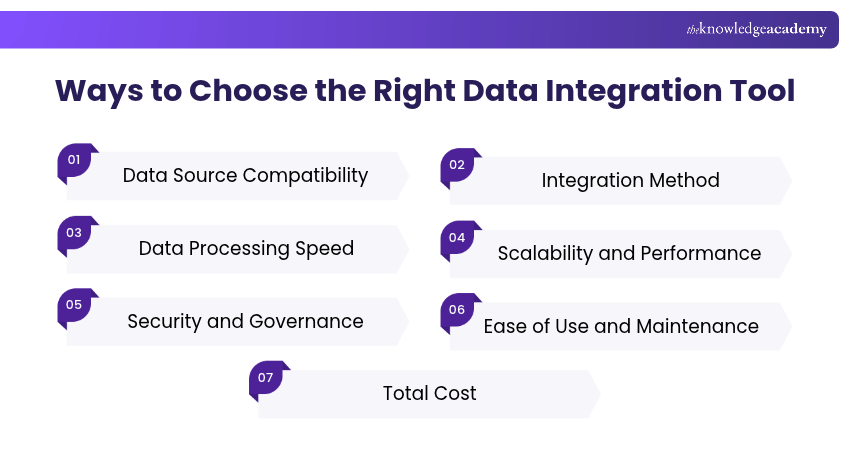
1) Data Source Compatibility: Confirm support for required databases, cloud services, files, APIs and connector versions.
2) Integration Method: Decide whether you need ETL, ELT, application synchronisation, replication, CDC or virtual access.
3) Data Processing Speed: Determine whether scheduled batches are sufficient or low-latency updates are required.
4) Scalability and Performance: Test expected data volumes, transformations and workload growth.
5) Security and Governance: Review encryption, permissions, auditability, data residency and applicable compliance requirements.
6) Ease of Use and Maintenance: Consider managed services, low-code interfaces, code-based development, monitoring and recovery.
7) Total Cost: Compare licences, data processing and transfer charges, infrastructure, implementation and support.
Data Integration Tool Selection Checklist
Use this checklist before selecting a platform:□Identify all required data sources and destinations.□ Determine the integration method needed.□ Assess batch, real-time or streaming requirements.□ Check data transformation and quality capabilities.□ Confirm cloud, on-premises or hybrid compatibility.□ Review security and access controls.□ Evaluate scalability and reliability.□ Compare implementation, maintenance and licensing costs.□ Test the platform using a representative dataset.
Learn to gather integration requirements and analyse system landscapes with our Integration Architect Training – Join now!

Vishnu Sankar is a Senior Content Writer with 5+ years of experience across content development, software development, web development and system administration. His technical background and professional training support his expertise in IT and Tech, while his extensive research and writing experience covers Project Management and Health and Safety.
View Detail

 If you wish to make any changes to your course, please


