




We may not have the course you’re looking for. If you enquire or give us a call on 01344203999 and speak to our training experts, we may still be able to help with your training requirements.
Best Animation Tools in 2026
ByThe Knowledge AcademyLast updated on: 26 November 2026
Discover the top animation tools used for 2D, 3D, motion graphics, and animated videos. You can compare and choose the best animation tool which is aligned with your requirements and budget.
Quick Look
1. Animation Tools: Help create moving visuals, characters and effects.2. Animation Types: Include 2D, 3D, motion graphics and animated videos.3. Popular Tools: Blender and Maya support 3D animation, while Krita and OpenToonz focus on 2D.4. Choosing the Right Tool: Depends on animation style, skill level, project needs and budget.
What if a simple drawing could move, speak and tell a story? That's the power of animation! From films and advertisements to interactive websites, animation brings ideas to life and makes complex concepts easier to understand.
However, creating engaging animations takes more than creativity. The right animation tool can simplify the process and help you achieve impressive results.
With so many options available, which one should you choose? In this blog, we explore the best animation tools and how they can help turn your creative ideas into engaging visuals. Let's begin!
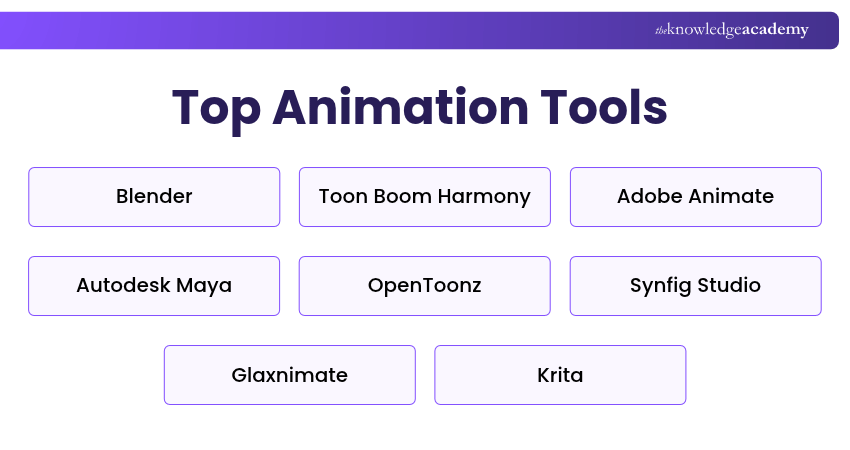
Top Animation Tools
The animation industry continues to evolve with AI and new technologies. Several animation tools offer accessible workflows and powerful features for beginners and professionals. Each tool has its own strengths and uses. Let's look at them below:
Here are the best animation tool options you can explore:
1) Blender
Blender is a powerful 3D computer graphics software suite that allows artists to create 3D models, animations, visual effects, and assets for video games. This animation tool is free and open-source software, which enables you to access it at no cost.
Blender is also useful for architectural visualisation, allowing Architects and designers to create detailed 3D scenes and animated walkthroughs.
Key Features:
a) 3D modelling and sculpting
b) Keyframe animation and character rigging
c) Rendering with Cycles and Eevee
d) Shape keys and motion paths

2) Toon Boom Harmony
Toon Boom Harmony is a professional 2D animation tool used to create animations for films, television shows, video games and online content. It supports a wide spectrum of animation styles, from traditional frame-by-frame animation to digitally rigged characters.
Toon Boom Harmony offers three editions: Essentials, Advanced and Premium, catering to different users, from individual creators to large studios.
Key Features:
a) Professional vector and bitmap drawing tools
b) Frame-by-frame and cut-out animation
c) Character rigging and deformers
d) Compositing and visual effects
3) Adobe Animate
Adobe Animate is a professional animation tool used to design interactive animations and vector graphics for television shows, games and the web. Developed by Adobe, it also works with assets created in Adobe Illustrator.
Adobe Animate offers frame-by-frame animation, tweening and interactive content creation. It remains available through Adobe, although it is now in maintenance mode, with continued support and fixes rather than ongoing feature development.
Key Features:
a) Vector drawing and frame-by-frame animation
b) Motion and shape tweening
c) Asset deformation tools
d) Interactive animation publishing
4) Autodesk Maya
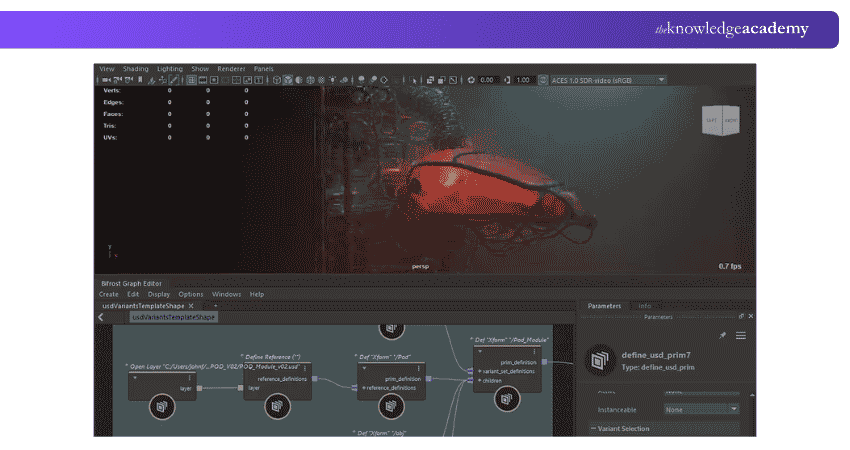
Autodesk Maya is a professional 3D computer graphics application used to create realistic characters, visual effects, 3D models and animations for games, films and television. It enables artists to simulate effects such as water, fire, cloth and hair.
Its rigging tools allow Animators to build digital skeletons and controls for moving characters naturally. Autodesk Maya is a paid, subscription-based application.
Key Features:
a) 3D modelling and character rigging
b) Keyframe and motion-path animation
c) Dynamic effects and simulations
d) Materials, lighting and look development
Trainer Insight: Understand the Learning Curve
Professional tools like Autodesk Maya offer advanced animation capabilities, but mastering character rigging and realistic movement takes practice. Start with simple projects before exploring complex simulations.
5) OpenToonz
OpenToonz is an open-source animation application used for professional and personal 2D projects. It provides traditional drawing tools alongside modern digital features, including scanning, frame-by-frame animation and visual effects.
This animation tool is completely free and open-source, allowing artists to explore advanced 2D animation workflows without licensing costs.
Key Features:
a) Frame-by-frame 2D animation
b) Raster and vector drawing tools
c) Effect Development Kit for custom effects
d) Digital compositing and scene effects
Create motion graphics that command attention with the Motion Graphics Course – Join now!
6) Synfig Studio
Synfig Studio is a 2D animation tool that allows you to create animations using vector and bitmap artwork. It uses tweening to generate intermediate frames between keyframes, reducing the need to draw every frame manually.
It is free and open-source software, available for artists, Animators and enthusiasts to download, use and contribute to.
Key Features:
a) Vector tweening between keyframes
b) Bone-based character animation
c) Vector and bitmap artwork support
d) Layer-based animation and effects
7) Glaxnimate
Glaxnimate is a fast and simple vector-based animation tool used to create resolution-independent graphics and animations. It supports 2D vector animation and motion graphics, including tweening, animated SVGs and Lottie animations.
It also allows you to trace raster images into editable vector shapes. Glaxnimate is free and open-source software, making it accessible without licensing costs.
Key Features:
a) 2D vector animation and tweening
b) Animated SVG and Lottie support
c) Shape editing and motion paths
d) Keyframe animation and easing controls
8) Krita
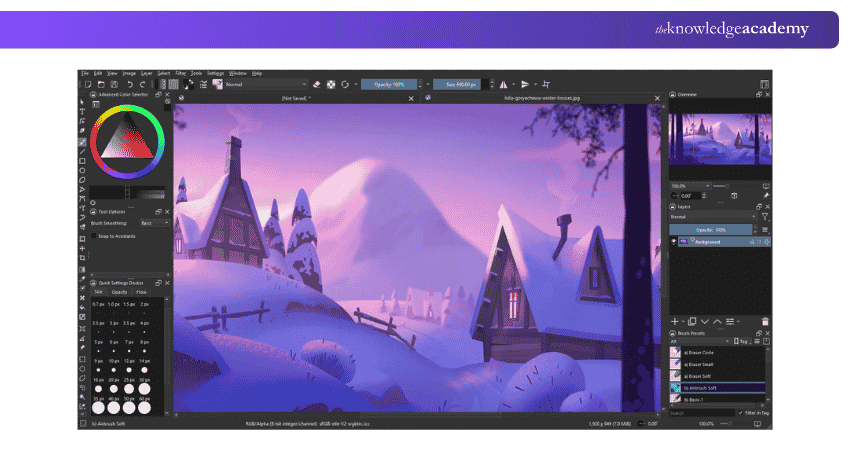
Krita is a 2D frame-by-frame animation tool with a user-friendly interface and a rich drawing toolset. It is a useful platform for hand-drawn animation, with timeline controls, onion skinning and basic audio support for synchronising scenes.
This tool is free and open source, so you can download and use its animation features at no cost.
Key Features:
a) Advanced brush engines
b) Frame-by-frame animation timeline
c) Onion skinning and animation layers
d) Basic audio import for synchronisation
Learn character design for creative storytelling with the 2D Animation Course – Sign up now!
9) Moho
Moho is a powerful 2D animation tool known for its character rigging capabilities. It offers features such as bone rigging, inverse kinematics, a graph editor, mesh deformation and support for layered artwork.
Moho is available as a one-time purchase, with Moho Pro for professional Animators and Moho Debut for beginners and hobbyists.
Key Features:
a) Advanced 2D bone rigging
b) Drawing tools for character animation
c) Mesh deformation and Smart Bones
d) Graph editor and inverse kinematics
10) Animaker
Animaker is an online animation platform that enables you to create animated videos, presentations and explainer content. It combines character-building tools, templates and AI-assisted video creation to simplify the animation process.
Animaker provides a free plan with limited features and paid subscription options for additional tools, assets and export capabilities.
Key Features:
a) Custom character builder
b) Animated video templates and assets
c) AI-generated voiceovers
d) Automatic lip-syncing
11) FlipaClip
FlipaClip is a 2D animation app used for cartoon drawing and frame-by-frame animation. You can create animated shorts and digital flipbooks using drawing layers, onion skinning and timeline controls.
It also supports audio tracks, Magic Cut for cutting out imported images and Voice Maker for generating character dialogue. FlipaClip is free to download, with a subscription offering additional features.
Key Features:
a) Frame-by-frame animation timeline
b) Onion skinning and line stabilisation
c) Audio and voice recording integration
d) Video import for frame-by-frame tracing
12) Vyond
Vyond is a cloud-based animation and business video creation platform. Its Vyond Go feature can transform text prompts, scripts, documents and URLs into video drafts, while AI avatars and animated characters help bring messages to life.
Vyond is a subscription-based platform designed primarily for browser-based creation, with editing options for business presentations, training and explainer videos.
Key Features:
a) AI avatars and animated characters
b) Scene-by-scene timeline editing
c) AI-assisted video generation
d) Character actions and scene animations
Trainer Insight: Templates vs Custom Animation
Tools like Animaker and Vyond simplify animated video creation with templates and ready-made characters. However, traditional animation software offers greater control when creating original movements and character designs.
13) Cinema 4D
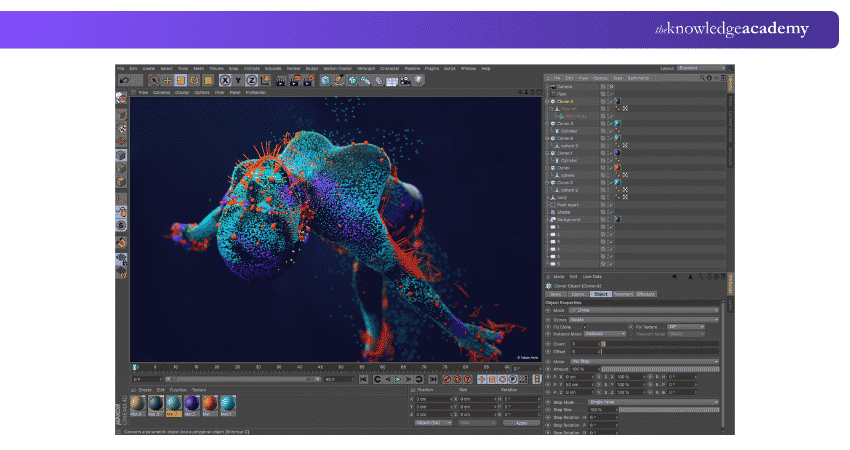
Cinema 4D is a 3D modelling, animation and motion graphics application. It is particularly useful for creating animated 3D scenes, product visuals and motion graphics using tools such as MoGraph, character animation controls and simulation features.
Cinema 4D is a subscription-based application with different licensing options. Its flexible workflow makes it a popular choice among Motion Graphics Designers and 3D Artists.
Key Features:
a) MoGraph animation tools
b) Redshift rendering integration
c) Character rigging and animation
d) Unified simulation for cloth, particles and other effects
14) Pencil2D
Pencil2D is a simple animation tool for creating 2D hand-drawn animations. Its minimal interface helps you focus on drawing and animation without unnecessary clutter.
This tool is free and open-source, supporting both bitmap and vector drawing workflows. It is particularly suitable for beginners and artists who prefer traditional frame-by-frame animation.
Key Features:
a) Hand-drawn frame-by-frame animation
b) Bitmap and vector drawing layers
c) Timeline and layer management
d) Audio import and synchronisation
15) Powtoon
Powtoon is an online animation tool that combines animated presentations and video creation. It provides a user-friendly canvas where you can combine characters, templates, text and design elements to create informative content without advanced animation skills.
Powtoon is a subscription-based platform that also offers a limited free plan for basic animated video creation.
Key Features:
a) Animated characters and objects
b) Pre-made character poses and actions
c) Animated presentation templates
d) Text animation and scene transitions
Keep This in Mind
The best animation tool isn't necessarily the one with the most features. Choose software that matches your animation style, experience and project requirements. A simpler tool that supports your workflow can be more effective than a complex application you rarely use.
Gain knowledge of design principles, layout, and colour theory with the Animation and Design Training – Register now!

The Knowledge Academy develops accessible learning content across Project Management, IT, Cybersecurity, Data Science, Business Analysis, HR, Accounting and Finance, Leadership and Health and Safety. Its resources combine subject research with clear explanations to help professionals build practical knowledge across a wide range of disciplines.
View Detail

 If you wish to make any changes to your course, please


