




We may not have the course you’re looking for. If you enquire or give us a call on 01344203999 and speak to our training experts, we may still be able to help with your training requirements.
Essential SQL Skills and How to Improve Them
ByVishnu SankarLast updated on: 17 September 2026
This blog explores 12 essential SQL Skills, from basic queries and joins to window functions, indexing, transactions, and query optimisation, along with practical ways to improve and showcase them.

Imagine building an application that stores thousands of customer records, transactions, and product details. The application may look impressive on the surface, but without efficient database queries running behind it, even a simple search or report can become slow, inaccurate, or difficult to manage.
This is where strong SQL Skills become essential. SQL allows programmers and developers to communicate with relational databases, retrieve exactly the data they need, update records safely, combine information from multiple tables, and improve query performance.
What are SQL Skills?
SQL Skills are the technical abilities required to work with relational databases using Structured Query Language (SQL). They include writing queries, retrieving records, updating data, combining information from multiple tables, creating reusable database objects, and improving query performance.
These skills form the foundation for nearly every role that involves working with structured data, from application development to reporting and analysis.

Why are SQL Skills Important?
Modern applications frequently rely on databases to store information such as customer details, transactions, product records, employee data, and application settings. SQL allows developers to communicate with these databases and retrieve the information their applications need.
Strong SQL Skills also help professionals:
1) Retrieve relevant data efficiently
2) Organise and analyse large datasets
3) Combine information stored across related tables
4) Maintain accurate and consistent records
5) Identify inefficient database queries
6) Support reporting and business decision-making
7) Build data-driven applications
8) For developers in particular, understanding SQL can also make it easier to diagnose problems between an application and its database rather than treating the database as a separate system.
Data Insight
PostgreSQL was the most-used database among professional developers in the 2025 Stack Overflow Developer Survey, reaching 55.6%, its third consecutive year on top.
Top 12 SQL Skills for Programmers and Developers
SQL Skills can be developed progressively. Beginners generally start with query syntax and data retrieval before moving towards combining datasets and creating reusable queries. Advanced users can then focus on analytical functions, transactions, indexing, and performance optimisation.
The following 12 SQL Skills provide a structured progression from basic to advanced database work:
Basic SQL Skills
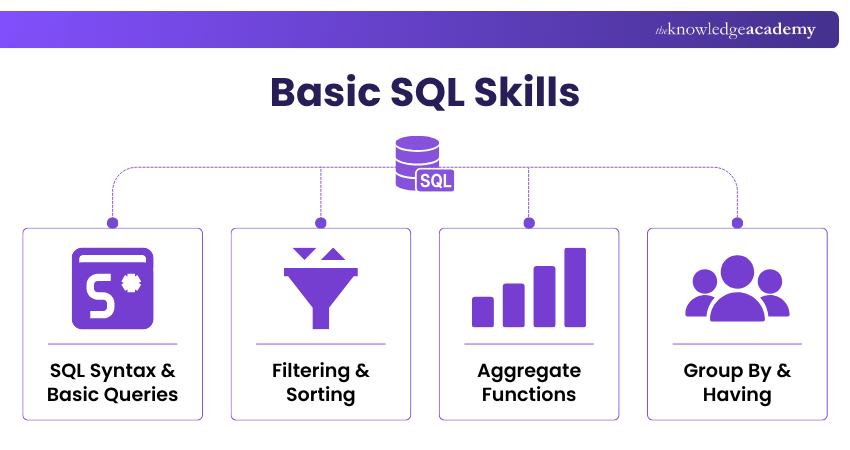
Basic SQL Skills provide the foundation for interacting with relational databases. They focus on writing straightforward queries, filtering information, and summarising data.
1) SQL Syntax and Basic Queries
Understanding SQL syntax is the starting point for working with databases. Developers should know how common Data Manipulation Language commands are structured and when they should be used.
Important commands include:
SELECT to retrieve data
INSERT to add new records
UPDATE to modify existing records
DELETE to remove records
For example:

2) Filtering and Sorting Data
Databases can contain thousands or millions of records, so retrieving every row is rarely useful. Filtering allows developers to return only records that meet specific conditions.
The WHERE clause is commonly used for this purpose:

Other useful operators and clauses include:
1) AND
2) OR
3) NOT
4) IN
5) BETWEEN
6) LIKE
7) ORDER BY
8) DISTINCT
Sorting and filtering skills help developers produce more precise results while reducing unnecessary data retrieval.
3) Aggregate Functions
Aggregate functions perform calculations across multiple rows and return summarised values.
Common aggregate functions include:
1) COUNT() for counting rows or non-null values
2) SUM() for adding numeric values
3) AVG() for calculating averages
4) MIN() for finding the lowest value
5) MAX() for finding the highest value
For example:

This returns the average salary from the selected employee records.
Aggregate functions are frequently used in reporting, analytics, dashboards, and application summaries.
4) GROUP BY and HAVING
GROUP BY allows developers to organise rows into groups before applying aggregate calculations.
For example:

This calculates the number of employees in each department.
The HAVING clause is used to filter grouped results. Unlike WHERE, which filters rows before grouping, HAVING commonly filters groups after aggregation.
For example:

Understanding this difference is important when creating accurate analytical queries.
Strengthen database skills with our Introduction to MySQL Course – Join now!
Intermediate SQL Skills
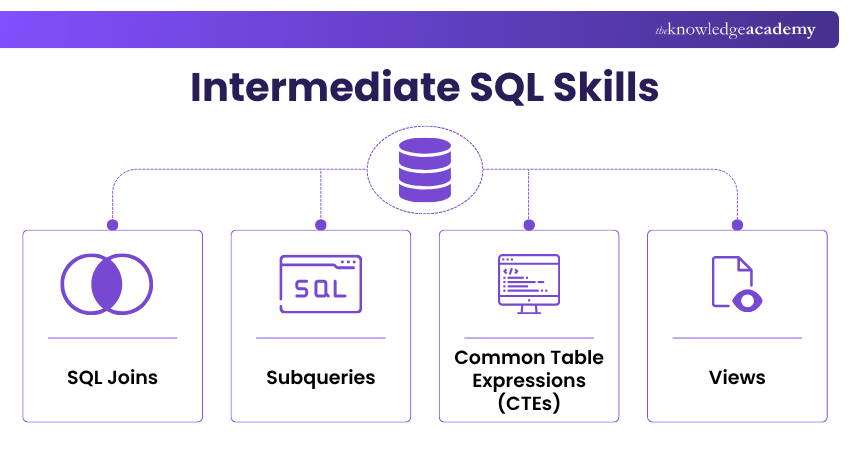
Intermediate SQL Skills involve working with more complex relationships and query structures. They help developers retrieve information from multiple sources and organise complex logic more effectively.
5) SQL Joins
Relational databases often store related information in different tables. SQL joins allow developers to combine rows from those tables using related columns.
Common join types include:
1) INNER JOIN
2) LEFT JOIN
3) RIGHT JOIN
4) FULL OUTER JOIN, where supported
For example:

This combines customer information with matching order records.
A strong understanding of joins is essential because incorrectly written joins can produce missing, duplicated, or misleading results.
Trainer's Tips
Before writing a complex query, identify the tables you need, how they are related, and what the final result should contain. This simple habit can reduce incorrect joins, duplicate rows, and unnecessary query complexity.
6) Subqueries
A subquery is a query placed inside another SQL statement. It can be used to calculate an intermediate result that another query depends on.
For example:
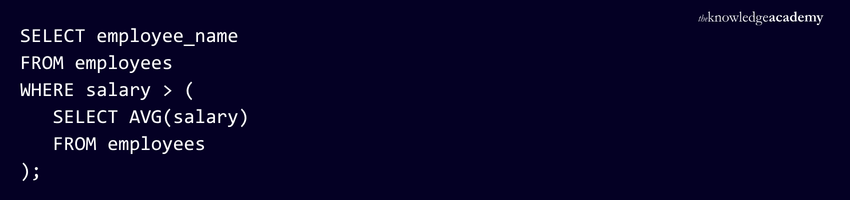
The inner query calculates the average salary, while the outer query returns employees earning more than that amount.
Subqueries can appear in several places, including SELECT, FROM, and WHERE clauses, depending on the database system and query requirement.
7) Common Table Expressions (CTEs)
A Common Table Expression is a temporary named result set defined with a WITH clause and referenced within the statement that follows it.
For example:
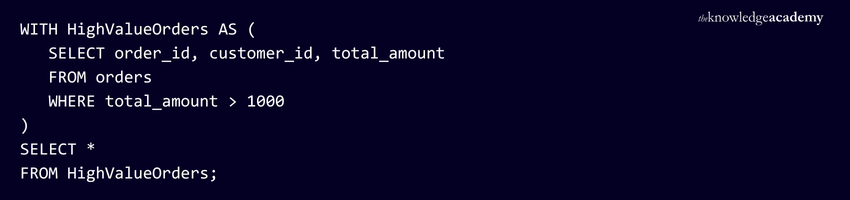
CTEs can make long queries easier to read by separating complex logic into clearly named steps.
Recursive CTEs can also be used in supported database systems to work with hierarchical structures, such as organisational charts or category trees.
8) Views
A view is a stored query that presents data as a virtual table. Views can simplify repeated queries and provide a consistent way to access selected data.
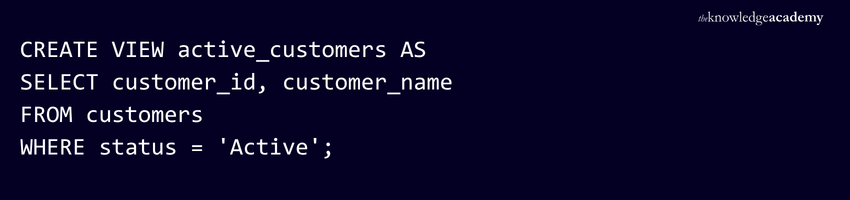
Users can then query the view:

Views can also help limit direct access to selected columns or rows, although they should be used as part of a broader database security strategy rather than treated as a complete security control.
Advanced SQL Skills
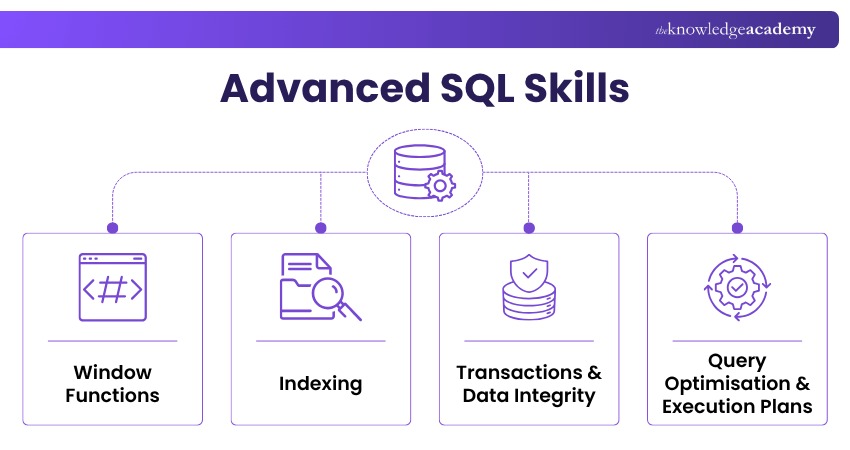
Advanced SQL Skills focus on analytical calculations, data consistency, database performance, and understanding how database engines execute queries.
9) Window Functions
Window functions perform calculations across a set of related rows without collapsing those rows into a single grouped result.
Common window functions include:
a) ROW_NUMBER()
b) RANK()
c) DENSE_RANK()
d) LAG()
e) LEAD()
Aggregate functions can also be used as window functions with the OVER() clause.
For example:
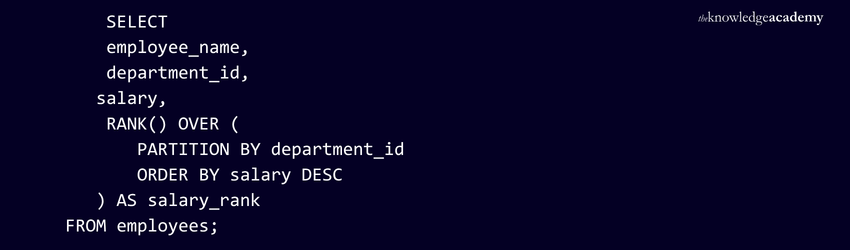
This ranks employees by salary within each department while retaining each individual row.
Window functions are particularly useful for rankings, running totals, comparisons, and time-based analysis.
10) Indexing
An index is a database structure designed to help the database engine locate data efficiently.
Indexes can significantly improve the speed of some read operations, especially when queries frequently search, filter, join, or sort by particular columns.
However, indexing involves trade-offs. Indexes:
a) consume additional storage
b) need to be maintained
c) can increase the cost of INSERT, UPDATE, and DELETE operations
Developers should therefore understand not only how to create indexes but also when an index is likely to improve performance.
11) Transactions and Data Integrity
A transaction groups multiple database operations into a single logical unit of work, ensuring they all succeed or all fail together.
For example, transferring money between accounts could involve decreasing one account balance and increasing another. Both actions should either succeed together or fail together.
Common transaction commands include:
a) BEGIN or system-specific equivalents
b) COMMIT
c) ROLLBACK
Transactions support reliable database operations and are closely associated with the ACID properties:
a) Atomicity
b) Consistency
c) Isolation
d) Durability
Developers should also understand integrity mechanisms such as primary keys, foreign keys, unique constraints, and check constraints.
12) Query Optimisation and Execution Plans
A query can return the correct result while still performing inefficiently. Query optimisation focuses on improving the way queries use database resources.
Execution plans show how a database engine intends to process a query. Depending on the database system, they can reveal operations such as:
a) table or index scans
b) index seeks
c) joins
d) sorts
estimated or actual row counts
Developers can use execution plans alongside performance measurements to identify potential bottlenecks.
Optimisation can involve improving query structure, selecting appropriate indexes, reducing unnecessary data retrieval, and avoiding inefficient operations. However, developers should measure performance rather than assuming that a particular rewrite will always be faster.
Develop advanced query skills with our Advanced SQL Course- Register now!
How to Improve Your SQL Skills?
Improving SQL requires more than memorising syntax. The best way to develop confidence is to practise progressively with realistic datasets and increasingly complex problems.
Start by writing queries that retrieve, filter, sort, and aggregate data. Once these feel comfortable, work with multiple related tables using joins and subqueries. Then progress to CTEs, views, window functions, indexing, and execution-plan analysis.
Other useful approaches include:
1) Practise With Realistic Databases: Work with datasets containing multiple related tables rather than isolated examples.
2) Rewrite Existing Queries: Try solving the same data problem in different ways and compare readability and performance.
3) Study Database Design: Learn about keys, relationships, constraints, and normalisation to understand why databases are structured in particular ways.
4) Analyse Execution Plans: Practise identifying scans, joins, filtering operations, and potentially expensive steps.
5) Build Small Projects: Create applications, reports, or dashboards that require SQL queries and database interaction.
6) Learn Platform Differences: Understand how SQL syntax and features differ between systems such as PostgreSQL, MySQL, SQL Server, and Oracle Database.
Consistent practice helps transform SQL knowledge from isolated commands into practical problem-solving ability.

Vishnu Sankar is a Senior Content Writer with 5+ years of experience across content development, software development, web development and system administration. His technical background and professional training support his expertise in IT and Tech, while his extensive research and writing experience covers Project Management and Health and Safety.
View Detail

 If you wish to make any changes to your course, please


