


 Top Rated Course

We may not have the course you’re looking for. If you enquire or give us a call on 01344203999 and speak to our training experts, we may still be able to help with your training requirements.
30+ Apache Interview Questions and Answers
Eliza Taylor 03 August 2024Prepare for success with our comprehensive blog on 30+ Apache Interview Questions and Answers. Master Apache HTTP Server concepts and be ready for the interview. Explore key topics in this SEO-optimised resource and ace your next Apache-related interview. Unlock insights, enhance skills, and stand out in the competitive tech landscape.
Training Outcomes Within Your Budget!
We ensure quality, budget-alignment, and timely delivery by our expert instructors.
Table of Contents

Are you an Apache enthusiast looking to get a foothold in the domain? Perhaps you possess the technical knowhow but are unaware of the questions to expect in the interview. Maybe you are looking to expand your job profile and get into Apache Master HTTP Server alongside your previous proficiencies. This blog will help you prepare for your Apache Administrator interview by providing the most common Apache Interview Questions alongside sample answers. These Apache Interview Questions have been carefully curated from industry experts and will surely help you get the job you dream of.
Table of Contents
1) Apache Interview Questions
a) What are the steps for stopping and starting the Apache Web Server?
b) How can Apache be configured to run with a non-root or nobody user?
c) Can you identify the crucial configuration file name for Apache?
d) What are the default ports for HTTP and HTTPS in Apache?
e) How do you determine if an Apache web server is running?
f) What is the procedure to check the version of a running Apache Web Server?
g) How can Apache be configured to listen to only one IP address on the server?
h) What is the process for installing Apache HTTP?
i) How do you disable directory indexing in Apache?
j) Which module is necessary for enabling redirection in Apache?
2) Conclusion
Apache Interview Questions
These 30+ Apache Interview questions will go a long way in helping you prepare for your next interview:
What are the steps for stopping and starting the Apache Web Server?

To stop and start the Apache Web Server, follow these steps:
Stopping Apache:
Open a terminal or command prompt and enter the command:
|
sudo service apache2 stop |
This command halts the Apache service.
Starting Apache:
To restart Apache, enter:
|
sudo service apache2 start |
This initiates the Apache service. Alternatively, for a graceful restart without interrupting active connections, use:
|
sudo service apache2 restart |

How can Apache be configured to run with a non-root or nobody user?
Configuring Apache to run with a non-root or "nobody" user involves adjusting the user and group settings in the Apache configuration file (httpd.conf). Edit the file and locate the directives "User" and "Group."
Change these values to the desired non-root user and group, such as "nobody." This enhances security by minimising the potential impact of security vulnerabilities. Ensure the chosen user has appropriate permissions for the required directories and files. After modification, restart Apache for the changes, allowing the webserver to operate with reduced privileges while maintaining system security.
Can you identify the crucial configuration file name for Apache?
The crucial configuration file for Apache is named "httpd.conf." As a key component of Apache's setup, this file holds essential directives for server behavior, including port settings, document root, and module configurations. Properly editing and managing "httpd.conf" is for fine-tuning Apache's performance and ensuring seamless web server operations.
What are the default ports for HTTP and HTTPS in Apache?
The default port for HTTP in Apache is 80, while the default port for HTTPS is 443. These ports are standard for web communication protocols. When a user accesses a website over HTTP, the connection is established on port 80, and for secure communication via HTTPS, it uses port 443.
Apache, a widely used web server, employs these default ports to handle incoming requests. However, these ports can be customised based on specific security and operational requirements in the Apache configuration settings.
How do you determine if an Apache web server is running?
To determine if an Apache web server is running, you can use various methods. One common approach is to check the server status through a web browser by entering the server's IP address or domain followed by the server-status path (e.g., http://your_server_ip/server-status).
Alternatively, you can use command-line tools like curl or telnet to make a request to the server and check for a valid response. Additionally, examining the server's error log or using system commands like ps or systemctl status provides insights into the server's operational status.
What is the procedure to check the version of a running Apache Web Server?
To check the version of a running Apache Web Server, you can use the following command in the terminal:
|
apachectl -v |
Alternatively, you can query the server's HTTP headers using the curl command:
|
curl -I http://localhost |
Look for the "Server" field in the output to find the Apache version. These commands provide quick insights into the Apache version currently running, assisting administrators and developers in managing and troubleshooting their web server environments.
How can Apache be configured to listen to only one IP address on the server?
To configure Apache to listen to only one IP address on the server, modify the Apache configuration file (typically httpd.conf). Locate the "Listen" directive and specify the desired IP address and port. For instance, to bind Apache to IP address 192.168.1.1 on port 80, use "Listen 192.168.1.1:80". Remove or comment out any other "Listen" directives. Additionally, update the Virtual Host configurations to explicitly mention the chosen IP address. After making these changes, restart Apache to apply the new configuration. This ensures that Apache responds only to requests directed at the specified IP address, enhancing server security and control.
What is the process for installing Apache HTTP?
To install Apache HTTP Server, follow these general steps:
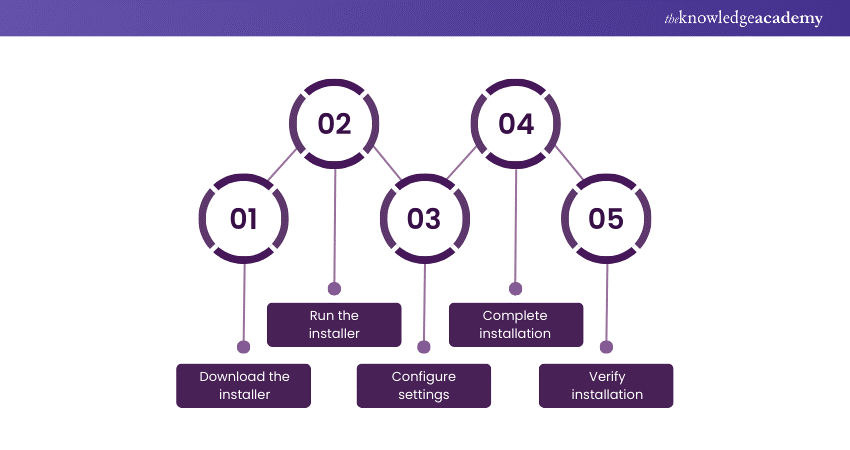
a) Download the installer: Visit the official Apache HTTP Server website and download the installer package compatible with your operating system.
b) Run the installer: Execute the installer, and a setup wizard will guide you through the installation process.
c) Configure settings: Provide necessary configuration details during installation, such as the server's domain name and port number.
d) Complete installation: Follow the prompts to complete the installation process. Once finished, Apache HTTP Server will be installed on your system.
e) Verify installation: Open a web browser and enter "http://localhost" to confirm a successful installation, typically displaying the default Apache welcome page.
How do you disable directory indexing in Apache?
To disable directory indexing in Apache, modify the Apache configuration file (httpd.conf) or create an .htaccess file in the directory you want to protect. Add or modify the Options directive:
|
Options -Indexes
|
The -Indexes option turns off directory indexing, preventing the server from displaying a list of files when no index file (like index.html) is present. After making these changes, restart Apache to apply the configuration. This enhances security by preventing unintended exposure of directory contents and enhances control over web server behavior.
Which module is necessary for enabling redirection in Apache?
Enabling redirection in Apache typically requires the mod_rewrite module. Mod_rewrite is a powerful and flexible module that allows Apache to rewrite URLs on the fly. It's commonly used for tasks like redirecting URLs, rewriting paths, and implementing URL-based access controls.
By configuring rules in the .htaccess file or Apache configuration, developers can leverage mod_rewrite to manage URL redirection efficiently and customise the behavior of web requests. Ensure that the mod_rewrite module is enabled in the Apache server to implement and manage redirections effectively.
Learn to apply cqlsh and shell commands by signing up for our Apache Cassandra Training now!
Is it possible to change the listening port from the default in Apache?
Yes, it is possible to change the listening port from the default in Apache. By default, Apache listens on port 80 for HTTP and port 443 for HTTPS. However, you can modify the Apache configuration file, usually named httpd.conf or apache2.conf.
Locate the Listen directive, and change the port number to your desired value. For example, to set Apache to listen on port 8080 for HTTP, you would change the directive to Listen 8080. After making this adjustment, remember to restart the Apache server for the changes to take effect using the appropriate command for your operating system:
|
sudo systemctl restart apache2 |
What measures can be taken to secure a website hosted on the Apache Web Server?
Securing a website hosted on the Apache Web Server involves implementing robust measures. Begin with regular updates to the server software and applications to patch vulnerabilities. Employ SSL/TLS encryption for data transmission, safeguarding sensitive information. Configure robust authentication mechanisms, including secure passwords and multi-factor authentication.
Utilise firewalls to filter incoming traffic and implement proper access controls. Regularly audit and monitor logs for unusual activities. Disable unnecessary server modules and directories to reduce attack surfaces. Finally, conduct routine security assessments and stay informed about the latest security practices to fortify your website against evolving threats.
What are the log files generated by Apache?
Apache web server generates several log files, each serving a specific purpose. The primary ones include:
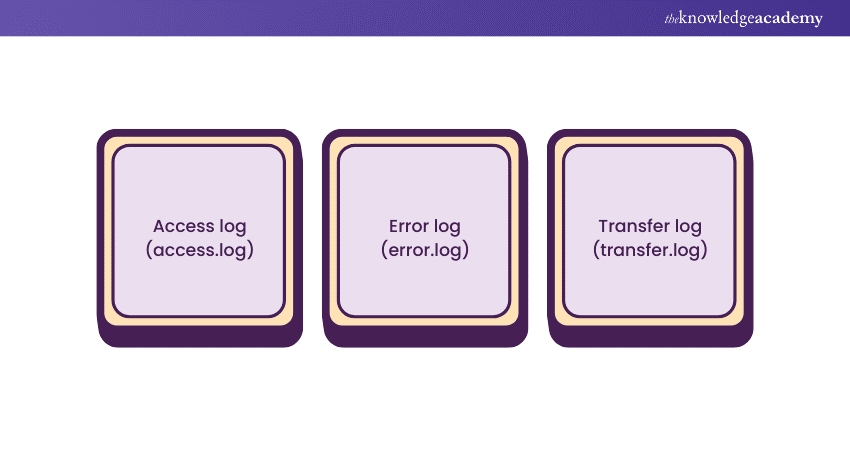
a) Access log (access.log): Records details about incoming requests, including IP addresses, requested resources, and response status codes.
b) Error log (error.log): Captures error messages and diagnostic information, providing insights into server issues, warnings, and errors.
c) Transfer log (transfer.log): Tracks data transferred between the server and clients, aiding in performance analysis.
These log files are crucial for monitoring server activity, troubleshooting errors, and optimising performance in Apache-based web applications.
What are the steps involved in creating a Certificate Signing Request (CSR)?
Creating a Certificate Signing Request (CSR) involves several key steps. First, generate a private key, ensuring its security. Next, create the CSR, providing essential details such as organisation name, domain, and location.
During this process, choose the cryptographic algorithm and key size. Once the CSR is generated, submit it to a Certificate Authority (CA) for validation. The CA then issues a digital certificate associated with the provided details. This certificate, when combined with the private key, enables secure communication and establishes the authenticity of the entity holding the certificate.
Define Virtual Hosting in the context of Apache.
Virtual Hosting in the context of Apache refers to the practice of hosting multiple websites on a single server, each with its own domain or IP address. Apache, a popular web server, supports two types of virtual hosting: Name-based and IP-based. In name-based virtual hosting, the server distinguishes between different websites based on their domain names, while IP-based virtual hosting uses separate IP addresses for each website. This efficient approach allows a single physical server to serve various websites, optimising resource utilisation and providing a cost-effective solution for hosting multiple domains on a single Apache server.
Which module is essential for connecting to WebSphere in Apache?
For seamless connectivity to WebSphere in Apache, the essential module is mod_proxy. This Apache module facilitates forwarding requests to a designated backend server, such as WebSphere, allowing for efficient communication between the Apache HTTP Server and the WebSphere Application Server.
By configuring mod_proxy, administrators can establish a reverse proxy setup, enhancing the performance, scalability, and security of web applications deployed on WebSphere. This module plays a pivotal role in streamlining the integration of Apache with WebSphere, enabling the effective deployment and management of dynamic and robust web solutions.
What module is required to enable SSL in Apache?
To enable SSL in Apache, the mod_ssl module is required. This module is crucial for implementing secure communication over HTTPS and encrypting data exchanged between the server and clients. Mod_ssl integrates with the Apache HTTP server, providing encryption and decryption functions to establish a secure SSL/TLS connection.
It handles certificate management, key exchange, and fast protocol negotiation tasks. By enabling mod_ssl, Apache transforms into a secure web server capable of delivering encrypted content, ensuring the confidentiality and integrity of data transmitted over the network.
Explain the concept of DocumentRoot in Apache.
The DocumentRoot in Apache refers to the directory on a web server where the main content of a website is stored. It is the starting point for locating files the server will deliver to users. When a user requests a webpage, Apache looks in the DocumentRoot to find the corresponding files.
This directory typically contains HTML, CSS, JavaScript, and other web-related files. Configuring the DocumentRoot is crucial for defining the location of a website's content, allowing Apache to retrieve and serve the requested files when users access the site through their browsers.
What is the module name for WebLogic in Apache?
The module name for WebLogic in Apache is mod_wl. This module facilitates integration between the Apache HTTP Server and Oracle WebLogic Server. mod_wl acts as a bridge, allowing seamless communication between the web and application servers. Apache can efficiently handle requests through this module, forwarding them to the underlying WebLogic Server for processing. This integration is crucial for deploying Java-based applications and leveraging the strengths of both Apache and WebLogic in a cohesive and interoperable manner.
Enumerate the available log levels in Apache.
Apache, a widely used web server, employs several log levels to categorise and prioritise different types of messages. These log levels include:
a) EMERGENCY: The system is unusable.
b) ALERT: Immediate action is required.
c) CRITICAL: Critical conditions.
d) ERROR: Error conditions.
e) WARNING: Warning conditions.
f) NOTICE: Normal but significant condition.
g) INFO: Informational messages.
h) DEBUG: Debugging messages.
These levels help administrators and developers efficiently manage and analyse logs, allowing for effective troubleshooting and monitoring of the Apache server's performance and security.
Read and analyse data efficiently by signing up for our Apache Kafka Training Course now!
How can the log level in Apache be set to Debug mode?
To set the log level in Apache to Debug mode, modify the Apache configuration file (httpd.conf). Locate the "LogLevel" directive and set it to "debug." This instructs Apache to log detailed debugging information.
Specific modules or virtual hosts can have distinct log levels by specifying "LogLevel" within their configurations. After making changes, restart the Apache server for the new log level to take effect. Debug mode provides comprehensive insights into server operations, aiding developers and administrators in diagnosing issues and optimising performance.
What is the process for deploying WAR or Java applications in Apache?
To set the log level in Apache to Debug mode, modify the Apache configuration file (httpd.conf). Locate the "LogLevel" directive and set it to "debug." This instructs Apache to log detailed debugging information.
Specific modules or virtual hosts can have distinct log levels by specifying "LogLevel" within their configurations. After making changes, restart the Apache server for the new log level to take effect. Debug mode provides comprehensive insights into server operations, aiding developers and administrators in diagnosing issues and optimising performance.
Differentiate between Apache Web Server and Apache Tomcat.
To set the log level in Apache to Debug mode, modify the Apache configuration file (httpd.conf). Locate the "LogLevel" directive and set it to "debug." This instructs Apache to log detailed debugging information.
Specific modules or virtual hosts can have distinct log levels by specifying "LogLevel" within their configurations. After making changes, restart the Apache server for the new log level to take effect. Debug mode provides comprehensive insights into server operations, aiding developers and administrators in diagnosing issues and optimising performance.
How can the httpd.conf file be verified for any configuration syntax errors?
To set the log level in Apache to Debug mode, modify the Apache configuration file (httpd.conf). Locate the "LogLevel" directive and set it to "debug." This instructs Apache to log detailed debugging information.
Specific modules or virtual hosts can have distinct log levels by specifying "LogLevel" within their configurations. After making changes, restart the Apache server for the new log level to take effect. Debug mode provides comprehensive insights into server operations, aiding developers and administrators in diagnosing issues and optimising performance.
How do you configure Apache logs to capture the time taken to serve a request?
To capture the time taken to serve a request in Apache logs, modify the Apache configuration file. Locate or add the following directives:
%D in LogFormat:
In the LogFormat directive, include %D to represent the time taken to serve the request in microseconds.
|
LogFormat "%h %l %u %t "%r" %>s %b %D" customFormat |
Custom Log Configuration:
Create a custom log configuration using the defined LogFormat.
| CustomLog ${APACHE_LOG_DIR}/access.log customFormat |
After making these changes, Apache logs will now include the time taken to serve each request in microseconds.
Elaborate on how Apache can function as a Proxy Server.
Apache can serve as a powerful proxy server through its mod_proxy module. Apache serves as a mediator between clients and backend servers, effectively managing requests. The ProxyPass directive in Apache's configuration forwards requests to designated backend servers, enabling load balancing and distribution of client requests across multiple servers.
Additionally, mod_proxy supports features like reverse proxying, SSL termination, and WebSocket proxying. With robust customisation options, Apache excels as a versatile proxy server, enhancing security, scalability, and performance for web applications by effectively managing data flow between clients and backend servers.
Can you list the Web Servers you have experience working with, including Apache?
Your answer may be framed along the following lines:
"In my experience, I've worked extensively with various web servers, including Apache, which stands out for its reliability and widespread use. I've also gained proficiency in Nginx, which is renowned for its performance and scalability.
Additionally, I've navigated Microsoft Internet Information Services (IIS), which is recognised for its seamless integration with Windows environments. These hands-on experiences have equipped me with a comprehensive understanding of configuring, optimising, and securing web servers to ensure efficient and secure web hosting environments."
What tool do you utilise for log analysis in Apache?
Your answer may be framed along the following lines:
"For log analysis in Apache, I rely on the ELK Stack, which stands for Elasticsearch, Logstash, and Kibana. Elasticsearch efficiently indexes and stores log data, Logstash processes and filters logs, and Kibana provides a user-friendly interface for visualising and exploring the data.
This powerful combination allows me to gain insights into server activities, identify potential issues, and track performance metrics seamlessly. The ELK Stack's flexibility and scalability make it my go-to tool for robust log analysis in Apache environments, enhancing overall system monitoring and troubleshooting capabilities."
Explain the steps to perform Apache performance benchmarking.
To perform Apache performance benchmarking, follow these steps:
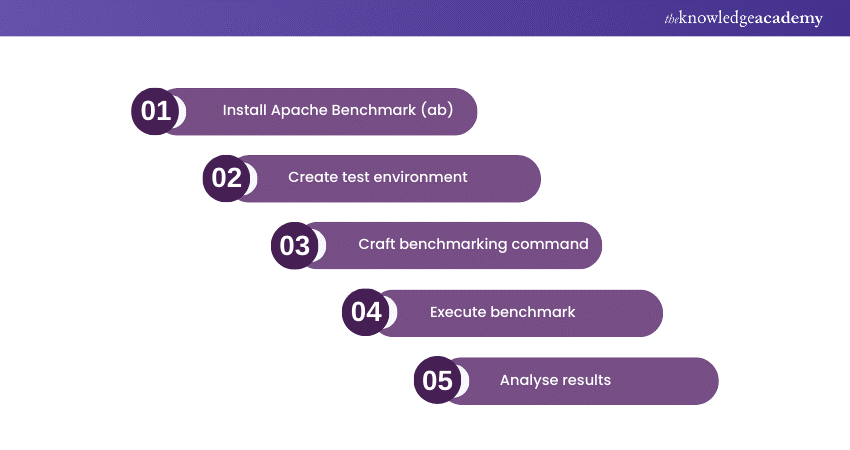
a) Install Apache Benchmark (ab): Ensure ab is installed, typically included with the Apache HTTP server distribution.
b) Create test environment: Set up a test environment, including the target server, networking, and required configurations.
c) Craft benchmarking command: Formulate a benchmarking command using ab, specifying parameters like concurrency (-c) and total requests (-n).
d) Execute benchmark: Run the ab command to initiate benchmarking. Monitor metrics like requests per second, connection times, and data transfer rates.
e) Analyse results: Interpret the benchmark results to evaluate server performance and identify potential bottlenecks.
How can you find the location of the httpd.conf file if the installation location is unknown?
To locate the httpd.conf file when the installation location is unknown, you can use a command-line search. On Unix-based systems, including Linux, you can use the find command:
|
sudo find / -name "httpd.conf" |
This command searches the entire filesystem starting from the root directory (/) for files named "httpd.conf." The sudo command ensures that you have the necessary permissions to access directories where the file might be located. Once found, the path to the httpd.conf file will be displayed in the terminal, helping you identify its location.
Master the art of data processing by signing up for our Apache Spark Training now!
What measures can be taken to ensure the webserver starts after a server reboot in Apache?
To ensure the Apache web server starts automatically after a server reboot, implement these measures:
Enable autostart: Use system-specific commands like systemctl enable apache2 (for systemd systems) or update-rc.d apache2 defaults (for SysV init systems) to enable Apache's autostart during boot.
Set proper runlevels: Confirm Apache is set to run at the appropriate runlevels during system startup. Adjust runlevel configurations to include Apache in the startup sequence.
Check configuration files: Regularly review Apache's configuration files, especially those related to startup, ensuring they reflect the correct settings for autostart.
Highlight the differences between Apache and Nginx web servers.
Apache and Nginx, both popular web servers, differ in architecture and performance. Apache, known for its flexibility, supports various modules and configurations, making it suitable for diverse setups. In contrast to other servers, Nginx is designed for high concurrency and low resource usage, making it efficient at serving static content and handling large numbers of simultaneous connections.
Nginx employs an asynchronous, event-driven architecture, while Apache follows a process-based model. The choice between Apache and Nginx often depends on specific project needs. Apache offers versatility and module support, while Nginx prioritizes performance and scalability in handling concurrent connections.
If graceful-stop fails, what alternative methods can be used to kill Apache?
If a graceful-stop fails to halt Apache gracefully, alternative methods can be employed to terminate the server. One approach is using the kill command, specifying the process ID (PID) of the Apache process.
For instance, kill -TERM
What avenues are available for obtaining support for Apache Web Server in case of issues?
If a graceful-stop fails to halt Apache gracefully, alternative methods can be employed to terminate the server. One approach is using the kill command, specifying the process ID (PID) of the Apache process.
For instance, kill -TERM
Create, deploy and manage your server by signing up for our Apache Web Server Training now!

 If you wish to make any changes to your course, please


