




We may not have the course you’re looking for. If you enquire or give us a call on 01344203999 and speak to our training experts, we may still be able to help with your training requirements.
What is Windows Server: A Complete Guide
ByThe Knowledge AcademyLast updated on: 18 August 2026
This blog explores what Windows Server is, how it works, its key features, and the benefits it brings to business IT infrastructure, along with who typically relies on it day-to-day.

Key Takeaways
1. Windows Server is Microsoft's server Operating System for running and managing business applications, services, and IT resources.2. It helps organisations centrally manage users, files, applications, websites, virtual machines, and remote services.3. Features such as Active Directory, Hyper-V, File Services, Remote Desktop Services, and IIS support different business workloads.4. Windows Server helps businesses improve centralised management, resource sharing, scalability, and IT efficiency.5. Organisations of different sizes use Windows Server to support their network infrastructure and essential business services.
Every time an employee logs in, opens a shared file, or accesses a company app, something is quietly working behind the scenes to make that happen. It's not magic. It's a server, and more often than not, it's running Windows Server.
Windows Server is Microsoft's Operating System built for exactly this job: managing users, files, applications, and infrastructure from a central point, instead of leaving every device to fend for itself. Strip away the technical layers, and it's really the backbone that lets an entire organisation's IT run as one connected system rather than a scattered collection of individual machines.
What is Windows Server?
Windows Server is a server Operating System developed by Microsoft for running and managing applications, services, and IT infrastructure. Unlike an Operating System primarily designed around an individual user's computer, Windows Server is built to provide resources and services to multiple users, devices, and applications across a network.
For example, an organisation can use Windows Server to manage employee accounts, store shared files, host websites, run business applications, create virtual machines, and provide remote access to organisational resources. It can therefore act as a central platform connecting many parts of an organisation's IT environment.

Windows Server in 10 Seconds
Think of Windows Server as the control centre behind an organisation's IT services:Users & Devices → Windows Server → Files | Applications | Websites | Virtual Machines | Remote ServicesInstead of managing every resource independently, IT teams can use a server environment to provide and manage services centrally.
How Does Windows Server Work?
Windows Server works by providing services and resources to other computers, applications, and users connected through a network. An organisation first installs Windows Server on physical or virtual server infrastructure. Administrators can then configure different server roles depending on what that server needs to do.
For example, one server might provide identity services through Active Directory Domain Services, while another hosts websites through Internet Information Services (IIS). A server running Hyper-V might instead host several virtual machines.
These roles allow organisations to configure Windows Server according to their infrastructure requirements rather than using every available capability.
A Simple Example
Imagine a company with 100 employees.
Instead of managing every employee account and shared folder independently, the organisation could use Windows Server to provide central services.
Employee Signs In↓Windows Server Verifies Access↓User Receives Authorised Access↓Shared Files
Business ApplicationsRemote Resources
This central approach makes it easier for IT teams to provide and manage organisational resources.
Learn administrative techniques in Windows Server with the Windows Server Administration 55371AC Course – Join now!
Key Features of Windows Server
Windows Server includes a broad collection of roles, technologies, and management capabilities. The following are some of the most important for understanding what the platform can do.
1) Active Directory Domain Services
Active Directory Domain Services (AD DS) provides centralised identity and access management. It allows administrators to manage users, computers, and other resources within a network. Authentication and access controls help ensure users can access the resources they are authorised to use.
2) Hyper-V Virtualisation
Hyper-V is Microsoft's virtualisation technology available through Windows Server. It enables organisations to create and run multiple virtual machines on physical server hardware. Each virtual machine operates as an independent computing environment with allocated processing, memory, storage, and networking resources. Virtualisation can help organisations consolidate infrastructure and make more efficient use of available hardware.
3) File and Storage Services
Windows Server provides services for storing, organising, and sharing data across a network. Administrators can centrally manage shared folders, permissions, storage resources, and access to organisational information. The platform also includes technologies such as Storage Spaces and Distributed File System (DFS) for supporting different storage requirements.
4) Remote Desktop Services
Remote Desktop Services (RDS) enables users to remotely access applications and desktop environments provided through Windows Server. It can be particularly useful when organisations need applications or desktops to be centrally hosted while remaining accessible to authorised remote users.
5) Internet Information Services (IIS)
Internet Information Services (IIS) is Microsoft's web server technology available with Windows Server. It gives a platform for hosting and managing websites, web applications, and services. Organisations can use IIS for both internal web applications and public-facing web workloads.
6) Group Policy Management
Group Policy allows administrators to define and enforce security settings, configurations, and permissions across many users and computers at once, rather than configuring each device individually. This helps organisations apply consistent security standards and reduce administrative overhead across large networks.
7) Windows Server Failover Clustering
Failover Clustering allows multiple servers to work together as a group, so that if one server fails, another can automatically take over its workload with minimal disruption. This helps organisations maintain uptime for critical applications and services that cannot afford extended downtime.
8) Windows Admin Center
Windows Admin Center is a browser-based management tool that allows administrators to manage Windows Server environments, including remote servers and clusters, from a single, modern interface. It provides an alternative to traditional server management tools and supports both on-premises and hybrid cloud environments.
Understand the principal components of Active Directory with the Fundamentals of Active Directory 55152A Course – Join today!
Benefits of Windows Server
Windows Server provides organisations with a platform for managing many important IT services centrally. Its value depends on how it is configured and the workloads it supports.
1) Centralised Resource Management
Users, files, applications, and other network resources can be managed through a centralised server environment. This can make administration more consistent than managing resources independently across numerous devices.
2) Efficient Resource Utilisation
Virtualisation through Hyper-V allows multiple workloads to run as separate virtual machines on shared physical infrastructure. This can help organisations use available computing resources more efficiently.
3) Easier File Sharing
Windows Server can provide a central location for organisational files and shared resources. Authorised users can have the information they need through the network while administrators retain control over permissions and storage.
4) Supports Business Applications
Windows Server can host different types of applications and services required for everyday business operations. This includes web applications, databases, internal tools, and other Windows-based workloads.
5) Supports Business Growth
As organisational requirements change, Windows Server environments can be expanded and adapted to support additional users, workloads, storage, and infrastructure. This makes the platform suitable for organisations whose IT requirements evolve over time.
Key Insights
Windows Server has been part of Microsoft's server platform for decades, and it continues to evolve. Windows Server 2025, the current Long-Term Servicing Channel release, brings improvements to Active Directory, Hyper-V, storage, networking, and security, while keeping the platform's core purpose familiar.
Who Uses Windows Server?
Windows Server can be used by organisations that need to centrally provide and manage IT resources across a network.
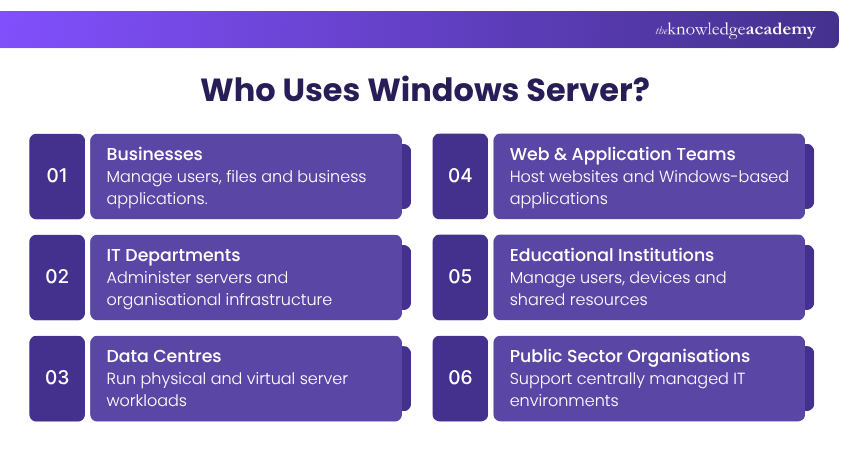
Common Users of Windows Server Include:
1) Businesses managing employees, devices, files, and internal applications
2) IT departments administering organisational infrastructure
3) Data centres running physical and virtual server workloads
4) Web and application teams hosting Windows-based applications and services
5) Educational institutions managing users, computers, and shared resources
6) Government and public-sector organisations operating centrally managed IT environments
The exact role of Windows Server differs between organisations. A small business might primarily use it for identity and file sharing, while a larger enterprise could operate numerous servers supporting applications, virtual machines, storage, and other services.
Conclusion
Windows Server is Microsoft's server Operating System for running and managing business applications, services, and IT resources, supporting everything from file storage to virtual machines and remote services. So, understanding What is Windows Server comes down to seeing it as the central platform connecting an organisation's IT environment.

The Knowledge Academy develops accessible learning content across Project Management, IT, Cybersecurity, Data Science, Business Analysis, HR, Accounting and Finance, Leadership and Health and Safety. Its resources combine subject research with clear explanations to help professionals build practical knowledge across a wide range of disciplines.
View Detail

 If you wish to make any changes to your course, please


