




We may not have the course you’re looking for. If you enquire or give us a call on 01344203999 and speak to our training experts, we may still be able to help with your training requirements.
Samba Server: What it is and How to Install It
ByLily TurnerLast updated on: 16 July 2026
Samba Server enables file and print sharing between Linux/Unix and Windows systems, supporting SMB/CIFS protocols for seamless network integration. So, Samba acts as a bridge, enabling cross-platform compatibility and resource sharing. It's typically used in small to medium-sized businesses for Network Administration and File Management.

If you ever wished that your Linux machine spoke fluent Windows, then Samba Server has the solution for you. It's the ultimate translator that lets Linux and Windows share files and resource seamlessly.
From setting up a home network to managing enterprise systems, Samba bridges this gap with flawless file and printer sharing. In this blog, we’ll break down What is Samba Server, why it’s so essential and how to install it step-by-step. So read on and master the art of efficient network sharing the Samba way!
Table of Contents
1) What is Samba Server?
2) Key Features of Samba Server
3) How Do I Install a Samba Server?
4) Benefits of Using Samba Server
5) Limitations of Samba Server
6) Conclusion
What is Samba Server?
Samba is a collection of software tools that allows Unix-like Operating Systems, such as Linux and MacOS, to implement the Server Message Block (SMB) protocol. Originally developed to enable file and printer sharing between Windows devices, SMB now facilitates smooth communication across different systems.
With Samba, Unix-based systems can function as file servers while maintaining full compatibility with Windows environments. It plays a crucial role in enabling users to share files, directories, and other resources effortlessly within mixed-platform networks.

Key Features of Samba Server
Let’s explore the main features of Samba Server, from file sharing to seamless integration with Windows Networks:
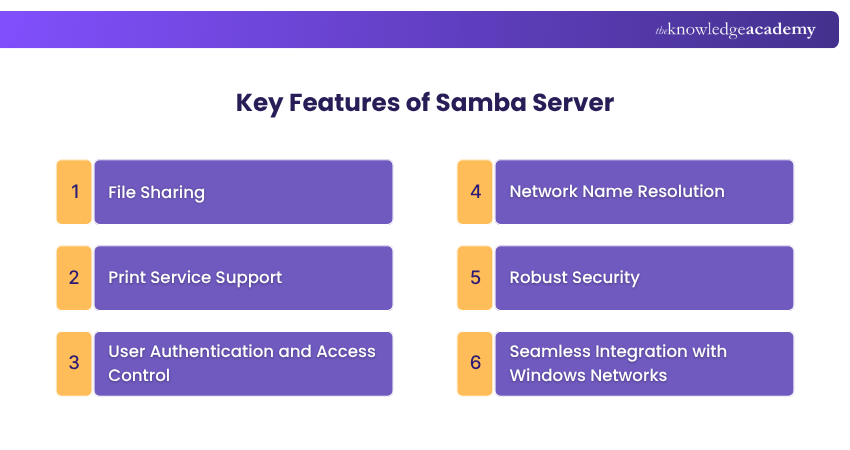
1) File Sharing
Samba allows effortless file sharing across different operating systems using the SMB protocol. Windows clients can access shared folders on Linux or Unix servers just as they would on a Windows server, and vice versa.
2) Print Service Support
Samba enables printers connected to Linux or Unix servers to be shared with Windows systems. It manages protocol conversions, allowing Windows devices to send print jobs smoothly to shared printers on the network.
3) User Authentication and Access Control
Samba supports secure authentication by integrating with Windows Active Directory or operating independently. Users can log in using domain or local Samba accounts. This ensures controlled access through permissions and Access Control Lists (ACL).
4) Network Name Resolution
By working with DNS and NetBIOS Name Service, Samba provides reliable hostname resolution. This enables systems on the network to find and communicate with each other easily.
5) Robust Security
Samba employs SSL and TLS protocols to encrypt communications. It also offers advanced access control and permission management to safeguard shared resources from unauthorised access.
6) Seamless Integration with Windows Networks
Samba integrates seamlessly into Windows networks by joining domains or workgroups. This enables smooth collaboration between Windows and non-Windows systems in mixed network environments.
Turn the biggest tech headaches into lasting tech victories through our IT Support and Solution Training – Register now!
How Do I Install a Samba Server?
Since Samba is open source, it can be installed without additional costs. Below are the key steps to set up a Samba Server on Linux:
Step 1: Install Samba
Decide whether you’ll install Samba directly on the server or via remote access. To install the Samba package, run:

Step 2: Add User
Once Samba is installed, you need to set up user accounts for authentication. Some Linux distributions sync user accounts automatically if libpam-smbpass is installed. Otherwise, accounts must be created manually using the following command:

Here’s the breakdown:
1) -a: adds a user
2) -x: removes them
3) -d: disables the account
4) -e: re-enables it
Reload the Samba configuration after making changes:

Step 3: Share Files
Global Setting:
Global settings are defined in the Samba configuration file as follows:

Here’s an example of a shared “Projects” folder that allows authenticated users to read and write files, while restricting guest access:

After editing, check for syntax errors and reload the service:

User-Specific Sharing:
To give a user access to a shared folder, first add them to the Samba group:

Then create a user-defined share using the net usershare command:

To list and inspect current shares:

To remove a share:

Benefits of Using Samba Server
Here are the main benefits of using Sabma Server:
1) Operates Across Multiple Platforms
Samba’s greatest advantage lies in its ability to enable seamless interaction between different operating systems. This is especially useful in mixed Linux and Windows environments, where servers and workstations on various platforms need to work together efficiently.
2) Open-source and Free to Use
Samba is completely free, thanks to its open-source nature. Its publicly available code makes it an excellent option for organisations seeking to reduce IT infrastructure costs while maintaining robust functionality.
3) Customisable Setup Options
Samba offers extensive customisation features that allow administrators to configure the server according to specific organisational needs. They can define precise user or group permissions, control how files and directories are shared, and integrate Samba with existing Windows-based systems.
4) Strong Security Features
Despite its cross-platform design, Samba provides strong security controls. Administrators can enable authentication, apply data encryption, and use built-in access controls to safeguard files and prevent unauthorised access.
5) Compatible with Active Directory
Samba’s ability to integrate with Active Directory is hugely beneficial for large networks. It allows organisations operating within Windows domains to include Linux servers while maintaining centralised user and Group Management.
Learn the core concepts that keep the digital world running. Sign up for our Introduction to Networking Training now!
Limitations of Samba Server
Despite its numerous benefits, here are some limitations of Samba Server you need to consider:
1) Can Be Complex to Configure
While setting up Samba for basic file sharing is straightforward, the advanced configurations can be time-consuming and require specialised knowledge. This includes integrating with Active Directory or defining detailed access controls.
2) May Impact Performance in Some Cases
In some scenarios, Samba may not match the performance of native Windows server solutions. This is particularly noticeable when you are managing large data transfers or handling intensive file operations.
3) Limited Support for Certain Windows-specific Features
Although Samba integrates well with Windows, it can't replicate every Windows Server function. Some advanced or proprietary Windows features may be unavailable or restricted in a Samba-based network.
Conclusion
Understanding What is Samba Server is vital for any Administrator because it's the bridge that unites different operating systems into one cohesive network. With its open-source flexibility and security features, Samba empowers users to create efficient and collaborative environments. By mastering its installation and configuration, you can adopt a powerful tool that improves connectivity and control.
Our comprehensive IT Fundamentals Training will serve as the ideal launchpad for your IT career - Register now!

Lily Turner is a data science professional with over 10 years of experience in artificial intelligence, machine learning, and big data analytics. Her work bridges academic research and industry innovation, with a focus on solving real-world problems using data-driven approaches. Lily’s content empowers aspiring data scientists to build practical, scalable models using the latest tools and techniques.
View Detail

 If you wish to make any changes to your course, please


