


 Top Rated Course

We may not have the course you’re looking for. If you enquire or give us a call on 01344203999 and speak to our training experts, we may still be able to help with your training requirements.
What is Sage Accounting Software: Features, Solutions and Benefits
Olivia Taylor 25 August 2026Explore how Sage works, its key features, main solutions, benefits and how it supports everyday accounting to maintain accurate financial records.

Training Outcomes Within Your Budget!
We ensure quality, budget-alignment, and timely delivery by our expert instructors.
Table of Contents
Key Takeaways
1. Sage Accounting Software helps businesses manage everyday financial and accounting activities.2. Its features include invoicing, expense tracking, reporting, reconciliation and financial monitoring.3. Sage provides different solutions for small businesses, growing organisations and larger enterprises.4. Automation can reduce manual work while improving financial visibility and accuracy.5. The right Sage solution depends on business size, financial complexity and operational requirements.
Invoices to send. Expenses to record. Payments to chase. Cash flow to track. Business finances can quickly become a long list of tasks competing for attention.
This is where accounting software can make a difference. Sage brings everyday financial activities into one place, helping businesses manage their accounts with greater visibility and less manual effort. So, what exactly is Sage Accounting Software and what can it do? Let’s explore!
What is Sage Accounting Software?
Sage Accounting Software is a cloud-based accounting solution designed to help businesses manage everyday financial activities from one place. It provides financial reporting and automation capabilities that can give businesses greater visibility into their finances. It can support tasks such as:
1) Managing invoices
2) Tracking income and expenses
3) Monitoring cash flow
4) Reconciling bank transactions
5) Producing financial reports
Pro Tip: Start with the Sage functions your business uses most frequently, such as invoicing, expense tracking and bank reconciliation. Once these processes are working effectively, introduce additional features based on your accounting requirements.
How Does Sage Accounting Software Work?
Sage Accounting Software brings financial information into one system, where transactions can be recorded, categorised, reconciled and reviewed. For example, connected bank feeds can automatically import transactions and match them against invoices, payments and purchases, reducing the amount of manual data entry required.
A typical Sage Accounting workflow can be understood as:
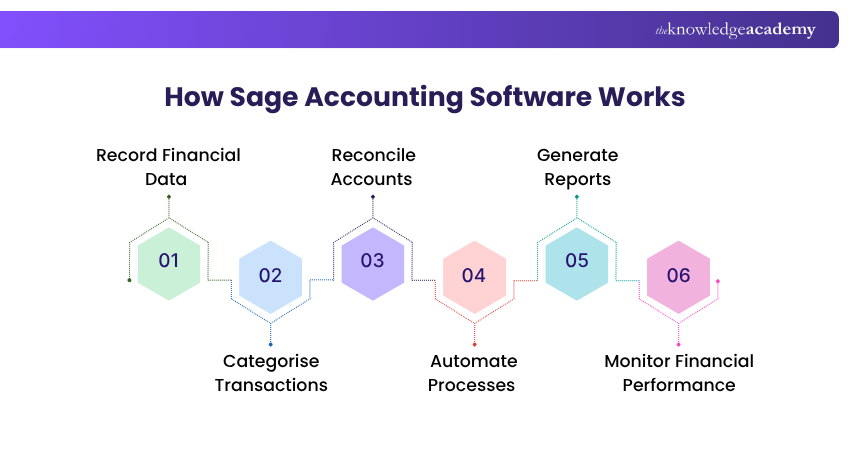
1) Record Financial Data
The process begins by recording financial information such as sales, purchases, expenses, invoices and payments. Depending on the Sage product and setup, some transactions may also be imported through connected bank feeds, reducing manual data entry.
2) Categorise Transactions
Recorded transactions are organised into the appropriate accounts and categories. Proper categorisation helps businesses maintain structured financial records and ensures that income, expenses, assets and liabilities are reflected correctly.
3) Reconcile Accounts
Sage can help users compare recorded transactions with bank transactions and match corresponding entries. Regular reconciliation helps identify missing, duplicated or incorrect transactions and keeps accounting records aligned with actual account activity.
4) Automate Processes
Depending on the Sage product and plan, routine accounting activities can be automated or simplified. This may include recurring invoices, bank transaction imports, transaction matching and payment-related processes, helping reduce repetitive manual work.
5) Generate Reports
Once financial information is recorded and organised, Sage can use it to produce accounting and financial reports. These reports can provide insights into areas such as income, expenses, profit, cash flow and outstanding amounts.
6) Monitor Financial Performance
Businesses can use their accounting records and reports to track financial performance over time. This provides greater visibility into cash flow, profitability, money owed and other financial indicators that can support day-to-day business decisions.
Sage Accounting Glossary
Bank Reconciliation: Comparing accounting records with bank transactions Accounts Receivable: Money customers owe the business Accounts Payable: Money the business owes suppliers Bank Feed: Bank transaction data imported into accounting software Cash Flow: Movement of money into and out of a business Chart of Accounts: Categories used to organise financial transactions
Key Features of Sage Accounting Software
Sage brings several accounting activities into one system, reducing the need to manage financial information across separate spreadsheets or manual processes. Its exact capabilities vary depending on the Sage solution being used. The following are the key features of Sage Accounting Software:
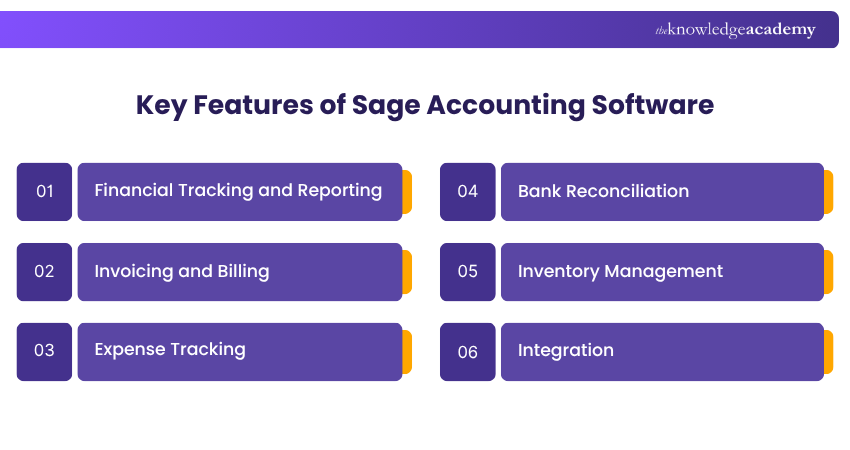
1) Financial Tracking and Reporting
Sage can record income and expenses while generating financial reports that provide visibility into business performance. These reports can help businesses understand financial trends and support better decision-making.
2) Invoicing and Billing
Businesses can create, manage and send invoices through Sage while monitoring outstanding payments. This helps organise billing activities and provides greater visibility over money owed by customers.
3) Expense Tracking
Sage helps businesses record and categorise different types of expenditure. Keeping expenses organised can improve financial visibility and make it easier to understand how business funds are being used.
4) Bank Reconciliation
Sage can support bank reconciliation by helping businesses compare accounting records with bank transactions. This reduces manual checking and helps ensure financial records remain accurate.
5) Inventory Management
Certain Sage solutions include inventory functionality that tracks stock levels and movements. This can help businesses maintain appropriate stock levels and improve visibility over inventory activities.
6) Integration
Sage can connect with other business applications, including payment, Customer Relationship Management (CRM) and e-commerce systems. Integrations help information move between applications and reduce duplicate data entry.
Where Does Sage Fit in a Business?
1. Customers → Invoices/payments2. Bank → Transactions/reconciliation3. Suppliers → Purchases/payables4. Employees → Expenses5. Accountant/Finance Team → Accounts/reporting6. Management → Financial insights
Learn Tally from basics to advanced concepts with Tally Training – Register today!
What is Sage Accounting Software Used for?
Sage Accounting Software is used to manage financial activities that keep a business running from day to day and support accurate financial decision-making. Rather than focusing only on individual software features, its practical uses extend across bookkeeping, cash flow, payments, reporting and compliance activities. Common business uses include:
1) Managing day-to-day bookkeeping
2) Maintaining accounts receivable and payable
3) Monitoring business cash flow
4) Supporting tax and compliance activities
5) Managing month-end and year-end accounting
6) Providing financial information for business decisions
Myth vs Fact
Myth: Sage Accounting refers to one software package that suits every type of business.Fact: Sage offers different accounting solutions based on business size and financial complexity, from Sage Sole Trader and Sage Accounting to Sage 50 Accounts and Sage Intacct.
Main Sage Accounting Software Solutions
Sage offers accounting solutions for businesses of different sizes, from sole traders to growing organisations with more complex financial needs. Here are the main Sage Accounting Software solutions available for different business needs:
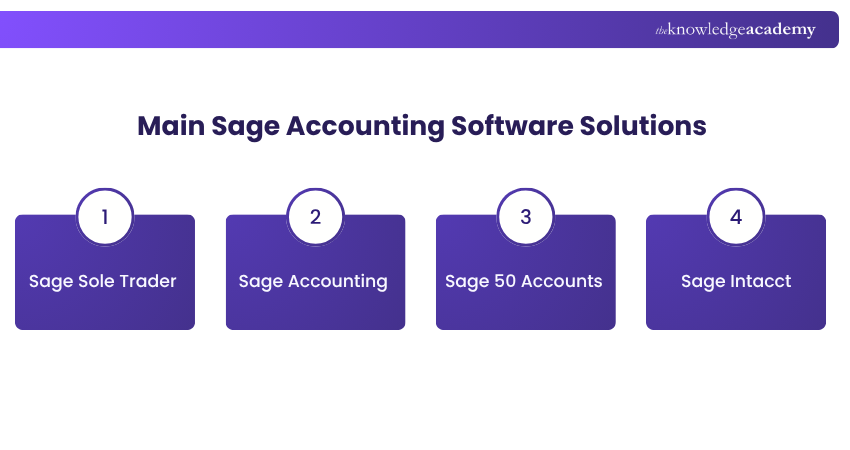
1) Sage Sole Trader: Designed for non-VAT (Value-Added Tax) registered sole traders, Sage Sole Trader supports digital record keeping, income and expense tracking, invoicing and Making Tax Digital (MTD) requirements.
2) Sage Accounting: This solution is designed for VAT-registered sole traders, freelancers and small businesses. It supports invoicing, cash flow, suppliers, VAT, reporting and other everyday accounting activities.
3) Sage 50 Accounts: Intended for small businesses with more advanced accounting requirements. It combines desktop accounting with cloud connectivity and supports areas such as cash flow, payments and stock management.
4) Sage Intacct: This provides cloud financial management for mid-sized and growing organisations. It supports multi-entity accounting, real-time reporting, analytics and integrations for more complex financial environments.
Benefits of Sage Accounting Software
Sage can reduce manual accounting work while giving businesses clearer visibility over their financial information. Its automation and reporting capabilities can also support efficient everyday financial management. Some key benefits include:
1) Automates repetitive accounting activities
2) Provides clearer financial visibility
3) Reduces manual data-entry errors
4) Supports faster financial reporting
5) Offers solutions for different stages of business growth
Strengthen your financial management skills with the Credit Control Course and manage receivables more effectively – Join now!
Challenges of Sage Accounting Software
Although Sage can simplify accounting, businesses still need to select, configure and use the right solution effectively. Requirements can become more complex as organisations need additional users, integrations or advanced financial functionality. Potential challenges include:
1) New users may require training
2) Costs and available features vary between products and plans
3) Advanced features can increase complexity
4) Integrations may require additional setup
5) Selecting the right product requires careful assessment
Test Your Understanding So Far
Which Sage Accounting activity helps ensure bank transactions match the records in your accounts?
A. Inventory ForecastingB. Bank ReconciliationC. Payroll SchedulingD. Asset DepreciationAnswer: B. Bank Reconciliation
How to Choose the Right Sage Solution?
Choosing Sage Accounting Software should begin with the financial tasks your organisation actually needs to manage. A small business handling straightforward invoicing and expenses may require a different solution from an organisation managing multiple entities, complex reporting or wider enterprise operations. Consider these factors:
1) Assess Your Business Needs: Identify whether you need basic accounting or more advanced financial and business management capabilities.
2) Compare Key Features: Check for essential features such as invoicing, reporting, payroll, inventory and automation.
3) Check Integrations: Ensure the solution works with the business tools and systems you already use.
4) Consider Users: Determine how many employees or teams need access and what permissions they require.
5) Plan for Growth: Choose a solution that can support more users, transactions and complex processes as your business grows.
6) Compare Costs: Review pricing, included features, user limits and potential additional costs before choosing a plan.
Checklist: Choosing Sage Accounting Software
Questions to ask before selecting a solution:
1) What accounting tasks need to be managed?
2) How many people need access?
3) How complex are reporting requirements?
4) Is inventory management required?
5) Does the software need to integrate with other systems?
6) How likely are financial requirements to grow?
The best option is the one that supports current accounting needs without introducing unnecessary complexity while still providing room for future requirements.
Conclusion
Sage Accounting Software simplifies financial management by bringing accounting tasks, reporting and automation into one system. The real question is whether businesses use that financial information to make better decisions, turning Sage from a record-keeping tool into a source of clearer financial direction.
Gain industry-relevant accounting software expertise with Accounting Software Training – Join now!
Frequently Asked Questions
Is Sage Accounting Software Hard to Learn?

Sage Accounting is designed to simplify everyday accounting tasks, but the learning curve depends on the features being used and the user's accounting knowledge. Training and regular practice can make more advanced functions easier to manage.
Does Sage Accounting Need to be Installed?
No, Sage Accounting does not typically need to be installed when using its cloud-based solutions. Users can access their accounts through a web browser and manage finances online. However, installation requirements may vary depending on the specific Sage product used.
Can Sage Accounting Connect to a Business Bank Account?
Yes, Sage Accounting supports bank connections that can automatically import transactions and help match them with invoices, payments and purchases. This can reduce manual data entry and simplify reconciliation.

Olivia Taylor


Chartered Accountant and Financial Training Specialist
Olivia Taylor is a qualified chartered accountant with over a decade of experience in financial management, auditing and corporate reporting. Having worked with leading firms in both the public and private sectors, Olivia brings clarity to complex financial topics. Her writing focuses on helping professionals build confidence in key areas of accounting, compliance and financial planning.
View Detail

 If you wish to make any changes to your course, please


