




We may not have the course you’re looking for. If you enquire or give us a call on +1 6474932992 and speak to our training experts, we may still be able to help with your training requirements.
What is a File Server, and How Does it Work?
ByThe Knowledge AcademyLast updated on: 16 July 2026
A File Server stores, manages, and shares files across a network, enabling secure access, collaboration, and efficient data management for businesses. It allows users to share and access information without the need for email or physical storage devices. It simplifies workflows by providing access to files anytime and from anywhere.

Do you feel a sense of relief when your cherished photos and videos are safely stored on Google Drive or another storage platform? If so, you're not alone. Many of us have experienced that anxious moment, the fear of losing precious memories before we've had the chance to back them up.
But it's not just about preserving heartwarming moments. We also rely on digital storage for safeguarding important documents and work-related data. This is where a File Server becomes essential. In this blog, we’ll explore What is a File Server and how it works, helping you make more informed choices for secure and efficient storage solutions.
Table of Contents
1) What is a File Server?
2) Types of File Servers
3) How do File Servers Work?
4) File Server Protocols and Software
5) Functions and Capabilities of a File Server
6) Ensuring File Server Security
7) The Role of File Servers in the Workplace
8) Benefits of a File Server
9) Drawbacks of File Servers
10) Conclusion
What is a File Server?
A File Server is a central server in a computer network which performs the role of storing and managing data files. Moreover, a File Server in a business context refers to the central storage network where employees can access files and use the server’s storage for daily business-related tasks. It specifies who can access the file in terms of who can open, view, edit, or delete it.
The evolution of a File Server can be seen in the way it allows users to access files from remote locations; to put it simply, it can be accessed from anywhere, provided the access permissions are in place. For example, using a Windows Server for your organisation would help you store files and make them easily accessible to your team members without having to share them individually or email them.
Key Features of a File Server
There are several key features of a File Server. Those include:
1) Simultaneous accessing of the files by multiple users
2) Limits to who can authorise the files with proper protocols
3) Personalised access to the files as who can do what actions with the files
4) Enables file locking to prevent multiple users editing the file at the same time

Types of File Servers
The File Servers can be classified into two types: Dedicated File Servers and Non-Dedicated File Servers. Let’s explore what they are.
1) Dedicated File Server
A Dedicated File Server is used for storing and sharing files from one computer system to multiple computers or users. It is secured and centralised, with sufficient storage spaces for your data and files.
2) Non-Dedicated File Server
A Non-Dedicated File Server is defined as a shared File Server where a server can be shared with multiple users. It requires less storage and is easily accessible to anyone without any personalised access. This nature makes it less secure, though it allows complete access to the entire resources from it.
Are you looking to acquire the skills to effectively set up a File Server? Join our Fundamentals Of A Windows Server Infrastructure M10967 Course now!
How do File Servers Work?
The foundation for a File Server would be its storage capacity, the operating system and the network resources. The storage system in a File Server is usually measured either in Terabytes (TB) or in Gigabytes (GB) with required amounts. It requires enough memory and interface capabilities to store any file and access it as quickly as possible.

File Servers act as a central storage space for the internal files and data of your company, which is accessible to your employees. Additionally, it works for backing up your data. You don’t have to worry about storing the data when your File Server itself can back up them for you.
File Server Protocols and Software
While exploring File Servers, it’s essential to understand the protocols and software that enable efficient file sharing and accessibility. Let’s look at the most common ones:
1) Server Message Block (SMB)

Server Message Block (SMB) is a network file-sharing protocol used primarily on Windows and macOS systems. It facilitates communication between the File Server and client systems on a local network. Linux and Unix users can access SMB using tools like Samba Server or CIFSD, which act as intermediaries. SMB also supports remote access, allowing users to retrieve files stored on distant servers.
2) Network File System (NFS)

Network File System (NFS) protocol is used especially for Linux and Unix OSes. It is used for the same purpose of file storage on a local network but could be accessed remotely, too. The File Servers of Linus and Unix usually will have NFS by default, and with that, you can perform all the actions with the file.
Understand key concepts of a File Server with our Identity With Windows Server 2016 M55344AC Course today!
3) File Transfer Protocol (FTP) and Secure FTP

File Transfer Protocol (FTP) is used for sending and receiving files between devices over a network. With this, you can also download and upload any files to your network. The secure FTP is used for encrypted files or data transfer, and it is well-protected when compared to FTP. For that, it employs a protocol called Secure Shell (SSH) for security purposes.
Functions and Capabilities of a File Server
The functions and capabilities of a File Server include:
1) Simultaneous access to stored files and data by multiple users
2) Acts as a centralised storage hub for internal company files
3) Robust backup and recovery features for safeguarding data
4) Secure file storage with access controls and encryption
5) Simple file download options for authorised users
Ensuring File Server Security
Just like you protect your personal photos on cloud storage with passwords or biometric access, a File Server also requires strong security measures. These include:
1) Access Controls: Use passwords, user permissions, or biometric authentication to prevent unauthorised access.
2) Encryption: Regularly check if your server uses encryption to keep files safe from breaches.
3) Secure Backups: Store backups in a secondary, isolated network that isn’t easily accessible. This protects against both cyber threats and accidental data loss due to system failures.
By implementing these practices, you can ensure your file server remains secure, and your data stays protected.
The Role of File Servers in the Workplace
File servers play a crucial role in modern workplaces by enabling centralised storage, collaboration, and secure access to data. Let’s explore their key functions:
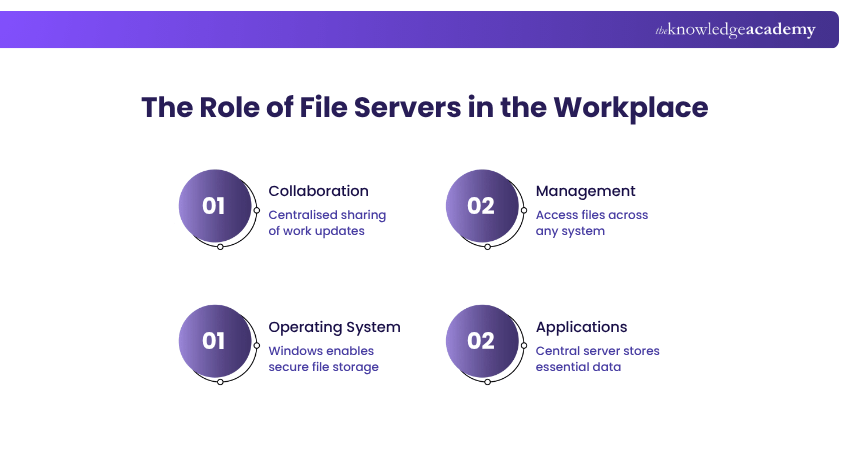
1) Collaboration
Acts as a central server for the employees for Cloud Collaboration and shares their daily work reports, like work status, project status, their work and so on. An example of this would be sharing your project update along with the team members using a single Microsoft Excel sheet.
2) Management
File Servers help you manage the details of your employees and keep them roaming within the organisation. It helps the employees to access their files and folders no matter in which system they log in for the day.
3) Operating System
The operating system that is used widely in a workspace is Windows. This helps in owning secured File Servers and domain servers. It is a centralised storage setting, and thereby, it rejects the individual user storage options.
4) Applications
The applications of your company or organisation are dependent on a centralised File Server since it stores the data required. It makes the work easier by storing all the necessary data and keeping it available to those who need it.
Benefits of File Server
There are numerous benefits when it comes to File Server’s role with any organisation. Those include:
1) It is easy to organise and access since it is a central file storage
2) Provides collaborative work without any duplicate files or versions
3) Protected file access and sharing with encryption
4) Options with easy file sharing
5) Accessibility over remote mode for the employees
Drawbacks of File Servers
Though the File Servers come with multiple benefits, they also have some drawbacks.
1) Despite being secured, File Servers require constant maintenance
2) Needs the employees to know where to store or save the files
3) Requires a well-pre-planned setup to avoid any kind of mess
4) The File Server setup is comparatively costly
5) Has limited storage options; exceeding that would need a new purchase
Conclusion
Understanding What is a File Server would emphasise the significance that comes with that. If you’re a part of an organisation or a business, then opting for a suitable File Server would be the best choice that you ever make for its benefit. So, why are you waiting now? Get started to implement a File Server that works for you and store your data and files as quickly as possible before anything happens!
Start your Server training today by registering in Install and Configure Microsoft Windows Server and Active Directory Training now!

The Knowledge Academy


Global Training Provider
The Knowledge Academy is a world-leading provider of professional training courses, offering globally recognised qualifications across a wide range of subjects. With expert trainers, up-to-date course material, and flexible learning options, we aim to empower professionals and organisations to achieve their goals through continuous learning.


 If you wish to make any changes to your course, please


