




We may not have the course you’re looking for. If you enquire or give us a call on 01344203999 and speak to our training experts, we may still be able to help with your training requirements.
Home
 Resources
Programming & DevOps
Top 25 Visual Basic Projects Ideas for Beginners & Professionals
Resources
Programming & DevOps
Top 25 Visual Basic Projects Ideas for Beginners & Professionals
Resources
Programming & DevOps
Top 25 Visual Basic Projects Ideas for Beginners & Professionals
Top 25 Visual Basic Projects Ideas for Beginners & Professionals
ByNilotpal SarmahLast updated on: 10 October 2026
Explore a diverse array of Visual Basic projects suitable for both beginners and professionals. Our blog presents innovative and engaging Visual Basic projects to hone your programming skills. Whether you're starting out or looking for new challenges, discover exciting ideas that harness the power of Visual Basic projects.

In the programming domain, where innovation is the driving force, embarking on a journey with Visual Basic projects opens up a world of possibilities. These projects turn programming concepts into functional applications, helping learners understand how different elements work together in practice.
From simple applications to advanced simulations, Visual Basic projects can involve user interfaces, file handling, databases, APIs, and external integrations. In this blog, we will discuss the top Visual Basic project ideas across different difficulty levels and application areas.
Beginner-level Projects
Visual Basic is a programming language developed by Microsoft that simplifies application development through its event-driven programming model. It is commonly used for Windows application development and .NET-based software projects.
Beginner-level Visual Basic projects serve as an excellent entry point for those taking their initial strides in programming. These projects introduce foundational concepts while nurturing creativity and problem-solving skills. Let's explore a few engaging beginner-level projects:
1) To-do List Application
Creating a to-do list application introduces the concept of User Interfaces (UI). Beginners will learn about buttons, text boxes, and labels. The project guides them in building an interface where users can add tasks, mark them as completed, and remove them.

2) Simple Calculator
Building a basic calculator app familiarises beginners with handling user input and performing arithmetic operations. This project covers event handling, buttons for digits and operations, and the logic to calculate results.
3) Basic Text Editor
Developing a text editor involves working with file input/output, text manipulation, and basic formatting. Beginners will grasp file-handling concepts while creating an application that opens, edits, and saves text files.
4) Digital Clock
A digital clock project introduces timers and real-time updating. Beginners will create an interface displaying the current time that updates dynamically. This project enhances their understanding of basic UI elements.
5) Guess the Number Game
In this game project, beginners will learn about random number generation and conditional statements. The application generates a random number, and the user has to guess it within a certain range. The project covers user input validation and providing feedback.
Through these beginner-level projects, newcomers to programming can grasp fundamental concepts, gain confidence in coding, and experience the satisfaction of creating functional applications. As they progress, they'll be well-equipped to tackle more complex challenges.
Pro Tip: Build the Core First
Start with the simplest working version of your Visual Basic project. Once the core functionality works, gradually add features such as data storage, search, APIs or reporting.
Intermediate-level Projects
Intermediate-level Visual Basic projects further develop budding programmers by diving into more intricate concepts and fostering more profound problem-solving skills. These projects balance complexity and feasibility, offering an ideal platform for learners to enhance their abilities. Let's explore some captivating intermediate-level projects:
6) Contact Management System
Building a contact management system introduces learners to CRUD operations, data storage, and form-based interfaces. They'll create an application to add, edit, and delete contacts, with features like name, phone number, and email.
7) Inventory Management System
This project challenges learners with database integration. They'll design an application to manage inventory items, including their names, quantities, and prices.
8) Weather Forecast App
Creating a weather forecast application introduces Application Programming Interface (API) integration. Learners will use weather APIs to fetch real-time weather data and present it in a user-friendly format, enhancing their understanding of data retrieval and visualisation.
9) Student Grading System
Developing a student grading system involves handling user data and performing calculations. This project covers input validation, storing student information, and calculating average grades.
10) Library Management System
Building a library management system familiarises learners with database design and user interfaces. They'll create an application to add, search, and lend books, emphasising efficient data storage and retrieval.
Through these intermediate-level projects, aspiring programmers refine their skills, gain a deeper understanding of application structure, and learn to handle more complex scenarios.
Learn OOP basics like encapsulation, abstraction, and modular design with our Object Oriented Programming (OOPs) Course – Join today!
Professional-level Projects
Professional-level Visual Basic projects elevate developers to a higher plane of expertise, requiring them to create applications that exhibit a profound understanding of user needs, design principles, and efficient functionality. These projects are valuable additions to a developer's portfolio, showcasing their mastery of advanced concepts. Here are some compelling professional-level projects:
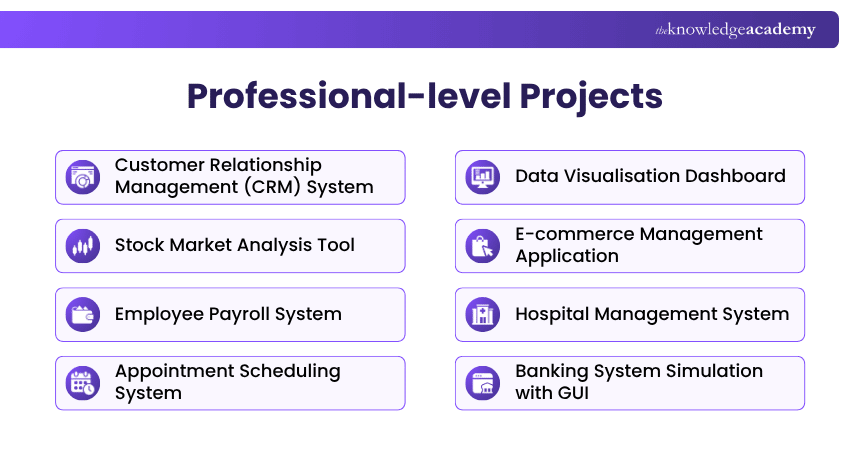
11) Customer Relationship Management (CRM) System
Building a CRM system challenges developers to create an application that streamlines customer interactions. This project covers customer data management, communication tracking, lead generation, and analytics for improved decision-making.
12) Stock Market Analysis Tool
Developing a stock market analysis tool requires proficiency in data processing. Developers will design an application that fetches stock data, performs analysis, and presents insights through interactive charts and reports.
13) Employee Payroll System
Creating an employee payroll system involves intricate calculations and data management. This project covers salary computation, deductions, overtime tracking, and generating payroll reports.
14) Appointment Scheduling System
Developing an appointment scheduling system challenges developers to manage calendars, time slots, user records, booking conflicts, reminders, and database operations through a structured desktop interface.
15) Data Visualisation Dashboard
Developing a visualisation dashboard challenges developers to present complex data comprehensively. This project covers integrating data sources, designing interactive charts, and allowing users to customise views.
16) E-commerce Management Application
Developing a desktop-based e-commerce management application can strengthen skills in product catalogue management, customer records, inventory tracking, order processing, and database integration.
17) Hospital Management System
Creating a hospital management system simulation involves database management. Developers can design an application using fictional data to manage patient records, appointments, and medical histories while exploring concepts related to data security and accessibility.
18) Banking System Simulation with GUI
Building a banking system simulation introduces advanced Graphical User Interface (GUI) elements and concepts related to secure transaction handling. This project can cover simulated account management, fund transfers, transaction history, secure password hashing, and appropriate encryption of other sensitive data.
19) Online Chat Application
Developing an online chat application enhances real-life skills. Developers will create a multi-user chat system with features like message broadcasting, private messaging, and user status indicators.
20) Photo Editing Tool
Creating a photo editing tool pushes developers to work with image processing. This project involves implementing features like filters, cropping, resizing, and adjustments, offering hands-on experience in manipulating graphical data.
21) Neural Network Simulator
Developing a neural network or Machine Learning (ML) interface can involve consuming compatible .NET ML libraries or external services from Visual Basic, processing datasets, configuring model inputs, evaluating outputs, and presenting results through a desktop interface.
22) Data Reporting Application
Building a data reporting application challenges developers to retrieve, process, and present information from multiple data sources. The project can include filtering, report generation, data export, and interactive visualisation features.
23) AI- based Language Translator
Creating a language translator can introduce developers to AI service integration and Natural Language Processing (NLP). Developers can build an application that connects to a compatible translation service to translate text between languages and present the results through a user-friendly interface.
24) Video Streaming Client Application
Developing a video streaming client application introduces developers to media handling, network communication, and compatible multimedia libraries. The project can involve retrieving, managing, and playing streamed video content efficiently.
25) IoT Home Automation System
Building an Internet of Things (IoT) home automation application can involve connecting a Visual Basic interface to compatible devices or services through APIs or network communication. The project can allow users to monitor and control connected devices while developing skills in connectivity, data handling, and security.
Trainer’s Insight
Instead of building every project once, choose one application and develop it in versions. Start with its core function, then add validation, persistent storage, search, reporting and external integrations. This helps you experience how real applications evolve while practising refactoring and maintainable design.
Tips for Successful Project Development
Embarking on Visual Basic project development requires a strategic approach to ensure smooth progress, efficient coding, and the creation of functional, user-friendly applications. Here are some essential tips to guide you through successful project development:
a) Clear Project Definition: Begin by defining the project's scope, objectives, and desired outcomes. A well-defined project helps you stay focused and ensures you meet the project's goals.
b) Plan and Design: Plan the project's structure and design the UI before writing code. This step minimises the chances of rework and enhances the user experience.
c) Break Down Tasks: Divide the project into smaller tasks or modules. This makes the development process more manageable and allows for parallel work.
d) Use Version Control: Implement version control, such as Git, to track changes and collaborate effectively with team members, if applicable.
e) Code Organisation: Organise your code into logical sections or classes. This improves readability, makes debugging easier, and enhances code maintainability.
f) Error Handling: Implement robust error handling mechanisms to gracefully handle unexpected situations and provide informative error messages to users.
g) Testing and Debugging: Regularly test your application during development. Debugging helps identify and fix issues early, ensuring smoother functionality.
h) User-centric Approach: Keep the end user in mind. Design the application with a user-friendly interface, intuitive navigation, and features that cater to their needs.
i) Optimise Performance: Profile your code for performance bottlenecks and optimise where needed. Efficient code contributes to a smoother user experience.
j) Documentation: Document your code, explaining the purpose and functionality of key components. Well-documented code aids future maintenance and collaboration.
Code Review Questions
Before considering your code complete, ask:
1. Is any logic unnecessarily repeated?2. Are methods and variables clearly named?3. Are errors handled appropriately?4. Can complex sections be simplified?5. Could another developer understand the code?
Gain hands-on experience automating Excel, Word, and Access with real-world examples. Join our Visual Basic for Applications VBA Training now!
Benefits of Using Visual Basic
Visual Basic offers several benefits for beginners and experienced developers, particularly for Windows desktop development and supported .NET scenarios. Here are some key benefits of using Visual Basic:
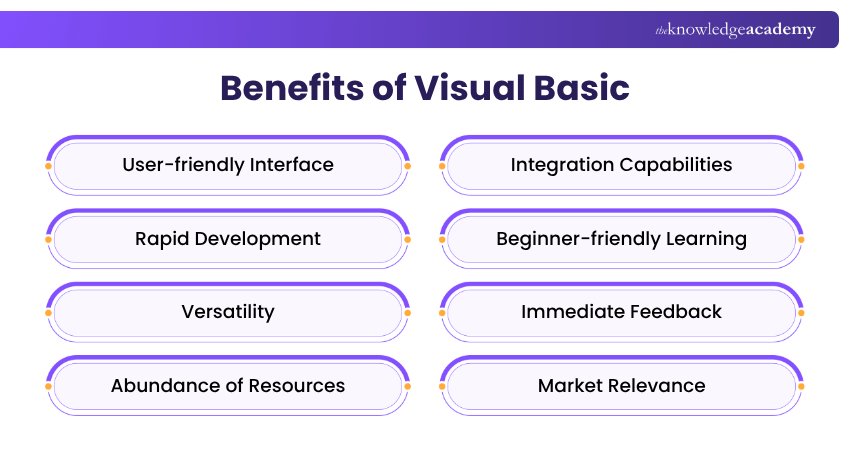
a) User-friendly Interface: Visual Studio's drag-and-drop Windows Forms Designer simplifies the process of creating Graphical User Interfaces (GUIs) with Visual Basic, enabling developers to design intuitive applications with less manual UI coding.
b) Rapid Development: Visual Studio streamlines the coding process, allowing developers to write, test, and debug Visual Basic code efficiently, helping reduce development time.
c) Versatility: Visual Basic is well suited to Windows desktop applications, libraries, console applications, and other supported .NET scenarios. It can also work with .NET APIs and services, although it is not Microsoft's primary language for newer web, mobile, or cross-platform UI workloads.
d) Abundance of Resources: A range of tutorials, official documentation, and community resources is available, aiding beginners in their learning journey and professionals in troubleshooting.
e) Integration Capabilities: Visual Basic can integrate with Microsoft applications and data sources, such as Excel and Access, using supported APIs, libraries, automation technologies, and database connectivity.
f) Beginner-friendly Learning: Visual Basic's readable syntax and visual development tools can make fundamental programming concepts more approachable for newcomers to coding.
g) Immediate Feedback: Visual Studio provides development assistance through features such as IntelliSense and debugging tools, aiding in error identification and code improvement.
h) Market Relevance: Visual Basic skills can remain valuable for maintaining, modernising, and supporting existing .NET and Windows-based applications used by organisations.
i) Foundation for Advanced Learning: The concepts learned through Visual Basic can provide a foundation for understanding other programming languages and more advanced programming concepts.
j) Creativity Unleashed: Visual Basic projects encourage creativity by allowing developers to focus on designing innovative interfaces and features, enhancing user experiences.
k) Portfolio Enhancement: Developing a diverse range of Visual Basic projects can strengthen a programmer's portfolio by demonstrating practical skills in application development and problem-solving.
l) Real-world Applications: The projects created using Visual Basic often translate into real-world solutions, contributing to personal productivity and addressing specific needs.
Understand the fundamentals of programming and how to solve problems creatively with our Programming Training – Join now!
Your Next Steps
Once you’ve chosen a Visual Basic project, use these steps to turn it into a practical learning experience:
1. Choose a project that matches your current skill level.2. Start with the core features before adding advanced functionality.3. Build and test one feature at a time.4. Review and refine your code for better maintainability.5. Document your project and the key lessons learned.

Nilotpal Sarmah is a Senior Content Writer with 11+ years of overall experience spanning engineering, operations and content development. His technical knowledge and extensive writing experience enable him to simplify specialised topics across IT and Tech, Business Skills, Project Management, Health and Safety, and ISO and Compliance.
View Detail

 If you wish to make any changes to your course, please


