




We may not have the course you’re looking for. If you enquire or give us a call on +44 1344 203 999 and speak to our training experts, we may still be able to help with your training requirements.
Advantages and Disadvantages of Presentation
ByThe Knowledge AcademyLast updated on: 03 October 2026
Curious about the advantages and disadvantages of presentations? Presentations can effectively convey information, engage audiences, and enhance understanding. However, they may also pose challenges, such as time constraints and reliance on technology. This blog explores both the benefits and drawbacks of using presentations.

Have you ever wondered why some presentations capture attention while others fail to make an impact? Presentations are widely used to share ideas, explain information and support communication across different settings.
Like any communication method, presentations come with both strengths and limitations. In this blog, we’ll explore the key advantages and disadvantages of presentation methods and where they are most useful.
Advantages of Presentations
Presentations are widely used across business, education and other settings because they can support clear and structured communication. Here are some key advantages:
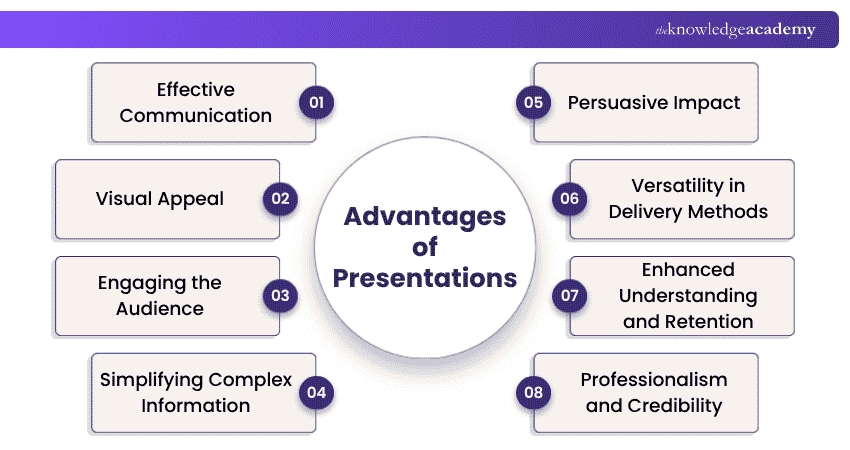
1) Effective Communication
One of the primary advantages of presentations is their ability to facilitate effective communication. Whether you're addressing a small group of colleagues or a large audience at a conference, presentations help you to convey your message clearly and succinctly. By structuring your content and using visuals, you can ensure that your key points are highlighted and easily understood by the audience.
2) Visual Appeal
"Seeing is believing," and presentations capitalise on this aspect of human psychology. The use of visuals, such as charts, graphs, images and videos, enhances the content's overall appeal. These visual aids not only make the information more engaging but also help reinforce the main ideas, making the presentation more memorable for the audience.
Pro Tip
Keep fonts, layouts and visual styles consistent across slides. A consistent design makes the presentation easier to follow and gives it a more polished appearance.
3) Engaging the Audience
Captivating your audience's attention is crucial for effective communication. Presentations provide ample opportunities to engage your listeners through various means. By incorporating storytelling, anecdotes, and real-life examples, you can nurture an emotional connection with your audience. Additionally, interactive elements like polls, quizzes, and group activities keep the audience actively involved throughout the presentation.

4) Simplifying Complex Information
Complex data and ideas can often be overwhelming, making it challenging to convey them effectively. However, presentations can help simplify complex information. By simplifying complex concepts into clear and interconnected slides, you can present the information in a logical sequence, ensuring that the audience grasps the content more easily.
5) Persuasive Impact
Presentations are powerful tools for persuasion and influence. Whether you're convincing potential clients to invest in your product, advocating for a particular cause, or delivering a motivational speech, a well-crafted presentation can sway the audience's opinions and inspire action. The combination of visual and verbal elements enables you to make a compelling case for your ideas, leaving a lasting impact on the listeners.
6) Versatility in Delivery Methods
Another advantage of presentations lies in their flexibility and versatility in terms of delivery methods. Gone are the days when presentations were limited to in-person meetings. Today, technology allows presenters to reach a wider audience through various platforms, including webinars, online videos, and virtual conferences. This adaptability makes presentations an ideal choice for modern communication needs.
7) Enhanced Understanding and Retention
Combining relevant visuals with spoken explanation can support understanding and retention when the information is well designed. Research on multimedia learning shows that people can learn more effectively from appropriately combined words and pictures than from words alone.
8) Professionalism and Credibility
In professional settings, well-designed presentations can help communicate preparation, organisation and professionalism. A thoughtfully crafted presentation shows that the presenter has put effort into preparing and organising the content, which in turn enhances the audience's trust and receptiveness to the information presented. Explore more on the principles of presentation to improve your skills.
Trainer's Insight
Rehearse for clarity, not memorisation. Know the flow and key points well enough to explain them naturally rather than reading directly from the slides.
Build confidence and engage your audience with our Presentation Skills Course – Join now!
Disadvantages of Presentations
While presentations offer a host of benefits, they are not without their drawbacks. Let's explore some of the disadvantages that presenters and audiences may encounter when you prepare a presentation:
1) Time-consuming
Creating a compelling presentation can be a time-consuming process. From researching and gathering relevant information to designing visually appealing slides, a significant amount of effort goes into ensuring that the content is well-structured and impactful. This time investment can be challenging, especially when presenters have tight schedules or are faced with last-minute presentation requests.
2) Technical Glitches
Presentations heavily rely on technology, and technical glitches can quickly turn a well-prepared presentation into a frustrating experience. Projectors may malfunction, slides might not load correctly, or audiovisual components may fail to work as expected. Dealing with such technical issues during a presentation can disrupt the flow and distract both the presenter and the audience.
3) Overdependence on Technology
In some cases, presenters may become overly reliant on the visuals and technology, neglecting the importance of direct engagement with the audience. Overloaded slides with excessive text can make presenters read directly from the slides, undermining the personal connection and interaction with the listeners. This overdependence on technology can lead to a lack of spontaneity and authenticity during the presentation.
4) Lack of Interactivity
Traditional presentations, particularly those delivered in large auditoriums, may lack interactivity and real-time feedback. In comparison, modern presentation formats can incorporate interactive elements; not all presentations provide opportunities for audience participation or discussions. This one-sided communication can lead to reduced engagement and limited opportunities for clarifying doubts or addressing queries.
5) Public Speaking Anxiety
For many individuals, public speaking can be a nerve-wracking experience. Presenting in front of an audience, especially in formal settings, can trigger anxiety and stage fright. This anxiety may affect the presenter's delivery and confidence, impacting the overall effectiveness of the presentation. Overcoming public speaking anxiety requires practice, self-assurance, and effective stress management techniques.
6) Not Suitable for All Topics
While presentations are an excellent medium for conveying certain types of information, they may not be suitable for all topics. Some subjects require in-depth discussions, hands-on demonstrations, or interactive workshops, which may not align well with the traditional slide-based presentation format. Choosing the appropriate communication method for specific topics is crucial to ensure proper knowledge transfer and engagement.
7) Accessibility Concerns
In a diverse audience, some individuals may face challenges in accessing and comprehending presentation materials. For example, people with visual impairments may find it difficult to interpret visual elements, while those with hearing impairments may struggle to follow the spoken content without proper captions or transcripts. Addressing accessibility concerns is vital to ensure inclusivity and equal participation for all attendees.
8) Information Overload
Presentations that bombard the audience with excessive information on each slide can lead to information overload. When the audience is overwhelmed with data, they may struggle to absorb and retain the key points. Presenters should strike a balance between providing adequate information and keeping the content concise and focused.
Trainer's Insight:
Slides should support the presenter, not compete with them. Dense slides can divide the audience's attention between reading and listening.
How to Make a Successful Presentation?
Now that we know the advantages and disadvantages of presentations, we will provide you with some tips on how to make a successful presentation.
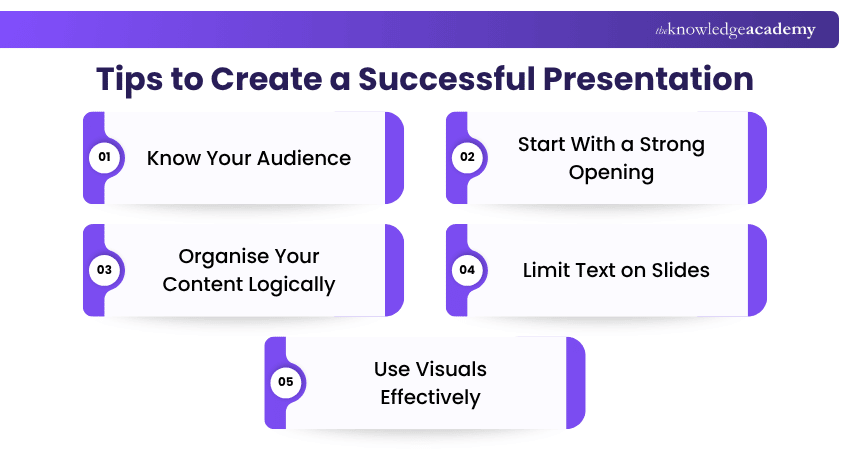
1) Understand your audience's needs and interests to tailor your content accordingly.
2) Begin with an attention-grabbing introduction to captivate the audience from the start of the presentation.
3) Structure your presentation in a clear and coherent manner with a beginning, middle, and end.
4) Keep slides simple and avoid overcrowding with excessive text; use bullet points and keywords.
5) Incorporate high-quality images, graphs, and charts to enhance understanding and engagement.
6) Rehearse your presentation multiple times to improve your delivery and confidence.
7) Show passion for your topic and maintain good eye contact to build trust with the audience.
8) Include relevant anecdotes and case studies to make your points more relatable and memorable.
9) Encourage audience participation through questions, polls, or discussions to keep them engaged.
10) Respect the allotted time for your presentation and pace your delivery accordingly.
11) Summarise your key points and leave the audience with a clear takeaway or call to action.
12) Request feedback after the presentation to identify areas for improvement and grow as a presenter.
Strengthen your presentation skills with our Presenting With Impact Training - Join now!
Keep This in Mind
1. A good presentation starts with a clear purpose and an understanding of the audience.2. Visuals should support the message rather than distract from it.3. Keep slides clear and focused to avoid overwhelming the audience with information.4. Encourage interaction where appropriate to maintain audience engagement.5. Choose a presentation format that suits the topic, setting and level of interaction required.

The Knowledge Academy develops accessible learning content across Project Management, IT, Cybersecurity, Data Science, Business Analysis, HR, Accounting and Finance, Leadership and Health and Safety. Its resources combine subject research with clear explanations to help professionals build practical knowledge across a wide range of disciplines.
View Detail

 If you wish to make any changes to your course, please


