




We may not have the course you’re looking for. If you enquire or give us a call on 01344203999 and speak to our training experts, we may still be able to help with your training requirements.
Benefits of Primavera P6 for Efficient Project Management
ByThe Knowledge AcademyLast updated on: 11 September 2026
Primavera P6 is a Project Management solution designed to help organisations plan, schedule, monitor, and control complex projects. Its benefits include detailed scheduling, resource optimisation, cost control, progress tracking, risk management, and improved project visibility.

A project has 2,000 activities, multiple contractors, limited resources, changing deadlines, and one fixed completion date.
A spreadsheet may tell you what needs to happen.
But can it quickly show which delayed activity could affect the completion date, where resources are overloaded, or how actual progress compares with the original plan?
This is where Primavera P6 becomes valuable. Built for detailed planning and scheduling, it gives Project Managers greater visibility into complex projects and helps them understand how changes in one area can affect another.
In this blog, we explore the major Benefits of Primavera P6 and how its scheduling, resource, cost, risk, and monitoring capabilities support efficient Project Management.
What is Primavera P6?
Primavera P6 is an enterprise Project Portfolio Management solution from Oracle used to plan, schedule, manage, and monitor projects. It is particularly suited to projects involving large schedules, multiple resources, dependencies, and complex delivery requirements.
Project Managers and planners can use Primavera P6 to organise activities, establish relationships between tasks, allocate resources, set baselines, monitor progress, and analyse project performance.
It is widely associated with industries managing complex projects, including construction, engineering, infrastructure, energy, and manufacturing.

Top 10 Benefits of Primavera P6
Managing a complex project means keeping activities, deadlines, resources, costs, and changes connected. Primavera P6 brings these elements together, giving Project Managers greater visibility and control throughout the project lifecycle.
From building detailed schedules to tracking progress against the plan, here are the top 10 Benefits of Primavera P6 that support efficient Project Management:
1) Detailed Project Scheduling
Primavera P6 enables teams to create detailed schedules containing project activities, milestones, durations, and dependencies.
Breaking a large project into structured activities makes it easier to understand what work needs to happen and how individual activities contribute to overall delivery.
2) Better Activity and Dependency Management
Activities in complex projects rarely happen independently. One task may need to finish before another can begin, while other activities can happen simultaneously.
Primavera P6 allows these relationships to be defined within the schedule, helping teams understand how a change or delay can affect connected activities.
Think Beyond a To-do ListA simple task list tells you:What needs to be done?Primavera P6 helps answer:When? By whom? In what order? At what cost? What happens if it is delayed?That difference becomes increasingly important as projects become more complex.
3) Critical Path Visibility
Primavera P6 can help identify the Critical Path, which represents the sequence of activities that determines the project's scheduled completion.
This gives Project Managers greater visibility into activities that require particularly close attention because delays can affect the overall project timeline.
4) Effective Resource Management
Projects must balance people, equipment, materials, and other resources across different activities.
Primavera P6 supports resource assignment and analysis, helping teams identify demand and potential over-allocation. This allows Project Managers to make better-informed resource decisions across the schedule.
5) Improved Cost Management
Cost information can be associated with project activities and resources, giving Project Managers greater visibility into planned and actual project expenditure.
Monitoring cost performance alongside schedule progress can help teams identify deviations and take corrective action before problems become more difficult to manage.
6) Baseline and Progress Tracking
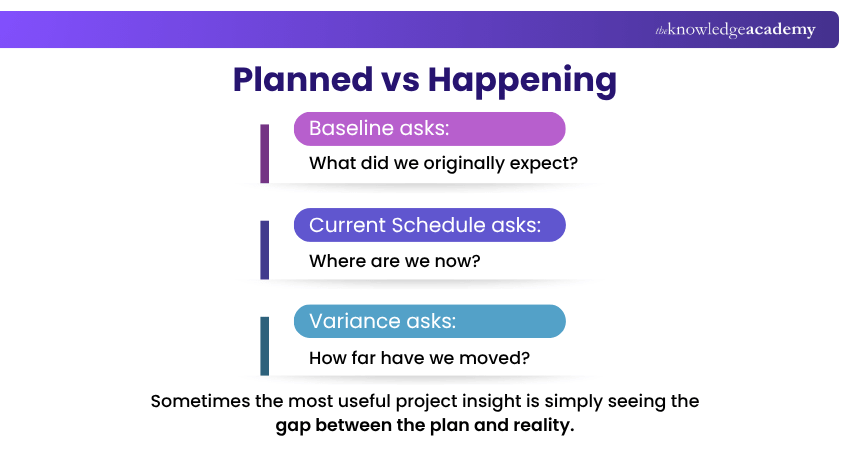
A project schedule changes as work progresses. Without a reference point, it can become difficult to determine how far the project has moved from the original plan.
Primavera P6 allows teams to establish baselines and compare them with current project performance. This makes schedule variance and changes easier to identify.
7) Better Risk Awareness
Detailed schedules can help teams understand how project risks and delays may affect activities, milestones, and completion dates.
When schedule information is combined with risk management processes, Project Managers can evaluate potential impacts and prepare suitable responses.
8) Improved Project Visibility
Large projects can generate huge amounts of schedule and performance information.
Primavera P6 provides reporting, layouts, filters, dashboards, and other views that can help teams examine relevant project information and communicate progress more clearly to stakeholders.
9) Supports Multiple and Complex Projects
Primavera P6 is designed for environments where organisations may need to manage large schedules or multiple projects.
Its enterprise structures and project organisation capabilities can help organisations maintain greater visibility across programmes, projects, resources, and responsibilities.
10) More Informed Project Decisions
Scheduling becomes more valuable when it helps teams answer questions before making a decision.
Project Managers can use schedule, resource, cost, and progress information to evaluate situations and understand possible project impacts before deciding what action to take.
The P6 Question Test
Before changing the project, ask:
What moves?
What gets delayed?Which resources are affected?Does the completion date change?
Good scheduling does not just record decisions. It helps inform them.
How Primavera P6 Improves Project Scheduling?
Scheduling is one of the strongest areas of Primavera P6. Instead of treating a project as a simple list of deadlines, it creates a connected schedule in which activities can influence one another.
Project teams can define:
1) Activities: The individual pieces of work required
2) Durations: How long activities are expected to take
3) Relationships: How activities depend on one another
4) Milestones: Important project events or targets
5) Calendars: When work can take place
6) Constraints: Scheduling conditions that need to be considered
Once these elements are connected, the schedule becomes a model of how the project is expected to unfold, rather than simply a calendar of dates.
Turn Primavera P6 data into clear project insights with our Primavera P6 Reporting with BI Publisher 11g Course – Join now!
How Primavera P6 Supports Resource and Cost Management?
A project can have a workable timeline but still encounter problems if the required people, equipment, or budget are unavailable.
Primavera P6 allows resources and costs to be connected with scheduled activities. This gives Project Managers a clearer view of when resources are required and how project expenditure relates to planned work.
Teams can use this information to identify resource demand, review allocation, monitor costs, and compare performance against project plans.
Schedule Says "Go". Resources Say "Wait".A task may be ready to start on Monday.But if the required crew is assigned elsewhere until Wednesday, Monday is no longer the whole story.Effective Project Management considers both when work should happen and whether the resources are available to make it happen.
Who Can Benefit from Using Primavera P6?
Primavera P6 can be valuable for professionals responsible for planning, coordinating, monitoring, or controlling complex project work.
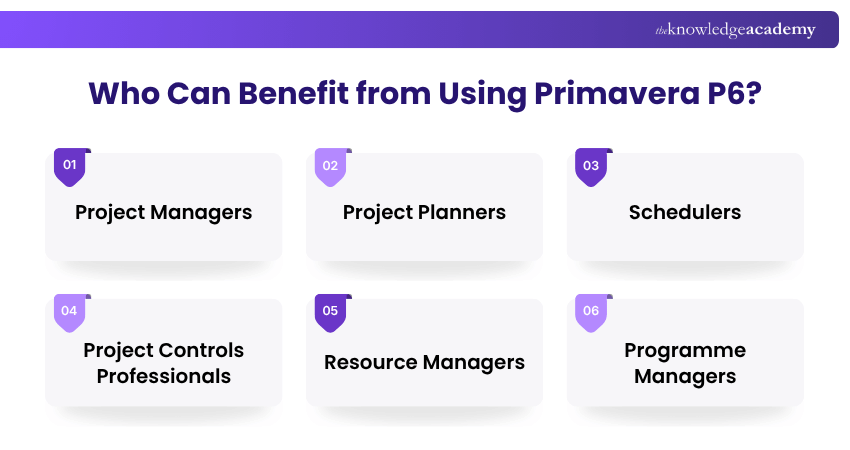
This can include:
1) Project Managers: Oversee schedules, progress, resources, and delivery.
2) Project Planners: Develop and maintain detailed project schedules.
3) Schedulers: Manage activity sequencing, dependencies, and schedule updates.
4) Project Controls Professionals: Monitor schedule and cost performance.
5) Resource Managers: Review resource demand and allocation.
6) Programme Managers: Maintain visibility across related projects.
Its value is greatest where projects involve many interconnected activities, tight deadlines, shared resources, and detailed reporting requirements.
How to Get More Value from Primavera P6?
Using more features does not necessarily mean managing a project better. Primavera P6 becomes most useful when the information inside it is accurate, structured, and regularly maintained.
1) Build a Logical Work Breakdown Structure: Organise the project into meaningful sections before creating a highly detailed schedule.
2) Define Realistic Activity Relationships: Dependencies should reflect how work will actually happen rather than simply forcing activities onto preferred dates.
3) Establish a Reliable Baseline: Create an approved reference schedule so future performance can be compared against the original plan.
4) Update Progress Consistently: A schedule is only useful when it reflects current project conditions. Keep activity progress, dates, and relevant information updated.
5) Use Reports to Support Decisions: Focus reporting on information stakeholders can act upon rather than overwhelming them with every available project metric.
The Schedule Health Check
A colourful Gantt chart can look impressive.
But ask:
Are the dependencies logical?Is progress current?Is the baseline meaningful?Are resources realistic?
A schedule is only as useful as the information behind it.
Strengthen your project planning and scheduling skills with our Primavera P6 Professional Fundamentals Course – Register now!

The Knowledge Academy develops accessible learning content across Project Management, IT, Cybersecurity, Data Science, Business Analysis, HR, Accounting and Finance, Leadership and Health and Safety. Its resources combine subject research with clear explanations to help professionals build practical knowledge across a wide range of disciplines.
View Detail

 If you wish to make any changes to your course, please


