


We may not have the course you’re looking for. If you enquire or give us a call on 01344203999 and speak to our training experts, we may still be able to help with your training requirements.
Top 15 Website Design Tools: Features and How to Choose
ByVishnu SankarLast updated on: 05 November 2026
Discover 15 website design tools for creating layouts, developing responsive pages and building functional websites. Compare their key features, capabilities and applications, from visual website builders to coding tools, to find the best fit for your project.
At a Glance
1. Website design tools help create layouts, prototypes and functional websites.2. Figma and Sketch support interface design, while Framer and Webflow combine design with website publishing.3. Wix, Squarespace and Canva offer visual website-building options for users with limited coding experience.4. WordPress, Shopify and HubSpot Content Hub support different website and business requirements.5. Choosing the right tool depends on design flexibility, technical skills, hosting, integrations and budget.
The design looks perfect. But how do we turn it into a working website?
That's a common challenge when creating a website. A design may look impressive on screen, but transforming it into something people can navigate, interact with and use requires more than attractive colours and layouts.
To bridge this gap, website design tools play an important role. Some help designers create interface mockups, while others provide visual editors, content management systems or coding environments for developing functional websites. This blog explores 15 website design tools, highlighting how each contributes to creating a functional and user-friendly website. So, read on!
15 Best Website Design Tools
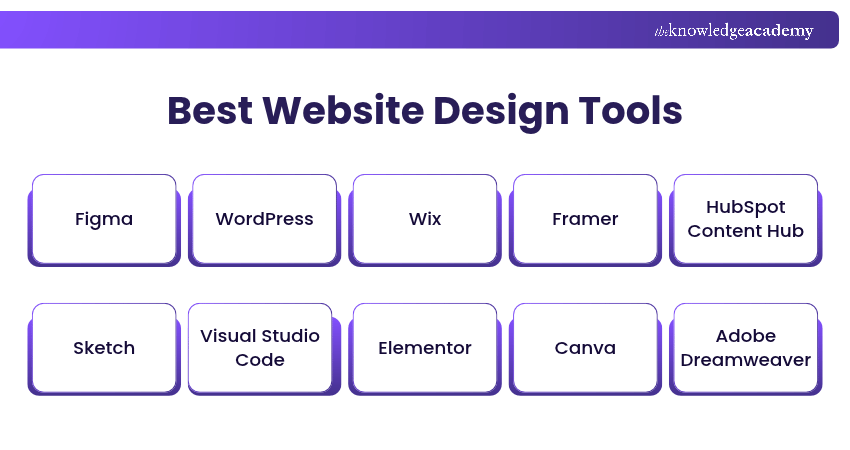
Website design tools serve different purposes, from creating visual layouts and interactive prototypes to building responsive, functional websites. While some focus on design and collaboration, others offer coding capabilities and website development features.
The following are some of the best website design tools to consider based on your project requirements:
1) Figma
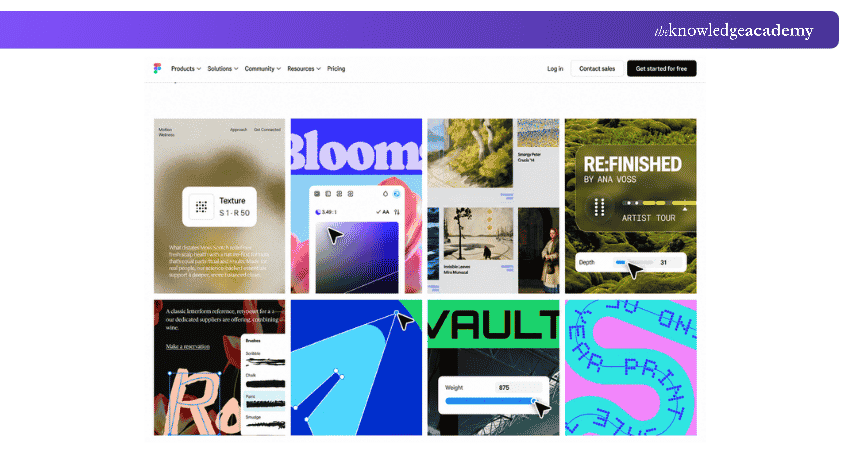
Figma is a collaborative interface design platform that helps designers create website layouts, interactive prototypes and reusable design components. Its browser-based environment allows teams to work on shared files and gather feedback throughout the design process.
Designers can use Figma to plan website interfaces before development begins. For example, a team redesigning an online store can create desktop and mobile layouts, connect screens into a prototype and review the proposed navigation with stakeholders.
Key Features:
1) Collaborative Design: Work together on shared design files.
2) Interactive Prototyping: Connect screens and demonstrate user interactions.
3) Components and Libraries: Reuse design elements across pages.
4) Auto Layout: Adjust interface layouts as content and component dimensions change.
5) Developer Handoff: Share design details and exportable assets, with advanced inspection features available through Dev Mode on eligible plans.
6) Website Publishing: Design and publish responsive websites using Figma Sites, with publishing available on eligible plans.
Learn Figma's powerful features to improve design skills and workflow efficiency with our Figma Course – Join now!
2) WordPress
WordPress is an open-source Content Management System (CMS) used to create and manage websites. It supports blogs, business websites, portfolios and other content-driven projects through themes, plugins and custom development.
WordPress offers extensive themes and plugins for customising layouts, managing content and extending website functionality. Hosting, maintenance and security responsibilities depend on the chosen setup.
Key Features:
1) Themes: Customise website appearance using supported themes.
2) Plugins: Extend functionality through additional software.
3) Block Editor: Create and arrange page content using blocks.
4) Content Management: Organise pages, posts and media.
5) Customisation: Modify layouts and functionality through themes, plugins or code.
3) Wix
Wix is a website-building platform that enables users to create and publish websites using visual editing tools. It provides templates, hosting and website management features, making it suitable for people who want to create websites without extensive coding knowledge.
Introduced in January 2026, Wix Harmony combines AI-assisted website creation with drag-and-drop editing. Wix Editor provides a conventional visual website-building experience, while Wix Studio offers more advanced design and development capabilities for professional projects.
Key Features:
1. Visual Website Editor: Arrange and customise website elements.
2. Website Templates: Start with ready-made layouts for different purposes.
3. AI-assisted Creation: Generate and refine site designs using supported AI tools.
4. Responsive Presentation: Create mobile-friendly and responsive website layouts, with editing options varying by Wix editor.
5. Hosting and Publishing: Publish and manage websites through Wix services.
4) Framer
Framer is a visual website design and publishing platform that allows designers to turn website layouts into functional web pages. It combines visual editing, responsive design and website publishing in one environment.
Designers can use Framer to create marketing websites, portfolios and landing pages with interactions and animations. Unlike interface tools focused primarily on prototypes, Framer can publish the completed website directly.
Key Features:
1. Visual Website Design: Build layouts through a visual interface.
2. Responsive Layouts: Adjust website designs for different screen sizes.
3. Interactive Elements: Add supported transitions, animations and interactions.
4. Content Management: Organise and update website content using CMS capabilities.
5. Website Publishing: Launch websites through Framer's hosting services.

5) HubSpot Content Hub
HubSpot Content Hub is a content management and marketing platform that supports website creation, content management and optimisation. It provides tools for managing website pages, landing pages and related digital content.
Businesses can use its visual editing features to arrange page sections, modify content and maintain a consistent website appearance. Its integration with HubSpot's wider customer platform can also support marketing and customer-focused workflows.
Key Features:
1) Drag-and-drop Editing: Arrange supported website sections and modules.
2) Website Themes: Maintain consistent layouts and visual styles.
3) Content Management: Create and update website pages and blog content.
4) CRM Integration: Connect tracked website interactions with relevant CRM contact records where visitor identification is available.
5) Website Analytics: Examine available information about website performance.
6) Sketch
Sketch is a vector-based interface design application for macOS. It helps designers create detailed website layouts, reusable components and consistent visual styles.
Its symbols and shared styling features support projects involving multiple screens or pages. Designers can also create prototypes and share their work for feedback. Although the main design application requires macOS, its browser-based workspace supports design review, commenting and developer handoff across different operating systems.
Key Features:
1. Vector Editing: Create precise website layouts and interface graphics.
2. Symbols: Build reusable components for consistent designs.
3. Shared Styles: Maintain consistent colours and typography.
4. Prototyping: Demonstrate navigation between website screens.
5. Design Sharing: Share designs, inspect details and gather feedback.
7) Visual Studio Code
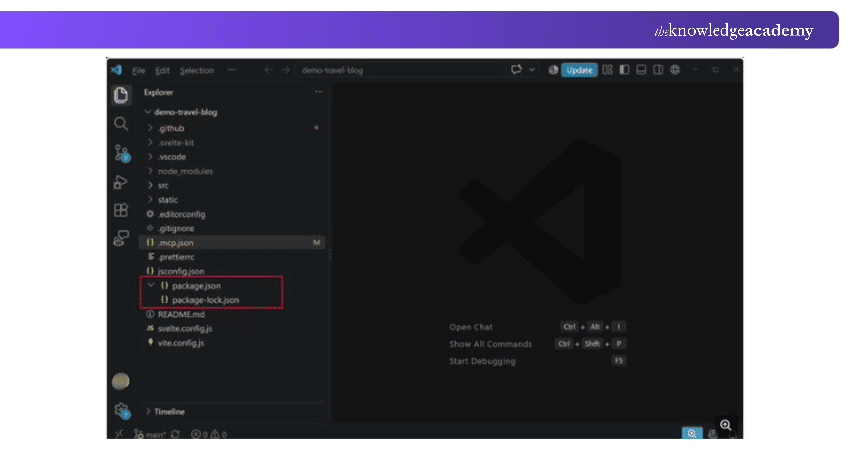
Visual Studio Code (VS Code) is Microsoft's source code editor for developing websites and applications. It supports HTML, CSS, JavaScript and other languages through features such as extensions, debugging and Git integration.
Unlike visual website builders, VS Code requires coding knowledge and is suitable for developers who need direct control over website structure and functionality.
Key Features:
1) Code Editing: Write and modify website source code.
2) IntelliSense: Receive supported code completion and suggestions.
3) Extensions: Add language support and development tools.
4) Git Integration: Manage and review source code changes.
5) Debugging: Investigate supported application and code issues.
8) Elementor
Elementor is a visual website-building platform for WordPress. It allows users to create and customise website pages through a visual editor rather than relying entirely on manual coding.
Designers can use Elementor to arrange page elements, customise layouts and develop responsive websites within a WordPress environment. Its templates and design controls can be useful for creating business websites, portfolios and landing pages.
Key Features:
1) Visual Page Builder: Create and edit pages through a graphical interface.
2) Widgets: Add and customise supported website elements.
3) Responsive Editing: Adjust layouts for different screen sizes.
4) Templates: Reuse page designs and layouts.
5) Theme-building Capabilities: Customise supported website sections and templates with Elementor Pro.
9) Canva
Canva is a visual design platform that supports website graphics, page layouts and website publishing. Its website builder allows users to create and publish single-page and multi-page websites through a visual editing environment.
Businesses can use Canva to develop portfolios, landing pages, event websites and other straightforward online experiences. Its templates and design asset libraries are particularly helpful for users who need a visual-first approach.
For more complex websites requiring advanced development control or specialised backend functionality, a dedicated website development platform may be more suitable.
Key Features:
1) Website Templates: Create pages using customisable layouts.
2) Visual Editing: Arrange text, graphics and other design elements.
3) Design Asset Library: Access supported images, illustrations and icons.
4) Responsive Websites: Use responsive resizing and mobile previews to review how website layouts adapt to smaller screens.
5) Website Publishing: Publish websites through supported domain options.
Pro Tip: Test Before You Commit
Before choosing a tool for an entire website, try creating one representative page. Include a navigation menu, an image, a contact form where supported, and a mobile layout. This small test can reveal limitations in editing, responsiveness and workflow before you invest more time in the platform.
10) Adobe Dreamweaver
Adobe Dreamweaver is a website design and development application that combines code editing with visual page previews. It supports developers working with HTML, CSS, JavaScript and other web technologies.
Its Live View feature allows users to preview web pages while developing them. Dreamweaver also provides tools for managing website files and transferring content to supported web servers.
Key Features:
1) Code Editor: Create and modify website code.
2) Syntax Highlighting: Improve readability when editing supported languages.
3) Live View: Preview website pages during development.
4) Code Suggestions: Assist with writing supported code.
5) File Management: Organise and transfer website files.
Unlock the potential to create stunning websites with intuitive design tools. Join our Adobe Dreamweaver Training now!
11) Webflow
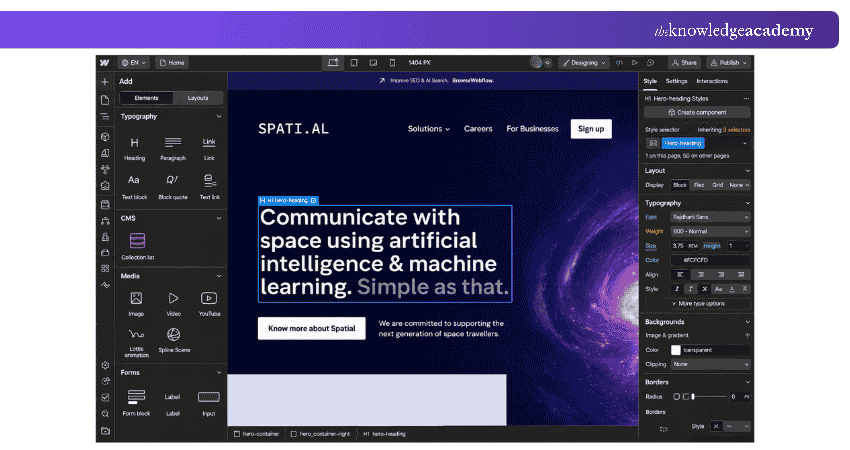
Webflow is a visual website design and development platform that helps users create responsive websites through a graphical interface. It combines design controls, content management and publishing features.
Designers can use Webflow to build websites with customised layouts, interactions and animations. Its CMS capabilities also support websites containing structured content, such as collections of articles, projects or case studies.
Key Features:
1) Visual Web Development: Create website layouts using a visual editor.
2) Responsive Design: Adapt pages for different screen sizes.
3) CMS: Manage structured website content.
4) Interactions and Animations: Add supported visual behaviours.
5) Hosting and Publishing: Deploy websites using available hosting services.
12) Startup by Designmodo
Startup by Designmodo is a website-building tool designed around Bootstrap-based components. It helps users create responsive website layouts through a visual editing environment.
Designers can use Startup to assemble website sections, customise content and prepare HTML-based pages. Its approach can be useful for creating landing pages, marketing websites and other projects requiring reusable layout components.
Key Features:
1) Visual Editor: Build website layouts using graphical controls.
2) Pre-designed Blocks: Assemble pages using reusable design sections.
3) Bootstrap-based Layouts: Use responsive layout structures.
4) Style Customisation: Adjust typography, spacing and visual elements.
5) Code Export: Export HTML, CSS, JavaScript and related website assets for further development or deployment.
13) Duda
Duda is a website-building platform designed for professionals, agencies and businesses managing client websites. It provides visual editing tools, reusable website components and collaboration capabilities.
Agencies can use Duda to create websites for different clients, maintain design consistency and manage multiple projects. Its professional workflows make it useful when teams need to build and maintain several websites rather than a single personal site.
Key Features:
1) Visual Website Builder: Create and customise website layouts.
2) Responsive Design: Develop pages for different devices.
3) Reusable Sections: Maintain consistency across website projects.
4) Team Collaboration: Coordinate website editing and client workflows.
5) Website Management: Manage multiple websites through supported tools.
14) Squarespace
Squarespace is a website-building and hosting platform that enables individuals and businesses to create websites using templates and visual editing tools. It supports portfolios, business websites, blogs and online stores.
Its website editor allows users to customise layouts, add content and organise pages without extensive coding knowledge. Squarespace also provides integrated website management features, making it a suitable option for users who prefer an all-in-one platform.
Key Features:
1) Website Templates: Start with customisable designs.
2) Visual Editing: Arrange and adjust website content.
3) Responsive Layouts: Present websites across different screen sizes.
4) E-commerce Features: Build online stores using supported plans and tools.
5) Website Hosting: Publish and manage websites through Squarespace.
Trainer's Insight: Keep Performance in Mind
A visually attractive website can still frustrate visitors if its pages load slowly. When selecting images, animations and interactive elements, consider their effect on loading speed. Optimising visual assets and avoiding unnecessary effects can help maintain a smoother browsing experience.
15) Shopify
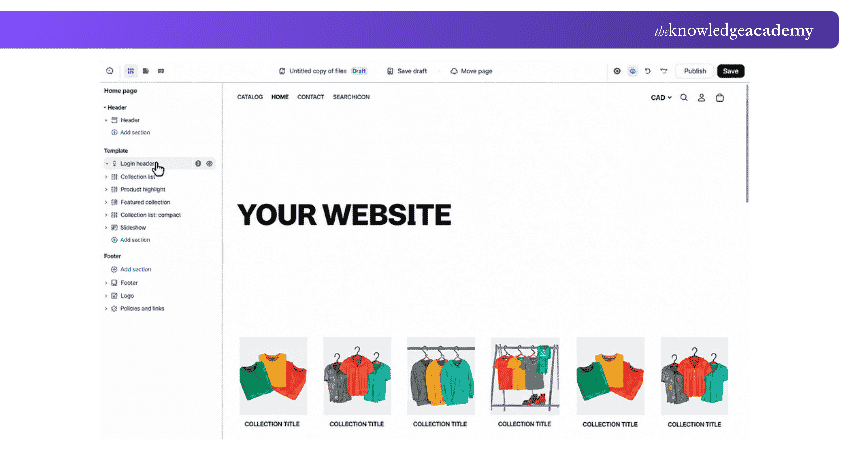
Shopify is an e-commerce platform that helps businesses create, customise and manage online stores. It combines website-building capabilities with tools for managing products, orders, payments and other retail operations.
Businesses can use Shopify's themes and visual editing features to design storefronts that reflect their branding. Its e-commerce ecosystem also supports online selling activities beyond website appearance, including inventory management and order fulfilment.
Key Features:
1) Storefront Themes: Customise the design of online stores.
2) Theme Editor: Customise storefront layouts, colours and content using supported sections and blocks.
3) Product Management: Organise product listings and collections.
4) E-commerce Integrations: Extend store functionality through supported applications.
5) Store Hosting: Publish and manage online shops through Shopify with an eligible subscription.
Learn the fundamentals of building a successful Shopify store with our Introduction to Shopify Training – Register now!
How to Choose the Right Website Design Tool?
Choosing the right website design tool depends on your project's requirements, technical knowledge and desired level of customisation. Here are the factors to consider before selecting a tool:
1) Define Your Website Requirements: Identify the type of website you want to create, whether it is a portfolio, business website, online store or content-heavy platform. For example, Shopify focuses on e-commerce, while WordPress offers flexibility for content-driven websites.
2) Consider Your Technical Skills: Evaluate whether you prefer a visual editor or need direct access to website code. Wix and Squarespace support visual website creation, while Visual Studio Code and Adobe Dreamweaver are better suited to coding-based workflows.
3) Assess Design Flexibility: Consider how much control you need over layouts, typography, spacing and interactions. Figma and Sketch support detailed interface design, while Framer and Webflow combine visual design with website publishing.
4) Check Responsive Design Capabilities: Ensure the tool supports layouts that adapt to different screen sizes. Look for responsive editing features, device previews and options to adjust designs for mobile, tablet and desktop screens.
5) Review Hosting and Integrations: Check whether the platform includes hosting or requires a separate provider. Also consider integrations with content management, analytics and payment services. For example, Wix offers integrated hosting, while self-hosted WordPress requires a hosting provider.
6) Compare Pricing and Maintenance Requirements: Evaluate subscription fees, hosting costs, domain registration, plugins and ongoing maintenance. A tool with a lower initial cost may involve additional expenses as your website grows.
Keep This in Mind
The right website design tool depends on what you need to create and how you plan to manage it. A simple portfolio may not require the same capabilities as a large online store or content-driven business website. Choose software that supports your website's purpose, technical requirements and future maintenance needs.
Develop an app or website to your own specifications with App & Web Development Training – Sign up now!

Vishnu Sankar is a Senior Content Writer with 5+ years of experience across content development, software development, web development and system administration. His technical background and professional training support his expertise in IT and Tech, while his extensive research and writing experience covers Project Management and Health and Safety.
View Detail

 If you wish to make any changes to your course, please


