




We may not have the course you’re looking for. If you enquire or give us a call on 01344203999 and speak to our training experts, we may still be able to help with your training requirements.
Home
 Resources
IT Infrastructure & Networking
Top RPA Tools for Business Automation and How They Work
Resources
IT Infrastructure & Networking
Top RPA Tools for Business Automation and How They Work
Resources
IT Infrastructure & Networking
Top RPA Tools for Business Automation and How They Work
Top RPA Tools for Business Automation and How They Work
ByRichard HarrisLast updated on: 17 September 2026
RPA tools help businesses automate repetitive, rule-based digital tasks across applications and systems. Choosing the right platform can improve process consistency, reduce manual effort and support automation at scale.
The first time you enter information into a system, it is simply part of the job.
The tenth time, it is repetitive.
By the hundredth time, you start wondering why it is still being done manually.
Across a business, those repeated clicks, entries, checks and transfers can become entire workflows. Robotic Process Automation (RPA) tools can automate many suitable rule-based activities, but not every platform approaches automation in the same way.
The real decision is therefore not simply whether to automate. It is what to automate, how to automate it and which tool fits the job.
This blog explores the Top RPA tools with that decision in mind.
What are RPA Tools?
RPA tools are software platforms used to build, deploy and manage software bots that perform repetitive, rule-based digital tasks. These bots can interact with applications in ways similar to users, such as entering data, moving information between systems, completing forms and following predefined business rules.
Traditional RPA is particularly suited to predictable, rule-based processes with clearly defined steps and limited need for human judgement. Modern platforms can also combine RPA with technologies such as Artificial Intelligence (AI), Machine Learning (ML), Intelligent Document Processing (IDP), APIs and workflow orchestration to support more complex automation.
Businesses can use RPA across areas such as finance, Human Resources (HR), customer service, IT operations, procurement and supply chain management.

How do RPA Tools Work?
RPA tools work by configuring software bots to follow a defined sequence of actions. Depending on the platform and process, automation may interact with user interfaces, APIs, databases, files or other digital systems.
A typical RPA process follows these stages:
1) Identify the Process: The business selects a repetitive and sufficiently stable process that is suitable for automation.
2) Define the Workflow: The required steps, business rules, inputs, outputs and exceptions are mapped.
3) Build the Automation: Developers or authorised business users build the automation using visual designers, recorders, low-code tools or code.
4) Integrate the Systems: The automation connects with the applications, data sources and interfaces required to complete the process.
5) Test and Deploy: The workflow is tested under expected conditions and then deployed into the appropriate environment.
6) Monitor and Improve: Teams monitor bot performance, failures and exceptions and update the automation when applications or business requirements change.
RPA can be deployed as attended automation, where bots assist employees during their work, or unattended automation, where bots execute predefined processes without a user actively controlling each run.
Real-world Example
An accounts team could use RPA to retrieve invoice information, enter relevant data into a finance system and route exceptions to an employee for review. This reduces repetitive data entry while keeping human judgement available where required.
Top RPA Tools for Business Automation
RPA platforms differ in their capabilities, integrations and wider automation ecosystems. Some focus heavily on robotic task automation, while others combine RPA with workflow, AI and broader process automation. Here are nine leading platforms businesses can evaluate based on their automation requirements.
1) UiPath
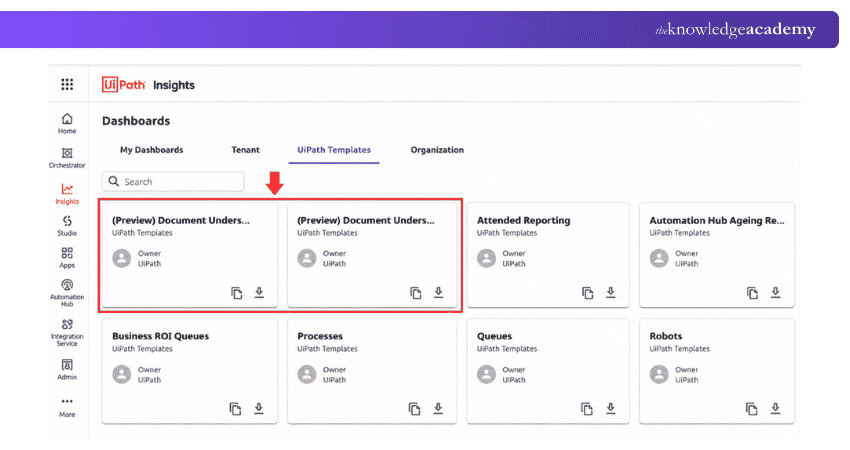
UiPath is an enterprise automation platform that combines RPA with AI, UI automation, API automation and orchestration. It supports attended and unattended automation and provides development capabilities for both technical users and business users with appropriate automation skills.
Best For: Organisations seeking enterprise-scale RPA alongside broader AI and automation capabilities.
Key Capabilities:
a) UI and API automation
b) Attended and unattended automation
c) AI-assisted automation
d) Centralised orchestration and governance
e) Intelligent document processing
Example Use Case: A business could automate data transfer between legacy applications and cloud systems while centrally monitoring its automations.
Gain skills to use exception handling, various plugins, logging and debugging with our Robotic Process Automation Using UiPath Training – Join now!
2) Automation Anywhere
Automation Anywhere provides enterprise RPA within a broader automation platform that combines RPA, AI and agentic automation capabilities. Automation 360 supports attended and unattended automation, centralised bot management and automation across business applications.
Best For: Enterprises seeking scalable RPA combined with AI-powered automation.
Key Capabilities:
a) Attended and unattended RPA
b) Web-based automation development
c) AI-assisted automation
d) Centralised bot management
e) Application, API and process integration
Example Use Case: An organisation could automate high-volume back-office transactions and centrally manage bot workloads across departments.
3) Microsoft Power Automate
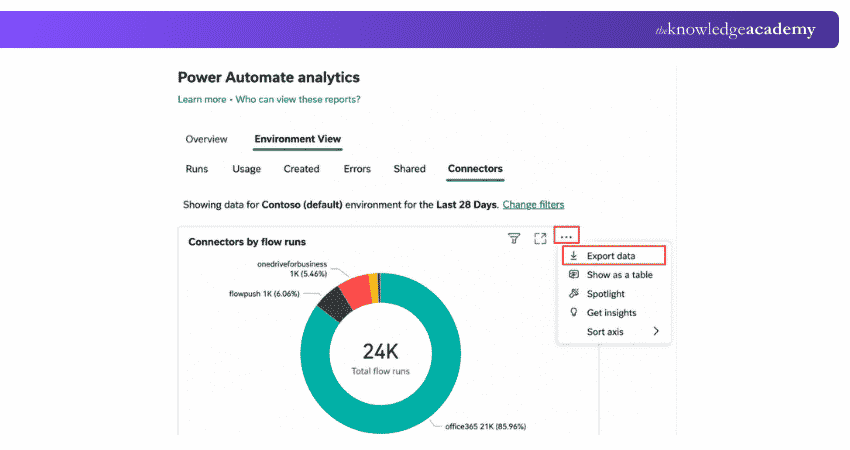
Microsoft Power Automate combines cloud-based workflow automation with robotic process automation through Power Automate for desktop and desktop flows. It can automate repetitive tasks across desktop and web applications and is particularly relevant to organisations already using Microsoft technologies.
Best For: Organisations using Microsoft technologies that want to combine desktop automation with cloud-based workflows.
Key Capabilities:
a) Attended and unattended desktop flows
b) Cloud workflow automation
c) Pre-built connectors and automation actions
d) Desktop and web automation
e) Integration with Microsoft services
Example Use Case: A finance team could automate repetitive data entry, email and desktop application tasks while connecting them with cloud workflows.
4) SS&C Blue Prism
SS&C Blue Prism provides enterprise RPA and intelligent automation capabilities through digital workers. It is designed to support structured business processes while providing the governance and operational controls required for larger automation programmes.
Best For: Organisations seeking governed enterprise automation for structured, high-volume processes.
Key Capabilities:
a) Enterprise RPA
b) Digital workers
c) Intelligent automation
d) Process orchestration and automation
e) Centralised governance and management
Example Use Case: A financial services organisation could automate repeatable back-office processes while maintaining central oversight of its digital workforce.
5) Appian RPA
Appian provides RPA within its broader process automation platform. It can automate interactions with systems and combine RPA with workflows, AI, Intelligent Document Processing and business rules.
Best For: Organisations that want to integrate RPA with wider business process automation.
Key Capabilities:
a) Low-code RPA development
b) Robotic task automation
c) Integration with Appian process models
d) Centralised robot monitoring and management
e) Integration with AI and wider process automation
Example Use Case: A business could use RPA to interact with a legacy application while Appian manages the wider end-to-end workflow.
6) SAP Build Process Automation
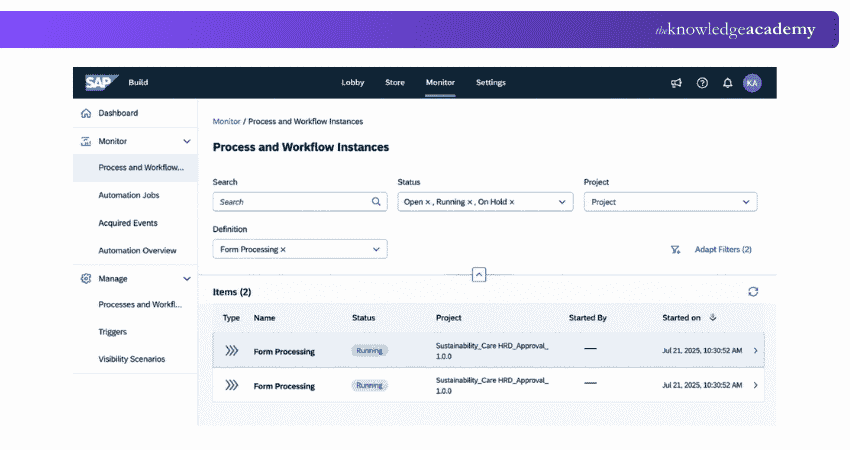
SAP Build Process Automation combines workflow management, robotic process automation, task automation and low-code/no-code development to help organisations automate business processes and repetitive tasks.
Best For: Organisations using SAP environments or looking to combine task automation with broader process automation.
Key Capabilities:
a) Task and process automation
b) Workflow management
c) Low-code/no-code development
d) Business rules and decisions
e) Pre-built automation content
Example Use Case: A business could automate repetitive activities within an SAP-related process while coordinating approvals through a wider workflow.
7) Tungsten RPA
Tungsten RPA provides robotic process automation for repetitive tasks across applications, websites and data sources. It can work alongside Tungsten's wider document and process automation capabilities.
Best For: Organisations managing document-intensive or multi-system business processes.
Key Capabilities:
a) RPA and screen automation
b) Low-code automation
c) Application and data integration
d) Centralised robot management
e) Integration with document automation capabilities
Example Use Case: A business could automate the movement of information from documents into existing enterprise applications.
8) Pega RPA
Pega provides robotic automation capabilities that can connect repetitive desktop activities to broader workflow and case management processes. Its approach can be relevant to organisations already using the Pega ecosystem for process and workflow automation.
Best For: Enterprises seeking RPA alongside workflow and case management.
Key Capabilities:
a) Attended automation
b) Unattended automation
c) Low-code development
d) Robot management
e) Integration with Pega workflows
Example Use Case: A customer service team could automate information retrieval across several applications while employees focus on customer interactions.
9) NICE RPA
NICE provides automation capabilities spanning unattended RPA and employee-focused attended automation. Its approach is particularly relevant to customer service and contact-centre environments where automation can support employees while also handling repetitive back-office processes.
Best For: Organisations that require employee-assisted automation alongside back-office RPA.
Key Capabilities:
a) Attended automation
b) Unattended automation
c) Desktop automation
d) Business application integration
e) Employee-assisted automation
Example Use Case: A customer service employee could use attended automation to gather information from multiple systems while handling a customer request.
Enhance career prospects in software testing and development with our Robot Framework Training – Sign up now!
Trainer’s Insight
Before comparing vendors, document one real process from start to finish, including applications, exceptions, transaction volumes and human decision points. This gives you a practical test case for evaluating whether each platform can handle the work reliably.
How to Choose the Right RPA Tool?
The right RPA platform depends on the processes being automated and the organisation's existing technology, skills and governance requirements. Instead of comparing tools only by features, evaluate how well each option fits your operational environment.
Use this quick decision guide to identify the RPA capabilities that matter most for your automation requirements.
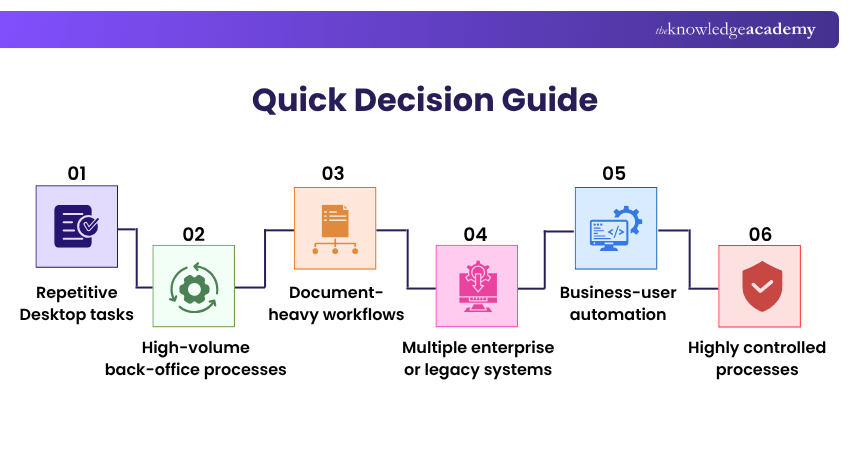
1) Process Compatibility
Start by identifying the processes you intend to automate. Stable, repetitive and rule-based tasks with clearly defined inputs and outputs are generally stronger candidates for traditional RPA.
2) Integration Capabilities
Consider which applications, websites, databases, APIs and legacy systems the automation must interact with. A suitable platform should support the systems that are central to the target process.
3) Scalability
A small pilot may involve only a few automations, but requirements can expand. Assess whether the platform can support increasing numbers of bots, processes, users and transactions without creating unnecessary operational complexity.
4) Security and Governance
RPA bots may access sensitive applications and business information. Evaluate role-based access, credential management, audit trails, monitoring and other governance controls appropriate to your organisation.
5) Attended and Unattended Automation
Determine whether bots need to assist employees directly, run independently in the background or support both scenarios. This can significantly affect platform requirements and, depending on the vendor, licensing and infrastructure needs.
6) Ease of Development
Visual designers, recorders, reusable components and low-code tools can make automation development more accessible. However, complex enterprise processes may still require experienced automation professionals.
7) AI and Intelligent Automation
If processes involve documents, unstructured information or more complex decisions, evaluate whether the platform can combine RPA with AI, Intelligent Document Processing or other automation technologies.
8) Total Cost of Ownership
Look beyond the initial licence price. Consider implementation, infrastructure, training, maintenance, support and the resources required to govern and scale automation.
9) Support and Ecosystem
Documentation, training, implementation partners, integrations and technical support can influence how successfully an organisation adopts and expands its automation programme.
Pro Tip
Test shortlisted platforms against a small but representative process before committing to large-scale deployment. A pilot can reveal integration, usability, governance and maintenance issues that may not be obvious from a feature comparison.
RPA Tool Selection Checklist
Before selecting an RPA tool, check:
Is the target process stable, repetitive and suitable for automation? Which applications and systems must the platform support? Do we need attended, unattended or both forms of automation? Can the platform meet our security and governance requirements? Can automation scale as demand increases? What technical skills will our team require? Do we need AI or document-processing capabilities? What are the implementation and ongoing operating costs? How will automations be monitored, maintained and updated?
Benefits of Using RPA Tools
RPA tools can provide significant operational benefits when applied to suitable processes and implemented with appropriate controls. Key benefits of using RPA tools include:
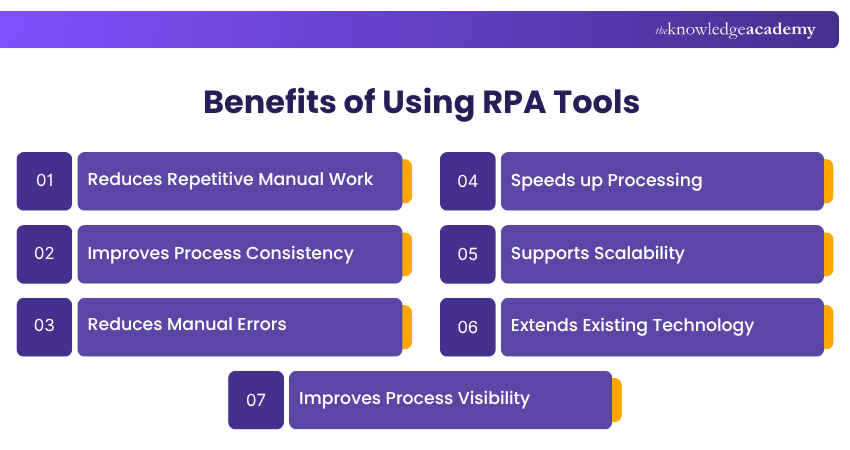
1) Reduces Repetitive Manual Work
RPA can take over routine digital activities such as copying data, completing forms and moving information between systems. This allows employees to spend more time on work that requires judgement, communication or specialist expertise.
2) Improves Process Consistency
Bots follow predefined instructions consistently. This can reduce variation in repetitive processes, provided that the automation rules and source data are correct.
3) Reduces Manual Errors
Automating repetitive data entry and processing can reduce errors caused by manual input. However, bots can also reproduce incorrect rules or data at scale, making testing and monitoring essential.
4) Speeds up Processing
Automated workflows can perform repetitive digital steps quickly and can, in some scenarios, operate outside normal working hours. This can reduce processing times for suitable high-volume activities.
5) Supports Scalability
Businesses can expand automation across additional processes or workloads as requirements grow. Effective governance becomes increasingly important as the number of automations increases.
6) Extends Existing Technology
RPA can interact with applications through their existing interfaces, making it useful when APIs are unavailable or when replacing a legacy system is not immediately practical.
7) Improves Process Visibility
Enterprise RPA platforms often provide monitoring, analytics and management capabilities that help teams understand bot performance, exceptions and automation workloads.
Remember
Automation does not automatically make an inefficient process better. Simplify and standardise the process where possible before automating it.
Learn about how to define windows adapter design properties with our OpenSpan RPA Training – Register now!

Richard Harris creates technically detailed yet accessible content on full-stack development, software architecture and modern development frameworks. His knowledge of frontend and backend technologies helps developers understand how scalable, efficient and high-performing applications are designed and built.
View Detail

 If you wish to make any changes to your course, please


