


We may not have the course you’re looking for. If you enquire or give us a call on 01344203999 and speak to our training experts, we may still be able to help with your training requirements.
Top 15 Mobile App Testing Tools and Their Key Features
ByThe Knowledge AcademyLast updated on: 19 November 2026
Mobile app testing tools help developers and testers evaluate application functionality, user interactions and compatibility across different devices. From Appium and Espresso to Maestro and TestMu AI, this blog explores 15 mobile app testing tools, their key features and how they support reliable mobile applications.

The Rundown
1. XCUITest supports iOS UI testing, while Espresso and UI Automator help automate testing within Android environments.2. Appium and Maestro provide approaches to mobile automation across different platforms.3. Patrol specialises in Flutter application testing, while Detox focuses on React Native workflows.4. Cloud testing platforms allow teams to evaluate applications across supported device models and operating system versions.5. Tool selection should consider scripting expertise, supported frameworks, testing infrastructure and maintenance requirements.
Mobile apps are everywhere. They make our lives easier, more fun and more productive. But how can we ensure they work smoothly and meet users' expectations? That's where mobile app testing comes in.
With the right testing tools, teams can identify issues earlier, validate important user journeys and improve application quality across supported devices. This helps deliver a better user experience. So, which tools can help achieve these goals? Let's explore.
Best Mobile App Testing Tools
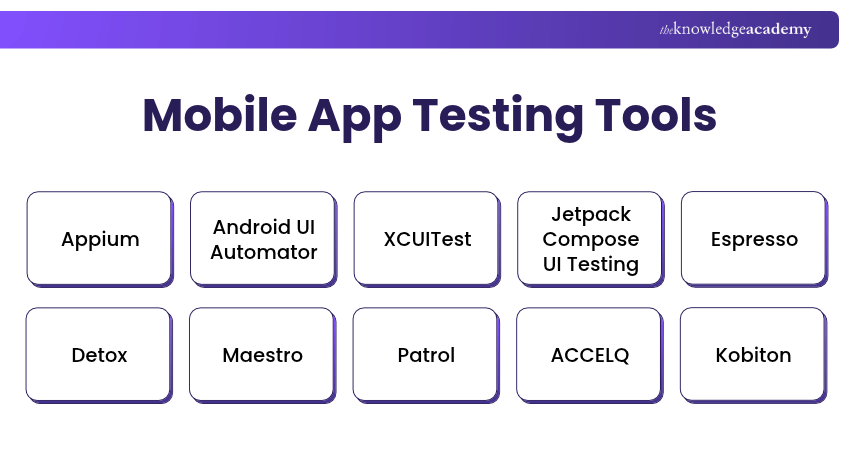
Here is a list of 15 mobile app testing tools that support different testing requirements, from automated UI validation to real-device testing.
1) Appium
Appium is an open-source automation framework widely used for mobile application testing. It supports Android and iOS through compatible drivers, allowing testers to automate different application types using familiar programming languages.
Here are some of its key features:
a) Cross-platform Compatibility: Supports Android and iOS automation, allowing suitable test logic to be reused across platforms.
b) Language Independence: Supports test scripts written in languages such as Java, Python and Ruby.
c) No App Modification Required: Automates many applications without source-code changes, although some scenarios require additional configuration.
d) Native, Hybrid and Mobile Web Testing: Supports different application types through compatible automation drivers.
e) CI/CD Integration: Works with tools such as Jenkins to incorporate automated tests into development pipelines.

2) Android UI Automator
Android UI Automator is a UI testing framework developed by Google for automating interactions across Android applications and system interfaces. It allows testers to verify application behaviour beyond a single app, making it useful for testing interactions involving system settings, permissions and other applications.
Its key features include:
a) Cross-app Testing: Automates interactions across multiple Android applications and system interfaces.
b) UI Element Identification: Locates and interacts with elements exposed through the Android UI hierarchy.
c) System Interaction Testing: Tests supported interactions involving permissions, notifications, settings and device navigation.
d) Automated Test Execution: Creates repeatable tests for validating Android application behaviour.
e) Android Testing Integration: Runs tests on compatible Android devices and emulators.
3) XCUITest
XCUITest is Apple's native UI testing framework for iOS applications. It works with XCTest and XCUIAutomation to automate user interactions, validate application behaviour and run UI tests through Xcode on supported Apple devices.
Here are its key features:
a) Xcode Integration: Enables developers to create and execute UI tests within Xcode.
b) UI Element Inspection: Identifies interface elements using Apple's accessibility and UI automation APIs.
c) Real-device and Simulator Testing: Executes UI tests on supported Apple devices and simulators.
d) Test Recording: Records user interactions to help generate initial automated UI tests.
e) XCTest Integration: Supports test organisation, assertions and result reporting through XCTest.
4) Jetpack Compose UI Testing
Jetpack Compose UI testing is part of Android's modern toolkit for testing user interfaces built using Jetpack Compose. It provides APIs for interacting with composable elements, verifying their properties and assessing application behaviour.
Its key features include:
a) UI Test Automation: Uses Compose testing APIs to execute repeatable tests and verify expected interface behaviour.
b) Semantics-based Testing: Locates elements using text, content descriptions and test tags.
c) Synchronisation: Synchronises test actions and assertions with Compose UI activity, including supported animations and recompositions.
d) Interaction Testing: Simulates clicks, scrolling and text input to validate interface behaviour.
e) Android Integration: Supports automated testing of Compose-based applications within Android development workflows.
5) Espresso
Espresso is a widely used mobile app testing framework primarily designed for Android applications. It helps developers automate UI interactions, validate expected behaviour and improve the reliability of application tests.
Here are some of its features:
a) UI Test Automation: Automates interactions with Android UI components and verifies expected functionality.
b) Automatic Synchronisation: Waits for supported UI operations to become idle before performing test actions.
c) Testing APIs: Provides APIs for performing UI actions and verifying expected application behaviour.
d) View Matchers: Identifies interface elements through matchers for precise testing.
e) Readable Test Code: Supports concise test scripts that are easier to maintain and debug.
6) Detox
Detox is an end-to-end testing framework particularly suited to React Native applications. It allows developers to automate user interactions and verify application behaviour on Android and iOS, helping identify issues that may arise during real application workflows.
Its key features include:
a) End-to-end Testing: Validates complete app workflows, including navigation, user inputs and interactions.
b) Cross-platform Support: Tests React Native applications on Android and iOS.
c) Automatic Synchronisation: Waits for supported application activity to become idle before executing test actions.
d) UI Interaction Testing: Simulates actions such as tapping, typing and scrolling.
e) CI/CD Integration: Supports automated test execution within compatible development pipelines.
7) Maestro
Maestro is an open-source mobile UI testing framework designed to simplify automated application testing. It uses readable YAML-based test flows to define user interactions and supports applications across Android and iOS.
Its key features include:
a) Declarative Test Creation: Defines automated test flows using readable YAML commands.
b) Cross-platform Testing: Supports UI automation for Android and iOS applications.
c) User Interaction Automation: Automates tapping, text entry, scrolling and screen navigation.
d) Built-in Timing Management: Uses waiting and retry mechanisms to handle supported loading delays.
e) CI/CD Integration: Executes automated test flows through command-line and compatible CI/CD workflows.
Trainer's Insight
Automation should not begin with the largest possible test suite. Start with a small set of critical user journeys, establish reliable execution and expand coverage gradually. This reduces maintenance overhead as the application evolves.
8) Patrol
Patrol is an open-source end-to-end testing framework developed by LeanCode for Flutter applications. It extends Flutter's testing capabilities by allowing developers to automate app workflows and interact with native Android and iOS interfaces, including permission dialogues and notifications.
Its key features include:
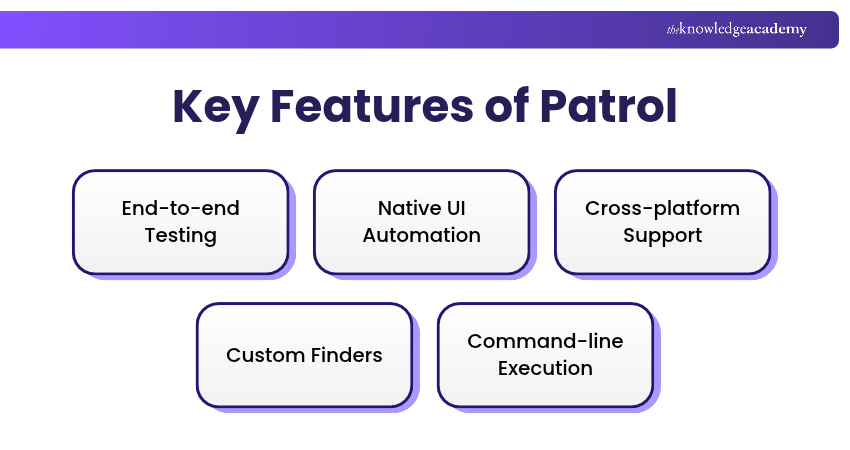
a) End-to-end Testing: Automates complete user journeys in Flutter applications to validate expected behaviour.
b) Native UI Automation: Interacts with supported system dialogues, notifications, WebViews and device settings.
c) Cross-platform Support: Runs Flutter integration tests on supported Android and iOS devices.
d) Custom Finders: Provides concise ways to locate and interact with Flutter interface elements.
e) Command-line Execution: Uses Patrol CLI to run automated tests and support CI workflows.
Turn app ideas into functional experiences with Mobile App Development Training Using Flutter Course - Register now!
9) ACCELQ
ACCELQ is an AI-powered continuous testing platform that supports automated software testing across web, mobile and API environments. Its codeless testing capabilities help teams create, execute and maintain automated tests while reducing the need for extensive scripting.
Its key features include:
a) Codeless Automation: Creates and executes tests without requiring extensive programming.
b) AI-assisted Testing: Uses AI capabilities to assist with test creation and maintenance.
c) Shift-left Testing: Supports testing earlier in the software development lifecycle.
d) Collaborative Testing: Enables teams to coordinate testing activities in a shared environment.
e) CI/CD Integration: Connects automated testing with compatible development and delivery pipelines.
10) Kobiton
Kobiton is a mobile testing platform that provides real-device testing capabilities for Android and iOS applications. Its features support manual and automated testing, helping teams evaluate mobile applications across different device configurations.
Its key functionalities include:
a) Real-device Testing: Tests mobile applications on physical Android and iOS devices.
b) Automated Testing: Supports automated execution using compatible frameworks such as Appium.
c) Manual Testing: Enables testers to interact with devices and investigate application behaviour.
d) Cloud-based Testing: Provides remote device access without requiring every device to be maintained in-house.
e) Scriptless Automation: Reuses captured manual interactions to create and execute supported automated test flows.
11) Sauce Labs
Sauce Labs is a cloud-based testing platform offering automated testing capabilities for web and mobile applications. Its real-device cloud and automation integrations help developers and testers evaluate application functionality across multiple environments.
Five key features include:
a) Mobile App Testing: Supports native, hybrid and mobile web testing across compatible Android and iOS environments.
b) Real-device Testing: Provides access to physical mobile devices for testing different configurations.
c) Parallel Testing: Executes supported tests simultaneously across multiple devices.
d) Framework Integration: Supports automation frameworks such as Appium.
e) Reporting and Analytics: Provides test results, logs and reports to investigate failures.
12) testRigor
testRigor is an AI-assisted test automation platform that supports testing across web and mobile applications. Its plain-English testing approach allows teams to create automated tests without relying heavily on traditional programming languages.
Its notable features include:
a) Plain-English Automation: Creates tests using readable instructions rather than extensive scripting.
b) Mobile Application Testing: Supports compatible Android and iOS applications.
c) AI-assisted Maintenance: Uses intelligent element identification to help maintain automated tests.
d) API Testing: Supports API test scenarios for validating application interactions.
e) CI/CD Integration: Incorporates automated testing into compatible development workflows.
13) TestMu AI (Formerly LambdaTest)
TestMu AI, formerly known as LambdaTest, is an AI-powered quality engineering platform offering cloud-based testing capabilities for web and mobile applications. The platform supports real-device testing and automated test execution, helping developers and Quality Assurance (QA) professionals validate applications across different environments.
Its features include:
a) Real-time Testing: Allows interactive testing within supported mobile testing environments.
b) Real-device Testing: Provides access to physical Android and iOS devices in the cloud.
c) Parallel Testing: Runs supported automated tests across multiple environments simultaneously.
d) AI-assisted Testing: Uses AI capabilities to assist with test creation, execution and analysis.
e) CI/CD Integration: Connects testing activities with compatible development pipelines.
Pro Tip
Test application behaviour when switching between Wi-Fi and mobile data, particularly during uploads, payments or form submissions. Network transitions can reveal issues that remain hidden under stable connections.
14) BrowserStack App Automate
BrowserStack App Automate is a cloud-based mobile application testing platform that enables automated testing on real Android and iOS devices. It supports popular mobile testing frameworks and helps organisations validate applications across different device models and operating system versions.
Its key features include:
a) Real-device Testing: Tests applications on physical Android and iOS devices.
b) Automated Testing: Supports frameworks such as Appium, Espresso and XCUITest.
c) Parallel Testing: Executes multiple supported tests across devices simultaneously.
d) Debugging Capabilities: Provides test logs, screenshots and videos for investigating failures.
e) CI/CD Integration: Incorporates automated mobile tests into compatible build and release pipelines.
15) Google Cloud Developer Device Platform
Google Cloud Developer Device Platform is a cloud-based device testing and management service designed to help developers run application tests on remote devices. It is Google's successor to Firebase Test Lab and provides automated test execution through Device Run. The platform is currently in preview, with availability and support depending on the service and environment.
Its key features include:
a) Cloud Device Testing: Runs supported mobile application tests on physical and virtual devices hosted in Google Cloud.
b) Automated Test Execution: Supports Android instrumentation tests and iOS XCTest execution on compatible devices during preview.
c) Device Catalog: Helps developers identify available devices and select compatible testing configurations.
d) Parallel Test Execution: Supports running test suites across multiple selected devices.
e) Google Cloud Integration: Uses Google Cloud CLI, APIs and Cloud Storage for test execution and results.
Keep This in Mind
A tool that works well in one testing environment may not deliver the same results in another. Before committing to a solution, test it against real application workflows, different device configurations and common failure scenarios. This helps identify compatibility issues and potential limitations early.
Get a complete understanding of mobile and database testing with our Mobile and Database Testing Training – Join now!

The Knowledge Academy develops accessible learning content across Project Management, IT, Cybersecurity, Data Science, Business Analysis, HR, Accounting and Finance, Leadership and Health and Safety. Its resources combine subject research with clear explanations to help professionals build practical knowledge across a wide range of disciplines.
View Detail

 If you wish to make any changes to your course, please


