


We may not have the course you’re looking for. If you enquire or give us a call on 01344203999 and speak to our training experts, we may still be able to help with your training requirements.
Top 10 Machine Learning Tools to Build, Train and Deploy Models
ByThe Knowledge AcademyLast updated on: 21 November 2026
Machine learning tools range from Python libraries and deep learning frameworks to managed cloud platforms. Compare 10 options for building, training and deploying models, alongside tools for optimisation and experiment tracking. Choose tools based on your data, training requirements and prediction needs.

At a Glance
1. Prepare Your Data: Inspect missing values in JupyterLab and use scikit-learn pipelines for preprocessing and model evaluation.2. Compare Model Performance: Test XGBoost against a simpler baseline using consistent validation.3. Choose How to Train: Use TensorFlow's Keras API for built-in training, PyTorch for flexible training loops or Hugging Face Transformers for fine-tuning.4. Tune and Track: Optimise hyperparameters with Optuna, then track experiments and register models with MLflow.5. Match Deployment Needs: Use batch inference for scheduled predictions or online inference for real-time requests.
Imagine building a model that predicts which customer orders might arrive late. First, you need to inspect the data and test whether the model works. Then comes the challenge of improving its performance and making predictions available when they are needed.
With so many steps involved, choosing suitable tools becomes an important part of the process. However, not every tool serves the same purpose, and knowing which one to use can make a difference. So, what options are available, and how can they support your project? Let's explore.
10 Best Machine Learning Tools
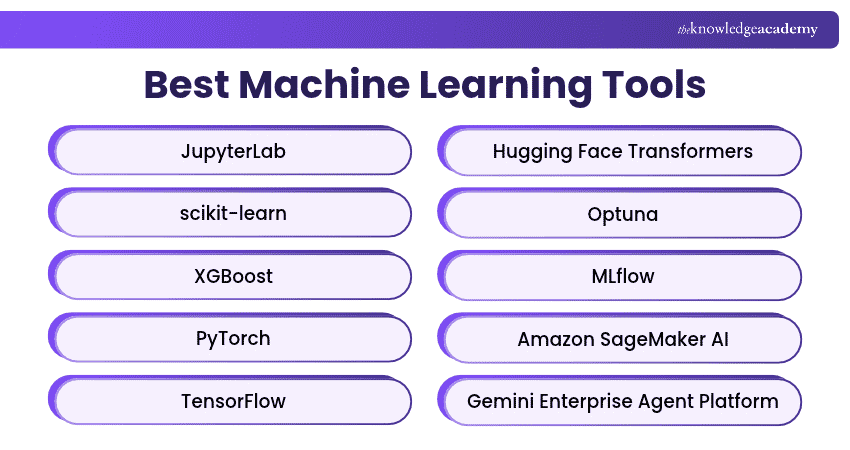
From interactive notebooks to managed cloud platforms, these 10 tools support different stages of machine learning. Explore their capabilities and practical examples to see where each fits into your project.
1) JupyterLab
JupyterLab is an interactive workspace for writing code, inspecting data and presenting results. Its notebooks combine executable code, charts, and written explanations in one document. This makes it useful in the early stages of a project, when you want to inspect individual steps and share your findings.
Example Use: Explore a customer dataset, plot missing values and document which fields are ready for modelling.

2) scikit-learn
scikit-learn is a Python library for tasks such as classification, regression and clustering. It also provides tools for preprocessing, cross-validation, and model evaluation. Its pipelines let you combine steps such as filling missing values, encoding categories, and fitting a model, so those steps can be evaluated together.
Example Use: Build a logistic regression baseline to estimate which subscribers are likely to cancel.
3) XGBoost
XGBoost is an optimised gradient boosting library. Its tree-based models are a good candidate for structured datasets where outcomes depend on interactions between variables. It offers a scikit-learn-compatible Python interface, so you can compare a boosted-tree model with other estimators using the same evaluation workflow.
Example Use: Estimate delivery times using order size, travel distance, scheduled dispatch time and historical route data.
4) PyTorch
PyTorch is a deep learning framework that provides tensors, neural network layers and automatic differentiation through torch.autograd. It suits projects where developers want control over how batches are processed, how losses are calculated or how the model is updated during training.
Example Use: Train an image classifier to identify different types of product defects using a custom training loop.
5) TensorFlow
TensorFlow supports neural network development through the high-level Keras API. Methods such as fit, evaluate and predict cover routine training, evaluation, and inference. Built-in callbacks can stop training early or save model checkpoints, giving teams a way to handle common training tasks within the same workflow.
Example Use: Train an image classifier to sort product photos by category and use a checkpoint callback to save the model with the best validation result.
Pro Tip: Check When Each Input Becomes Available
If you predict late deliveries at checkout, exclude fields such as the actual dispatch time. A model can appear more accurate during development if it sees information that would only become available after the prediction is made.
6) Hugging Face Transformers
Hugging Face Transformers is a library for working with pre-trained models across text, vision, audio and multimodal tasks. You can use its inference pipelines to try a supported model or fine-tune a suitable checkpoint on your own labelled data.
Example Use: Fine-tune a text classification model to route support tickets to billing, technical support or account management.
7) Optuna
Optuna automates hyperparameter optimisation. You define the model settings to explore and the metric to improve, such as validation error. Optuna proposes configurations to test and can stop unpromising trials early when an appropriate pruner is configured and intermediate results are reported.
Example Use: Search for a combination of tree depth and learning rate that reduces validation error in an XGBoost model.
8) MLflow
MLflow provides experiment tracking and model management tools. It can record run parameters, metrics and artefacts so teams can compare results across experiments. Its Model Registry also helps teams manage model versions after training.
Example Use: Compare several demand forecasting runs, review their error metrics and register the selected model for use in a deployment workflow.
9) Amazon SageMaker AI
Amazon SageMaker AI is AWS’s managed service for building, training and deploying ML models. Teams can bring their own algorithms and frameworks to managed training jobs. Deployment options include real-time inference for on-demand predictions and batch transform for processing groups of records.
Example Use: Use batch transform to score thousands of customer accounts overnight and feed the results into a morning dashboard.
10) Google Cloud Gemini Enterprise Agent Platform
Google Cloud has brought capabilities previously available through Vertex AI into Gemini Enterprise Agent Platform. Its machine learning capabilities include AutoML for supported tasks such as tabular classification and forecasting, managed custom training and online and batch inference.
Example Use: Use AutoML forecasting to train a model on historical sales data, then generate batch forecasts for inventory planning.
How to Choose the Right Machine Learning Tool
Before shortlisting a machine learning tool, consider your data, training requirements, deployment needs and available resources. The following factors can help you make the right choice.
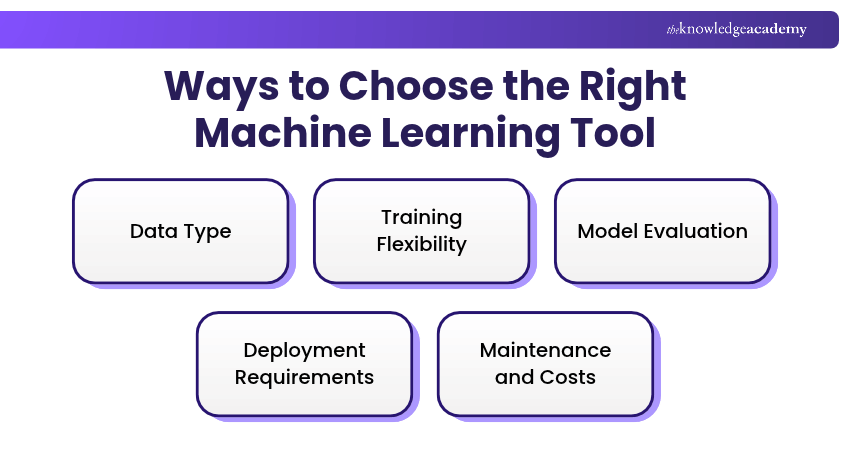
1) Data Type: Choose classical models or boosted trees for structured data, and consider pre-trained models for images, text or audio.
2) Training Flexibility: Use standard training APIs for routine tasks or flexible frameworks for custom architectures and training processes.
3) Model Evaluation: Compare models against a baseline using consistent validation methods and suitable performance metrics.
4) Deployment Requirements: Use batch inference for scheduled predictions or online inference for applications requiring quick responses.
5) Maintenance and Costs: Consider data access, model updates, infrastructure, regional availability and training or inference costs.
Keep This in Mind
A more complex model does not always deliver better results. Start with a simple baseline, compare performance using reliable validation methods and consider the time and resources needed to maintain the model. The right tool is one that meets your project's requirements, not necessarily the most advanced option.
Understand core machine learning algorithms and their real-world use cases with our Python with Machine Learning Training – Register now!

The Knowledge Academy develops accessible learning content across Project Management, IT, Cybersecurity, Data Science, Business Analysis, HR, Accounting and Finance, Leadership and Health and Safety. Its resources combine subject research with clear explanations to help professionals build practical knowledge across a wide range of disciplines.
View Detail

 If you wish to make any changes to your course, please


