




We may not have the course you’re looking for. If you enquire or give us a call on 01344203999 and speak to our training experts, we may still be able to help with your training requirements.
Top 10 Data Virtualisation Tools: Features and Use Cases
ByThe Knowledge AcademyLast updated on: 26 November 2026
Data virtualisation tools help businesses access and analyse information stored across multiple systems without always transferring it into one location. Explore 10 data virtualisation platforms and federated query tools, their key features, practical use cases and role in supporting data integration and analytics.
At a Glance
1. Data Virtualisation: Enables unified access to information across multiple sources without always moving or duplicating data.
2. Enterprise Platforms: Denodo, Spotfire Data Virtualization and CData Virtuality support integrated and governed data access.
3. Federated Querying: Starburst, Trino and Presto enable SQL queries across distributed data systems.
4. Data Platforms and Analytics: SAP Datasphere, IBM Data Virtualization and Dremio offer different approaches to data federation, governance and analytics.
Imagine accessing sales, inventory and customer information stored across different systems without bringing every dataset into one place. Your analytics team could work with this information through a unified view, even when the underlying data remains distributed.
This is where data virtualisation tools become useful. They create a logical layer over connected data sources, allowing users to query information without always moving or duplicating the underlying data.
From dedicated data virtualisation platforms to federated query engines, this blog explores ten tools, their features and practical use cases to help you compare different solutions.
Best Data Virtualisation Tools
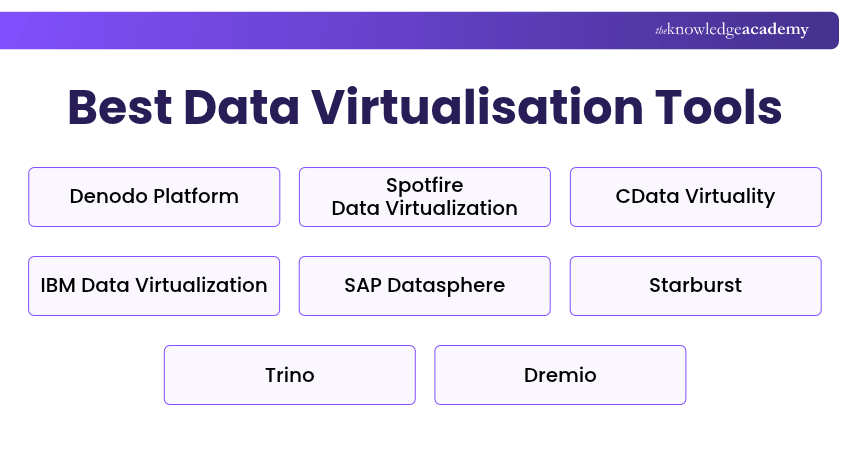
Not every data virtualisation solution works the same way. Some provide dedicated logical data layers with governance and reusable views, while others focus on federated SQL queries across distributed systems. Here are 10 tools worth understanding.
1) Denodo Platform
The Denodo platform provides a logical data layer for connecting distributed data sources and delivering information to analytics, applications, and AI systems.
Its strength lies in combining connectivity, data abstraction, governance, and query optimisation within one platform.
Key Features:
1) Logical data integration across multiple enterprise sources.
2) SQL, REST, and GraphQL interfaces for data consumption.
3) Security and governance controls for managed data access.
4) Query optimisation, caching and selective materialisation.
Practical Use Case: A multinational business can create governed views of regional sales data stored across different systems, allowing teams to use consistent reporting definitions without consolidating every source.
Denodo is particularly relevant to organisations managing complex data environments where centralised access and governance are essential.

2) Spotfire Data Virtualization (formerly TIBCO Data Virtualization)
Spotfire data virtualization provides a virtual layer for accessing information from databases, files, cloud platforms, and APIs.
Previously known as TIBCO data virtualization, the platform is designed to make distributed information easier to discover, combine, and consume.
Key Features:
1) Virtual data views combining information from different sources.
2) Data transformation and modelling capabilities.
3) Query performance optimisation and caching.
4) Enterprise security and governance controls.
Practical Use Case: A financial services organisation can provide authorised teams with unified views of customer, transaction and operational information, supporting consistent reporting across departments.
The platform is particularly useful where organisations need controlled access to information across multiple business functions.
3) CData Virtuality
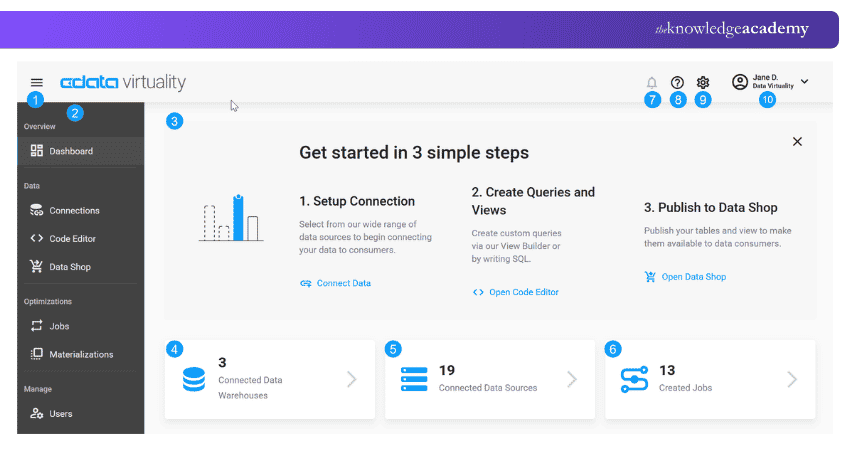
CData Virtuality enables organisations to integrate and access information across cloud applications, databases, and enterprise systems.
The platform supports logical data access alongside replication and materialisation, making it relevant to organisations with mixed integration requirements.
Key Features:
1) Federated queries across connected data sources.
2) Virtual data views and semantic modelling.
3) Options for live querying, replication and materialisation.
4) Enterprise authentication and access management capabilities.
Practical Use Case: An e-commerce business can access current order information through virtual views while replicating selected historical data for recurring marketing and customer analysis.
CData Virtuality is useful when businesses need to balance direct source access with performance and integration requirements.
Trainer's Insight
Connecting multiple sources creates dependencies between applications, database teams, and analytics functions.
Without clear responsibility for virtual views, connector updates, and access policies, even a technically successful implementation can become difficult to maintain. Define ownership before extending the platform across departments.
4) IBM Data Virtualization
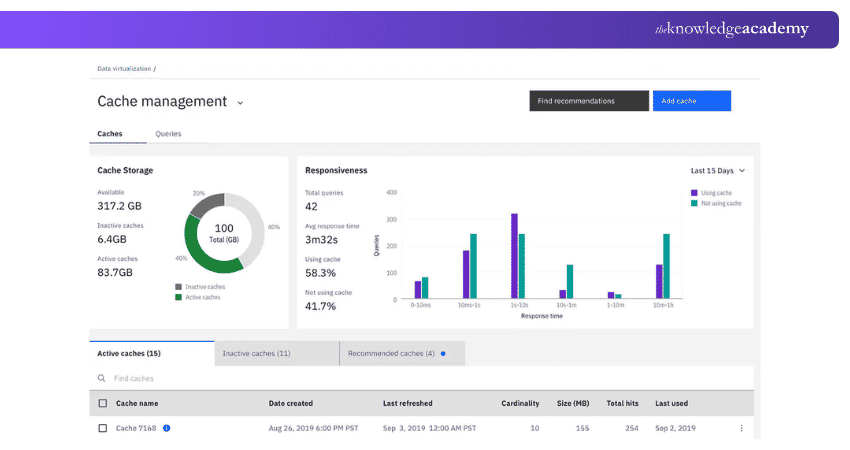
IBM data virtualization, available in supported IBM Software Hub and Cloud Pak for Data deployments, enables users to create virtual views across distributed information sources.
It helps organisations make information accessible to analytics workflows without requiring every dataset to be copied into the same storage environment.
Key Features:
1) Unified access to distributed enterprise data.
2) Virtual views for combining information from supported sources.
3) Integration with IBM's broader data and governance ecosystem.
4) Support for cross-source analysis.
Practical Use Case: An insurance company using IBM's data management environment can provide authorised analysts with combined views of policy records, customer information and claims data.
Important: IBM announced the deprecation of data virtualisation on Cloud Pak for Data as a Service in June 2026, with removal scheduled for October 2026. Data virtualisation continues to be supported through IBM Software Hub deployments. Organisations should confirm current deployment options and support requirements with IBM before choosing the solution.
Bridge the gap between complex data and better decisions with the Advanced Data Analytics Course – Join now!
5) SAP Datasphere
SAP Datasphere is a cloud-based data platform that supports data federation, integration and semantic modelling across SAP and supported non-SAP sources.
It allows organisations to access selected remote data through virtual connections without always replicating it. When necessary, supported connections can also be used for data replication.
Key Features:
1) Remote tables for accessing supported external data sources.
2) Data federation and replication capabilities.
3) Semantic modelling for reusable business data views.
4) Integration with SAP data environments and supported external systems.
Practical Use Case: A manufacturing business using SAP S/4HANA can connect supported operational data to SAP Datasphere and combine it with other business information for supply chain reporting. Remote tables can provide federated access where the source connection supports it.
SAP Datasphere is particularly relevant to organisations that want to connect enterprise data while preserving business context and reusing existing SAP investments.
6) Starburst
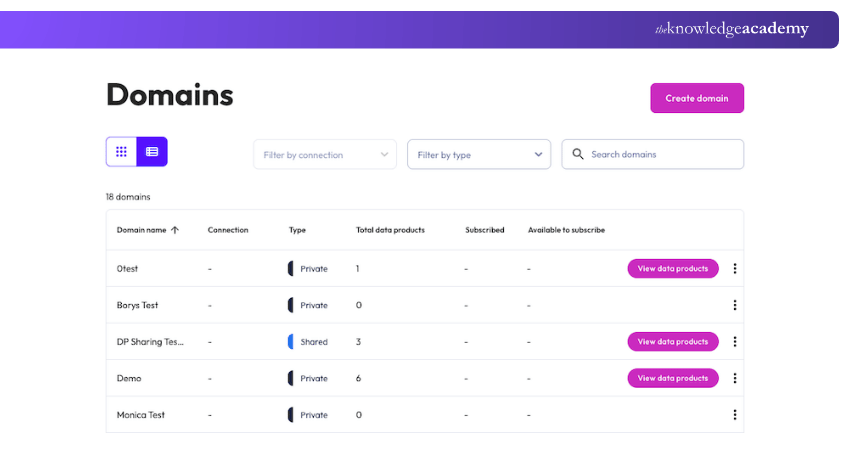
Starburst is built on Trino and enables organisations to query information distributed across data lakes, warehouses, and operational databases.
It provides enterprise capabilities around federated querying, performance optimisation, security, and deployment management.
Key Features:
1) Distributed SQL query processing.
2) Connectivity across supported cloud and database environments.
3) Query optimisation for large analytical workloads.
4) Enterprise security and access management.
Practical Use Case: A global retailer can use federated SQL to analyse transactions in a cloud data warehouse alongside inventory information in another supported system, without first building a separate consolidated reporting database.
Starburst is especially relevant when businesses require large-scale federated analytics with commercial support and enterprise management capabilities.
7) Trino
Trino is a distributed SQL query engine designed to analyse large datasets across different systems.
Rather than functioning as a complete enterprise data virtualisation platform, Trino focuses on executing SQL queries across supported data sources.
Key Features:
1) Distributed SQL processing for analytical workloads.
2) Connectors for databases, data lakes, and other systems.
3) Cross-source joins and federated queries.
4) Query optimisation and connector-dependent pushdown.
Practical Use Case: A data engineering team can query PostgreSQL records alongside tables stored in an Apache Iceberg data lake and perform supported joins through SQL.
Trino is useful for technically experienced teams seeking flexibility and an open-source approach to federated analytics.
8) Dremio
Dremio is a data lakehouse platform that supports querying distributed information and building reusable data views.
One of its distinguishing capabilities is Reflections, which use optimised materialisations of source data or queries to accelerate supported analytical workloads.
Key Features:
1) Federated access to supported data sources.
2) Virtual datasets for reusable analytical views.
3) Reflections for query acceleration.
4) SQL-based data exploration and analytics.
Practical Use Case: A business intelligence team can create reusable virtual datasets for reporting and configure Reflections to accelerate frequently executed analytical queries.
Dremio is particularly relevant when query performance and simplified access to analytical data are important priorities.
9) Amazon Athena Federated Query
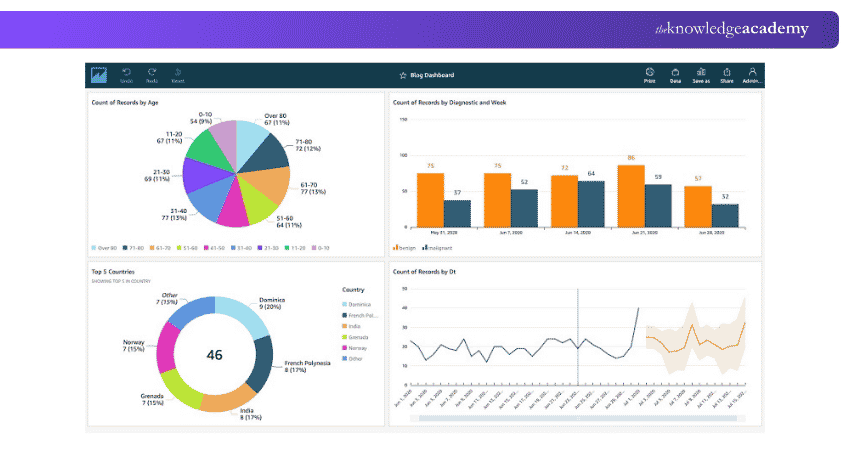
Amazon Athena Federated Query is a capability of Amazon Athena that enables organisations to analyse information stored across multiple data sources using SQL without necessarily moving it into a central repository.
It supports querying data from Amazon S3 alongside connected sources such as Amazon DynamoDB, PostgreSQL, MySQL and Snowflake. Supported managed connectors simplify access to external systems without requiring customers to deploy and maintain the underlying connector resources themselves.
Key Features:
1) Serverless SQL querying across supported data sources.
2) Managed connectors for simplified federated data access.
3) Federated queries across relational and non-relational databases.
4) Integration with AWS Glue Data Catalog and supported AWS Lake Formation governance capabilities.
Practical Use Case: An e-commerce business can combine transaction data stored in Amazon S3 with customer information from PostgreSQL and inventory records from Amazon DynamoDB to support sales and inventory analysis, provided the necessary connectors and permissions are configured.
Amazon Athena Federated Query is particularly useful for organisations using AWS services that need flexible access to distributed information without building extensive data integration pipelines.
Pro Tip
Serverless querying reduces infrastructure management, but it does not eliminate costs. When using Amazon Athena Federated Query, monitor query usage, connector-related charges and any additional AWS services involved.
Simplify cloud data analysis and make every insight count with the AWS Data Analytics Fundamentals Training - Register now!
10) Presto
Presto, also known as PrestoDB, is an open-source distributed SQL query engine designed to analyse information stored across multiple data systems. It is maintained separately from Trino, although both projects share a common origin.
Presto supports federated queries, enabling users to analyse information across different connected sources without always building a centralised data pipeline.
Key Features:
1) Distributed SQL processing for analytical queries.
2) Connectors for relational, NoSQL and data lake sources.
3) Cross-source querying and data federation.
4) Support for interactive and batch analytical workloads.
Practical Use Case: A digital services organisation can run distributed SQL queries on application activity stored in a data lake and compare the results with information held in connected operational databases.
Presto is suitable for engineering teams that need a flexible, open-source query engine and can manage the infrastructure it requires.
How to Choose the Right Data Virtualisation Tool
Choosing a data virtualisation tool depends on the sources you need to connect, the level of governance required and the types of queries your teams perform. Consider the following factors before selecting a solution:
1) Data Sources: Check whether the tool supports your databases, cloud platforms, applications and data formats.
2) Integration Approach: Decide whether you need live federated access, replication, caching or materialisation, considering data freshness and performance requirements.
3) Security and Governance: Evaluate access controls, authentication, data policies and integration with existing governance systems.
4) Query Performance: Assess how the platform handles large datasets, cross-source joins, caching and query optimisation.
5) Deployment and Cost: Consider infrastructure requirements, licensing, maintenance responsibilities and expected query workloads.
Keep This in Mind
Data virtualisation does not always eliminate data movement. Depending on the tool and workload, caching, replication or materialisation may still be necessary to improve query performance. Check source compatibility, governance requirements and processing costs before selecting a solution.

The Knowledge Academy develops accessible learning content across Project Management, IT, Cybersecurity, Data Science, Business Analysis, HR, Accounting and Finance, Leadership and Health and Safety. Its resources combine subject research with clear explanations to help professionals build practical knowledge across a wide range of disciplines.
View Detail

 If you wish to make any changes to your course, please


