




We may not have the course you’re looking for. If you enquire or give us a call on 01344203999 and speak to our training experts, we may still be able to help with your training requirements.
Top 15+ Software Development Tools for Developers in 2026
ByJohn DaviesLast updated on: 17 September 2026
Discover 20 useful Software Development Tools for coding, AI assistance, version control, CI/CD, testing, databases and Project Management, along with practical guidance for choosing the right combination for your workflow.
Users may only see the finished website, mobile app, or software platform, but developers see everything happening behind the screen. They manage code, repositories, APIs, databases, testing environments, deployments, bugs, and constant changes. Handling all of this efficiently requires a carefully selected set of Software Development Tools.
The best tools do more than make coding easier. They can streamline collaboration, automate repetitive processes, improve software quality and help teams deliver changes faster. With AI and automation becoming increasingly integrated into development workflows, the tools developers choose in 2026 can have a major influence on how efficiently they work.
What are Software Development Tools?
Software Development Tools, or "dev tools," are applications, frameworks, and platforms that assist developers at every stage of software creation. They help write, test, debug, and deploy code while ensuring smooth functionality.
Beyond coding, these tools support collaboration, version control, database management, UI/UX design, and deployment, forming the backbone of the IT industry. By streamlining processes, reducing errors, and enhancing productivity, they enable developers to build sophisticated and reliable software in a dynamic tech landscape.

Best Software Development Tools in 2026
The following 20 tools cover different parts of the Software Development lifecycle. They are not direct substitutes for one another, so the most useful comparison is based on what each tool is best suited to doing. Let's discuss some of the best tools in detail:
Code Editors and IDEs
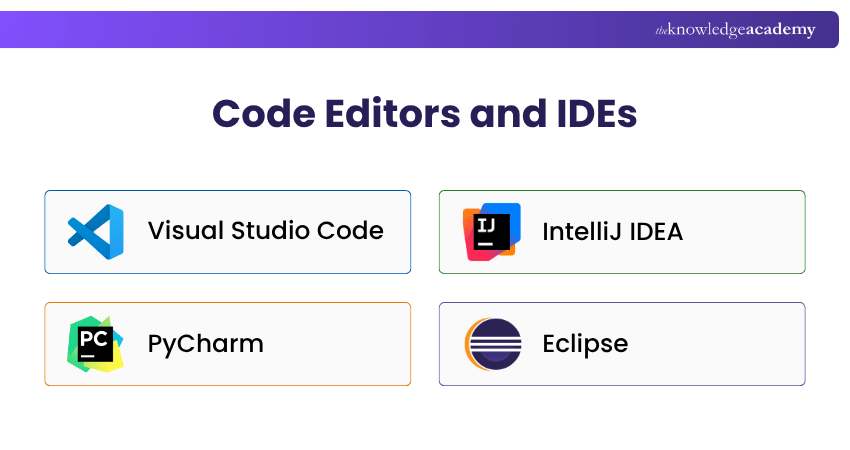
1) Visual Studio Code
Overview: Visual Studio Code, or VS Code, is Microsoft's cross-platform source-code editor. It combines a relatively streamlined editor experience with IntelliSense, debugging, Git support, an integrated terminal and an extensive extension ecosystem.
Platform: Windows, macOS, Linux, Web. Price: Free (Open source)
Key Strengths:
a) Broad language support through built-in capabilities and extensions
b) Integrated debugging and terminal
c) Built-in Git support
d) Highly customisable extension ecosystem
e) Suitable for web, cloud, scripting and cross-platform development
Use Cases:
a) Web & Software Development (JavaScript, Python, Java)
b) Data Science (Jupyter, R)
c) DevOps (Docker, Kubernetes)
Best For: Developers who want a flexible, lightweight editor that can adapt to many languages and workflows.
2) IntelliJ IDEA
Overview: IntelliJ IDEA is a professional IDE designed primarily for Java and Kotlin development. It provides intelligent code assistance, advanced refactoring, debugging, profiling and framework support for complex application development.
Key Strengths:
a) Advanced Java and Kotlin support
b) Context-aware code completion
c) Powerful refactoring capabilities
d) Integrated debugging and profiling
e) Strong framework and database integration
Use Cases:
a) Java and Kotlin Development
b) Enterprise Application Development
c) Spring and JVM-based projects
Best For: Professional Java and Kotlin Developers working on complex applications.
3) PyCharm
Overview: PyCharm is a Python-focused IDE that provides intelligent code assistance, debugging, testing, project navigation, and development tools for Python applications.
Key Strengths:
a) Python-specific code intelligence
b) Integrated debugger
c) Testing framework support
d) Refactoring and code inspection
e) Data, web and database development support
Use Cases:
a) Python Application Development
b) Web Development
c) Data Science and Machine Learning
Best For: Python Developers who need a dedicated development environment with deeper project-level assistance.
4) Eclipse
Overview: Eclipse is an open-source and extensible IDE widely associated with Java development. Its plugin architecture allows developers to adapt it for enterprise, web, C/C++, PHP and other development requirements.
Key Strengths:
a) Strong Java development support
b) Extensive plugin ecosystem
c) Integrated debugging
d) Build and version-control integrations
e) Multiple specialised development packages
Use Cases:
a) Java Development
b) Enterprise Applications
c) Cross-platform Development
Best For: Java Developers and organisations looking for an extensible open-source IDE
AI Coding Assistants
5) GitHub Copilot
Overview: GitHub Copilot is an AI coding assistant that helps developers generate, understand and modify code. It provides code completion, chat, and agent-based development capabilities across supported development environments.
Key Strengths:
a) AI-powered code completion
b) Coding-focused conversational assistance
c) Code explanation and modification
d) Agent-based development capabilities
e) Strong GitHub and IDE integration
Use Cases:
a) Code Generation
b) Code Explanation and Refactoring
c) Development Workflow Automation
Best For: Developers who want AI assistance integrated directly into their coding and GitHub workflows.
6) Gemini Code Assist
Overview: Gemini Code Assist provides AI-powered coding assistance for organisations using supported IDEs and Google Cloud development workflows. It can generate code, complete code, explain existing code, and help developers perform transformations.
Key Strengths:
a) AI code generation
b) Code completion
c) Code transformation
d) Local codebase awareness
e) Google Cloud integration
Use Cases:
a) Writing and Completing Code
b) Debugging and Code Explanation
c) Cloud Application Development
Best For: Development teams using Google Cloud or supported IDEs that want enterprise AI coding assistance.
Take control of the software development process with our Software Development Lifecycle Training – Join now!
Version Control and Code Collaboration
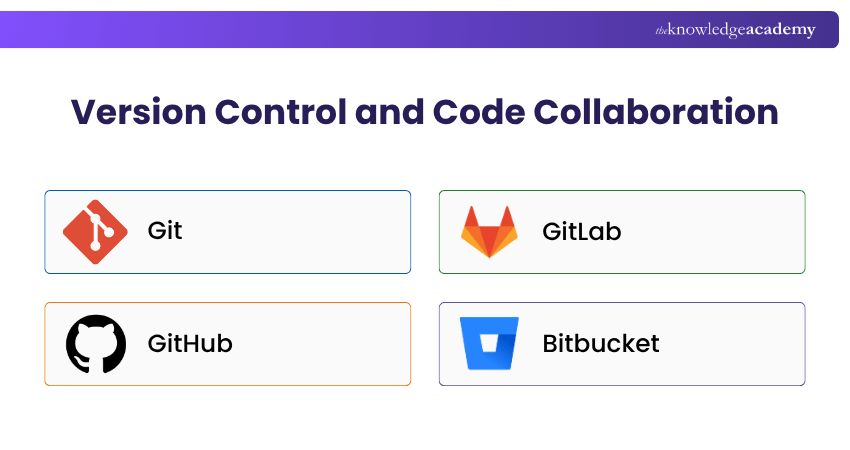
7) Git
Overview: Git is a distributed Version Control System that tracks changes to source files and enables developers to work independently before merging their changes into shared codebases.
Key Strengths:
a) Distributed version control
b) Powerful branching
c) Flexible merging
d) Complete local repository history
e) Broad development-platform support
Use Cases:
a) Source Code Management
b) Feature Branch Development
c) Team Collaboration
Best For: Developers and teams that need reliable tracking and management of code changes.
8) GitHub
Overview: GitHub is a Git-based development platform for hosting repositories, reviewing code, managing development work, and automating Software Development workflows.
Key Strengths:
a) Git repository hosting
b) Pull requests and code review
c) Issue tracking
d) GitHub Actions automation
e) Large Developer ecosystem
Use Cases:
a) Open-source Development
b) Collaborative Code Review
c) CI/CD Automation
Best For: Teams that want repository hosting, code collaboration and development automation in one ecosystem.
9) GitLab
Overview: GitLab combines source-code management with CI/CD, code review, security and wider DevSecOps capabilities within an integrated Software Development platform.
Key Strengths:
a) Git repository management
b) Merge-request workflows
c) Built-in CI/CD
d) Security integration
e) End-to-end DevSecOps capabilities
Use Cases:
a) Source Code Management
b) CI/CD Pipelines
c) DevSecOps Workflows
Best For: Teams seeking an integrated platform for source control, automation and Software Delivery.
10) Bitbucket
Overview: Bitbucket is Atlassian's Git-based code hosting platform. It supports repository management, pull requests, CI/CD through Bitbucket Pipelines and close integration with Jira.
Key Strengths:
a) Git repository hosting
b) Pull-request workflows
c) Bitbucket Pipelines
d) Jira integration
e) Team access and security controls
Use Cases:
a) Collaborative Development
b) CI/CD Automation
c) Jira-connected Development Workflows
Best For: Development teams already using Jira and the Atlassian ecosystem.
CI/CD, Containers and Infrastructure Tools
11) Jenkins
Overview: Jenkins is an open-source automation server commonly used to automate Software Development activities such as building, testing and deploying applications.
Key Strengths:
a) Pipeline as Code
b) Extensive plugin ecosystem
c) Flexible CI/CD configuration
d) Distributed build support
e) Integration with numerous Developer tools
Use Cases:
a) Continuous Integration
b) Automated Testing
c) Continuous Delivery and Deployment
Best For: Teams requiring highly customisable Software Delivery automation.
12) Docker
Overview: Docker provides tools for building, packaging, distributing and running applications in containers. It helps create consistent environments across development, testing and deployment.
Key Strengths:
a) Portable application containers
b) Consistent development environments
c) Image building and management
d) Docker Compose support
e) CI/CD and cloud integration
Use Cases:
a) Application Containerisation
b) Microservices Development
c) CI/CD and Deployment Workflows
Best For: Developers who want consistent and portable application environments.
13) Kubernetes
Overview: Kubernetes is an open-source container orchestration platform used to deploy, scale and manage containerised applications across computing environments.
Key Strengths:
a) Container orchestration
b) Automated application scaling
c) Service discovery and load balancing
d) Deployment and rollback management
e) Infrastructure portability
Use Cases:
a) Containerised Application Deployment
b) Microservices Management
c) Cloud-native Infrastructure
Best For: Teams operating containerised applications that require orchestration and scalability.
Testing and API Development Tools
14) Selenium
Overview: Selenium is an open-source browser automation framework used to automate interactions with web applications across supported browsers.
Key Strengths:
a) Browser automation
b) Cross-browser testing
c) Multiple programming-language bindings
d) Selenium WebDriver
e) Scalable execution through Selenium Grid
Use Cases:
a) Web Application Testing
b) Regression Testing
c) Browser Compatibility Testing
Best For: Developers and QA teams that need automated browser testing.
15) JUnit
Overview: JUnit is a testing framework for Java and other JVM-based development. It provides structured APIs for writing and executing automated tests.
Key Strengths:
a) Structured unit testing
b) Assertions and test lifecycle support
c) Parameterised testing
d) IDE integration
e) Build and CI/CD integration
Use Cases:
a) Java Unit Testing
b) Regression Testing
c) Automated CI Testing
Best For: Java and JVM Developers who need reliable automated testing.
16) Postman
Overview: Postman is an API platform used to design, build, test, document and manage APIs. It supports multiple API protocols and collaborative development workflows.
Key Strengths:
a) API request testing
b) Multi-protocol support
c) Automated test scripts
d) Mock servers
e) API documentation and collaboration
Use Cases:
a) REST and GraphQL API Testing
b) API Development and Debugging
c) API Documentation
Best For: Developers and teams that design, test and collaborate around APIs.
Create better-integrated systems with our Systems Engineering Training – Register now!
Database Development and Management Tools
17) SQL Server Management Studio (SSMS)
Overview: SQL Server Management Studio is Microsoft's integrated environment for developing, querying, configuring and administering SQL Server and related Microsoft SQL services.
Key Strengths:
a) SQL query development
b) Database administration
c) Object management
d) Execution plan analysis
e) Performance and troubleshooting tools
Use Cases:
a) SQL Server Administration
b) Query Development
c) Database Performance Analysis
Best For: Developers and Database Administrators working with Microsoft SQL environments.
18) MySQL Workbench
Overview: MySQL Workbench is a graphical environment for MySQL database development, modelling, administration, and migration.
Key Strengths:
a) SQL development
b) Visual database modelling
c) Database administration
d) Forward and reverse engineering
e) Migration capabilities
Use Cases:
a) MySQL Database Administration
b) SQL Query Development
c) Database Design and Modelling
Best For: Developers and Database Administrators working primarily with MySQL.
Project Management and Development Collaboration Tools
19) Jira
Overview: Jira is a work and project-management platform widely used by Software Development teams to manage tasks, issues, backlogs, workflows and project progress.
Key Strengths:
a) Scrum and Kanban workflows
b) Backlog management
c) Issue and bug tracking
d) Customisable workflows
e) Automation and developer tool integrations
Use Cases:
a) Agile Project Management
b) Bug and Issue Tracking
c) Sprint and Development Planning
Best For: Software teams that need structured projects, issues, and workflow management.
20) Trello
Overview: Trello is a visual work-management platform that organises activities through boards, lists, and cards. Its simple interface makes it suitable for lightweight development planning.
Key Strengths:
a) Visual Kanban-style boards
b) Drag-and-drop task management
c) Workflow automation
d) Flexible cards and checklists
e) Atlassian and third-party integrations
Use Cases:
a) Development Task Management
b) Sprint and Project Planning
c) Small-team Collaboration
Best For: Smaller teams that want straightforward visual task and workflow management.
Quick Decision Guide
If your main problem is:
a) Writing code efficiently: Start with a code editor or IDE.b) Managing code changes: Add Git and a repository platform.c) Reducing repetitive coding: Evaluate an AI coding assistant.d) Automating builds and releases: Consider CI/CD tooling.e) Keeping environments consistent: Look at container tools.f) Testing browser behaviour: Use a browser automation framework.g) Testing APIs: Use an API development and testing platform.h) Coordinating development work: Add an issue or project-management tool.
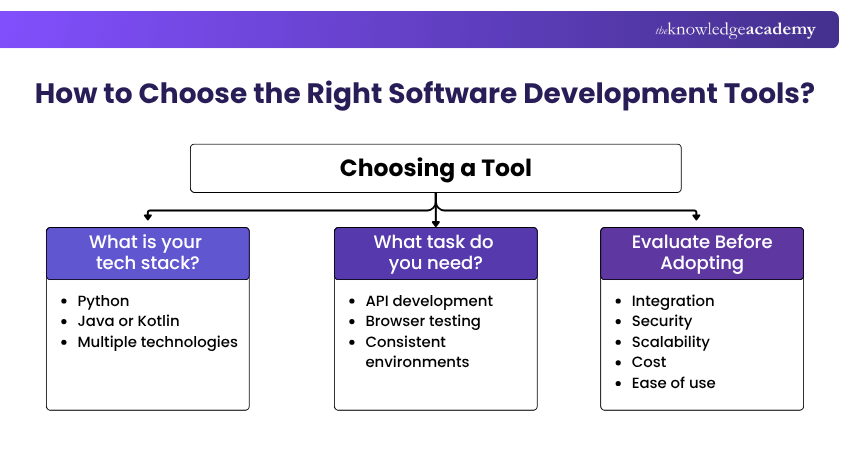
How to Choose the Right Software Development Tools?
The right tools depend on your project, technology stack and team workflow. Focus on tools that solve a clear development need and integrate well with the systems you already use.
Match Tools to Your Stack
Choose tools that support your programming languages, frameworks and development process. For example, PyCharm suits Python development, IntelliJ IDEA is strong for Java and Kotlin, while VS Code offers flexibility across multiple technologies.
Also match tools to specific tasks, such as Postman for API development, Selenium for browser testing and Docker for consistent environments.
Consider Integration, Security and Cost
Before adopting a tool, evaluate:
a) Integration: Does it work with your IDE, repositories and CI/CD tools?
b) Security: Can access and permissions be managed effectively?
c) Scalability: Will it support larger projects and teams?
d) Cost: Consider licensing, infrastructure and maintenance expenses.
e) Ease of Use: Choose tools that developers can adopt without unnecessary complexity.
Build a Simple Starter Toolset
Beginners can start with a simple stack such as Visual Studio Code for coding, Git for version control, GitHub for repositories and Postman for API testing. Additional tools can be introduced as projects become more complex.
Gain core skills for structured systems development with our Systems Development Essentials Training – Join now!

John Davies creates security-focused content that helps organisations understand digital risks and establish appropriate safeguards. His practical explanations connect regulatory expectations, governance principles and security controls with wider organisational priorities.
View Detail

 If you wish to make any changes to your course, please


