


We may not have the course you’re looking for. If you enquire or give us a call on 01344203999 and speak to our training experts, we may still be able to help with your training requirements.
Top 10 Agile Testing Tools and Their Features
BySienna RobertsLast updated on: 14 November 2026
Agile testing tools help teams automate tests, manage defects and improve visibility into software quality. Compare popular tools such as Selenium, Cypress, Playwright and Xray to understand their features, applications and suitability for different projects.

Quick Look
1. Test Automation: Tools such as Selenium, Cypress and Playwright automate browser-based testing.2. Mobile Testing: Appium supports automated testing of mobile applications across supported platforms.3. Test Management: Xray, PractiTest and Tricentis qTest help organise test cases, execution results and reporting.4. Specialised Testing: Postman supports API testing, while Zephyr supports test planning, execution tracking and reporting within Jira.5. Tool Selection: The right choice depends on testing requirements, integrations, team expertise and project complexity.
Every software development team knows the excitement of completing a new feature. But before celebrating, there is usually one important question to answer.
Developer: “The new feature is ready!”
Tester: “Great! But have we checked what it might have broken?”
A valid question, isn't it? Even a small code change can affect features that were working perfectly before. In Agile software development, where updates happen frequently, testing needs to keep pace. This is where Agile testing tools help teams automate checks, track defects and manage testing throughout development.
But with tools designed for everything from browser automation to API testing and test management, which one should you choose? This blog explores 10 Agile testing tools and how to find the right fit for your project. So, read on!
Top Agile Testing Tools
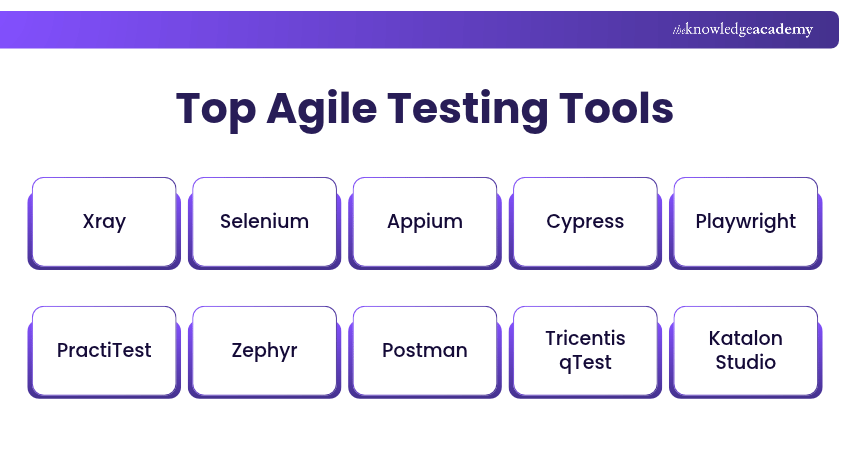
Different testing tools serve different purposes within Agile development. Some automate tests, while others help teams organise test cases, track results and collaborate throughout the development process. Here are 10 tools worth exploring:
1) Xray
Xray is a Jira-native test management solution that helps Agile teams plan, organise, execute and track software tests. It extends Jira with test management capabilities, allowing teams to connect test cases with requirements, defects and development activities.
Xray supports manual and automated test management, making it useful for teams that need testing information alongside their existing Jira workflows. It also supports Behaviour-driven Development (BDD) and integration with automation tools.
Xray Key Features:
a) Test Case Management: Create, organise and maintain test cases within Jira.
b) Requirement Traceability: Connect requirements, tests and defects to monitor coverage.
c) Manual and Automated Testing: Manage manual execution and import supported automated test results.
d) BDD Support: Manage Gherkin-based test scenarios and integrate with Cucumber for automated testing.
e) Reporting and Integration: Monitor testing progress and connect with supported CI/CD workflows.
Best Suited For: Agile teams using Jira that need integrated test management and traceability.
2) Selenium
Selenium is an open-source browser automation project used to test web applications. It allows developers and testers to automate browser interactions and verify that websites behave as expected across supported browsers.
Its core component, Selenium WebDriver, provides an interface for controlling browsers programmatically. Selenium also supports several programming languages, making it suitable for teams working with different technology stacks.
Selenium Key Features:
a) Browser Automation: Automates interactions with web applications through WebDriver.
b) Cross-browser Testing: Supports automation across major browsers, including Chrome, Firefox, Edge and Safari.
c) Language Support: Provides bindings for languages such as Java, Python, JavaScript and C#.
d) Selenium Grid: Enables remote and parallel test execution across configured environments.
e) CI/CD Integration: Can be incorporated into automated testing pipelines.
Best Suited For: Teams requiring flexible web automation across different browsers and programming languages.
Develop practical test automation skills and accelerate software testing processes with Selenium Training – Sign up now!
3) Appium
Appium is an open-source UI automation framework used to test applications across multiple platforms. It is particularly useful for mobile application testing, including native, hybrid and mobile web applications.
Appium uses a driver-based architecture to interact with supported platforms such as Android and iOS. This enables developers and testers to automate application behaviour using supported programming languages and compatible drivers.
Appium Key Features:
a) Mobile Automation: Supports automated testing of Android and iOS applications through appropriate drivers.
b) Application Coverage: Tests native, hybrid and mobile web applications where supported.
c) Real and Virtual Devices: Works with compatible physical devices, emulators and simulators.
d) Language Flexibility: Supports client libraries for languages such as Java, Python and JavaScript.
e) Extensible Architecture: Uses platform-specific drivers and plugins to support different automation requirements.
Best Suited For: Agile teams developing and testing mobile applications across supported platforms.
4) Cypress
Cypress is a testing platform designed primarily for modern web applications. It helps developers and QA professionals test application behaviour through automated browser-based tests.
Cypress supports end-to-end and component testing, along with features that simplify debugging and test development. Its automatic retry behaviour and interactive test runner help developers investigate application failures during development.
Cypress Key Features:
a) End-to-End Testing: Automates user journeys through web applications.
b) Component Testing: Tests supported interface components independently.
c) Time-travel Debugging: Captures DOM snapshots during test execution to help developers inspect previous application states.
d) Automatic Retry Behaviour: Automatically retries supported queries and assertions until the expected conditions are met or a timeout occurs.
e) Network Interception: Allows developers to inspect, stub and control supported network requests.
Best Suited For: Front-end development teams that want automated testing closely integrated with their JavaScript or TypeScript workflows.

5) Playwright
Playwright is an open-source browser automation framework developed by Microsoft. It supports end-to-end testing of web applications and provides tools for running tests across different browser engines.
Playwright Test includes a test runner, assertions, parallel execution and debugging capabilities. These features make it suitable for automated regression testing and integration into continuous testing workflows.
Playwright Key Features:
a) Cross-browser Testing: Supports Chromium, Firefox and WebKit browser engines.
b) Automatic Waiting: Performs actionability checks and waits for the relevant conditions before carrying out supported actions.
c) Parallel Execution: Runs test files concurrently using worker processes, with options for parallel execution within individual files.
d) Trace Viewer: Allows developers to inspect recorded execution traces to investigate test failures.
e) API Testing: Supports HTTP API requests and response validation within testing workflows.
Best Suited For: Teams requiring browser automation, detailed debugging tools and integration with CI/CD pipelines.
Pro Tip: Keep Automated Tests Reliable
Prioritise stable, meaningful test scenarios instead of automating every possible interaction. Use reliable element locators, avoid unnecessary fixed delays and review failing tests regularly. This helps reduce flaky results and makes automated tests easier to maintain as applications change.
6) PractiTest
PractiTest is a test management and quality assurance platform designed to organise testing activities and provide visibility into software quality. It helps teams manage requirements, test cases, executions and defects within a connected testing workflow.
PractiTest supports manual test management and integrates with automation frameworks and development tools. Its reporting and traceability features help teams monitor testing progress across projects.
PractiTest Key Features:
a) Test Management: Organises test cases, plans and execution activities.
b) Requirement Traceability: Connects testing information with requirements and reported defects.
c) Customisable Dashboards: Provides visibility into test results, progress and quality indicators.
d) Automation Integration: Integrates test results from supported automation frameworks into a centralised platform.
e) Development Tool Integration: Connects with tools such as Jira and Azure DevOps.
Best Suited For: QA teams requiring centralised testing visibility, reporting and traceability across multiple projects.
7) Zephyr
Zephyr is a Jira-native test management and automation platform developed by SmartBear. It helps Agile teams plan, organise, execute and monitor software testing activities within Jira, keeping testing aligned with development workflows.
Zephyr supports manual test management, requirement traceability and reporting. It also offers automation capabilities and integration with CI/CD tools, helping teams manage testing activities across development cycles. The available automation features vary by edition.
Zephyr Key Features:
a) Test Case Management: Create, organise and reuse test cases within Jira.
b) Test Planning and Execution: Manage test plans, cycles and execution results across sprints and releases.
c) Requirement Traceability: Link requirements, test cases and defects to monitor test coverage.
d) Test Automation: Integrate with supported automation frameworks, with built-in no-code automation available in selected editions.
e) Reporting and Dashboards: Track testing progress, execution results and coverage through reports and dashboards.
Best Suited For: Agile teams using Jira that need integrated test management, execution tracking and reporting.
Trainer Insight: Automation Cannot Replace Every Test
Automated tests are useful for checking expected behaviour repeatedly, but exploratory testing helps identify unexpected problems. Testers can investigate unusual user actions, confusing interfaces and scenarios that predefined scripts may overlook. Combining both approaches provides broader insight into software quality.
8) Postman
Postman is an API development and testing platform that helps teams create, send and validate API requests. It is particularly useful in Agile environments where APIs change regularly and require continuous verification.
Testers can use Postman to validate API responses, organise requests into collections and automate supported testing workflows. It also provides collaboration and documentation features for API development teams.
Postman Key Features:
a) API Request Testing: Sends HTTP requests and inspects responses.
b) Automated Assertions: Uses JavaScript-based scripts to validate API behaviour.
c) Collections: Organises related requests and tests into reusable groups.
d) Environment Variables: Manages configuration values for different testing environments.
e) Collection Execution: Runs collections manually, on a schedule or through the Postman CLI in CI/CD pipelines.
Best Suited For: Agile teams developing, integrating and validating APIs.
Acquire skills in creating and managing API requests with our Postman Certification Course – Register now!
9) Tricentis qTest
Tricentis qTest is a test management platform that helps organisations plan, manage and report on software testing activities. It supports Agile, traditional and hybrid development approaches while providing a central location for test cases, executions and quality information.
qTest integrates with development and automation tools, allowing teams to connect test management with broader software delivery processes. It is especially useful where multiple teams need consistent reporting and traceability.
Tricentis qTest Key Features:
a) Centralised Test Management: Organises test cases, plans and execution results.
b) Agile Integration: Connects with supported development platforms, including Jira.
c) Automation Management: Consolidates automated test results and supports scheduling and execution management through qTest Launch, where included in the relevant qTest package.
d) Exploratory Testing: Records exploratory testing sessions and captures defects through qTest Explorer.
e) Analytics and Reporting: Provides dashboards and reports for monitoring testing progress.
Best Suited For: Medium-sized and large organisations managing testing across multiple Agile teams.
10) Katalon Studio
Katalon Studio is an automated testing Integrated Development Environment (IDE) that supports testing across web, mobile, API and desktop applications. It is built on established automation technologies and provides tools for creating, executing and maintaining automated tests.
Katalon Studio offers recording capabilities, built-in keywords and scripting options. This enables testers with different levels of programming experience to work with automated testing workflows.
Katalon Studio Key Features:
a) Multi-platform Testing: Supports web, mobile, API and supported desktop application testing.
b) Record and Playback: Helps create automated tests by recording supported application interactions.
c) Keyword-driven Testing: Provides reusable built-in and custom keywords.
d) Script Editing: Allows testers to customise automated tests using scripting capabilities.
e) Test Maintenance Support: Provides Smart Wait to handle element-readiness issues and self-healing capabilities to recover broken element locators in paid editions.
Best Suited For: Teams that need a testing IDE covering multiple application types and different levels of scripting expertise.
How to Choose the Right Agile Testing Tool?
Choosing the right Agile testing tool depends on your testing objectives, project requirements and team capabilities. Rather than focusing solely on the number of features, evaluate how well a tool fits your development workflow.
Here are the important factors to consider:
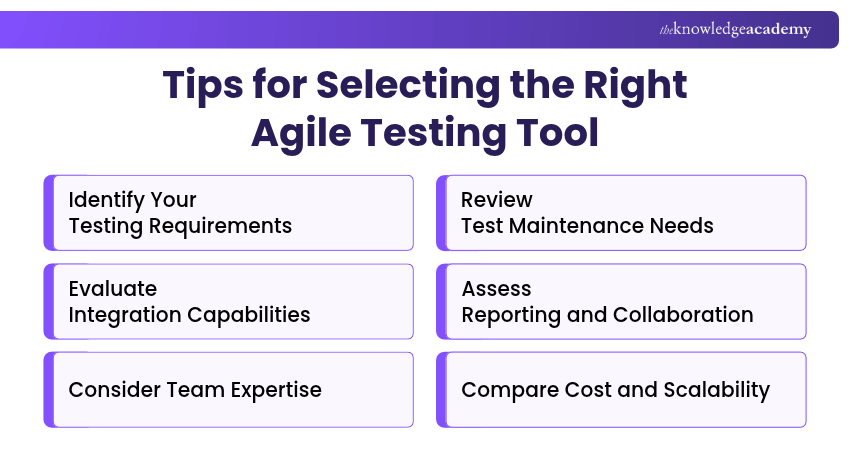
1) Identify Your Testing Requirements: Determine whether your project requires browser automation, mobile testing, API validation, exploratory testing or test management. For example, Playwright supports web automation, while Postman focuses on API testing.
2) Evaluate Integration Capabilities: Check whether the tool connects with your existing development environment, issue tracker and CI/CD platform. Suitable integrations can help teams exchange testing information and reduce manual reporting.
3) Consider Team Expertise: Assess the programming knowledge and testing experience required. Script-based frameworks may suit experienced Test Automation Engineers, while tools offering recording, keyword-driven testing or no-code capabilities may be more accessible to testers with limited programming experience.
4) Review Test Maintenance Needs: Consider how easily tests can be updated when applications change. Features such as reusable test cases, debugging tools and clear reporting can help teams maintain testing workflows.
5) Assess Reporting and Collaboration: Look for features that help teams share results, monitor defects and understand testing progress. Requirement traceability and dashboards may be particularly useful for larger projects.
6) Compare Cost and Scalability: Evaluate licensing, infrastructure requirements, training needs and the ability to support growing test suites. Testing a tool through a suitable trial or pilot project can help establish whether it meets your requirements.
Keep This in Mind
The right Agile testing approach often involves more than one tool. Automation tools execute tests and report failures that may indicate defects, while test management platforms organise test cases, track results and support collaboration. Choose tools that work well together and address your team's specific testing requirements.
Gain practical experience in fast-paced, iterative software development environments with our Agile Tester Training – Sign up now!

 If you wish to make any changes to your course, please


