


We may not have the course you’re looking for. If you enquire or give us a call on 01344203999 and speak to our training experts, we may still be able to help with your training requirements.
Windows Server Administrator Job Description
ByThe Knowledge AcademyLast updated on: 13 November 2026
Explore the Windows Server Administrator job description, including key responsibilities, essential technical skills, qualifications and a practical job description example to understand what the role involves.

What You'll Learn
1. Windows Server Administrators install, configure, monitor and maintain server infrastructure.2. Their key responsibilities include security management, troubleshooting, backups and system upgrades.3. Essential skills include Windows Server administration, PowerShell, Active Directory and networking.4. A clear job description helps employers identify suitable candidates and professionals understand role expectations.
When everything works, nobody notices. Files open without delays. Employees log in without issues. Business applications remain accessible. But keeping these systems operational takes continuous effort behind the scenes.
That's where a Windows Server Administrator makes a difference. These professionals configure servers, manage access controls, monitor performance and troubleshoot technical problems. In this blog, we'll look at the responsibilities, skills and qualifications that define the role, along with a sample job description. Let's get started!
Who is a Windows Server Administrator?
A Windows Server Administrator is an IT professional responsible for installing, configuring, managing and maintaining servers running Microsoft Windows Server operating systems. They ensure that server infrastructure operates efficiently, securely and reliably to support an organisation's daily business activities.

Responsibilities of a Windows Server Administrator
A Windows Server Administrator performs several tasks to maintain the performance, security and availability of an organisation's IT systems. Here are eight key responsibilities associated with this role:
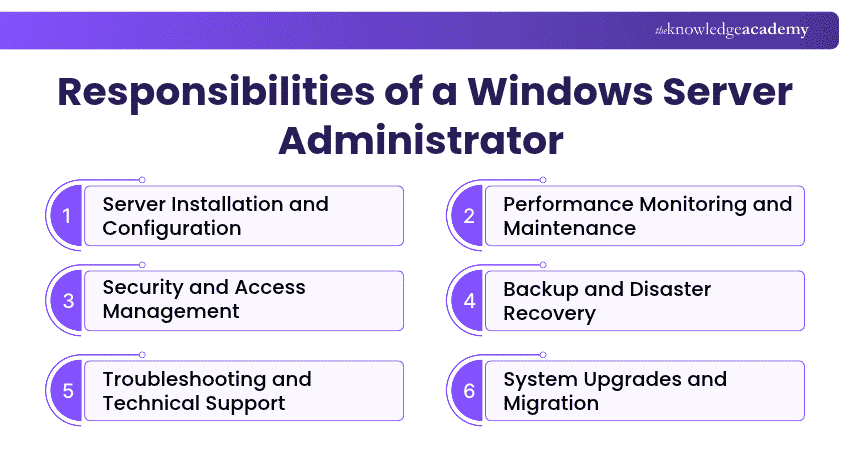
1) Server Installation and Configuration
One of the primary responsibilities of a Windows Server Administrator is installing and configuring Windows Server operating systems. This includes setting up server roles, configuring system settings and integrating servers with existing network infrastructure.
Administrators also ensure that servers are configured according to organisational requirements and can support essential business applications and services.
2) Performance Monitoring and Maintenance
Regular monitoring is essential for maintaining server performance and preventing unexpected disruptions. Windows Server Administrators monitor CPU usage, memory, storage capacity and system events to identify potential issues.
They also perform routine maintenance tasks, including applying security updates, managing patches and checking system health. Tools such as Windows Admin Center, Event Viewer and Performance Monitor can help them monitor and maintain server performance.
3) Security and Access Management
Protecting organisational systems and data from cyber threats is a major responsibility of Windows Server Administrators. They configure security settings, manage permissions and implement measures to prevent unauthorised access.
This may include managing Microsoft Defender Firewall, applying security updates, configuring authentication policies and maintaining appropriate access controls. Administrators also work with security teams to identify vulnerabilities and support compliance with organisational security policies.
4) Backup and Disaster Recovery
System failures, cyberattacks and accidental data loss can disrupt business operations. Windows Server Administrators are responsible for implementing backup procedures and supporting disaster recovery plans.
They schedule backups, monitor their completion and test restoration procedures to verify that important systems and data can be recovered when required. Effective backup and recovery practices help organisations reduce downtime and protect business-critical information.
5) Troubleshooting and Technical Support
When server issues arise, Windows Server Administrators investigate and resolve problems to minimise disruptions. These issues may involve failed services, network connectivity problems, application errors or hardware malfunctions.
Administrators use diagnostic tools, system logs and troubleshooting techniques to investigate underlying causes, resolve issues and restore normal operations. They may also provide technical support to other IT professionals and help resolve issues affecting users and business applications.
6) System Upgrades and Migration
Windows Server Administrators plan and implement server upgrades to maintain compatibility, security and performance. This includes upgrading to supported Windows Server versions, updating configurations and migrating applications or services when required.
They assess compatibility, prepare migration plans and coordinate changes to reduce the impact on business operations. Proper planning and testing help minimise the risks associated with server upgrades and migrations.
7) Active Directory and Group Policy Management
Managing user identities and access permissions is another important responsibility of Windows Server Administrators. They configure and maintain Active Directory Domain Services (AD DS), manage user and computer accounts, and assign appropriate permissions.
They also use Group Policy to apply centralised settings across domain-joined systems. These responsibilities help organisations maintain consistent security settings and provide authorised users with access to required resources.
Enhance your understanding of directory services with Fundamentals of Active Directory 55152A Training – Sign up soon!
8) Virtualisation and Hybrid Infrastructure Management
Many organisations use Virtual Machines (VMs) and hybrid environments to manage their IT infrastructure. Windows Server Administrators may configure and maintain virtual servers using technologies such as Hyper-V.
In hybrid environments, they may also manage Windows Server workloads hosted on-premises or in Microsoft Azure and use tools such as Azure Arc to manage supported servers outside Azure. These responsibilities help organisations maintain server environments across on-premises infrastructure and cloud services.
Windows Server Administrator Skills and Qualifications
A successful Windows Server Administrator requires a combination of technical expertise, practical experience and interpersonal skills. These capabilities help them manage server environments, resolve issues and support IT operations effectively.
1) Essential Technical Skills
Here are the key technical skills for a Windows Server Administrator:
a) Windows Server Administration: Knowledge of installing, configuring, managing and troubleshooting Windows Server operating systems and server roles.
b) Active Directory and Group Policy: Ability to manage user accounts, permissions, organisational units and Group Policy Objects (GPOs).
c) PowerShell Scripting: Experience using PowerShell to automate administrative tasks, manage configurations and perform system maintenance.
d) Networking Fundamentals: Understanding of TCP/IP, DNS, DHCP, network connectivity and troubleshooting techniques.
e) Server Security: Knowledge of security configurations, access controls, patch management and system protection practices.
f) Backup and Disaster Recovery: Ability to manage backup procedures, test restoration processes and support business continuity.
g) Virtualisation and Hybrid Administration: Familiarity with Hyper-V, virtual machines and Windows Server workloads in hybrid environments.
2) Essential Soft Skills
Alongside technical knowledge, Windows Server Administrators need these soft skills to manage their responsibilities effectively:
a) Problem-solving Skills: Ability to investigate technical issues, identify root causes and develop suitable solutions.
b) Communication Skills: Clearly explaining technical problems, providing updates and communicating effectively with non-technical stakeholders.
c) Attention to Detail: Precision when configuring servers, managing permissions and applying security settings.
d) Time Management: Ability to prioritise maintenance tasks, resolve urgent issues and minimise disruptions.
e) Team Collaboration: Willingness to work with IT support teams, Network Engineers, security professionals and other departments.
3) Qualifications Required
The qualifications for a Windows Server Administrator may vary depending on the complexity of a company's IT infrastructure and the employer's requirements. Common qualifications and experience requirements include:
a) A degree or diploma in information technology, computer science or a related field may be preferred.
b) Practical experience installing, configuring and maintaining Windows Server environments.
c) Knowledge of Active Directory, networking, system security and backup technologies.
d) Experience using PowerShell and Windows Server administration tools.
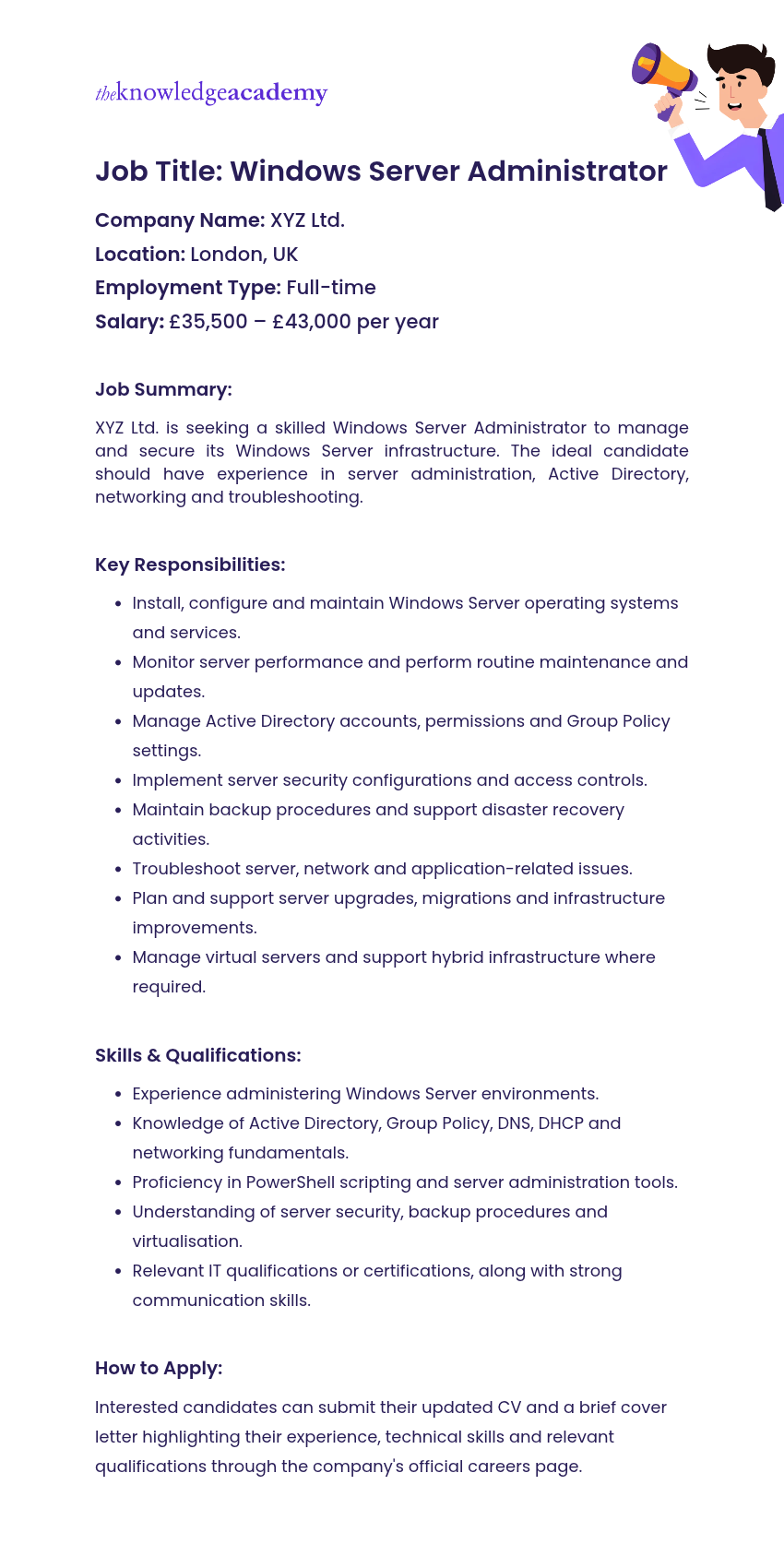
Windows Server Administrator Job Description Example
A well-structured job description helps employers communicate their expectations and identify suitable candidates. The following example outlines the responsibilities and qualifications commonly associated with a Windows Server Administrator role.
Keep This in Mind
Windows Server Administrator roles can vary depending on an organisation's IT infrastructure. Some positions focus on managing on-premises servers and Active Directory, while others involve virtualisation, cloud services and hybrid environments. When applying for jobs, review the specific technologies and responsibilities listed to understand what each employer expects.
Bridge the gap between the cloud and on-premises infrastructure with Windows Server Hybrid Administrator AI-802 Training – Sign up now!

The Knowledge Academy develops accessible learning content across Project Management, IT, Cybersecurity, Data Science, Business Analysis, HR, Accounting and Finance, Leadership and Health and Safety. Its resources combine subject research with clear explanations to help professionals build practical knowledge across a wide range of disciplines.
View Detail

 If you wish to make any changes to your course, please


