




We may not have the course you’re looking for. If you enquire or give us a call on 01344203999 and speak to our training experts, we may still be able to help with your training requirements.
Microsoft Excel Jobs: Top Careers That Use Excel Skills
ByVishnu SankarLast updated on: 17 September 2026
This blog explores a range of Microsoft Excel Jobs and explains how professionals use Excel for data organisation, analysis, reporting, budgeting, forecasting, and decision-making.

Think about the last time a business needed to track expenses, compare sales figures, manage a project budget, or turn thousands of rows of data into a meaningful report. In many workplaces, Excel is one of the first tools professionals turn to.
Its value goes far beyond entering numbers into cells. Excel can help professionals organise information, automate calculations, identify trends, build financial models, and present findings clearly. This versatility has created demand for Microsoft Excel Jobs across industries. But which careers rely on Excel the most, and what skills do employers expect? Let's explore the top roles and find out!

Why are Excel Skills Important in the Workplace?
Excel allows professionals to organise, analyse, and work with business data without requiring advanced programming or database skills for many everyday tasks. Professionals can use spreadsheets to structure information, compare results, calculate values, and communicate findings through charts and reports.
Its flexibility also makes it useful across departments. A Project Manager might use it for budgeting, an Accountant for financial analysis, and a Retail Manager for inventory and sales records.
Some common workplace applications include:
a) Data Organisation: Sorting, filtering, formatting, and structuring datasets for easier use and analysis.
b) Calculation: Using formulas and functions to perform calculations quickly and consistently.
c) Reporting: Summarising business information through tables, charts, and dashboards.
d) Data Analysis: Comparing figures, identifying patterns and trends, and evaluating performance.
e) Forecasting: Using historical data and forecasting techniques to estimate future sales, costs, budgets, or resource requirements.
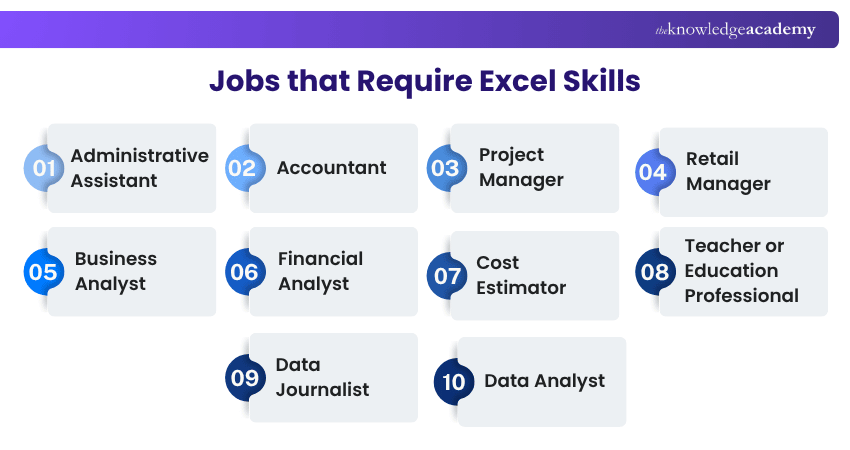
Jobs that Require Excel Skills
Some of the most popular Microsoft Excel Jobs are listed below, along with how Excel is used in each role and the skills professionals may need.
1) Administrative Assistant
An Administrative Assistant often works with schedules, records, expenses, contact lists, and routine reports. Excel can help organise this information into structured spreadsheets, making records easier to update, filter, and review when needed.
Where Excel Fits: Data organisation, expense tracking, schedules, contact lists
Useful Skills: Sorting, filtering, formatting, SUM, basic charts
2) Accountant
For Accountants, Excel is much more than a place to enter numbers. It can support reconciliations, expense analysis, budgeting, financial reporting, and cash-flow calculations.
Functions and PivotTables help Accountants analyse financial datasets and perform calculations consistently.
Where Excel Fits: Budgets, reconciliations, financial analysis, cash-flow tracking
Useful Skills: SUMIFS, IF, XLOOKUP, PivotTables, financial formulas
3) Project Manager
A project can involve dozens of tasks, deadlines, costs, risks, and resources. Excel gives Project Managers a flexible way to bring those moving parts together.
They can use spreadsheets to create task trackers, monitor budgets, maintain risk registers, compare planned and actual costs, and prepare project reports.
Where Excel Fits: Budgeting, task tracking, resources, risks
Useful Skills: Conditional Formatting, charts, formulas, data validation
4) Retail Manager
A spreadsheet full of sales figures means little until someone can identify what is selling, what is sitting on the shelf, and where performance is changing.
Retail Managers can use Excel to monitor stock levels, compare daily or monthly sales, analyse staffing information, and identify sales trends.
Where Excel Fits: Sales analysis, stock control, staffing, forecasting
Useful Skills: PivotTables, charts, filters, SUMIFS
Mini Challenge
You have 5,000 sales records. How would you quickly summarise revenue by product and region?Answer: A PivotTable is one practical option.
5) Business Analyst
Business Analysts often begin with a question: What is happening, and why?
Excel helps them clean, organise, compare, and analyse business data so that patterns become easier to spot. It can also support requirements tracking, dashboards, scenario comparisons, and stakeholder reporting.
Where Excel fits: Data analysis, trend identification, business reporting
Useful skills: XLOOKUP, PivotTables, Power Query, logical functions
Strengthen your Excel analytics skills with our Business Analytics with Excel Course – Join now!
6) Financial Analyst
For Financial Analysts, Excel can serve as a practical workspace for financial modelling, analysis, and forecasting.
Analysts use it to compare financial performance, forecast revenue and costs, test different scenarios, evaluate investments, and build financial models that support business decisions.
Where Excel Fits: Forecasting, modelling, investment analysis, performance review
Useful Skills: Advanced formulas, PivotTables, What-If analysis, financial modelling
7) Cost Estimator
Before a project begins, someone needs to answer an important question: How much will it cost?
Cost Estimators can use Excel to calculate labour, materials, equipment, and other expenses. Historical project data can also be compared to inform future estimates.
Where Excel Fits: Cost calculations, resource estimates, historical cost comparisons
Useful Skills: Formulas, lookups, scenario analysis, structured tables
8) Teacher or Education Professional
In education, Excel can turn everyday records into useful insights.
Teachers may use it to track attendance, record grades, analyse assessment results, monitor student progress, and organise research data.
Where Excel Fits: Attendance, grades, performance tracking, research
Useful Skills: Basic formulas, charts, filters, Conditional Formatting
9) Data Journalist
Sometimes the strongest story begins with rows of raw data.
Data Journalists can use Excel to clean datasets, calculate percentages, compare figures, sort information, and identify unusual patterns before presenting the results to readers.
Where Excel Fits: Data cleaning, calculations, comparisons, pattern and trend analysis
Useful Skills: PivotTables, formulas, filters, sorting, charts
10) Data Analyst
Data Analysts turn raw information into insights that can support business decisions. Excel is commonly used to organise, clean, explore, and summarise data before findings are presented to stakeholders.
They can use Excel to compare datasets, identify trends, create PivotTables, build charts and dashboards, and prepare data for further analysis.
Where Excel Fits: Data cleaning, analysis, reporting, trend identification Useful Skills: PivotTables, XLOOKUP, Power Query, formulas, charts
Trainer's Tip:
Don't try to learn every Excel feature at once. Focus on the functions used most in your target role. For example, Business Analysts can prioritise PivotTables, XLOOKUP, and Power Query, while Administrative Assistants may benefit more from sorting, filtering, formatting, and basic formulas.
Manage timelines more effectively with our Excel Training with Gantt Charts – Register now!
How to Improve Your Excel Skills for Better Career Opportunities?
Developing stronger Excel Skills can help you prepare for a wider range of roles where spreadsheet and data skills are valued. One effective approach is to practise using realistic datasets and workplace scenarios.
Start with core skills such as data entry, formatting, sorting, filtering, and basic functions. Once you are comfortable with these, progress towards PivotTables, lookup functions, logical formulas, charts, data cleaning, and tools such as Power Query.
You can also strengthen your knowledge by recreating realistic workplace tasks, such as:
1) Building a monthly budget
2) Tracking project costs
3) Analysing sales data
4) Creating an inventory tracker
5) Building a financial forecast
6) Creating an interactive dashboard
Practical application makes it easier to understand why each Excel feature matters rather than simply learning functions in isolation.
Recap
Excel Basics → Data Organisation → Basic Formulas → Lookups → PivotTables → Charts → Power Query → Advanced Analysis
Turn numbers into clear insights with our Excel for Accounting Course – Join now!

Vishnu Sankar is a Senior Content Writer with 5+ years of experience across content development, software development, web development and system administration. His technical background and professional training support his expertise in IT and Tech, while his extensive research and writing experience covers Project Management and Health and Safety.
View Detail

 If you wish to make any changes to your course, please


