




We may not have the course you’re looking for. If you enquire or give us a call on 01344203999 and speak to our training experts, we may still be able to help with your training requirements.
System Calls in OS (Operating System)
ByThe Knowledge AcademyLast updated on: 10 October 2026
This blog explores the role of system calls in an OS, facilitating communication, managing resources and executing essential functions. Here, you will learn what system calls are in OS, their different types, examples and their purpose.
In a Nutshell
1. System calls allow programs to perform protected operations that require OS-level access.2. They support essential tasks such as file handling, process management and device operations.3. They enable communication between processes and across networked systems.4. They help maintain security by controlling how applications access protected system resources.5. They support efficient resource management by allowing the OS to handle application requests in a controlled manner.
System calls in OS or Operating System pertain to a mechanism that allows user-level programs to request services from the OS's kernel. System calls are typically accessed through programming interfaces or library wrapper functions, while the underlying transition to kernel mode uses architecture-specific mechanisms. They are also documented in operating system manuals for developers.
In this blog, we will explore more about system calls in OS, including their types, examples and more!
What are System Calls in OS?
A System Call is a way for a user program to interface with the OS kernel. The program requests a service through a System Call, and the OS kernel handles the request and returns the appropriate result.
The program can be written in assembly language or a high-level language like C or Pascal. In high-level languages such as C, programs usually access system calls through library wrapper functions, which handle the low-level steps needed to request services from the kernel.
Applications often use an Application Programming Interface (API) or library functions to access services that ultimately rely on system calls. It offers a point of contact between processes and the OS so that the user-level processes can ask for the OS’s assistance. System calls provide a controlled interface through which user-level processes can request protected services from the OS kernel.
A program normally runs in user mode until it needs a protected OS service. When it makes a System Call, control transfers to the kernel, where the requested operation is performed in kernel mode. Once the operation is completed, control returns to user mode, allowing the program to continue running.

Examples of System Calls
Some common system calls and related interfaces used in Unix-like operating systems are as follows:
1) Open: The open system call is used to open files and can also create a file when the appropriate options are specified. It defines how the file will be accessed and, when creating a file, can specify permissions.
2) Read and Write: These system calls are used for reading and writing data through file descriptors associated with files, pipes, devices and other I/O resources.
3) Fork: The fork system call creates a child process based on the parent process, which is a basic mechanism for process creation in Unix-like systems.
4) Exec: The exec family of functions, typically built around an underlying system call such as execve, replaces the current process image with a new program.
5) Exit: Process-termination system calls end a process and make its exit status available for collection by its parent process.
Trainer’s Tip
When studying system calls, focus on the journey of a request: application → library/API → system call interface → kernel → result. This gives a clearer picture of how user programs interact with the OS.
These examples demonstrate how system calls provide a fundamental interface for apps to communicate with the OS’s basic functions, enabling it to perform various operations efficiently.
Types of System Calls in OS
System calls are commonly grouped into five broad categories based on the services they provide. These are as follows:
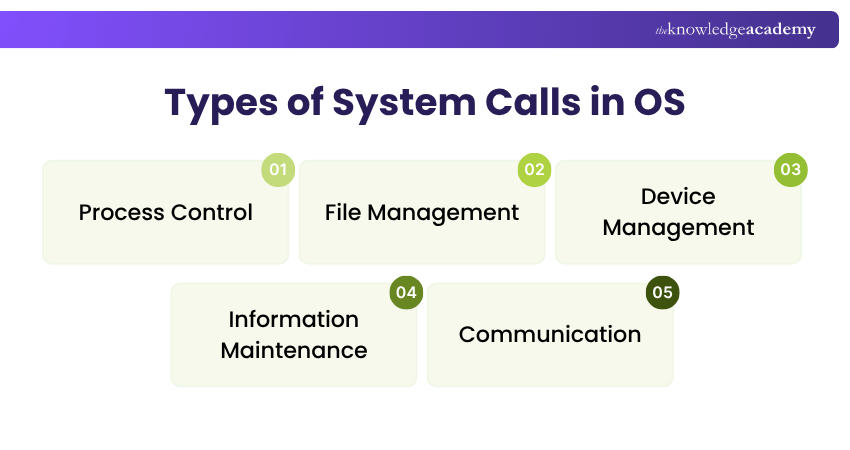
1) Process Control
System calls play a vital role in process control. They permit applications to create new processes, terminate running ones, and manage their execution. When various programs run simultaneously, system calls allow them to request process and resource-related services, while the OS kernel manages scheduling and resource allocation.
Process management includes system calls that allow applications to create, execute, control and terminate processes. The specific calls used for these operations depend on the operating system.
2) File Management
Many Calls are associated with the file management aspect. When an application is supposed to open, read, write, or close a file, it depends upon system calls to manage these operations. For example, if you open a text document or save an image in the application, the system calls ease data reading and writing to and from the file.
One of the fundamental functions of system calls is to manage files and directories. Regardless of whether you are opening a file, reading from it, writing to it or closing it, system calls such as open, read, write and close handle these operations with ease. These operations are important for anything from word processing to gaming.
3) Device Management
The following services can be supported by system calls related to device management:
1) Request access to input/output devices and other hardware resources through OS-managed interfaces.
2) Read data from or write data to supported devices.
3) Control or configure device operations where the OS permits it.
4) Retrieve or modify supported device attributes.
5) Release or close access to a device when it is no longer required.
4) Information Maintenance
System calls for information maintenance allow programs to retrieve or, where permitted, modify information about the system, processes, files and other resources. Considering this, the services offered by this type of call are:
1) Acquire the system's time or date and set the system's time or date.
2) Retrieve system-related information and, where permitted, modify certain system settings.
3) Retrieve permitted information about processes, files or attached devices.
4) Modify supported characteristics of processes, files or devices where the required permissions are available.
5) Communication
Communication-related system calls enable processes to exchange data with other processes or remote systems. The services that they offer are:
1) Establish and close communication channels where required.
2) Send and receive data through supported communication channels.
3) Exchange data between processes on the same system or with remote systems.
Learn more about web development with our Symfony Web Development Training – Sign up today!
Importance of System Calls
In OSs, system calls are crucial for various reasons:
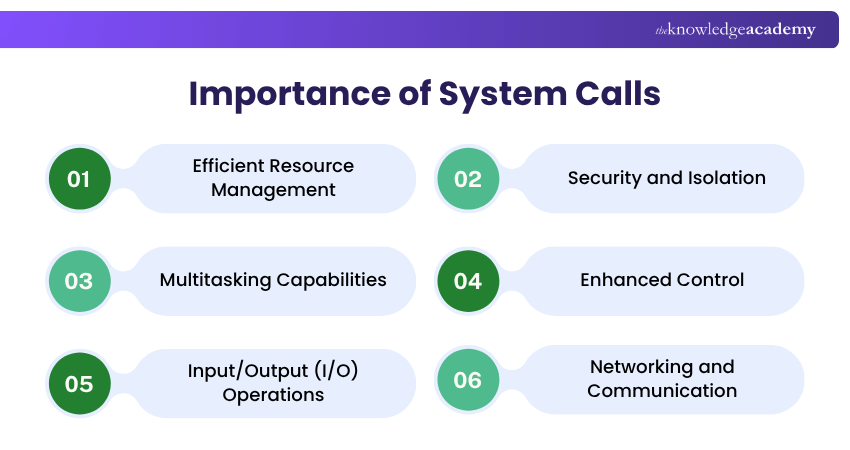
1) Efficient Resource Management: System calls allow programs to request and manage system resources through controlled OS interfaces. This helps the OS allocate resources efficiently and support overall system performance.
2) Security and Isolation: System calls provide controlled access to protected OS resources. Together with memory protection, access controls and process isolation mechanisms, they help prevent programs from improperly accessing resources belonging to other processes.
3) Multitasking Capabilities: System calls support process creation, control and coordination, while the OS scheduler manages how multiple processes share CPU time and system resources.
4) Enhanced Control: System calls give applications-controlled access to OS operations. They allow programs to create and terminate processes, manage files and perform different system-related tasks.
5) Input/Output (I/O) Operations: System calls provide controlled access to I/O services, allowing applications to work with devices such as keyboards, storage devices and displays through OS-managed interfaces.
6) Networking and Communication: System calls support networking and communication by providing applications with access to OS networking services. These services underpin activities such as browsing the web, sending emails and communicating online.
What is the Purpose of System Calls in OS?
When a process running in user mode requires a protected OS service or resource, it makes a System Call, which transfers control to the kernel to perform the requested operation.
System calls are typically used when files need to be created, opened, read, written or managed. They are also involved when programs need to create processes or load executable programs.
System calls also support network communication, including sending and receiving data through sockets. They provide controlled access to hardware and I/O services, while the OS and device drivers manage the underlying devices.
Keep in Mind
Applications usually do not invoke raw system calls directly. In systems such as Linux, they commonly use library wrapper functions that handle the low-level details of entering kernel mode and returning the result.
Become a master of programming with our Laravel Web Development Training– Join today.

The Knowledge Academy develops accessible learning content across Project Management, IT, Cybersecurity, Data Science, Business Analysis, HR, Accounting and Finance, Leadership and Health and Safety. Its resources combine subject research with clear explanations to help professionals build practical knowledge across a wide range of disciplines.
View Detail

 If you wish to make any changes to your course, please


