




We may not have the course you’re looking for. If you enquire or give us a call on 01344203999 and speak to our training experts, we may still be able to help with your training requirements.
How to Reverse a String in Java with Examples
ByVishnu SankarLast updated on: 02 October 2026
This blog will tell you all you need to know about how to reverse a String in Java, including different methods to do so. Read on to find out!
At a Glance
1. Java provides several ways to reverse a String, including StringBuilder, character swapping, StringBuffer, stack operations, and recursion.2. StringBuilder.reverse() is a straightforward choice when you simply need to reverse a String.3. Manual approaches, such as character swapping, help you understand the underlying logic behind String reversal.4. Java Strings are immutable, so reversing a String produces a new result rather than changing the original String.5. The right reversal method depends on whether your goal is simplicity, algorithm practice, recursion, or thread-safe String manipulation.
In Java programming, working with strings is a common task, and there may be times when you need to reverse a string in Java. Reversing a String in Java can be completed using various methods, each with advantages and drawbacks. Knowing how to manipulate strings in Java is essential for any Java developer, and mastering String reversal is a good place to start.
Java provides various ways to reverse the String. It includes StringBuilder, character swapping, loops, stacks, StringBuffer and recursion. This blog explains each method with examples.
What Does It Mean to Reverse a String in Java?
Reversing a String in Java means arranging its characters in the opposite order. The last character becomes the first, the second-last becomes the second, and the process continues until the original first character becomes the last.
For example:
Original String: "Hello"
Reversed String: "olleH"
Similarly:
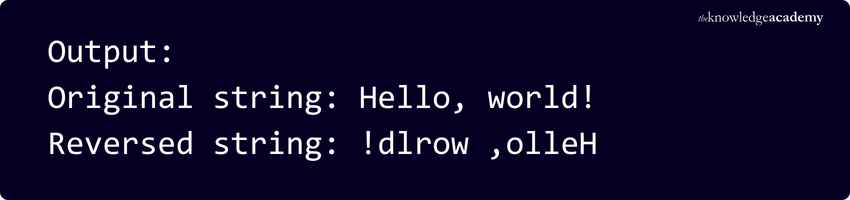
Original String: "Hello, world!"
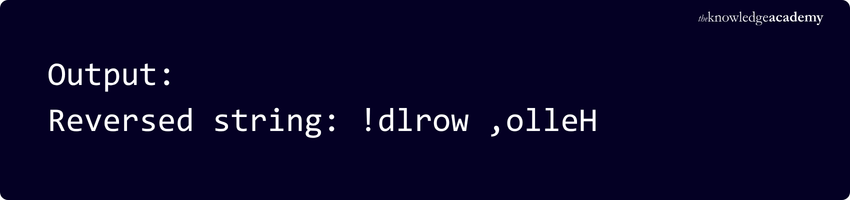
Reversed String: "!dlrow ,olleH"
A String is a series of characters in Java. Strings are used to store and manipulate text in Java programs. Java String objects are immutable, which means their values cannot be changed after they are created. Therefore, reversing a String does not modify the original String object itself. Instead, the operation produces a reversed result.

How to Reverse a String in Java?
Below are some general methods by which a String can be reversed:
1) Using StringBuilder
To reverse a string in Java using StringBuilder, you can use the 'reverse()' method of the StringBuilder class.
For example:
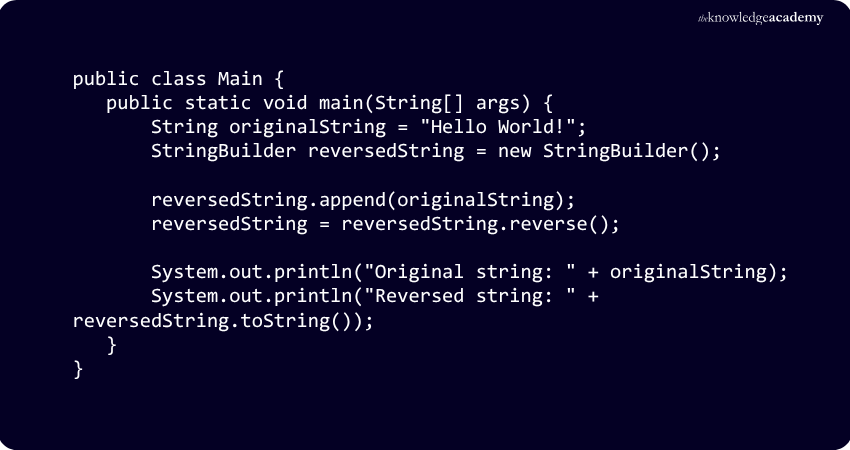
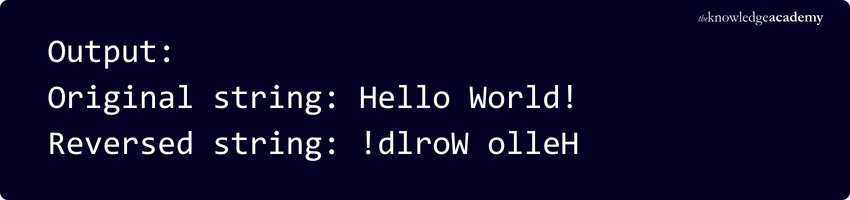
Create a new object named 'reversedString' using the StringBuilder Class in Java and add the original string to it with the 'append()' method. Then, utilise the 'reverse()' method on the StringBuilder object to flip the string's contents. Lastly, display both the reversed and original strings using the 'System.out.println()' method.
Trainer Insight
For straightforward String reversal, StringBuilder.reverse() is usually the simplest approach. Manual methods are more useful when you want to understand or demonstrate the logic behind reversing characters.
2) Swapping Characters
Using the swapping characters method, a two-pointer approach can be used where one pointer starts at the beginning and another at the end of the String. The characters pointed to by both pointers are then exchanged, and the pointers move towards each other until they meet in the middle of the string.
For example:
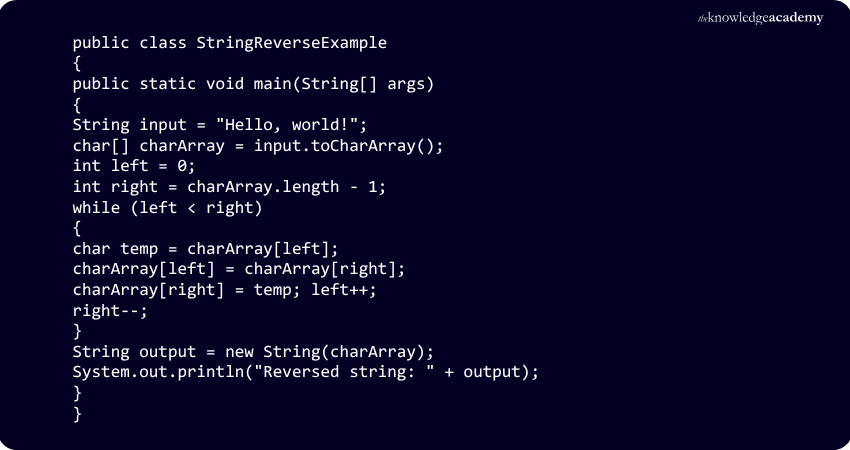
In this code, 'Hello, world!' is converted to a character array using the 'toCharArray()' method. Two pointers, 'left' and 'right', are initialised to point to the first and last characters of the Java Array, respectively. In the while loop, the characters pointed to by 'left' and 'right' are interchanged using a temporary variable, 'temp', and the pointers are moved towards each other until they meet in the middle of the array.
Pro Tip
Practise the two-pointer approach beyond String reversal. The same technique can be useful when working with arrays, palindrome checks, and other problems that involve processing elements from both ends.
3) Using a New String
To reverse a String by creating a new String, first create an empty String to store the reversed result. Then iterate over the characters of the original string from the end to the beginning and add each character to the new string in reverse order. Finally, return the new string.
For example:
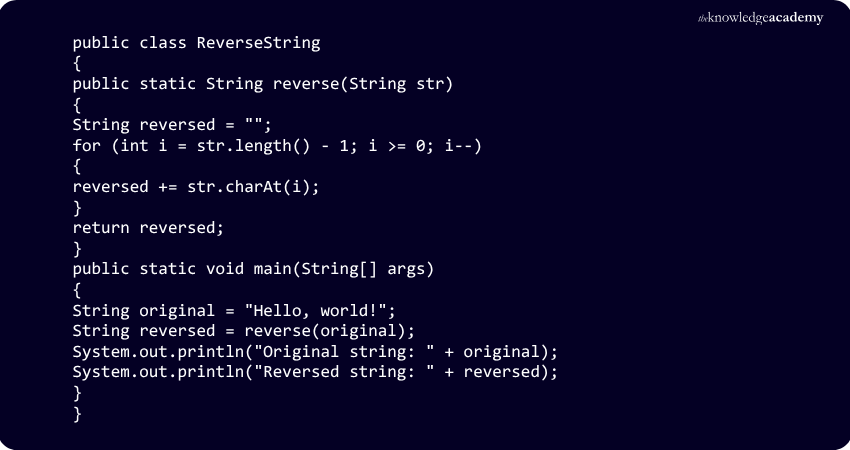
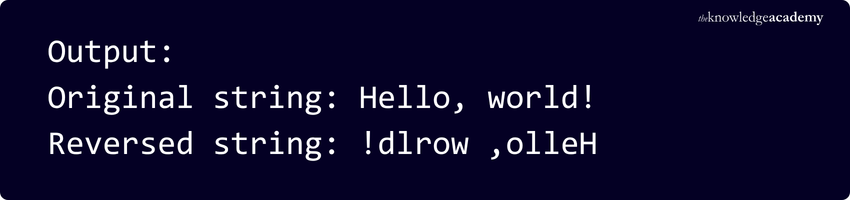
In the above example, a new string called 'reversed' is being created, and then a loop is used to iterate over the characters of the original string 'str' from the end to the beginning. Each character must be added to the 'reversed' string in reverse order using the '+=' operator. Finally, return the 'reversed' string. In the main Java Method, call the 'reverse' method with an example string and print out the original and reversed string.
Turn Java logic into applications that work by joining the Java Programming Training today!
4) Using Stack
To reverse a String using stack operations in Java, each character of the String can be pushed onto a stack. The characters are then popped from the stack and added to a StringBuilder. Since a stack follows the Last-in, First-out (LIFO) principle, the characters are retrieved in reverse order.
For example:
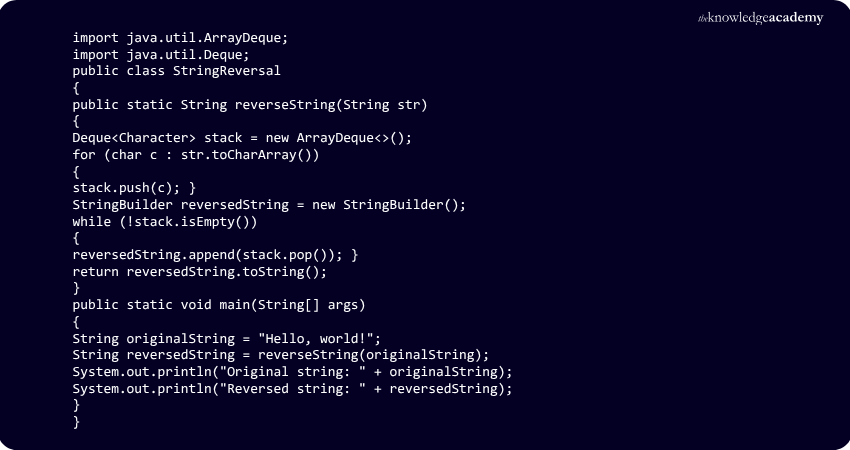
In the example given above, the 'reverseString' method takes an input String and converts it into a character array. It then pushes each character into a stack, pops each character from the stack, and adds it to a StringBuilder to create the reversed string. Finally, it returns the reversed string.
The main method creates an input string and calls the 'reverseString' method to reverse the String. Finally, the console prints the reversed string.
5) Using StringBuffer
In Java, you can reverse a string using the 'StringBuffer' class. It provides a 'reverse()' method that can be used to reverse the order of characters of the string. Below is a code snippet that shows how to reverse a String using StringBuffer.
For example:
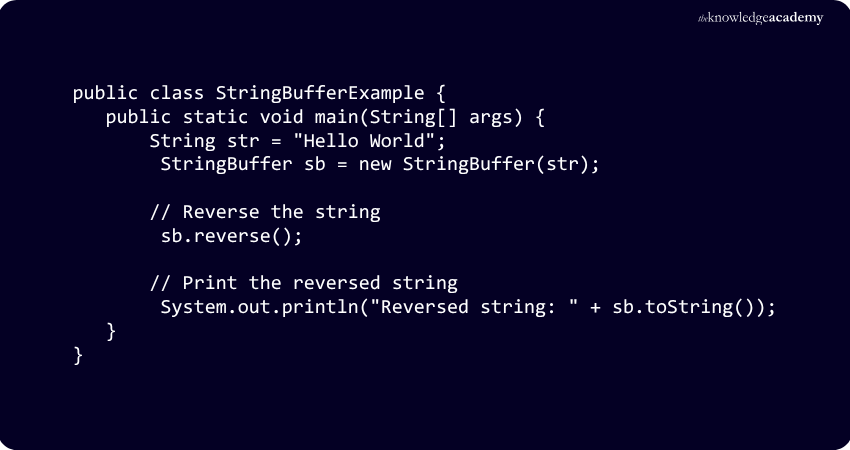
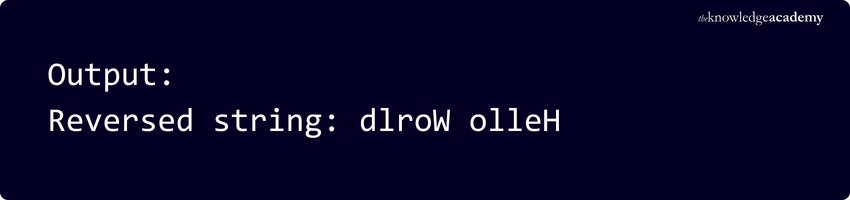
In the example given above, first, a 'Hello World' string is created. Then a new StringBuffer object is created, and the string is passed as a parameter to its constructor. The 'reverse()' method is called on the StringBuffer object to reverse the String. Finally, the reversed string is printed using the 'toString()' method.
Build desktop interfaces that put Java into action with the Java Swing Development Training now!
6) Using Recursion
To reverse a string in Java using recursion, you can define a recursive function that takes the original string as input and returns the reversed string as output.
For example:
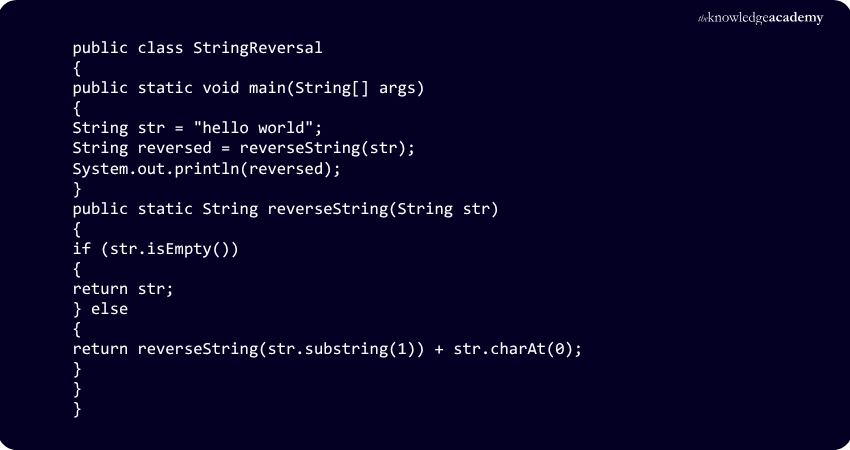
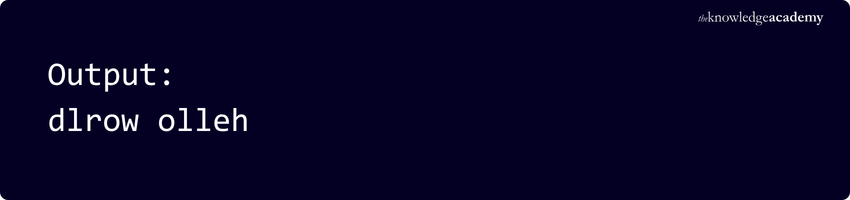
The reverseString function recursively removes the first character until it reaches an empty string. It then adds each removed character to the end as the recursive calls return. For example, "hello world" is progressively reduced until the base case is reached, then rebuilt in reverse order as "dlrow olleh".
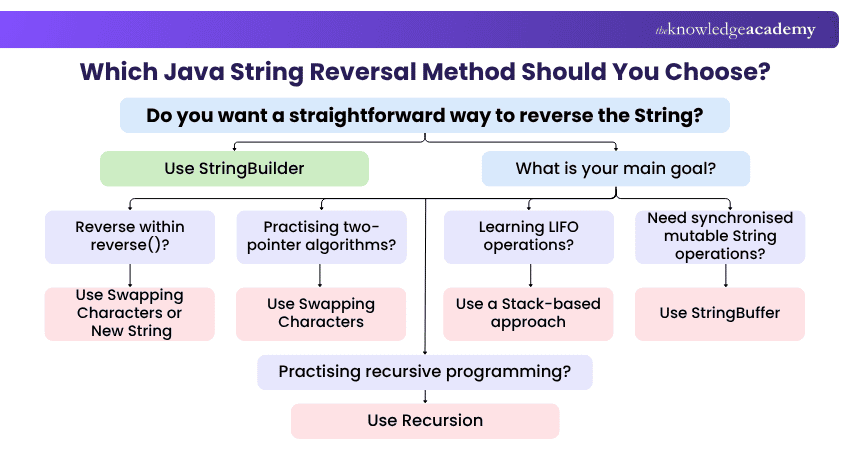
Reversing a String is a common Java programming task that can be achieved using loops, recursion, StringBuilder, StringBuffer, and other approaches. Practising these techniques strengthens your understanding of string manipulation and core Java programming concepts.

Vishnu Sankar is a Senior Content Writer with 5+ years of experience across content development, software development, web development and system administration. His technical background and professional training support his expertise in IT and Tech, while his extensive research and writing experience covers Project Management and Health and Safety.
View Detail

 If you wish to make any changes to your course, please


