


 Top Rated Course

We may not have the course you’re looking for. If you enquire or give us a call on 01344203999 and speak to our training experts, we may still be able to help with your training requirements.
Perforce vs Git: Understand the Core Differences
Richard Harris 16 July 2026Version Control Systems are crucial for managing code and collaborative development. Selecting the appropriate system can enhance your project's efficiency and workflow. This blog will delve into the key distinctions between Perforce and Git, two of the most popular Version Control Systems in the software development industry.

Training Outcomes Within Your Budget!
We ensure quality, budget-alignment, and timely delivery by our expert instructors.
Table of Contents

Choosing the right version control system is crucial for optimising your development workflow. If you’re debating between Perforce vs Git, it’s essential to understand how each system aligns with different project needs.
Discover how Perforce vs Git stack up in terms of efficiency, scalability, and usability to find the best fit for your team. By exploring their key differences, you can determine which system best suits your team’s requirements. Dive into this blog to gain insights and make an informed decision for your version control strategy.
Table of Contents
1) What is Git?
2) What is Perforce?
3) Difference Between Git and Perforce
a) Centralised vs Distributed Models
b) Efficiency
c) Popularity and Adoption
d) Cost Implications
e) Handling Large Files and Binaries
f) Branching Techniques
g) Workflow
4) Conclusion
What is Git?
Git is a free, open-source source control management tool designed for both small and large projects. It provides flexible and efficient Version Control, adhering to company standards essential for team development. Git is user-friendly, making it simple to learn and merge code within repositories. Its capabilities also include easy cloning and sharing of code among team members.
Why Use Git?
Git offers several advantages that make it a popular choice for Version Control:
1) Flexibility and Scalability: Git efficiently manages both small and large projects, adapting to various needs and team sizes.
2) Branching and Merging: It provides robust branching and merging capabilities, allowing for parallel development and easy integration of changes.
3) Collaboration: Git facilitates seamless collaboration by enabling multiple users to work on the same project simultaneously with minimal conflicts.
4) Version History: It maintains a detailed history of changes, enabling easy tracking, rollback, and auditing of code modifications.
5) Free and Open-source: Git is freely available and supported by a large community, offering extensive resources and tools for development.

What is Perforce?
Perforce is an enterprise-grade version management tool that operates with a centralised file repository. Users connect to this central server to share and manage source code between the repository and their local workspaces. The main repository resides on a centralised server, while the code is stored in users' local workspaces.
Developers can choose to place specific files or entire projects in the source control space. During versioning tasks, Perforce accesses the code in the local workspace, performing read and write operations as needed.
When to Implement Perforce?
Consider implementing Perforce in the following scenarios:
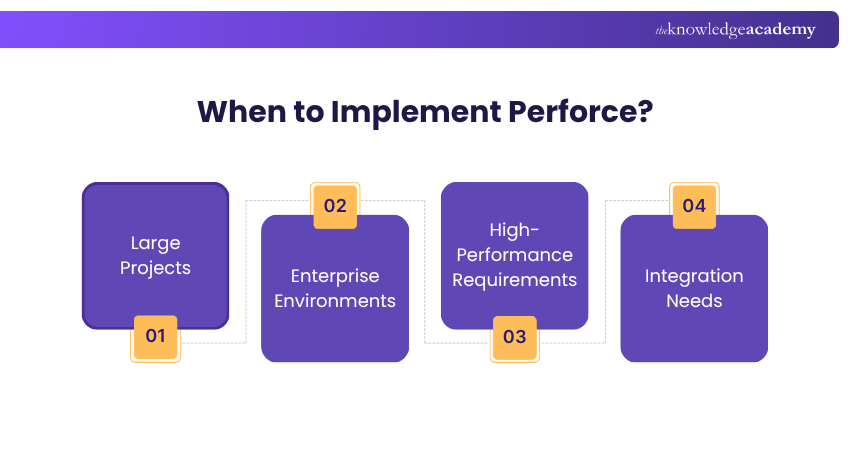
1) Large Projects: When managing extensive codebases or large binary files, Perforce’s robust handling of large datasets ensures efficient Version Control.
2) Enterprise Environments: Ideal for organisations with complex workflows and multiple teams needing centralised Version Control and collaboration.
3) High-Performance Requirements: When projects demand high-performance version management with strong support for branching, merging, and large-scale changes.
4) Integration Needs: If your development process requires integration with other enterprise tools or systems, Perforce’s extensive integration capabilities are beneficial.
Ready to build stunning websites? Sign up for our Front-End Web Development Course today and turn your ideas into reality!
Difference Between Git and Perforce
When choosing between Git and Perforce, it’s essential to understand their core differences. Each system has unique strengths that cater to various project needs and organisational requirements. Here's a comparison of key aspects to consider:
1) Centralised vs Distributed Models
Git is a distributed Version Control system, meaning each user has a complete copy of the repository, including its history. This allows for offline work and independent changes.
Perforce, on the other hand, uses a centralised model where all versions and changes are stored on a central server. This setup requires continuous connectivity to the server for access to the latest code and version history.
2) Efficiency
Git is designed to handle branches and merges efficiently, making it well-suited for dynamic development environments. Its distributed nature allows for quick local operations without constant server communication.
Perforce excels in managing large codebases and binary files efficiently, leveraging its centralised architecture to handle extensive projects and large files effectively.
3) Popularity and Adoption
Git is widely adopted across various industries, particularly among open-source projects and smaller teams. Its popularity is driven by its flexibility, ease of use, and strong community support.
Perforce, while less widespread, is preferred in enterprise environments with complex Version Control needs. It is especially suitable for large-scale projects, such as game development and large software teams.
4) Cost Implications
Git is free and open-source, which can significantly reduce costs, especially for smaller teams or open-source projects.
Perforce, being an enterprise solution, typically involves licensing fees and costs associated with its centralised server infrastructure. The investment in Perforce often reflects its advanced features and scalability for large organisations.
5) Handling Large Files and Binaries
Git can struggle with large binary files due to its reliance on complete repository copies. Solutions like Git LFS (Large File Storage) can help, but performance may still be an issue.
Perforce is designed to handle large files and binaries more efficiently. This makes it a better choice for projects that include significant amounts of non-text data.
6) Branching Techniques
Git provides flexible branching and merging capabilities, allowing for easy experimentation and parallel development. Its distributed nature supports multiple branches and quick switches.
Perforce supports branching in a more centralised manner, which may be less flexible than Git’s model. However, this approach is effective for maintaining consistency in large teams.
7) Workflow
Git’s workflow is highly customisable, allowing teams to adopt various strategies like GitFlow or feature branching based on their needs. This flexibility supports a wide range of development practices.
Perforce workflows are more standardised, which can benefit organisations needing a consistent Version Control approach across large teams and complex projects.
Transform your skills with our App & Web Development Training! Register now to start building innovative solutions and enhance your career.
Conclusion
Choosing between Perforce vs Git depends on your needs. Perforce excels in handling large files and complex projects with its robust performance and scalability. On the other hand, Git shines with its distributed nature, flexibility, and widespread adoption in the open-source community. By understanding the unique strengths and potential limitations of each system, you can make a well-informed decision that aligns with your team’s specific needs and goals.
Get ahead in development with our Git & GitHub Fundamentals Course! Join now to gain essential skills and manage your projects with confidence.
Frequently Asked Questions
Is Perforce a DevOps Tool?

Perforce is not specifically a DevOps tool but is used within DevOps environments. It provides Version Control and collaboration features essential for continuous integration and delivery, supporting efficient management of large codebases and binaries in complex workflows.
Does GitHub support Perforce?
GitHub does not natively support Perforce. GitHub is a platform for Git-based Version Control, while Perforce uses its own system. Integrating Perforce with GitHub would require custom solutions or tools to bridge the two Version Control Systems.

Richard Harris


Senior Full Stack Developer and Technology Educator
Richard Harris is a highly experienced full-stack developer with deep expertise in both frontend and backend technologies. Over his 12-year career, he has built scalable web applications for startups, enterprises and government organisations. Richard’s writing combines technical depth with clear explanations, ideal for developers looking to grow in modern frameworks and tools.


 If you wish to make any changes to your course, please


