




We may not have the course you’re looking for. If you enquire or give us a call on 01344203999 and speak to our training experts, we may still be able to help with your training requirements.
Paging in Operating System (OS): A Comprehensive Guide
ByRichard HarrisLast updated on: 19 September 2026
In an Operating System (OS), paging is a memory management method that divides a process's virtual address space into fixed-size pages and physical memory into equally sized frames. It enables RAM to be used efficiently without requiring contiguous physical memory.

What You Should Know
1. Page tables maintain the mappings needed for virtual-to-physical address translation2. Pages can occupy non-contiguous physical frames, providing flexible memory allocation3. Paging eliminates external fragmentation but can still introduce internal fragmentation4. TLBs reduce address translation overhead by caching recently used translations5. Demand paging loads pages into physical memory as they are required
Have you ever wondered how your computer manages memory while several applications are running at the same time? One important technique involved is paging in an operating system. Having a grasp of paging is essential for individuals entering the realm of programming or system management. Understanding paging helps learners see how operating systems translate addresses and organise memory for running processes.
This blog will explain paging in operating systems, its advantages, and its importance in enhancing your system's efficiency. Immerse yourself in understanding how becoming proficient at paging can improve your programming abilities and keep you competitive in the tech industry. Continue reading to discover the complete capabilities of paging in operating systems!
What is Paging?
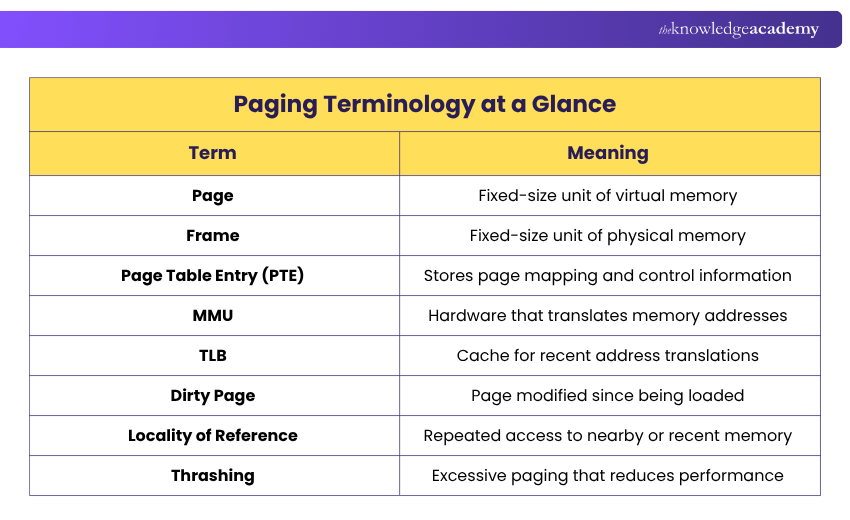
Paging is a memory management method that divides a process's virtual address space into fixed-size pages and physical memory into fixed-size frames. A page table maps virtual pages to physical frames, allowing a process's pages to be stored in non-contiguous locations in physical memory.
In a virtual memory system that uses demand paging, if a process accesses a page that is not currently resident in physical memory, a page fault occurs. The operating system checks whether the access is valid and, if so, makes the page available, loading it from backing storage when necessary.
This allows programs to use virtual address spaces that may exceed the available physical memory. However, frequent page faults can reduce performance because required pages may need to be retrieved from backing storage.
Paging improves memory management by allowing virtual pages to be mapped flexibly to available physical frames. In systems using demand paging, page replacement techniques determine which pages are removed from memory when additional frames are required. Keeping frequently accessed pages resident in memory can help reduce costly page faults and improve performance.
Trainer Insight
A page and a frame serve different purposes but normally have the same size. A page belongs to the virtual address space, while a frame represents a location in physical memory. Keeping this distinction clear makes address translation much easier to understand.

How Does Paging Operate?
Paging is a method used by the operating system to efficiently handle Memory Management. Physical memory is divided into fixed-size frames, while a process's virtual address space is divided into fixed-size pages of the same size for a given mapping. When a program runs, the pages that need to be resident in physical memory can be mapped to available frames rather than requiring one contiguous block of memory.
This technique eliminates external fragmentation because pages can occupy any available physical frames, although internal fragmentation can still occur. The operating system maintains a page table for each process to track the physical frame associated with each mapped virtual page, while the Memory Management Unit (MMU) uses these mappings to translate virtual addresses into physical addresses during memory access.
In a virtual memory system using demand paging, pages that are not currently needed can remain in backing storage and be loaded into physical memory when required. This allows a process's virtual address space to be larger than the physical memory currently available to it.
The address spaces, both logical and physical, are separated into pages and frames of a specific size. A page's size is typically a power of 2 and matches the size of a physical frame. Common architectures may support multiple page sizes, such as standard 4KB pages and larger pages where supported.
A virtual address can be divided into a page number and a page offset. The page number identifies the virtual page, while the page offset identifies a specific location within that page. Address translation maps the virtual page to a physical frame while preserving the offset.
For example, consider a physical memory divided into 2²⁰ frames. The frame number requires 20 bits to identify one of those frames. If each frame is 4KB (2^12 bytes), the frame offset requires 12 bits. Therefore, a physical address in this example requires 32 bits in total.
Conceptually, the physical address is formed by combining the physical frame number with the page offset. For a power-of-two page size, this is equivalent to shifting the frame number by the number of offset bits and adding the offset.
Processors commonly use a Translation Lookaside Buffer (TLB), a fast hardware cache for recently used address translations. When the required translation is available in the TLB, the processor can avoid a full page Table walk, reducing address translation overhead.
Example to Understand Paging in OS
Let's explore the examples to better understand how paging in an OS efficiently handles memory and allocates space for processes.
Quick Check
A system uses 2KB pages, and a process requires 7KB of memory.How many pages are required?a) 3b) 4c) 5d) 7Answer: B) 4 pages
Example 1: Pages Placed in Sequential Frames
In this situation, the primary memory is split into 16 frames, with each frame being 1KB in size. Secondary memory has four processes, namely P1, P2, P3, and P4, each occupying a size of 4KB. The division of each process into 4 pages of 1KB enables one page to be accommodated in each frame. Starting with all frames empty, pages are allocated in a sequential manner, fitting precisely into the 16 frames.
Example 2: Pages Placed in Non-Contiguous Frames
Assume that in scenario 1, processes P2 and P4 terminate, resulting in 8 vacant frames. In case 2, there is a newly introduced process, P5, with a size of 8KB (equivalent to 8 pages), that is currently in the ready queue. Assuming those frames remain available and all eight pages of P5 are to be placed in physical memory, the non-contiguous vacant frames previously occupied by P2 and P4 can be utilised.
As a result, the 8 pages of P5 are distributed among the available frames, demonstrating non-contiguous physical allocation.
Paging Methods
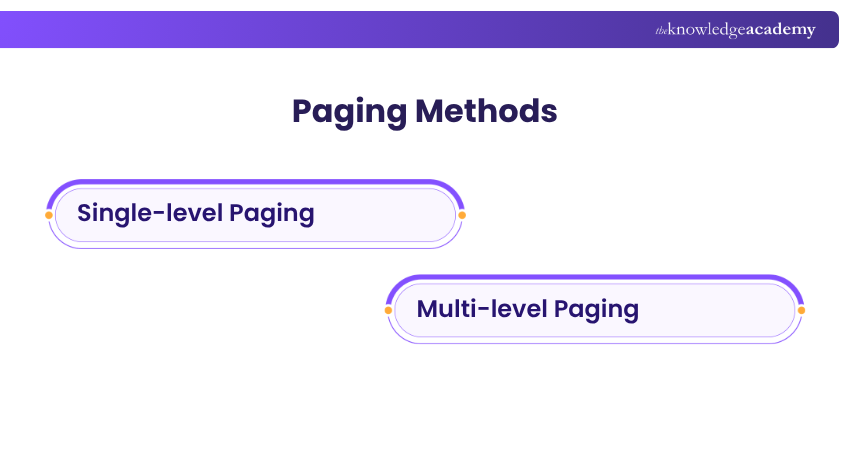
Paging can use different page table structures to manage virtual-to-physical address mappings efficiently. Two common approaches are:
1) Single-level Paging
Single-level paging uses a single page table to map virtual pages to physical frames. It provides a straightforward mapping structure but may require a large page table when the virtual address space is large.
2) Multi-level Paging
Multi-level paging divides the page table into multiple levels, so parts of the page table need not be allocated for unused areas of a virtual address space. It is particularly useful for managing large and sparsely used virtual address spaces.
Understand HTML, CSS, and JavaScript for dynamic web pages with our Front-End Web Development Course – Join today!
Benefits of Paging
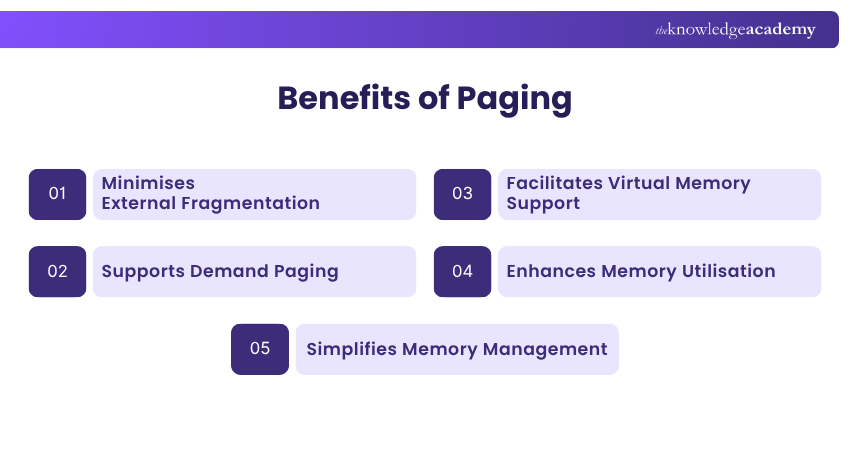
Paging allows operating systems to optimise the use of physical memory, leading to improved system performance. Some of the main benefits are:
1) Minimises External Fragmentation
Paging eliminates external fragmentation because physical memory is divided into fixed-size frames, allowing pages to occupy any available frames without requiring contiguous physical memory.
2) Supports Demand Paging
In virtual memory systems, individual pages can be loaded into physical memory from backing storage when required, rather than requiring the entire process to be resident in physical memory at once.
3) Facilitates Virtual Memory Support
Each process gets its own address space with virtual memory, even if physical memory can't hold all processes at once.
4) Enhances Memory Utilisation
Paging enables available physical frames to be used wherever they are located, allowing memory to be allocated without requiring a large contiguous block.
5) Simplifies Memory Management
Paging simplifies physical memory allocation by dividing memory into fixed-size frames that can be allocated and tracked systematically by the operating system.
Drawbacks of Paging
Paging can utilise physical memory effectively. However, it also introduces memory management complexity and additional overhead. Some major drawbacks include:
1) Internal Fragmentation Issues
Paging can cause internal fragmentation when an allocated page or frame is not fully used, wasting memory.
2) Page Table Overhead
Page table overhead is the memory used by page tables in paging, which can become substantial for large virtual address spaces. Multi-level page tables and larger page sizes can help reduce this overhead, although larger pages may increase internal fragmentation.
3) Complexity in Implementation
Paging adds complexity to the system, making implementation and debugging more challenging.
4) Increased Overhead
Paging introduces address translation and page table management overhead. TLB misses can require additional page table lookups, while page faults in demand-paged systems can cause significantly larger delays when pages must be retrieved from backing storage.
Paging Terminology at a Glance
Understand front-end and back-end development with server-side programming with our Web Development Training – Join now!

Richard Harris creates technically detailed yet accessible content on full-stack development, software architecture and modern development frameworks. His knowledge of frontend and backend technologies helps developers understand how scalable, efficient and high-performing applications are designed and built.
View Detail

 If you wish to make any changes to your course, please


