




We may not have the course you’re looking for. If you enquire or give us a call on 01344203999 and speak to our training experts, we may still be able to help with your training requirements.
Input and Output Devices: The Backbone of Digital Communication
ByLily TurnerLast updated on: 10 October 2026
Input and output devices connect humans and computers, capturing commands, and delivering results through visual, auditory, or tangible outputs. In this blog, we’ll dive into how these devices work together to create seamless digital experiences. Step into a world where every click, swipe, and sound powers your tech journey.

What’s in This Blog?
1. Meaning and purpose of input and output devices2. Common types of input devices and their uses3. Common types of output devices and their functions4. How input and output devices support interaction with computer systems
Have you ever wondered how your keyboard and mouse clicks convert into digital experiences? Input and output devices are the unseen hands that make this magic happen, transforming your actions into data and giving visible, audible, and interactive outcomes.
In this blog, we’ll uncover how input and output devices bridge the gap between human intent and computer operations, creating the seamless digital world we know today. From a simple click to vibrant visuals, discover the secrets behind your everyday tech interactions!
What are Input and Output Devices?
Input devices are hardware components that allow users or other sources to send data, commands or signals to a computer for processing. They act as the primary interface through which users interact with the system, providing the means to input information for processing.
Conversely, output devices receive processed information from the computer and present it to the user in a format that can be easily understood, such as text, images, or sound. Together, input and output devices enable information to move between users and computer systems. The distinction between input and output devices is fundamental to understanding how various components of computers interact with users and process data.

List of Input Devices
Here are some common input devices that allow users to interact with and provide data to computer systems:
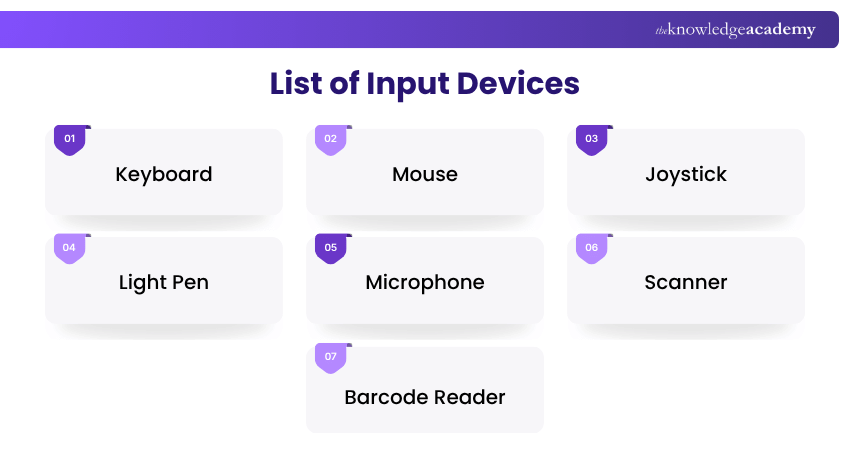
1) Keyboard
A fundamental input device, the keyboard comprises keys representing letters, numbers, and functions. It allows users to input text, execute commands, and perform shortcuts, serving as a primary tool for data entry.
2) Mouse
A pointing device that detects two-dimensional motion relative to a surface. It enables users to navigate graphical User Interfaces (UIs), select objects, and execute commands through clicks and gestures.
3) Joystick
Often used in gaming and simulations, a joystick is a lever that pivots on a base. It translates physical movement into digital signals to control on-screen actions or navigate environments.
4) Light Pen
It is a light-sensitive pointing device used to draw or select objects directly on a display screen. Traditional light pens were primarily designed for Cathode-ray Tube (CRT) displays and are rarely used with modern flat-panel displays, having largely been replaced by technologies such as touchscreens and styluses.
5) Microphone
An audio input device that captures sound waves and converts them into digital signals. Microphones are essential for voice recognition systems, audio recordings, and communication applications.
6) Scanner
A device that digitises physical documents and images, converting them into electronic formats for storage, editing, or sharing. Scanners are crucial for digitising printed media and facilitating electronic document management.
7) Barcode Reader
An optical scanner that interprets barcodes, translating the encoded data into digital information. Commonly used in retail and inventory management, barcode readers streamline data entry and tracking processes.
Join the Computer Hardware Troubleshooting Course and unlock your IT potential today.
List of Output Devices
Here are some common output devices that allow computer systems to display, present, or deliver information to users:
1) Monitor
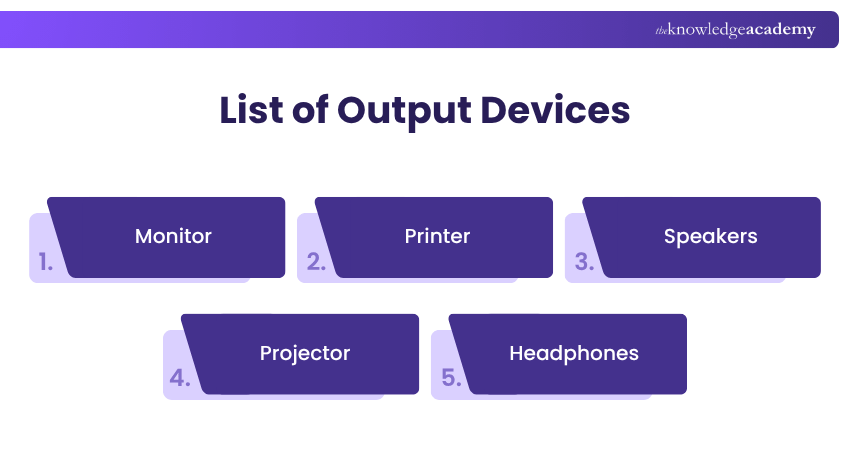
Also known as a display screen, the monitor visually presents text, images, and videos generated by the computer. It serves as the primary medium through which users receive visual feedback from the system.
2) Printer
A device that produces physical copies of electronic records and images on paper or other media. Printers are essential for creating hard copies of reports, photographs, and various documents.
3) Speakers
Audio output devices convert digital audio signals into sound waves, allowing users to hear music, system alerts, and other audio content. Speakers enhance multimedia experiences and are integral to applications requiring sound output.
4) Projector
A device that projects visual content from a computer onto a larger surface, such as a screen or wall. Projectors are commonly used in presentations, educational settings, and entertainment to display information to larger audiences.
5) Headphones
Headphones are personal audio output devices worn over or in the ears that deliver sound directly to the user. Headphones are ideal for private listening, noise isolation, and applications requiring focused audio consumption.
Develop a solid understanding of computing and modern technology with our Computer Science Course – Join now!

Lily Turner transforms complex data concepts into structured resources for aspiring and established data professionals. Her writing demonstrates how analytical methods and emerging technologies can be used to investigate problems, generate insights and support informed decisions.
View Detail

 If you wish to make any changes to your course, please


