




We may not have the course you’re looking for. If you enquire or give us a call on +40 316317743 and speak to our training experts, we may still be able to help with your training requirements.
Google App Engine: Features, Benefits, and Architecture
ByNilotpal SarmahLast updated on: 10 October 2026
Google App Engine is a serverless platform that authorises developers to build and deploy scalable applications without managing infrastructure. It supports multiple languages and auto-scales traffic. In this blog, we will see what Google App Engine (GAE) is, its features, benefits and challenges of using the App Engine.
What You Will Discover
1. What Google App Engine is and how it supports cloud application development.2. How developers use App Engine to build, deploy and host applications.3. How App Engine applications are organised into services, versions and instances.4. Differences between the standard and flexible environments.5. Key benefits and challenges of using Google App Engine.
Imagine a platform where you can focus more on coding and less on infrastructure management. Google App Engine in cloud computing offers exactly that: a fully managed serverless environment designed to simplify the development and hosting of web applications.
Supporting a variety of programming languages and frameworks, it automatically handles server provisioning, scaling, and traffic management. Whether you’re working on a small project or scaling a large enterprise solution, Google App Engine in cloud computing provides the tools and flexibility to grow with your needs, ensuring your success.
What is Google App Engine?
Google App Engine in cloud computing enables Web Developers and enterprises to build, deploy, and host scalable, high-performance applications within a fully managed environment. It eliminates the need for infrastructure provisioning or management, making application development more efficient and streamlined.
As a fully managed and serverless application development platform, GAE handles the infrastructure involved in deploying and running code on Google Cloud. It automatically manages infrastructure and can scale application instances based on traffic, performance metrics, and configured scaling settings.
GAE supports multiple programming languages across its standard and flexible environments. The flexible environment also supports custom runtimes and docker containers. It also grants a comprehensive suite of developer tools to streamline app development, testing, debugging, deployment, and performance monitoring.

How is the Google App Engine Used?
Google App Engine in cloud computing is a serverless platform that hosts and allows developers to build and deploy web applications. Developers can create or select a Google Cloud project, enable App Engine, and use the Google Cloud CLI and supported development tools to build and deploy applications.
It is also used to build scalable back end mobile applications. App Engine can adjust application capacity as demand changes. Google App Engine can also be used for application testing where users can route traffic to different application versions.
App Engine in Action
Code → Deploy → Scale → MonitorGoogle App Engine manages much of the underlying infrastructure so developers can focus on building and running applications.
The Architecture of Google App Engine
Google App Engine’s architecture in cloud computing is both scalable and robust, designed to cater to a diverse range of applications and services. Here's a concise breakdown of its structure below:
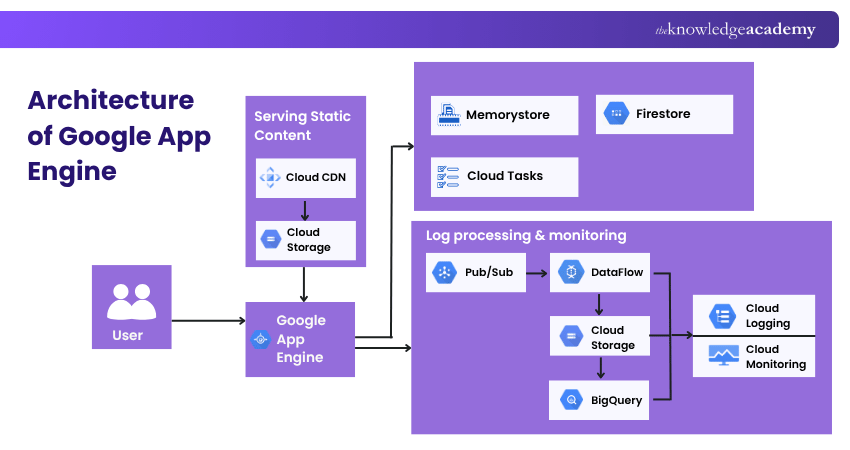
1) Firestore: Firestore is Google Cloud’s recommended NoSQL document database for new applications. App Engine applications can also use Firestore in datastore mode, which provides compatibility with existing datastore-based applications while supporting automatic scaling and high performance.
2) Cloud Tasks: Google Cloud tasks is the recommended service for handling asynchronous background work with App Engine. It allows applications to create, schedule, and manage tasks that are processed independently from user requests.
3) Memorystore: Google recommends Memorystore for Redis as the modern caching option for App Engine applications. It provides managed in-memory data storage that can reduce latency and improve application performance by caching frequently accessed data.
4) Cloud Storage: Google Cloud Storage is the recommended service for storing and serving large files such as images, videos, backups, and other unstructured data. App Engine applications can access cloud storage using Google Cloud client libraries, providing scalable and durable object storage.
5) Automatic Scaling: One of Google App Engine’s crowning features, automatic scaling, epitomises proactive resource management. By continually monitoring application traffic and user requests, it dynamically scales resources. This helps applications respond to changing traffic levels with less manual intervention, although performance can still depend on scaling settings, instance limits, and application behaviour.
6) Integrated Services: Google App Engine isn't an isolated entity but a cog in the vast machinery of Google Cloud computing services. Its ability to seamlessly mesh with other services, from data analytics platforms to state-of-the-art Machine Learning (ML) tools, transforms it from a mere hosting platform to a comprehensive, integrated cloud solution. This interoperability enhances the capabilities of applications hosted on Google App Engine, giving developers a richer toolset to work with.
Learn how to code bold ideas into cloud applications with the Developing Applications with Google Cloud Platform Training – Join now!
Features of App Engine
Google Cloud Platform provides two options for utilising App Engine: The standard environment and the flexible environment.
1) Standard Environment
The standard environment operates on Google's managed infrastructure and is compatible with languages such as Python, Go, and Node.js. It is created for tasks with high levels of demand and extensive sets of data. Some of the main characteristics are:
a) Access to services such as cloud storage for files and Firestore for document data.
b) Automated adjustment of capacity and distribution of workload.
c) Task queues that handle background work in an asynchronous manner.
d) Planned activities for recurring or time-based occasions.
e) Collaboration with additional services and interfaces in Google Cloud.
2) Flexible Environment
The flexible environment, built on Google Compute Engine, offers developers increased flexibility. It provides custom runtimes with Docker, extends request and response timeouts, and allows for the installation of custom software. Some important characteristics are:
a) Customised Infrastructure: Users have the option to use custom libraries, enable SSH for debugging, and deploy Docker containers on virtual machines in Compute Engine.
b) Open-source Community: Backs a variety of open-source tools and frameworks.
c) Native Feature Support: The flexible environment supports features such as traffic splitting, logging and versioning. Applications can also connect to other Google Cloud services for databases, security and content delivery.
d) Performance: Provides various CPU and memory setups for the best possible performance.
Choose Your Environment
Standard: Best for supported runtimes, rapid scaling, and lightweight applicationsFlexible: Best for custom runtimes, Docker containers, and more configurable resources
Google App Engine Apps
A Google App Engine application consists of a single application resource containing one or more services. Each service can have multiple versions, and each version runs on one or more instances depending on traffic and scaling settings. The number of instances serving a version depends on its scaling configuration and demand.
GAE enables the hosting of various app versions on Google Cloud. Developers can divide traffic between versions for conducting A/B testing and implementing new features. GAE provides logging and monitoring tools to help troubleshoot applications in development and production environments. Debugging options vary by environment and runtime.
Build practical cloud application skills with the Developing with Google App Engine Training – Join now!
What are the Benefits and Challenges of Using Google App Engine?
In this section, we are going to discuss the several benefits and challenges of using Google App Engine. These are as follows:
Keep This in Mind
App Engine reduces infrastructure management, but developers still need to configure scaling, permissions, storage, monitoring, and application behaviour carefully.
1) Benefits of Using Google App Engine
Here are some benefits of using Google App Engine:
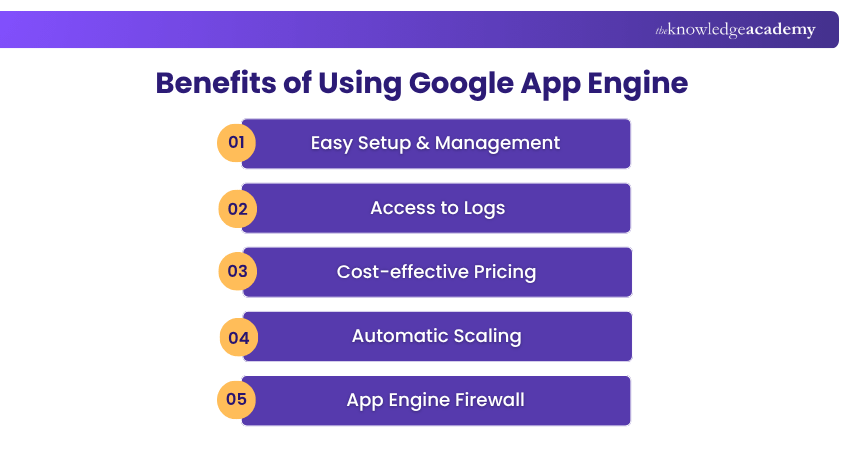
a) Easy Setup & Management: One of the key advantages of Google App Engine in cloud computing is its ease of setup. It is also easy to manage, which makes it more attractive to users. Developers can write code without needing help from core IT professionals. It also allows users to build back-end infrastructure. The built-in APIs in Google App Engine enable users to develop various types of applications.
b) Access to Logs: It also supports application logging, which facilitates debugging and monitoring in production.
c) Cost-effective Pricing: Google App Engine’s usage-based pricing can be cost-effective for some workloads. It has several resources which the users can use to monitor their resources and keep track of their bills in the dashboard.
d) Automatic Scaling: It can automatically scale as the workloads fluctuate for the users. It can automatically add and remove application resources as per the demand.
e) App Engine Firewall: Google App Engine provides firewall rules that allow or deny incoming requests from specified IP addresses or IP ranges. These rules help control which networks can access an application and can also block unwanted or potentially abusive traffic.
2) Challenges of Using Google App Engine
Google App Engine has some drawbacks as well. Let’s discuss some of the challenges of using Google App Engine:
a) Dependency on Google: Applications built around App Engine’s environments and connected Google Cloud services may require changes if developers later move them to another platform.
b) Performance and Resource Limits: Google App Engine has quotas and resource limits that vary by environment and instance type. CPU-intensive workloads can face higher latency or require larger instance classes, particularly in the standard environment. The flexible environment provides more configurable CPU and memory resources for demanding applications.
c) Filesystem Limitations: In the App Engine standard environment, the filesystem is read-only except for the writable /tmp directory. In the flexible environment, applications can write to local disk, but the storage is ephemeral and should not be used for persistent data.
d) Runtime Restrictions: Some App Engine runtimes have environment-specific restrictions compared with running applications on unmanaged virtual machines. These restrictions vary between the standard and flexible environments, so developers should review the supported runtime features and limitations before deployment.
Why Choose Google App Engine?
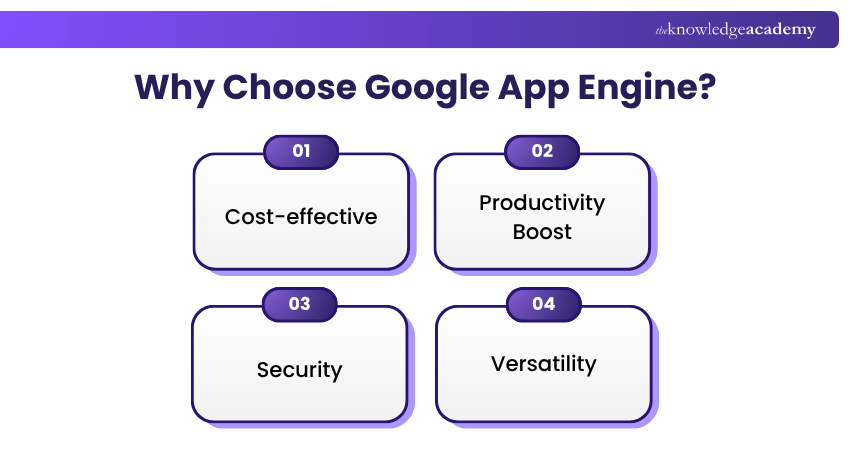
Google App Engine in cloud computing possesses a list of benefits over other services, which make it a standard choice for enterprises. Some of these benefits are as follows:
1) Cost-effective
One of the most compelling reasons to opt for Google App Engine is its cost-efficiency. Unlike traditional hosting, where overheads can rack up quickly, this tool's fully managed nature means there's less infrastructure to administer. App Engine pricing is based on the resources used, with charges varying between the standard and flexible environments. Costs can increase with instance usage, network traffic, storage, and other integrated Google Cloud services. Monitoring your usage and scaling settings helps you manage expenses.
2) Productivity Boost
Time is of the essence in the cloud computing domain. It is attuned to this reality. By taking on the responsibility of infrastructure-related tasks, it liberates developers to zero in on what truly matters: crafting exceptional code and refining their application. With less infrastructure to manage, developers can spend more time building and improving their applications.
3) Security
Nowadays, cyber threats are rife; thus, security isn't just a feature, it's a necessity. Google App Engine runs on Google Cloud’s secure infrastructure and supports security features such as Identity and Access Management (IAM), encryption, firewall rules, and integration with Google Cloud security services.
4) Versatility
Google App Engine’s versatility shines through in its ability to support several projects. Whether you're aiming to launch a minimalist web application or architecting a labyrinthine system teeming with features, it is up to the task. From serving static web pages to managing backend operations for mobile applications bustling with high traffic, it proves time and again that it's a multifaceted cloud computing solution equipped to handle the diverse needs of the digital age.
Learn Google Cloud fundamentals with the Google Cloud Platform Fundamentals Course – Sign up today!

Nilotpal Sarmah is a Senior Content Writer with 11+ years of overall experience spanning engineering, operations and content development. His technical knowledge and extensive writing experience enable him to simplify specialised topics across IT and Tech, Business Skills, Project Management, Health and Safety, and ISO and Compliance.
View Detail

 If you wish to make any changes to your course, please


