




We may not have the course you’re looking for. If you enquire or give us a call on 01344203999 and speak to our training experts, we may still be able to help with your training requirements.
Application Layer in OSI Model Explained
ByVishnu SankarLast updated on: 16 October 2026
The Application Layer in the OSI model is Layer 7, providing application processes with access to network services through protocols such as HTTP, FTP, SMTP, DNS, Telnet, and SNMP.

Quick Snapshot
1. The application layer is Layer 7 and provides network services to application processes.2. It helps identify communication partners and assess service or resource availability.3. Common services include web access, email, file transfer, and domain name resolution.4. It relies on the lower OSI layers to transport data across networks.
If you’ve ever done video chatting, downloaded a file, streamed your favourite show, or even did it all simultaneously, there’s one thing that makes it all possible. It’s the Application Layer in the OSI model. This layer is the final link that connects software to the network, managing everything from email delivery to web browsing.
In this blog we will explore how the application layer works, its importance, key functions, uses, and the common protocols that support application-level communication.
Understanding the Application Layer
The application layer is Layer 7 of the Open Systems Interconnection (OSI) model. It provides application processes with access to network services and defines the protocols and services they use for communication. It is not the end-user application itself but the layer that supports communication between applications across a network.
The application layer works with the lower OSI layers to exchange data across networks. Its focus is on application-level services, while functions such as data representation and session control are handled by the presentation and session layers, respectively.

Importance of the Application Layer
The Application Layer is important because it enables application processes to access network services and communicate across different systems. Its role supports many of the digital services used in everyday network communication.
1) Connects Applications to Network Services: It provides application processes with access to network communication services without requiring them to manage the underlying transmission mechanisms.
2) Enables Essential Network Services: Application-layer protocols provide the standard communication mechanisms that many everyday network services depend on.
3) Supports Interoperability: Standard protocols such as HTTP, SMTP, FTP, and DNS allow applications and systems from different vendors to exchange information using agreed communication rules.
4) Simplifies Network Communication for Applications: Applications can use established protocols and services while the lower OSI layers handle functions such as transport, routing, and physical transmission.
Functions of the Application Layer
The application layer provides services that enable application processes to communicate across a network. Its key functions include:
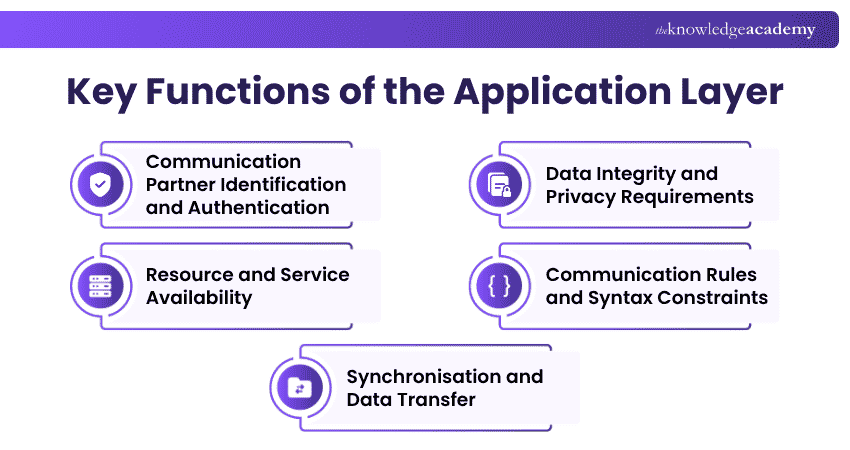
1) Communication Partner Identification and Authentication
The application layer can help identify communication partners and determine whether the required application or service is available. Authentication can also be supported through application-layer protocols and services where required.
2) Resource and Service Availability
It can help determine whether the required application services and communication resources are available before or during data exchange. This supports reliable communication by helping applications confirm that the necessary services can be accessed when needed.
3) Data Integrity and Privacy Requirements
The application layer can define application-level requirements for data integrity, privacy, and error handling, while the underlying mechanisms may be provided by application protocols or lower network layers.
4) Communication Rules and Syntax Constraints
The layer defines application-level communication rules and protocol behaviour required by participating application processes, while data syntax and representation are primarily associated with the Presentation Layer. These rules help applications interpret requests and responses consistently during communication.
5) Synchronisation and Data Transfer
It supports the coordination and transfer of application data while relying on lower OSI layers to carry the information across the network. This helps maintain an organised exchange of data between communicating application processes.
Uses of the Application Layer
The application layer supports many everyday network services used by individuals and organisations. It enables application processes to access services for web communication, email, file sharing, name resolution, remote access, and network management.
Web Communication
The application layer supports communication between web clients and servers, enabling users to browse websites and access web-based services.
Email Services
It supports email communication by enabling messages to be sent, received, and accessed across networked systems.
File and Resource Sharing
Application-layer services allow users and systems to transfer files or access shared resources across a network.
Name and Network Configuration Services
The application layer supports services such as domain name resolution and automated network configuration. DNS helps systems locate network resources, while DHCP provides devices with configuration information needed to communicate on a network.
Remote Access and Network Management
It supports remote access to networked systems and helps administrators oversee and control network devices.
Trainer’s Pro Tip
When troubleshooting Layer 7 issues, start by checking whether the correct application-layer protocol and service are responding as expected. For example, a DNS issue can stop users from reaching a website even when the underlying network connection is working normally.
Common Application Layer Protocols
The application layer uses various protocols to support services such as web communication, email, file transfer, name resolution, remote access, network configuration, and network management. Here are some common application-layer protocols:
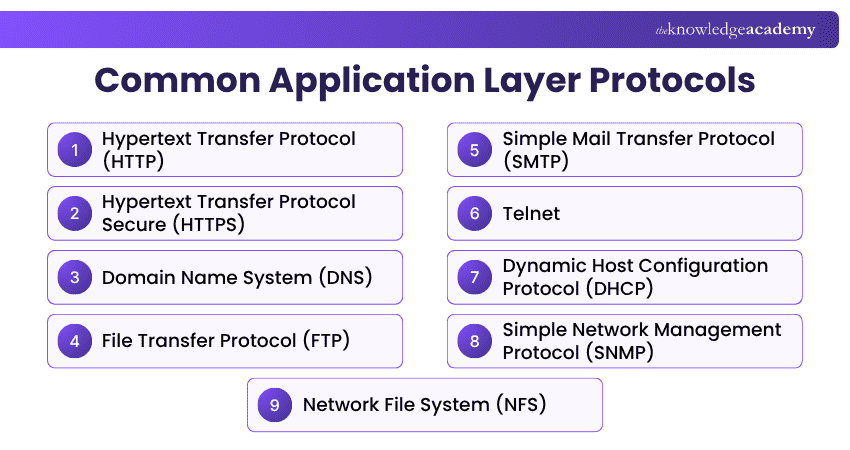
1) Hypertext Transfer Protocol (HTTP)
HTTP enables communication between web clients and servers using a request-response model. It is stateless, meaning each request can be handled independently without the protocol requiring stored session state from previous requests. HTTP commonly uses port 80. Traditional HTTP/1.1 and HTTP/2 typically use TCP, while HTTP/3 uses QUIC over UDP.
2) Hypertext Transfer Protocol Secure (HTTPS)
HTTPS uses HTTP with TLS to protect data exchanged between clients and servers. It commonly uses port 443; HTTP/1.1 and HTTP/2 generally use TCP, while HTTP/3 uses QUIC over UDP.
3) Domain Name System (DNS)
DNS resolves domain names into information such as IP addresses, allowing applications to locate network resources using human-readable names. DNS uses port 53 over both UDP and TCP.
Strengthen your understanding of domains, DNS, and hosting with our Introduction to Domain Names and Web Hosting Training today.
4) File Transfer Protocol (FTP)
FTP operates at the application layer and supports file transfers across networked systems. TCP port 21 is used for the FTP control connection, while TCP port 20 is associated with the default data connection in active-mode FTP.
5) Simple Mail Transfer Protocol (SMTP)
SMTP is used to transfer email messages. TCP port 25 is associated with SMTP message transfer, while TCP port 587 is assigned for message submission. Security depends on the configuration and security mechanisms used rather than SMTP alone.
6) Telnet
Telnet is an application-layer protocol used for remote terminal access to another host. It allows a user to interact with a remote system through a text-based session and commonly uses TCP port 23.
7) Dynamic Host Configuration Protocol (DHCP)
DHCP automatically provides devices with network configuration information such as IP addresses, subnet masks, and default gateways. In DHCP for IPv4, servers use UDP port 67 and clients use UDP port 68.
8) Simple Network Management Protocol (SNMP)
SNMP is used to monitor and manage network devices by exchanging management information between managers and agents. It can retrieve device information and receive notifications about network events. SNMP commonly uses UDP port 161 for queries and UDP port 162 for notifications or traps.
9) Network File System (NFS)
NFS allows systems to access files stored on remote servers through a network as though they were part of a local file system. NFS commonly uses port 2049. Modern NFS versions generally use TCP, while some earlier implementations can also use UDP.
Understand effective troubleshooting methodologies to address diverse IT issues with our IT Support and Solution Courses today.
Quick Check
Which protocol is mainly used to resolve domain names into IP addresses?A. SMTPB. DNSC. FTPD. SNMPCorrect Answer: B. DNS

Vishnu Sankar is a Senior Content Writer with 5+ years of experience across content development, software development, web development and system administration. His technical background and professional training support his expertise in IT and Tech, while his extensive research and writing experience covers Project Management and Health and Safety.
View Detail

 If you wish to make any changes to your course, please


