




We may not have the course you’re looking for. If you enquire or give us a call on 01344203999 and speak to our training experts, we may still be able to help with your training requirements.
Adobe InDesign vs Canva: A Detailed Comparison
ByThe Knowledge AcademyLast updated on: 09 October 2026
Adobe InDesign and Canva are powerful design tools built for different needs. InDesign offers advanced control over professional page layouts, typography, and publishing, while Canva prioritises speed, templates, collaboration, and ease of use. This comparison helps you choose the right tool for your design projects.
When creating visual content, Adobe InDesign and Canva are often compared because they support different design workflows and user needs. Many designers might compare Adobe InDesign vs Canva to determine which is better. However, both platforms offer powerful features for designing various types of content, but they cater to different user needs and skill levels.
Adobe InDesign is a professional page-layout and publishing application, while Canva is a multi-platform visual communication and design tool focused on accessible, template-driven creation. Read this blog to learn and understand the differences between Adobe InDesign vs Canva and their various features.
What is Adobe InDesign?
It is a professional desktop publishing software used by Graphic Designers, Publishers, and marketing professionals. It is part of the Adobe Creative Cloud suite and offers extensive tools for creating print and digital designs, such as magazines, brochures, flyers, books, and interactive PDFs. InDesign provides precise control over layout, typography, and graphics, making it well suited to complex page-layout and publishing projects.
Exceptional typographic control and layout flexibility are the two most prominent aspects of Adobe InDesign. Designers can fine-tune typography through font selection, kerning, tracking, leading, hyphenation and other advanced controls. This level of precision ensures that text elements are visually appealing and optimised for readability.
Users can easily create multi-page documents like magazines, brochures, and books. The software enables precise control over page margins, columns, and grids, allowing for the creation of complex and sophisticated layouts.
What is Canva?
Canva is a visual communication and design platform available across web, desktop and mobile. It focuses on templates, drag-and-drop editing, collaboration, brand tools and AI-assisted creation, making it accessible to beginners, marketers, content creators and teams.
One of the most prominent features of Canva is its vast collection of pre-designed templates that cover various design categories, including social media graphics, presentations, posters, invitations, etc. Users can choose from various professionally designed layouts and customise them to suit their needs.
This feature is particularly beneficial for individuals or small businesses that may not have the resources or time to create designs from scratch. In addition, Canva also provides a large library of images, illustrations, icons, fonts and other design assets that can be added through its editor. Users can easily drag and drop these elements onto their designs, allowing for quick customisation.
Features of Adobe InDesign
Adobe InDesign offers comprehensive features that empower designers to create visually stunning and professional-grade designs. Here are some of the key features of Adobe InDesign that make it a powerful tool in graphic design.
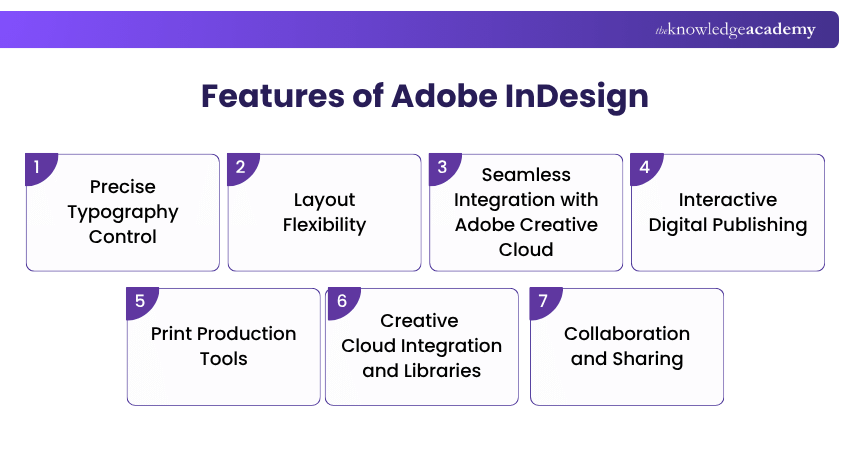
a) Precise Typography Control: InDesign provides extensive typographic controls, allowing designers to manipulate every aspect of the text. It ensures precise and visually appealing typography by choosing fonts and adjusting kerning, tracking, and leading to controlling hyphenation and applying advanced OpenType features.
b) Layout Flexibility: With InDesign, designers have the freedom to create complex layouts with ease. The software offers tools for managing multiple pages, establishing grids and columns, aligning objects precisely, and applying consistent styles through parent pages. This flexibility enables the creation of sophisticated designs for print and digital media.
c) Seamless Integration with Adobe Creative Cloud: InDesign can place and manage assets from Adobe applications and Creative Cloud Libraries. Linked graphics can be opened and edited in their source applications, with saved changes reflected in the InDesign document. This helps streamline asset management and maintain consistency across creative workflows.
d) Interactive Digital Publishing: InDesign provides interactive features for creating engaging digital publications. Designers can incorporate multimedia elements such as videos, audio files, and interactive buttons to enhance the user experience in e-books, interactive PDFs, and digital magazines. Its interactive capabilities make it suitable for creating rich, interactive content for digital platforms.
e) Print Production Tools: InDesign offers robust print production features as a desktop publishing software. It provides pre-flighting tools to ensure that designs meet printing requirements and identifies potential issues before sending files for production. It also supports colour management and PDF export settings, enabling designers to generate print-ready files with high resolution and accurate colour reproduction.
f) Creative Cloud Integration and Libraries: InDesign works with Photoshop, Illustrator and Creative Cloud Libraries, allowing designers to place linked assets, reuse shared design elements and maintain consistency across projects.
g) Collaboration and Sharing: InDesign supports cloud-based collaboration through features such as Share for Review, Invite to Edit and shared Projects. Teams can share documents, collect comments and grant editing access, although simultaneous edits to the same document should be managed carefully to avoid version conflicts.
Master Adobe InDesign and create stunning, professional layouts for print and web with the Adobe InDesign Course!
Features of Canva
Canva is known for its user-friendly interface and intuitive design tools that enable users, including beginners and non-designers, to create visually appealing graphics. Here are some of the key features that make it a popular choice for quick and easy design:
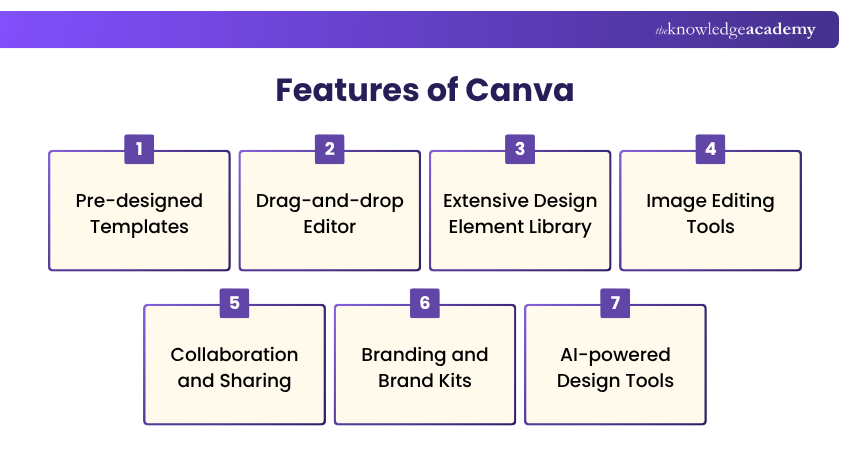
a) Pre-designed Templates: It offers a vast collection of professionally designed templates for various design categories. Users can choose from templates for social media graphics, presentations, posters, invitations, and more. These templates provide a starting point for designs, saving time and effort by eliminating the need to create designs from scratch.
b) Drag-and-drop Editor: Canva's drag-and-drop editor allows users to add elements to their designs easily. Users can select and customise text, images, shapes, icons, and illustrations by dragging and dropping them onto the canvas. This intuitive editing feature makes designing faster and accessible to users of all skill levels.
c) Extensive Design Element Library: It provides a large library of stock photos, illustrations, icons, fonts, video and audio assets Users can browse and choose from these elements to enhance their designs. The library offers a wide range of design elements, ensuring users can find suitable elements for their specific design needs.
d) Image Editing Tools: Canva incorporates basic image editing tools that allow users to adjust their images within the platform. Users can resize, crop, apply filters, and add effects to images, eliminating the need for separate editing software. These editing tools allow users to customise images directly within their design projects.
e) Collaboration and Sharing: It facilitates collaboration among team members by allowing users to invite others to collaborate on designs. Users can share their designs with clients, colleagues, or stakeholders, enabling seamless collaboration and feedback exchange. Canva also allows downloading them in various file formats for easy sharing and distribution.
f) Branding and Brand Kits: It offers Brand Kits, which allow users to create and maintain consistent branding across their designs. Brand Kits let users store and reuse brand assets such as logos, fonts and colour palettes across designs. Availability and the number of Brand Kits vary by plan. This feature ensures brand consistency and streamlines the design process.
g) AI-powered Design Tools: Canva provides AI-powered tools for generating and editing visual and written content, including image generation and other Canva AI capabilities. Availability and usage allowances vary by plan, with paid plans providing broader access and higher AI limits.
Adobe InDesign vs Canva: Key Differences
While Adobe InDesign and Canva are popular design tools, they differ significantly in their target audience, capabilities, and workflow. Here are the key differences between Adobe InDesign vs Canva.
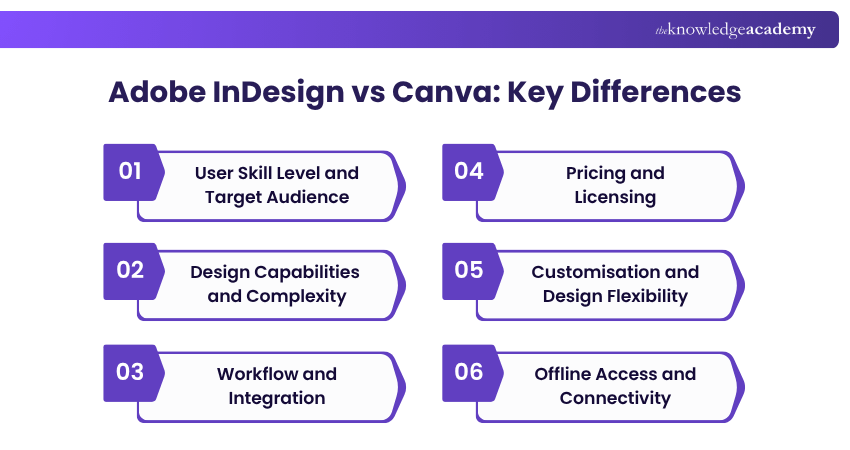
1) User Skill Level and Target Audience
Adobe InDesign is geared towards professional graphic designers, publishers, and marketing professionals who require advanced design capabilities and precision control over typography, layout, and print production. It is a sophisticated tool that requires a learning curve and is better suited to users who need advanced layout and publishing control and are comfortable with a more complex interface.
Canva, on the other hand, targets a wider range of users, including beginners, non-designers, and small businesses. It offers a simplified interface and intuitive tools, making it accessible to users without design expertise. Canva's focus on user-friendliness and quick design solutions appeals to those seeking to create visually appealing graphics without advanced design skills.
2) Design Capabilities and Complexity
Adobe InDesign provides extensive design capabilities, allowing precise control over typography, layout, and advanced print production. It offers robust features for creating complex layouts, managing multi-page documents, and incorporating interactive elements in digital publications. InDesign's comprehensive tools enable the creation of intricate print and digital media designs, making it suitable for complex professional publishing projects.
Canva, on the other hand, offers a more streamlined set of design capabilities. It emphasises ease of use and quick design solutions with pre-designed templates, drag-and-drop editing, and a library of design elements. Canva excels in creating social media graphics, presentations, posters, and other visually appealing content that can be quickly produced without advanced design skills or in-depth customisation.
3) Workflow and Integration
Adobe InDesign allows seamless integration with other Adobe applications like Photoshop and Illustrator as a part of Creative Cloud. This integration enables users to place assets from Photoshop and Illustrator into InDesign and open linked graphics in their source applications for editing, with updates reflected in the InDesign document. It enhances workflow efficiency and facilitates collaboration between different design disciplines.
Canva operates across web, desktop and mobile platforms and includes built-in collaboration, asset libraries and sharing tools. While it provides basic image editing tools, it lacks the extensive editing capabilities of professional-grade software like Photoshop. Canva's collaboration features enable multiple users to work on designs simultaneously and share projects with clients or team members.
4) Pricing and Licensing
InDesign requires a paid Adobe subscription. It is available as a standalone plan or as part of broader Creative Cloud plans that include additional Adobe applications. Pricing varies by plan, region and user type.
Canva offers a free plan alongside paid plans that provide broader access to premium assets, Brand Kits, AI tools, collaboration features and additional storage.
5) Customisation and Design Flexibility
Adobe InDesign provides extensive customisation options, providing extensive control over layout, typography, styles and publication structure. Its advanced features such as Parent Pages, layout controls, styles, and reusable page elements, enable designers to create highly customised and intricate designs tailored to their specific needs.
In contrast, while Canva offers customisation options, they are more limited compared to InDesign. Users can customise templates by changing text, colours, and images, but they have fewer options for fine-tuning design elements. Canva prioritises simplicity and ease of use, providing a more straightforward and streamlined approach to design. It may not be as suitable for projects that require intricate customisation or advanced design techniques.
6) Offline Access and Connectivity
InDesign can be used offline after installation and activation, although periodic internet access is required for subscription validation and cloud-based services. However, Creative Cloud periodically requires an internet connection to validate the subscription. Adobe Help Center
Canva now supports offline editing for existing designs that have been made available offline in advance. Users can perform many basic editing tasks without internet access, although templates, online assets, AI features, real-time collaboration, and some other functions still require connectivity.
Pick Your Design Tool
Which tool fits the task?
Designing a 100-page magazine → Adobe InDesignCreating social posts quickly → CanvaPrecise typography and print layouts → Adobe InDesignTemplate-led team content → Canva
Adobe InDesign vs Canva: Which Should You Choose?
Choose Adobe InDesign When: You need precise control over typography, professional multi-page layouts, print production, long-form publications, or complex publishing workflows.
Choose Canva When: You prioritise quick content creation, ready-made templates, easy collaboration, social media graphics, presentations, brand assets, or accessible design tools.
Use Both When: Your workflow includes professional publication design alongside fast marketing or social content. The tools can serve complementary purposes rather than requiring an either-or choice.
Trainer’s Tip: Choose your design tool based on the final output, not just ease of use. For complex multi-page publishing and print control, prioritise InDesign; for fast, repeatable digital content, Canva can offer a more efficient workflow.
Ignite your creative journey with the Adobe Photoshop Course. Unleash your imagination and learn the art of digital design and photo editing!
Keep This in Mind
1. InDesign suits complex, professional layouts.2. Canva prioritises speed and ease of use.3. InDesign offers deeper typography and print control.4. Canva works well for quick visual content.5. Offline access differs across both platforms.

The Knowledge Academy develops accessible learning content across Project Management, IT, Cybersecurity, Data Science, Business Analysis, HR, Accounting and Finance, Leadership and Health and Safety. Its resources combine subject research with clear explanations to help professionals build practical knowledge across a wide range of disciplines.
View Detail

 If you wish to make any changes to your course, please


