


We may not have the course you’re looking for. If you enquire or give us a call on 01344203999 and speak to our training experts, we may still be able to help with your training requirements.
Top Benefits of Virtualisation for Businesses
ByThe Knowledge AcademyLast updated on: 11 November 2026
Discover the top benefits of virtualisation for businesses, from optimising hardware resources and reducing IT costs to improving scalability and efficiency. Explore how virtualisation supports faster development, workload management and disaster recovery.

At a Glance
1. Virtualisation allows multiple virtual environments to share physical hardware efficiently.2. It helps reduce expenses related to servers, electricity, cooling and data centre space.3. Centralised management tools can simplify virtual machine deployment, monitoring and administration.4. Virtual machines support faster testing, flexible scaling and better workload management.5. With suitable backup and recovery arrangements, virtualisation can strengthen business continuity.
Imagine running a business where every new application requires its own physical server, which adds to your costs, maintenance workload and space requirements. What if there's a smarter approach where a single physical system can run multiple virtual machines, each in its own isolated environment? That's what server virtualisation makes possible.
Today, virtualisation is changing how businesses manage their Information Technology (IT) infrastructure. It offers a practical way to adapt to changing technological requirements without relying on additional physical hardware for every workload. In this blog, we'll explore eight key benefits of virtualisation and how they support modern business operations.
Top Benefits of Virtualisation
Virtualisation can help businesses address common infrastructure challenges while improving resource efficiency and operational flexibility. Here are eight key benefits to consider:
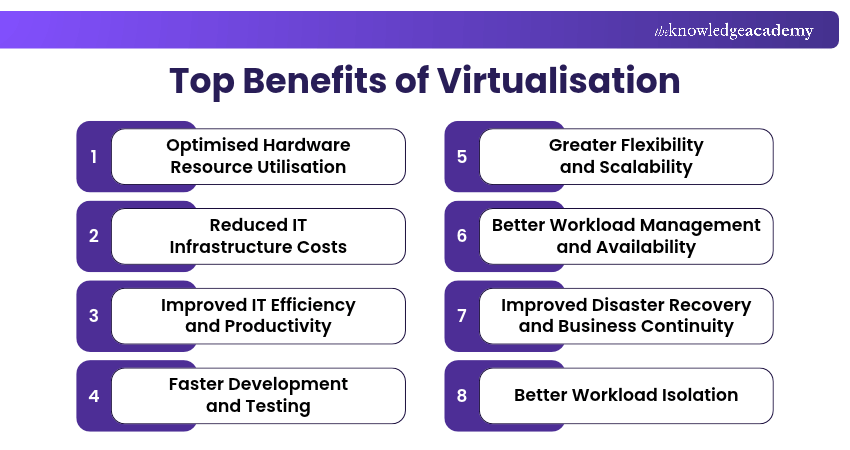
1) Optimised Hardware Resource Utilisation
Virtualisation helps organisations make better use of their existing hardware by allowing multiple Virtual Machines (VMs) to run on a single physical server. Instead of dedicating separate servers to individual applications, businesses can share computing resources across different workloads.
This approach reduces underused hardware and allows IT teams to allocate CPU, memory and storage resources according to workload requirements. As a result, organisations can improve infrastructure efficiency without constantly adding new physical servers.

2) Reduced IT Infrastructure Costs
One of the most significant benefits of virtualisation is its potential to reduce IT infrastructure expenses. By running several virtual machines on fewer physical servers, organisations can lower hardware purchasing and maintenance costs.
Fewer physical servers may also reduce electricity consumption, cooling requirements and data centre space. These savings can help businesses use their IT budgets more effectively, although software licensing, storage and management costs must also be considered.
3) Improved IT Efficiency and Productivity
Virtualisation simplifies IT administration by allowing teams to manage multiple virtual environments through centralised management tools. Instead of configuring and maintaining every physical server separately, administrators can perform many routine tasks through a shared management platform.
IT teams can also use templates, cloning and automation to deploy virtual machines and apply consistent configurations. This reduces repetitive manual work and allows professionals to spend more time on system improvements, maintenance planning and other important activities.
4) Faster Development and Testing
Virtualisation enables developers to create testing environments without waiting for new physical hardware to be installed. They can quickly provision virtual machines, test applications and experiment with different operating systems or software configurations.
For example, a development team can create separate virtual environments to test an application across multiple operating systems. Once testing is complete, these environments can be modified, reused or removed as needed. This flexibility helps speed up development and makes testing more convenient.
Did You Know?
Virtualisation dates back to 1967, when IBM demonstrated the technology through its CP-40 research system. It was later developed further through IBM's VM family, introduced in 1972, laying the foundation for modern virtualisation technologies.
5) Greater Flexibility and Scalability
Business IT requirements can change as organisations grow, introduce new applications or experience fluctuating workloads. Virtualisation provides greater flexibility by allowing IT teams to create, modify and remove virtual environments according to changing demands.
For instance, a business experiencing increased demand for an application can allocate additional available resources or deploy more virtual machines when sufficient infrastructure capacity is available to support the workload. This makes it much easier to respond to changing requirements without installing dedicated physical hardware for every new environment.
Trainer Insight
Running multiple virtual machines on one physical server does not eliminate downtime risks. If that host fails, its dependent VMs may also become unavailable. Maintaining high availability requires suitable infrastructure redundancy, failover arrangements and regular testing of recovery procedures.
6) Better Workload Management and Availability
Virtualisation helps IT teams manage workloads by allowing computing resources to be allocated and adjusted according to application requirements. Monitoring tools can help administrators identify resource shortages and make changes to improve workload distribution.
Some virtualisation platforms also support live migration and high-availability features, enabling virtual machines to move between compatible hosts or restart on another host following certain failures. When properly configured, these capabilities can help organisations perform maintenance and reduce service interruptions.
7) Improved Disaster Recovery and Business Continuity
Unexpected hardware failures, system errors and other disruptions can interrupt business operations. Virtualisation can simplify disaster recovery by making virtual machines easier to back up, replicate and restore using suitable tools and recovery arrangements.
For example, an organisation may replicate important virtual machines to a secondary host or location. If the primary environment becomes unavailable, IT teams can use the replicated systems to restore essential services according to their recovery plan. These capabilities can reduce recovery effort and support business continuity.
8) Better Workload Isolation
Virtualisation allows organisations to run separate operating systems and applications within individual virtual machines. Each VM operates in its own virtual environment, helping reduce direct interference between workloads.
This separation is particularly useful when testing unfamiliar software, running different operating systems or maintaining applications with different technical requirements. For example, IT teams can test software updates in a dedicated VM before applying changes to production systems.
What are the Types of Virtualisation?
Understanding the different types of virtualisation can help businesses choose an approach that suits their IT requirements:
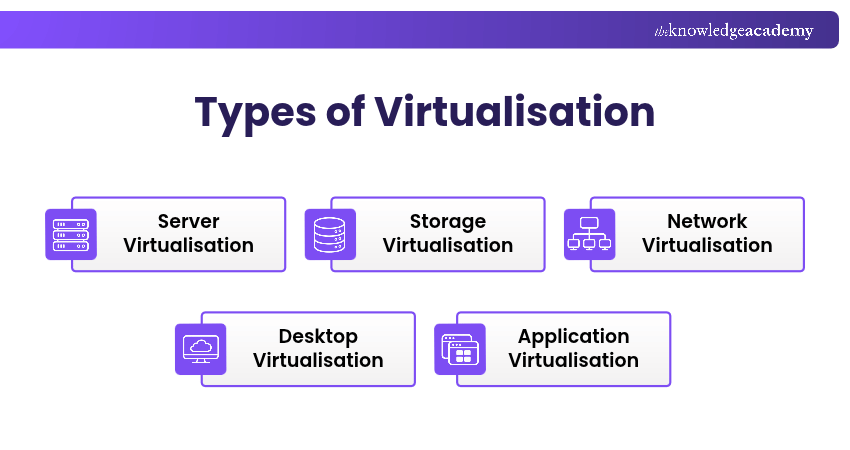
1) Server Virtualisation: It allows multiple virtual servers to run on one physical server, helping improve hardware utilisation.
2) Storage Virtualisation: It combines or abstracts physical storage resources to enable more flexible storage management.
3) Network Virtualisation: It creates software-defined networking resources that are abstracted from the underlying physical infrastructure, enabling more flexible network management.
4) Desktop Virtualisation: It allows desktop operating systems to run in virtual environments, either locally or on remote servers, providing greater flexibility in desktop management and access.
5) Application Virtualisation: It separates applications from aspects of the underlying operating environment, simplifying deployment and management.
Acquire a versatile skill set and adapt to diverse technological landscapes effectively with our Advanced Technologies Courses – Register now!

The Knowledge Academy develops accessible learning content across Project Management, IT, Cybersecurity, Data Science, Business Analysis, HR, Accounting and Finance, Leadership and Health and Safety. Its resources combine subject research with clear explanations to help professionals build practical knowledge across a wide range of disciplines.
View Detail

 If you wish to make any changes to your course, please


