


We may not have the course you’re looking for. If you enquire or give us a call on 01344203999 and speak to our training experts, we may still be able to help with your training requirements.
15 Essential UI Developer Skills You Need to Know
ByThe Knowledge AcademyLast updated on: 13 November 2026
Learn how coding, accessibility, testing, performance and version control work together to help UI Developers build responsive, reliable and user-friendly digital interfaces.

Overview
1. UI development combines front-end coding with an understanding of interface design.2. HTML, CSS and JavaScript provide the technical foundation for interactive interfaces.3. Responsive design and accessibility help interfaces work for different users and devices.4. Testing, debugging and performance optimisation improve reliability and usability.5. Practical projects, frameworks and version control help developers strengthen their workflow.
A website may look perfect at first glance, but what happens when a button stops working or the layout breaks on a mobile screen? Even small interface problems can affect how people interact with a website.
This is where UI Developers make a difference. They turn visual designs into functional interfaces, ensuring that elements respond correctly, layouts adapt to different devices and users can navigate without unnecessary difficulty.
So, what skills do UI Developers need to make this happen? In this blog, we'll explore 15 essential UI Developer skills, from HTML, CSS and JavaScript to accessibility, testing and performance optimisation, along with practical ways to develop them.
Essential UI Developer Skills
UI development requires a combination of programming knowledge, design awareness and practical problem-solving abilities. These capabilities help developers create interfaces that are visually consistent, interactive and reliable.
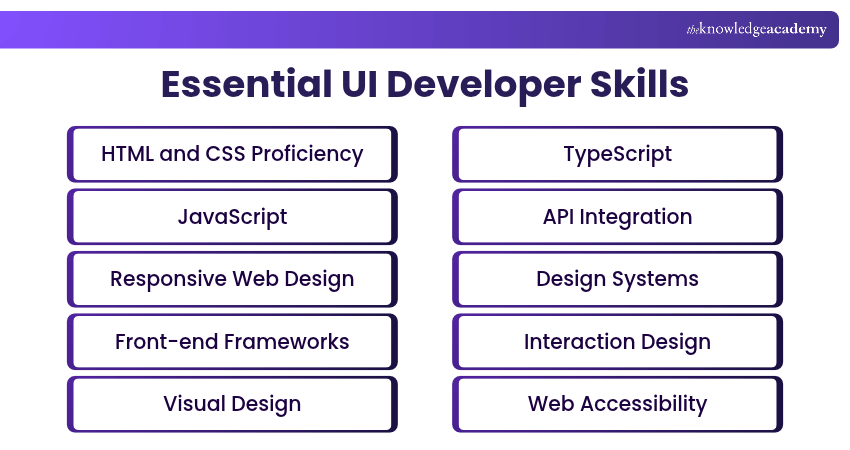
1) HTML and CSS Proficiency
HTML and CSS form the foundation of web interface development. HTML defines the structure of web pages, including headings, navigation, forms and other content. CSS controls how these elements appear through colours, fonts, spacing and layouts.
UI Developers need to understand semantic HTML, the CSS box model, Flexbox and Grid to build well-structured interfaces. Strong proficiency in these technologies allows developers to translate design specifications into clean, organised web pages.
Gain basic understanding of HTML and CSS with our HTML and CSS Course – Join now!
2) JavaScript
JavaScript enables websites to respond to user actions and display dynamic content. It allows developers to create interactive menus, validate forms, update page elements and retrieve information without requiring a complete page reload.
UI Developers should understand variables, functions, events, DOM manipulation and asynchronous programming. For example, JavaScript can display an error message when a required form field is empty or update search results as users type.
3) Responsive Web Design
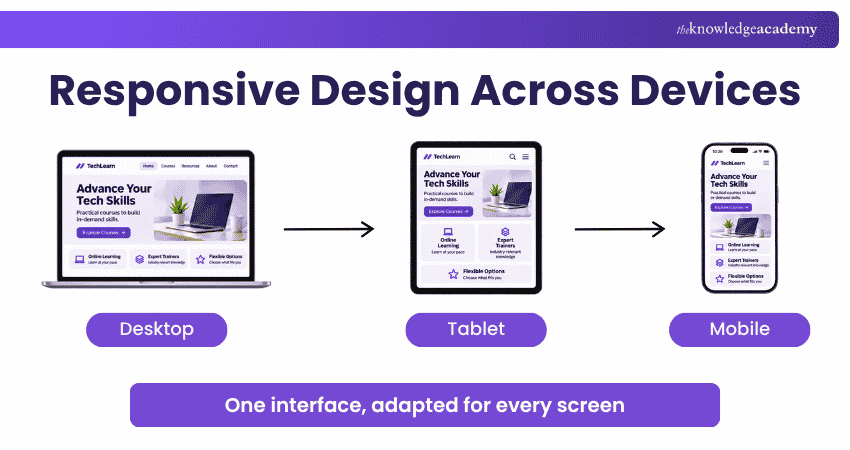
Responsive web design helps interfaces adapt to different screen sizes and devices. A website should remain readable and usable whether someone accesses it through a smartphone, tablet or desktop computer.
UI Developers use flexible layouts, relative measurements and CSS media queries to adjust content presentation. A mobile-first approach helps them prioritise essential content on smaller screens before adapting the layout for larger displays.
Trainer’s Pro Tip
Test layouts at different viewport widths while you build, rather than waiting until the page is finished. This makes it easier to spot wrapping, spacing and alignment problems before they affect multiple components.
4) Front-end Frameworks
Front-end frameworks and libraries provide structured ways to develop complex web interfaces. Frameworks such as Angular and Vue, alongside libraries such as React, help developers organise application logic and build interactive components efficiently.
These tools help build applications with dynamic content and interconnected screens. UI Developers benefit from understanding components, state management and data flow, alongside strong HTML, CSS and JavaScript fundamentals.
5) Visual Design
Visual design focuses on how interface elements are arranged and presented. It involves typography, colour, visual hierarchy, spacing, alignment and branding.
UI Developers apply these principles when translating design concepts into functional web pages. For example, consistent heading sizes help users recognise important information, while appropriate spacing separates different content sections.
Understanding visual design enables developers to maintain a polished appearance and communicate information clearly without compromising the intended design.

6) TypeScript
TypeScript extends JavaScript with static type checking, helping developers identify certain coding errors before execution. It is widely used in modern front-end applications, particularly those built with Angular and React.
UI Developers benefit from understanding types, interfaces and typed components. These capabilities help them manage complex codebases, improve maintainability and collaborate more effectively on larger projects.
7) API Integration
API integration allows UI Developers to connect interfaces with back-end services and retrieve or update application data. It enables features such as live search results, account information and dynamic product listings.
Developers should understand REST APIs, HTTP requests, JSON and asynchronous JavaScript. For example, a shopping application can fetch product information from an API and display the results without reloading the entire page.
8) Design Systems
A design system is a collection of shared standards, styles and reusable interface elements that support consistency across digital products.
It typically includes colour palettes, typography rules, spacing guidelines and component specifications. UI Developers use these standards to implement consistent, reusable interface components.
For example, a design system can define how primary buttons should look and behave across different pages, helping teams maintain consistency as applications grow.
9) Interaction Design
Interaction design focuses on how an interface responds when users interact with it. It covers behaviours such as opening menus, submitting forms, selecting options and receiving feedback.
UI Developers implement these behaviours through interactive states, transitions and micro-interactions. For instance, a loading indicator can communicate that a request is being processed, while a confirmation message tells users that an action was successful.
Effective interaction design can make interfaces more intuitive and help users understand what happens after each action.
Develop practical skills in responsive layouts, UI/UX principles and visual website design with our Website Design Course – Sign up today!
10) Web Accessibility
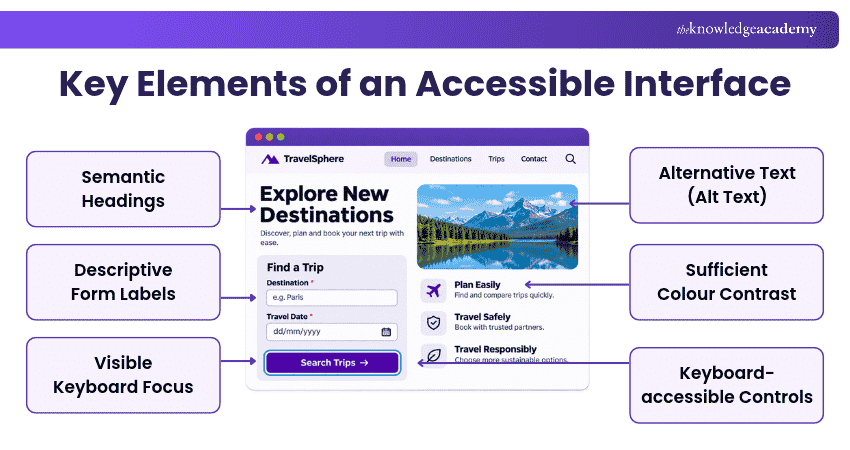
Web accessibility focuses on making digital interfaces accessible and usable for people with disabilities. UI Developers need to consider users who navigate websites using keyboards, screen readers or other assistive technologies.
Important practices include using appropriate HTML elements, providing descriptive form labels, maintaining sufficient colour contrast and supporting keyboard navigation.
Familiarity with the Web Content Accessibility Guidelines (WCAG) 2.2 helps developers identify accessibility requirements and incorporate inclusive practices throughout development.
Quick Check
Which practice helps keyboard users understand where they are on a webpage?
a. Removing focus outlinesb. Using visible focus indicatorsc. Relying only on hover effectsd. Using placeholder text instead of labelsAnswer: b. Using visible focus indicators
11) Cross-browser Compatibility
Cross-browser compatibility involves ensuring that websites function consistently across different browsers, including Chrome, Firefox, Safari and Edge.
Browsers can interpret or support certain web features differently, resulting in changes to layouts or functionality. UI Developers need to understand browser support and identify potential compatibility issues.
Testing interfaces across relevant browsers helps confirm that important features work as intended in the browsers being tested.
12) UI Testing
UI testing checks whether an interface behaves according to its requirements. It involves verifying elements such as buttons, forms, navigation menus and interactive workflows.
Developers can perform manual tests or use automated testing tools to check expected behaviour. For example, a test might confirm that submitting a form with missing information displays the appropriate validation message.
Regular UI testing helps identify functional problems before release and reduces the likelihood of errors affecting users.
13) Debugging
Debugging is the process of identifying, investigating and correcting errors in an interface's code or behaviour.
UI Developers use browser developer tools to inspect HTML elements, examine CSS rules, review JavaScript errors and monitor network requests. These tools help determine why a feature is behaving unexpectedly.
For example, when a dropdown menu fails to open, debugging can reveal whether the problem comes from incorrect styling, an event handler or an application error.
14) Web Performance Optimisation
Web performance optimisation focuses on improving how quickly websites load and respond to user interactions. Slow interfaces can frustrate visitors, especially on mobile devices or slower connections.
UI Developers improve performance through image compression, efficient resource loading and JavaScript code splitting. They also monitor Core Web Vitals: Largest Contentful Paint (LCP), Interaction to Next Paint (INP) and Cumulative Layout Shift (CLS).
These practices help create smoother browsing experiences while reducing unnecessary resource usage.
15) Version Control
Version control allows developers to track changes to their code and collaborate on shared projects. Git is widely used to manage development history and coordinate contributions from multiple team members.
UI Developers should understand repositories, commits, branches and merging changes. Platforms such as GitHub and GitLab also support code reviews and collaborative workflows.
These skills help developers maintain organised code, investigate previous changes and work more efficiently with other members of a development team.
Strengthen your HTML, CSS, JavaScript and responsive design skills with our Front-end Web Development Course - Sign up today!
How to Develop UI Developer Skills
Building strong UI Developer skills requires consistent practice and an understanding of how different technologies contribute to a complete interface. The following steps provide a practical starting point:
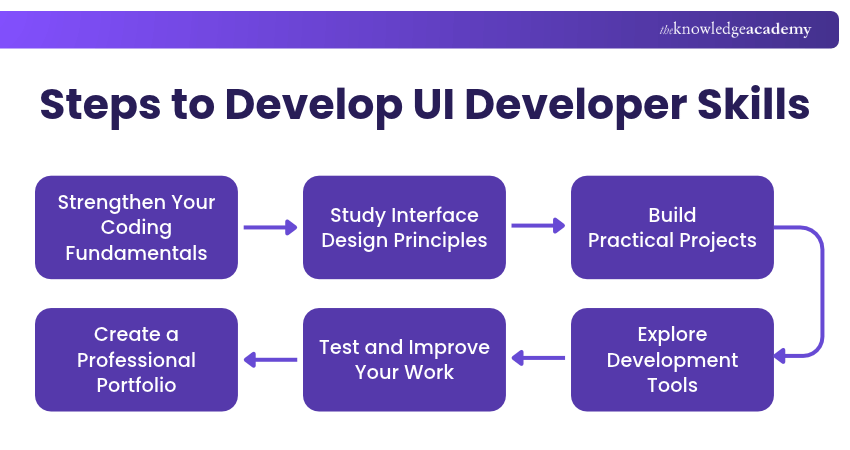
1) Strengthen Your Coding Fundamentals: Begin with HTML, CSS and JavaScript. Practise creating web pages, styling layouts and adding interactive functionality before moving to more complex technologies.
2) Study Interface Design Principles: Learn how visual hierarchy, spacing, typography and interaction patterns influence usability. Review existing websites to understand how effective interfaces communicate information.
3) Build Practical Projects: Create a responsive portfolio website, interactive form or simple dashboard. These projects help you apply individual skills together and understand common development challenges.
4) Explore Development Tools: Become familiar with browser developer tools, Git and a modern front-end framework or library. Use these tools to inspect interfaces, organise code and develop reusable features.
5) Test and Improve Your Work: Check your projects on different devices and browsers. Evaluate accessibility, investigate errors and gather feedback to identify areas for improvement.
6) Create a Professional Portfolio: Document your completed projects, explain the technologies used and highlight the problems you solved. A portfolio demonstrates your ability to turn interface requirements into working applications.
Combining structured learning with practical development experience helps you strengthen your technical abilities and build confidence in creating user-friendly interfaces.
Remember
Revisit completed projects as your skills grow. Refactoring older code, improving accessibility and performance, and documenting what you changed can reveal progress and strengthen your development habits.
Strong UI development combines technical knowledge with design awareness and continuous improvement. Applying these capabilities through practical projects helps developers create interfaces that are responsive, accessible, reliable and easier for users to interact with.
Build broader skills across front-end development, UI/UX design and modern web technologies with our App & Web Development Training – Register now!

The Knowledge Academy develops accessible learning content across Project Management, IT, Cybersecurity, Data Science, Business Analysis, HR, Accounting and Finance, Leadership and Health and Safety. Its resources combine subject research with clear explanations to help professionals build practical knowledge across a wide range of disciplines.
View Detail

 If you wish to make any changes to your course, please


